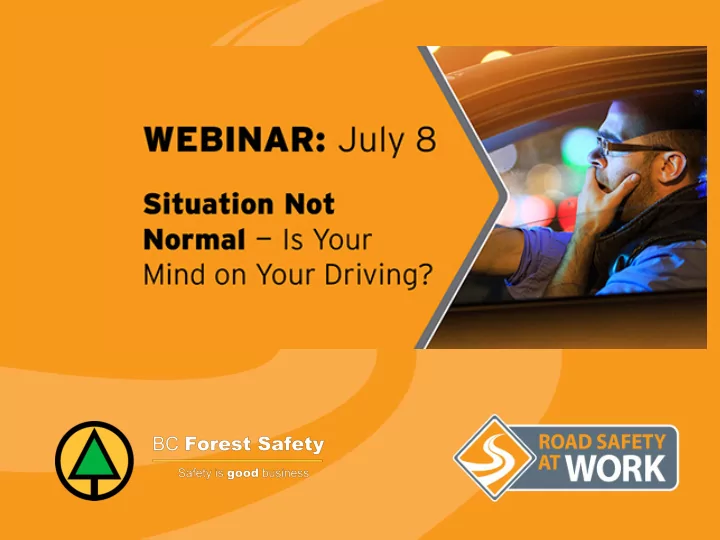
Audio instructions Select Computer audio to use your computers - - PowerPoint PPT Presentation

audio instructions
SMART_READER_LITE
LIVE PREVIEW

Audio instructions Select Computer audio to use your computers - - PowerPoint PPT Presentation

Audio instructions Select Computer audio to use your computers sound OR Select Phone call to dial in 2 Asking questions Click on Questions to expand the Questions pane Then Type your question to the moderator Our


slide-1
SLIDE 1
slide-2
SLIDE 2

2

Select “Computer audio” to use your computer’s sound OR Select “Phone call” to dial in

Audio instructions

slide-3
SLIDE 3

Click on “Questions” to expand the Questions pane Then Type your question to the moderator

Asking questions

slide-4
SLIDE 4

Dustin Meierhofer BC Forest Safety Director of Transportation Safety

Our webinar partner

slide-5
SLIDE 5

About BC Forest Safety

Created in September 2004; dedicated to the health and safety of BC forest workers.

Services available to all forestry

  • perations
  • Safety program and COR audit

assistance

  • Supervisor mentoring and skills

development

  • Serious incident investigation

assistance

  • Injury prevention and claims

management coaching

Road safety support services

  • Industry-led safety advisory groups
  • Resource road driver training
  • Log truck driver training
  • Fatigue management
slide-6
SLIDE 6

6

Angelina Robinson Road Safety At Work Client Relationship Manager Rick Walters Road Safety At Work Road Safety Manager

Introducing today’s presenters

slide-7
SLIDE 7
  • How and why not normal situations can affect

your state of mind and contribute to crashes

  • Factors that contribute to risky driving behaviours
  • Explain how employers and employees can “ACE”

risk reduction

  • Resources
  • Questions

7

Overview

slide-8
SLIDE 8

8

Change is constant

slide-9
SLIDE 9
  • interruptions in regular

work processes

  • disruptions in normal

work activities

  • increased risk of

incidents and injuries

9

Not normal = upset conditions

slide-10
SLIDE 10

10

  • Stress, unusual

situations, life- changing events, and negative emotions incur high cognitive energy costs

Upset conditions use cognitive energy

slide-11
SLIDE 11
  • Irritability
  • Agitation
  • Frustration
  • Short temper
  • Aggressive driving

….leading to risky driving behaviours

11

slide-12
SLIDE 12

12

…. leading to risky driving behaviours

slide-13
SLIDE 13

….and increasing your risks of being involved in a crash

13

slide-14
SLIDE 14

Summary

  • “Not normal” situations such as disruptions or

changes to normal processes = upset conditions

  • Upset conditions can negatively affect our

emotions, reactions and ability to concentrate

  • Driving during upset conditions can increase the

risk of a crash

14

slide-15
SLIDE 15

Questions

slide-16
SLIDE 16

16

Things employers can do

slide-17
SLIDE 17
  • Acknowledge that things are not normal
  • Identify what’s new or different about

 the workplace or work  the driving employees do  employee state of mind, fitness to drive

17

slide-18
SLIDE 18

18

Click to go to the website

slide-19
SLIDE 19

19

  • Look for ways to reduce the driving employees do
  • No-travel options
  • No-driving options
slide-20
SLIDE 20

20

  • Free, mobile-friendly trip planning tool
  • 15 questions help prepare the driver and vehicle for

the journey ahead

  • 2 trip plan forms
  • Print or email to share

with supervisor and check-in contact

Click to go to the website

slide-21
SLIDE 21

21

What’s your training plan?

  • Does new normal include different driving

assignments?

  • Do employees need to build additional skills?
  • What skills are required?
  • Training options available: behind-the-wheel,

classroom, online, driving simulator, mentoring, etc.

  • Which methods work best?
slide-22
SLIDE 22

22

  • Build safety elements right into processes
  • Standard procedures include trip planning, vehicle

inspections … and ACE

  • Monitor and be ready to make adjustments
  • Communicate
slide-23
SLIDE 23

23

Things employees can do

slide-24
SLIDE 24

Is this situation not normal? Is there anything unusual or different about:

  • my environment
  • my work assignment
  • me?

24

slide-25
SLIDE 25

Cues to help you recognize not normal situations If you find yourself thinking:

25

slide-26
SLIDE 26

Figure out what’s not normal.

  • What’s dangerous or different?
  • What’s worrying me?
  • What’s not normal?

Get help from supervisor or co-worker.

26

slide-27
SLIDE 27

Check in with yourself:

  • Am I fit to drive?
  • Am I mentally and physically ready to meet the

demands of the driving tasks in front of me?

  • Self-check at the start of the day, during the day, and

along the way.

27

slide-28
SLIDE 28

Let assessment answers guide decisions and actions. Two components:

  • Determine the options
  • Choose the best one

28

slide-29
SLIDE 29

Determine your options

  • Identify realistic possibilities.
  • Brain-storm, be creative to

find better solutions.

  • Draw on knowledge and

experience of others, especially supervisor.

29

slide-30
SLIDE 30

Determine the best option

  • Choose the option that poses lowest risks
  • When there is no good solution because

risks are too high….

  • Get support and direction from supervisor

30

Construct a plan

slide-31
SLIDE 31

31

slide-32
SLIDE 32
  • Work together to find solutions
  • Tell others about what you’ve found successful
  • Ask questions; find out what’s working for others
  • Support co-workers with your knowledge and

experience

32

Learn, share and support

slide-33
SLIDE 33

Summary

  • Upset conditions / not normal situations - big changes or

smaller disruptions

  • Expose drivers to new hazards and different risks they aren’t

prepared to deal with

  • Involve pressure, uncertainty and changes that cause feelings
  • f frustration, inattentiveness, or worry
  • State of mind may tempt risky driving behaviours

33

slide-34
SLIDE 34

34

Take-Aways

slide-35
SLIDE 35

Questions

slide-36
SLIDE 36

Contact us with your questions

angelina.robinson@roadsafetyatwork.ca rick.walters@roadsafetyatwork.ca dmeierhofer@bcforestsafe.org

slide-37
SLIDE 37

Visit our websites for more tools and resources

https://roadsafetyatwork.ca bcforestsafe.org

slide-38
SLIDE 38

Our Next Webinar At the Crossroads: How to Travel Through Intersections Safely September 23, 2020

In partnership with ICBC

slide-39
SLIDE 39

Follow Us On

Thank You!