
SLIDE 1
1
15 February, 2001 1
Application Layer in the Internet
The World Wide Web: HTTP The World Wide Web: HTTP
2 15 February, 2001 The Computer Communications Course
Application Layer in the Internet The World Wide Web: HTTP The - - PDF document
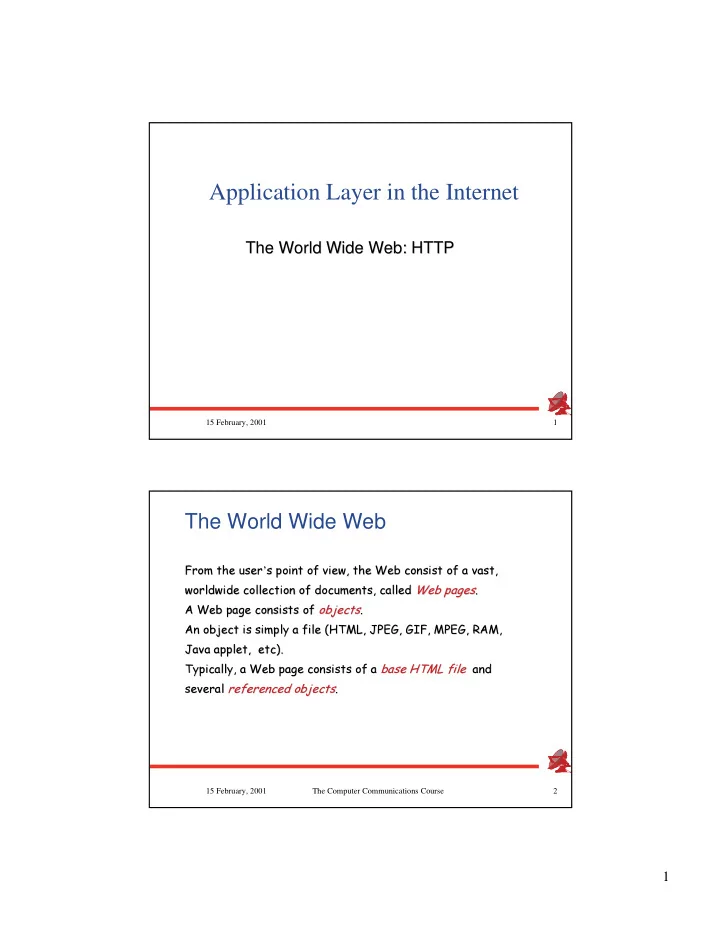
Application Layer in the Internet The World Wide Web: HTTP The World Wide Web: HTTP 15 February, 2001 1 The World Wide Web
15 February, 2001 1
2 15 February, 2001 The Computer Communications Course
3 15 February, 2001 The Computer Communications Course
4 15 February, 2001 The Computer Communications Course
HTTP: HTTP: HyperText HyperText Transfer Protocol Transfer Protocol
✁ ✁WWW WWW
s
s application layer protocol application layer protocol
✁ ✁client/server model client/server model
client: browser that requests, browser that requests, receives, receives,
displays
displays
WWW
WWW
server: WWW server sends WWW server sends
HTTP defines the structure of the HTTP defines the structure of the messages and messages and rools rools of the message
exchange exchange
✂☎✄✝✆✟✞✡✠☎✠☎☛ ✠✟☞ ✌✎✍✑✏✎✒ ✓✔✆✖✕✑✆ ✗ ✕✑✆✙✘✟✕✑✆ ✆✟✞✡✠☎✠☎☛ ✠✚☞ ✛✜✄ ✗✣✢✥✤ ✕✑✦ ✧ ✕✑✆✙✘✟✕✑✆ ★✪✩✬✫✭✆✚✞✡✠✮✠☎☛ ✠✚☞ ✛✯✩☎✘✬☛ ☞✮✩☎✰✟✓✡✆ ✱✳✲ ✲ ✴✶✵ ✷✮✸✮✹ ✷✚✺ ✲ ✻✳✼ ✼✾✽❀✿❂❁ ❃❅❄ ❁ ❆ ✼ ❇✳❈ ❈ ❉✶❊ ❋✚● ❉✑❍❂■ 5 15 February, 2001 The Computer Communications Course
http: TCP transport service: http: TCP transport service:
✁ ✁client initiates TCP connection client initiates TCP connection (creates socket) to server, port 80 (creates socket) to server, port 80
✁ ✁server accepts TCP connection server accepts TCP connection from client from client
✁ ✁http messages (application-layer http messages (application-layer protocol messages) exchanged protocol messages) exchanged between browser (http client) and between browser (http client) and WWW server (http server) WWW server (http server)
✁ ✁TCP connection closed TCP connection closed http is http is
stateless
stateless
server maintains no server maintains no information about past information about past client requests client requests
Protocols that maintain Protocols that maintain
state
state
are
are complex! complex!
past history (state) must be maintained maintained
if server/client crashes, their views
state
state
may be inconsistent,
may be inconsistent, must be reconciled must be reconciled
6 15 February, 2001 The Computer Communications Course
.
7 15 February, 2001 The Computer Communications Course
Suppose user enters URL Suppose user enters URL www. www.someSchool someSchool. .edu edu/ /someDepartment someDepartment/home.index /home.index 1a.
http client initiates TCP connection to http server connection to http server (process) at (process) at www. www.someSchool someSchool. .edu edu. . Port 80 Port 80 is default for http server. is default for http server. 2.
http client sends http request request message message (containing URL) into (containing URL) into TCP connection socket TCP connection socket 1b.
http server at host www. www.someSchool someSchool. .edu edu waiting waiting for TCP connection at port 80. for TCP connection at port 80.
accepts
connection, notifying
connection, notifying client client 3.
http server receives request message, forms message, forms response response message message containing requested containing requested
( (someDepartment someDepartment/home.index /home.index), ), sends message into socket sends message into socket
to 10 jpeg images)
8 15 February, 2001 The Computer Communications Course
non-persistent connection: one object in each TCP connection
some browsers create multiple TCP connections simultaneously simultaneously -
persistent connection: multiple objects transferred within one TCP multiple objects transferred within one TCP connection connection 5.
http client receives response message containing html file, message containing html file, displays html. Parsing html file, displays html. Parsing html file, findis10 referenced jpeg objects findis10 referenced jpeg objects 6.
Steps 1-5 repeated for each of 10 jpeg
4.
HTTP server closes TCP connection.
.
9 15 February, 2001 The Computer Communications Course
10 15 February, 2001 The Computer Communications Course
11 15 February, 2001 The Computer Communications Course
two types of http messages: two types of http messages: request request, , response response
✁ ✁http request message: http request message:
ASCII (human-readable format) GET /labs/index.html HTTP/1.1 Host: www.cs.huji.ac.il Connection: close User-agent: Mozilla/4.0 Accept: text/html, image/gif,image/jpeg Accept-language:fr (extra carriage return, line feed)
15 February, 2001 The Computer Communications Course
Method Method Description Description GET GET Request to read a Web page Request to read a Web page HEAD HEAD Request to read a Web page Request to read a Web page
s header
s header PUT PUT Request to store a Web page Request to store a Web page POST POST Append to a named resource Append to a named resource DELETE DELETE Remove the Web page Remove the Web page LINK LINK Connect two existing resources Connect two existing resources UNLINK UNLINK Break an existing connection between Break an existing connection between two resources two resources
13 15 February, 2001 The Computer Communications Course
Request line
14 15 February, 2001 The Computer Communications Course
HTTP/1.1 200 OK Date: Tue, 26 Sep 2000 16:10:21 GMT Server: Apache/1.3.9 (Unix) Last-Modified: Thu, 27 Apr 2000 13:06:05 GMT Accept-Ranges: bytes Content-Length: 2774 Connection: close Content-Type: text/html
15 15 February, 2001 The Computer Communications Course
Status line
16 15 February, 2001 The Computer Communications Course
200 OK 200 OK
request succeeded, requested object later in this message 301 Moved Permanently 301 Moved Permanently
requested object moved, new location specified later in this message (Location:) message (Location:) 400 Bad Request 400 Bad Request
request message not understood by server 404 Not Found 404 Not Found
requested document not found on this server 505 HTTP Version Not Supported 505 HTTP Version Not Supported In first line in server->client response message. In first line in server->client response message. A few sample codes: A few sample codes:
17 15 February, 2001 The Computer Communications Course
:
GET /labs/index.html HTTP/1.0
18 15 February, 2001 The Computer Communications Course
Authentication goal: Authentication goal: control access to control access to server documents server documents
stateless: client must present client must present authorization in each request authorization in each request
authorization: typically name, password password
authorization: header line header line in request in request
if no authorization presented, server refuses access, sends server refuses access, sends WWW authenticate: WWW authenticate: header line in response header line in response
19 15 February, 2001 The Computer Communications Course
server sends
cookie
cookie
to client in
to client in response response Set-cookie: # Set-cookie: #
client present cookie in later requests requests cookie: # cookie: #
server matches presented- cookie with server-stored cookie with server-stored cookies cookies
authentication
remembering user preferences, previous preferences, previous choices choices
15 February, 2001 The Computer Communications Course
21 15 February, 2001 The Computer Communications Course
Goal: Goal: don don
t send object if
t send object if client has up-to-date stored client has up-to-date stored (cached) version (cached) version
✁ ✁client: specify date of cached client: specify date of cached copy in http request copy in http request If-modified-since: If-modified-since: <date> <date>
✁ ✁server: response contains no server: response contains no
date: date: HTTP/1.0 304 Not HTTP/1.0 304 Not Modified Modified
<date>
304 Not Modified
<date>
…
<data>
15 February, 2001 The Computer Communications Course
23 15 February, 2001 The Computer Communications Course
Fill the form, click on“Submit” Run specified script with specified args
24 15 February, 2001 The Computer Communications Course
RFC 1945 (HTTP/1.0) RFC 1945 (HTTP/1.0)
✁ ✁RFC 2616 (HTTP/1.1) RFC 2616 (HTTP/1.1)