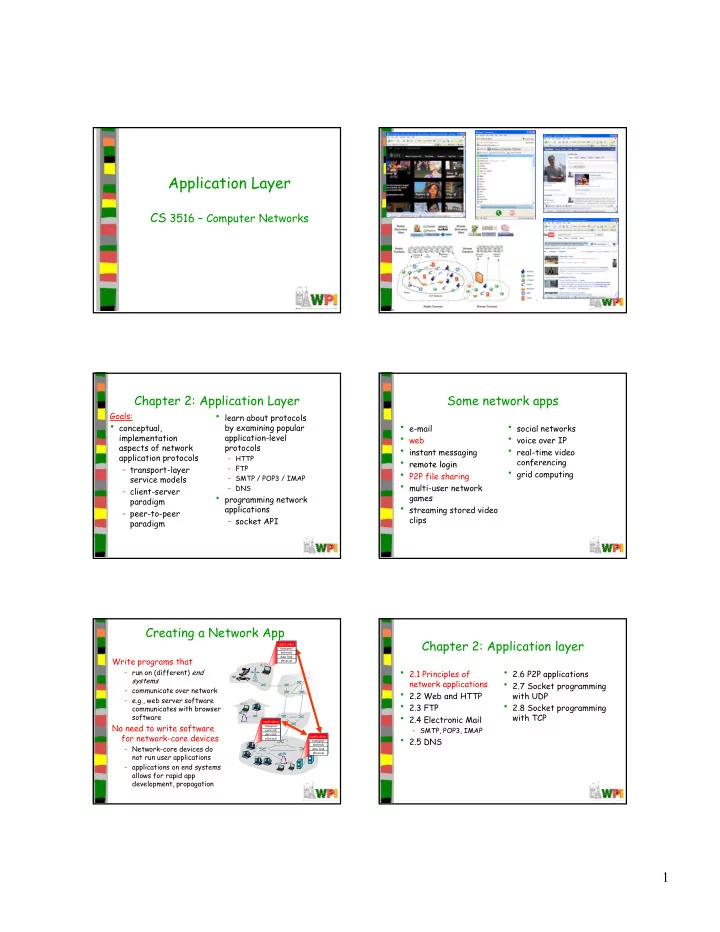
Application Layer CS 3516 Computer Networks CS 3516 Computer - - PDF document

application layer
SMART_READER_LITE
LIVE PREVIEW

Application Layer CS 3516 Computer Networks CS 3516 Computer - - PDF document

Application Layer CS 3516 Computer Networks CS 3516 Computer Networks 2: Application Layer 2 Chapter 2: Application Layer Some network apps learn about protocols Goals: conceptual, e-mail social networks by examining


slide-1
SLIDE 1

1

Application Layer

CS 3516 – Computer Networks CS 3516 Computer Networks

2: Application Layer 2

Chapter 2: Application Layer

Goals:

  • conceptual,

implementation aspects of network application protocols

  • learn about protocols

by examining popular application-level protocols

– HTTP FTP

3

– transport-layer service models – client-server paradigm – peer-to-peer paradigm

– FTP – SMTP / POP3 / IMAP – DNS

  • programming network

applications – socket API

Some network apps

  • e-mail
  • web
  • instant messaging
  • remote login
  • social networks
  • voice over IP
  • real-time video

conferencing

4

remote login

  • P2P file sharing
  • multi-user network

games

  • streaming stored video

clips f g

  • grid computing

Creating a Network App

Write programs that

– run on (different) end systems – communicate over network – e.g., web server software communicates with browser

application transport network data link physical

5

commun cates w th browser software

No need to write software for network-core devices

– Network-core devices do not run user applications – applications on end systems allows for rapid app development, propagation

application transport network data link physical application transport network data link physical

Chapter 2: Application layer

  • 2.1 Principles of

network applications

  • 2.2 Web and HTTP
  • 2.3 FTP
  • 2.6 P2P applications
  • 2.7 Socket programming

with UDP

  • 2.8 Socket programming

6

  • 2.4 Electronic Mail

– SMTP, POP3, IMAP

  • 2.5 DNS

p g g with TCP

slide-2
SLIDE 2

2

Application architectures

  • Client-server (CS)

– Including data centers / cloud computing

  • Peer-to-peer (P2P)
  • Hybrid of client-server and P2P

Client-server Architecture

server:

– always-on host – permanent IP address – server farms for scaling

clients:

8

– communicate with server – may be intermittently connected – may have dynamic IP addresses – do not communicate directly with each other client/server

Server Example - Google Data Centers

  • Estimated cost of data center: $600M
  • Google spent $2.4B in 2007 on new data

centers

  • Each data center uses 50-100 megawatts

g

  • f power

Pure P2P Architecture

  • no always-on server
  • arbitrary end systems

directly communicate

  • peers are intermittently

connected and change IP

peer-peer

connected and change IP addresses Highly scalable but difficult to manage

Hybrid of Client-server and P2P

  • E.g. Skype

– voice-over-IP P2P application – centralized server: finding address of remote party – client-client connection: often direct (not through server) through server)

  • E.g. Instant messaging

– chatting between two users is P2P – centralized service: client presence detection/location

  • user registers its IP address with central

server when it comes online

  • user contacts central server to find IP

addresses of buddies

Processes Communicating

Process: program running within a host.

  • Within same host, two

processes communicate using inter-process Client process: process that initiates communication Server process: process that waits to be g p communication (defined by OS).

  • Processes in different

hosts communicate by exchanging messages contacted

  • Note: applications with

P2P architectures have client processes & server processes

slide-3
SLIDE 3

3

Sockets

  • Process sends/receives

messages to/from its socket

  • Socket analogous to door

– sending process shoves

process socket host or server process socket host or server controlled by app developer

g p message out door – sending process relies on transport infrastructure

  • n other side of door which

brings message to socket at receiving process

TCP with buffers, variables TCP with buffers, variables Internet controlled by OS

  • API: (1) choice of transport protocol; (2) ability to

fix a few parameters (see Sockets slide deck)

Addressing Processes

  • To receive messages,

process must have identifier

  • Host device has unique

32-bit IP address

  • Exercise: use ipconfig
  • Q: does IP address of

host on which process runs suffice for identifying the process? – A: No, many processes can be running on same Exercise: use ipconfig from command prompt to get your IP address (Windows) same

  • Identifier includes both

IP address and port numbers associated with process on host.

  • Example port numbers:

– HTTP server: 80 – Mail server: 25

App-layer Protocol Defines

  • Types of messages

exchanged,

– e.g., request, response

  • Message syntax:

– what fields in messages &

Public-domain protocols:

  • Defined in RFCs
  • allows for

interoperability

  • HTTP SMTP

what fields in messages & how fields are delineated

  • Message semantics

– meaning of information in fields

  • Rules for when and how

processes send & respond to messages

  • e.g., HTTP, SMTP,

BitTorrent Proprietary protocols:

  • e.g., Skype, ppstream

What Transport Service Does an App Need?

Data loss

  • some apps (e.g., audio) can

tolerate some loss

  • other apps (e.g., file

transfer, telnet) require 100% reliable data t f Throughput

  • some apps (e.g.,

multimedia) require minimum amount of throughput to be “effective” th (“ l ti ”) transfer Timing

  • some apps (e.g.,

Internet telephony, interactive games) require low delay to be “effective”

  • other apps (“elastic apps”)

make use of whatever throughput they get Security

  • encryption, data integrity,

Transport Service Requirements of Common Apps

Application file transfer e-mail Web documents real time audio/video Data loss no loss no loss no loss l t l t Throughput elastic elastic elastic di 5kb 1Mb Time Sensitive no no no yes 100’s msec real-time audio/video stored audio/video interactive games instant messaging loss-tolerant loss-tolerant loss-tolerant no loss audio: 5kbps-1Mbps video:10kbps-5Mbps same as above few kbps up elastic yes, 100 s msec yes, few secs yes, 100’s msec yes and no

Internet Transport Protocols Services

TCP service:

  • connection-oriented: setup

required between client and server processes

  • reliable transport between

di d i i

UDP service:

  • unreliable data transfer

between sending and receiving process

  • does not provide:

connection setup sending and receiving process

  • flow control: sender won’t
  • verwhelm receiver
  • congestion control: throttle

sender when network

  • verloaded
  • does not provide: timing,

minimum throughput guarantees, security connection setup, reliability, flow control, congestion control, timing, throughput guarantee, or security Q: why bother? Why is there a UDP?

slide-4
SLIDE 4

4

Internet Apps: Application, Transport Protocols

Application e-mail remote terminal access Web fil t f Application layer protocol SMTP [RFC 2821] Telnet [RFC 854] HTTP [RFC 2616] FTP [RFC 959] Underlying transport protocol TCP TCP TCP TCP file transfer streaming multimedia Internet telephony FTP [RFC 959] HTTP (eg Youtube), RTP [RFC 1889] SIP, RTP, proprietary (e.g., Skype) TCP TCP or UDP typically UDP

Chapter 2: Application layer

  • 2.1 Principles of

network applications

  • 2.2 Web and HTTP
  • 2.3 FTP
  • 2.6 P2P applications
  • 2.7 Socket programming

with UDP

  • 2 8 Socket programming
  • 2.4 Electronic Mail

– SMTP, POP3, IMAP

  • 2.5 DNS

2.8 Socket programming with TCP

Web and HTTP

First some jargon

  • Web page consists of objects
  • Object can be HTML file, JPEG image, Java

applet, audio file,…

  • W b

i t f b HTML fil hi h

  • Web page consists of base HTML-file which

includes several referenced objects

  • Each object is addressable by a URL
  • Example URL:

www.someschool.edu/someDept/pic.gif host name path name

HTTP Overview

HTTP: hypertext transfer protocol

  • Web’s application layer

protocol

  • li

t/ d l

PC running Explorer

  • client/server model

– client: browser that requests, receives, “displays” Web objects – server: Web server sends objects in response to requests

Server running Apache Web server Mac running Navigator

HTTP Overview (continued)

Uses TCP:

  • client initiates TCP

connection (creates socket) to server, port 80

  • server accepts TCP

ti f li t

HTTP is “stateless”

  • server maintains no

information about past client requests

aside

connection from client

  • HTTP messages (application-

layer protocol messages) exchanged between browser (HTTP client) and Web server (HTTP server)

  • TCP connection closed

Protocols that maintain “state” are complex!

  • past history (state) must

be maintained

  • if server/client crashes,

their views of “state” may be inconsistent, must be reconciled

aside

HTTP connections

Nonpersistent HTTP

  • At most one object is

sent over a TCP connection. Persistent HTTP

  • Multiple objects can

be sent over single TCP connection between client and server.

slide-5
SLIDE 5

5

Nonpersistent HTTP

Suppose user enters URL

www.someSchool.edu/someDepartment/home.index

  • 1a. HTTP client initiates TCP

connection to HTTP server (process) at www.someSchool.edu on port 80

  • 1b. HTTP server at host

www.someSchool.edu waiting for TCP connection at port 80.

(contains text, references to 10 jpeg images)

  • 2. HTTP client sends HTTP

request message (containing URL) into TCP connection

  • socket. Message indicates that

client wants object

someDepartment/home.index

“accepts” connection, notifying client

  • 3. HTTP server receives request

message, forms response message containing requested

  • bject, and sends message

into its socket

time

Nonpersistent HTTP (cont.)

  • 5. HTTP client receives response

message containing html file, displays html. Parsing html file, finds 10 referenced jpeg

  • bjects
  • 4. HTTP server closes TCP

connection.

  • bjects
  • 6. Steps 1-5 repeated for each
  • f 10 jpeg objects

time

Nonpersistent HTTP: Response time

Definition of RTT: time for a small packet to travel from client to server and back. Response time:

  • one RTT to initiate TCP

initiate TCP connection RTT t

  • one RTT to initiate TCP

connection

  • one RTT for HTTP

request and first few bytes of HTTP response to return

  • file transmission time

total = 2RTT+transmit time

time to transmit file request file RTT file received time time

Persistent HTTP

Nonpersistent HTTP issues:

  • requires 2 RTTs per object
  • OS overhead for each TCP

connection

  • browsers often open parallel

TCP connections to fetch Persistent HTTP

  • server leaves connection
  • pen after sending

response

  • subsequent HTTP messages

between same TCP connections to fetch referenced objects client/server sent over

  • pen connection
  • client sends requests as

soon as it encounters a referenced object

  • as little as one RTT for all

the referenced objects

HTTP request message

  • two types of HTTP messages: request, response
  • HTTP request message:

– ASCII (human-readable format) request line GET /somedir/page.html HTTP/1.1 Host: www.someschool.edu User-agent: Mozilla/4.0 Connection: close Accept-language:fr (extra carriage return, line feed) q (GET, POST, HEAD commands) header lines Carriage return, line feed indicates end

  • f message

HTTP request message: general format

slide-6
SLIDE 6

6

Uploading form input

Post method:

  • Web page often

includes form input

  • Input is uploaded to

URL method:

  • Uses GET method
  • Input is uploaded in

URL field of request p p server in entity body URL field of request line:

www.somesite.com/animalsearch?monkeys&banana

Method types

HTTP/1.0

  • GET
  • POST
  • HEAD

HTTP/1.1

  • GET, POST, HEAD
  • PUT

– uploads file in entity

HEAD

– asks server to leave requested object out of response up a f n nt ty body to path specified in URL field

  • DELETE

– deletes file specified in the URL field

HTTP response message

HTTP/1.1 200 OK Connection close Date: Thu, 06 Aug 1998 12:00:15 GMT Server: Apache/1.3.0 (Unix) Last-Modified: Mon 22 Jun 1998 status line (protocol status code status phrase) header Last Modified: Mon, 22 Jun 1998 …... Content-Length: 6821 Content-Type: text/html data data data data data ... lines data, e.g., requested HTML file

HTTP response status codes

200 OK

– request succeeded, requested object later in this message

301 Moved Permanently In first line in server->client response message. A few sample codes: 301 Moved Permanently

– requested object moved, new location specified later in this message (Location:)

400 Bad Request

– request message not understood by server

404 Not Found

– requested document not found on this server

505 HTTP Version Not Supported

Trying out HTTP (client side) for yourself

  • 1. Telnet to your favorite Web server:

Opens TCP connection to port 80 (default HTTP server port) at cis.poly.edu. Anything typed in sent to port 80 at cis.poly.edu telnet cis.poly.edu 80

  • 2. Type in a GET HTTP request:

GET /~ross/ HTTP/1.1 Host: cis.poly.edu By typing this in (hit carriage return twice), you send this minimal (but complete) GET request to HTTP server

  • 3. Look at response message sent by HTTP server!

User-server State: Cookies

Many major Web sites use cookies Four components:

1) cookie header line of HTTP response message

Example:

  • Susan always access

Internet always from PC

  • visits specific e-

commerce site for first

HTTP response message 2) cookie header line in HTTP request message 3) cookie file kept on user’s host, managed by user’s browser 4) back-end database at Web site

time

  • when initial HTTP

requests arrives at site, site creates: – unique ID – entry in backend database for ID

slide-7
SLIDE 7

7

Cookies: keeping “state” (cont.)

client server

cookie file

ebay 8734

usual http request msg

Amazon server creates ID 1678 for user

create entry usual http response

Set-cookie: 1678

ebay 8734 1678

usual http response msg usual http response msg

  • ne week later:

usual http request msg

cookie: 1678 cookie- specific action

access

amazon 1678

usual http request msg

cookie: 1678 cookie- spectific action

access

ebay 8734 amazon 1678

backend database

Cookies (continued)

What cookies can bring:

  • authorization
  • shopping carts
  • recommendations
  • user session state

Cookies and privacy:  cookies permit sites to learn a lot about you  you may supply name and e-mail to sites

aside

  • user session state

(Web e-mail) How to keep “state”:

  • protocol endpoints: maintain state

at sender/receiver over multiple transactions

  • cookies: http messages carry

state

Web caches (proxy server)

  • user sets browser:

Web accesses via cache

  • browser sends all

Goal: satisfy client request without involving origin server

Proxy server

  • rigin

server

browser sends all HTTP requests to cache

– object in cache: cache returns object – else cache requests

  • bject from origin

server, then returns

  • bject to client

client client

  • rigin

server

More About Web Caching

  • Cache acts as both

client and server

  • Typically cache is

installed by ISP Why Web caching?

  • Reduce response time

for client request

  • Reduce traffic on an

(university, company, residential ISP) ff institution’s access link.

  • Internet dense with

caches: enables “poor” content providers to effectively deliver content (but so does P2P file sharing)

Caching Example

Assumptions

  • average object size =

1,000,000 bits

  • avg. request rate from

institution’s browsers to origin servers = 15/sec

  • rigin

servers

public Internet 1 b

  • delay from institutional router

to any origin server and back to router = 2 sec

Consequences

  • utilization on LAN = 15%
  • utilization on access link = 100%
  • total delay = Internet delay +

access delay + LAN delay = 2 sec + minutes (congested) + milliseconds

institutional network 100 Mbps LAN 15 Mbps access link

institutional cache

Caching Example (cont)

possible solution

  • increase bandwidth of access

link to, say, 100 Mbps

consequence

  • utilization on LAN = 15%
  • utilization on access link = 15%
  • rigin

servers

public Internet 100 b

utilization on access link = 15%

  • Total delay = Internet delay +

access delay + LAN delay = 2 sec + msecs + msecs

  • BUT…often a costly upgrade

institutional network 100 Mbps LAN 100 Mbps access link

institutional cache

slide-8
SLIDE 8

8

Caching example (cont)

possible solution: install cache

  • suppose hit rate is 0.4

consequence

  • 40% requests will be

satisfied almost immediately

  • rigin

servers

public Internet 1 b

y

  • 60% requests satisfied by
  • rigin server
  • utilization of access link

reduced to 60%, resulting in negligible delays (say 10 msec)

  • total avg delay = Internet

delay + access delay + LAN delay = .6*(2.01) secs + .4*milliseconds < 1.4 secs

institutional network 100 Mbps LAN 15 Mbps access link

institutional cache

Caching - Conditional GET

  • Goal: don’t send object

if cache has up-to-date cached version

  • cache: specify date of

cached copy in HTTP request

cache server

HTTP request msg

If-modified-since: <date>

HTTP response

  • bject

not modified request

If-modified-since: <date>

  • server: response

contains no object if cached copy is up-to- date:

HTTP/1.0 304 Not Modified

HTTP/1.0 304 Not Modified

HTTP request msg

If-modified-since: <date>

HTTP response

HTTP/1.0 200 OK

<data>

  • bject

modified

Chapter 2: Application layer

  • 2.1 Principles of

network applications

  • 2.2 Web and HTTP
  • 2.3 FTP
  • 2.6 P2P applications
  • 2.7 Socket programming

with UDP

  • 2.8 Socket programming

with TCP

  • 2.4 Electronic Mail

– SMTP, POP3, IMAP

  • 2.5 DNS

with TCP

Chapter 2: Application layer

  • 2.1 Principles of

network applications

  • 2.2 Web and HTTP
  • 2.3 FTP
  • 2.6 P2P applications
  • 2.7 Socket programming

with UDP

  • 2.8 Socket programming

with TCP

  • 2.4 Electronic Mail

– SMTP, POP3, IMAP

  • 2.5 DNS

with TCP

DNS: Domain Name System

People: many identifiers:

– SSN, name, passport #

Internet hosts, routers:

– IP address (32 bit) -

Domain Name System:

  • distributed database

implemented in hierarchy of many name servers

  • application-layer protocol

h t t t used for addressing datagrams – “name”, e.g., www.yahoo.com - used by humans

Q: map between IP addresses and name?

host, routers, name servers to communicate to resolve names (address/name translation) – note: core Internet function, implemented as application-layer protocol – complexity at network’s “edge”

DNS

Why not centralize DNS?

  • single point of failure
  • traffic volume
  • distant centralized

database DNS services

  • hostname to IP

address translation

  • host aliasing

– Aliases, where canonical

database

  • maintenance

 doesn’t scale!

, name is “real” name

  • mail server aliasing
  • load distribution

– replicated Web servers: set of IP addresses for one name

slide-9
SLIDE 9

9

Root DNS Servers com DNS servers

  • rg DNS servers

edu DNS servers poly.edu DNS servers umass.edu DNS servers yahoo.com DNS servers amazon.com DNS servers pbs.org DNS servers

Distributed, Hierarchical Database

Client wants IP for www.amazon.com; 1st approx:

  • client queries a root server to find .com DNS server
  • client queries .com DNS server to get amazon.com

DNS server

  • client queries amazon.com DNS server to get IP

address for www.amazon.com

DNS: Root Name Servers

  • Contacted by local name server that can not resolve name
  • Root name server:

– Contacts authoritative name server if name mapping not known – Gets mapping – Returns mapping to local name server

a Verisign Dulles VA

13 root name servers worldwide

b USC-ISI Marina del Rey, CA l ICANN Los Angeles, CA e NASA Mt View, CA f Internet Software C. Palo Alto, CA (and 36 other locations) i Autonomica, Stockholm (plus 28 other locations) k RIPE London (also 16 other locations) m WIDE Tokyo (also Seoul, Paris, SF) a Verisign, Dulles, VA c Cogent, Herndon, VA (also LA) d U Maryland College Park, MD g US DoD Vienna, VA h ARL Aberdeen, MD j Verisign, ( 21 locations)

TLD and Authoritative Servers

  • Top-level domain (TLD) servers:

– Responsible for com, org, net, edu, etc, and all top-level country domains uk, fr, ca, jp – Network Solutions maintains servers for com TLD TLD – Educause for edu TLD

  • Authoritative DNS servers:

– Organization’s DNS servers, providing authoritative hostname to IP mappings for

  • rganization’s servers (e.g., Web, mail).

– Can be maintained by organization or service provider

Local Name Server

  • Does not strictly belong to hierarchy
  • Each ISP (residential ISP, company,

university) has one

– Also called “default name server” Also called default name server – You can run one in your home/dorm!

  • When host makes DNS query, query is sent

to its local DNS server

– Acts as proxy, forwards query into hierarchy

root DNS server local DNS server 2 3 4 5 TLD DNS server

DNS name resolution example

  • Host at cis.poly.edu

wants IP address for

gaia.cs.umass.edu

Iterated query:

requesting host

cis.poly.edu dns.poly.edu

1 6

authoritative DNS server dns.cs.umass.edu

7 8

Iterated query

  • contacted server

replies with name of server to contact

  • “I don’t know this

name, but ask this server”

root DNS server 2 6 7 TLD DNS server 3

Recursive query:

  • Puts burden of name

resolution on contacted name server

  • Heavy load?

DNS name resolution example

requesting host

cis.poly.edu gaia.cs.umass.edu

local DNS server

dns.poly.edu

1 4 5

authoritative DNS server dns.cs.umass.edu

8

  • Heavy load?
slide-10
SLIDE 10

10

DNS: caching and updating records

  • Once (any) name server learns mapping, it caches

mapping – Cache entries timeout (disappear) after some time – TLD servers typically cached in local name yp y servers

  • Thus root name servers not visited often
  • Originally thought DNS names quite static, but

increasingly not so  update/notify mechanisms under design by IETF

– RFC 2136: http://www.ietf.org/rfc/rfc2136.txt

DNS Records

DNS: distributed db storing resource records (RR) RR format: (name, value, type, ttl)

  • Type=A
  • name is hostname

i dd

  • Type=CNAME
  • name is alias name for some
  • Type=NS
  • name is domain (e.g.

foo.com)

  • value is hostname of

authoritative name server for this domain

  • value is IP address

“canonical” (the real) name

www.ibm.com is really servereast.backup2.ibm.com

  • value is canonical name
  • Type=MX
  • value is name of mailserver

associated with name

DNS protocol, messages

DNS protocol : query and reply messages, both with same message format msg header

 identification: 16 bit # for query, reply to query # uses same #  flags:

 query or reply  recursion desired  recursion available  reply is authoritative

DNS protocol, messages

Name, type fields for a query Resource records in response to query p q y Records for authoritative servers Additional “helpful” info that may be used

Inserting records into DNS

  • Example: new startup “Network Utopia”

– How do people get IP address of your Web site? – How do they send you email?

  • Register name networkuptopia.com at DNS registrar

(e.g., Network Solutions)

– provide names IP addresses of authoritative name server – provide names, IP addresses of authoritative name server (primary and secondary) – registrar inserts two RRs into .com TLD server: (networkutopia.com, dns1.networkutopia.com, NS) (dns1.networkutopia.com, 212.212.212.1, A)

  • Create authoritative server Type A record for

www.networkuptopia.com; Type MX record for networkutopia.com for mail

Chapter 2: Application layer

  • 2.1 Principles of

network applications

  • 2.2 Web and HTTP
  • 2.3 FTP
  • 2.6 P2P applications
  • 2.7 Socket programming

with UDP

  • 2.8 Socket programming

with TCP

  • 2.4 Electronic Mail

– SMTP, POP3, IMAP

  • 2.5 DNS

with TCP

slide-11
SLIDE 11

11

Pure P2P Architecture

  • no always-on server
  • Arbitrary end systems

directly communicate

  • Peers are intermittently

connected and change IP

peer-peer

connected and change IP addresses

  • Three topics:

– File distribution – Searching for information – Case Study: Skype

File Distribution: Client-Server vs P2P

Question : How much time to distribute file from one server to N peers?

Server

us: server upload bandwidth ui: peer i upload

us u2 d1 d2 u1 uN dN Network (with abundant bandwidth) File, size F

bandwidth di: peer i download bandwidth

File Distribution Time: Client-Server

us u2 d1 d2 u1 uN dN Server Network (with abundant bandwidth) F

  • Server sequentially

sends N copies:

– NF/us time

  • Client i takes F/di

uN i

time to download

increases linearly in N (for large N)

= dcs = max { NF/us, F/min(di) }

i

Time to distribute F to N clients using client-server approach

File Distribution Time: P2P

us u2 d1 d2 u1 uN dN Server Network (with abundant bandwidth) F

  • Server must send one

copy: F/us time

  • Client i takes F/di time

to download

  • NF bits must be

uN

NF bits must be downloaded (aggregate)

  • Fastest possible upload rate: us + sum ui

dP2P = max { F/us, F/min(di), NF/(us + ui)}

i

2.5 3 3.5

tion Time

P2P Client-Server

Client-Serer vs P2P: Example

Client upload rate = u, F/u = 1 hour, us = 10u, dmin ≥ us

0.5 1 1.5 2 5 10 15 20 25 30 35

N Minimum Distribut

File Distribution: BitTorrent

tracker: tracks peers participating in torrent torrent: group of peers exchanging chunks of a file

  • btain list
  • f peers

trading chunks peer

slide-12
SLIDE 12

12

BitTorrent (1)

  • File divided into 256KB chunks
  • Peer joining torrent:

– Has no chunks, but will accumulate them over time R i t ith t k t t li t f t – Registers with tracker to get list of peers, connects to subset of peers (“neighbors”)

  • While downloading, peer uploads chunks to other peers
  • Peers may come and go
  • Once peer has entire file, it may (selfishly) leave or

(altruistically) remain

BitTorrent (2)

Pulling Chunks

  • At any given time,

different peers have different subsets of file chunks Sending Chunks: tit-for-tat

  • Alice sends chunks to four

neighbors currently sending her chunks at the highest rate

  • Re-evaluate top 4 every
  • Periodically, a peer

(Alice) asks each neighbor for list of chunks that they have

  • Alice sends requests

for her missing chunks – rarest first Re evaluate top 4 every 10 secs

  • Every 30 secs: randomly

select another peer, starts sending chunks

  • Newly chosen peer may

join top 4 (5 total)

  • “optimistically unchoke”

BitTorrent: Tit-for-tat

(1) Alice “optimistically unchokes” Bob (2) Alice becomes one of Bob’s top-four providers; Bob reciprocates (3) Bob becomes one of Alice’s top-four providers With higher upload rate, can find better trading partners & get file faster!

Distributed Hash Table (DHT)

  • DHT = distributed P2P database
  • Database has (key, value) pairs;

– key: ss number; value: human name k l dd – key: content type; value: IP address

  • Peers query DB with key

– DB returns values that match the key

  • Peers can also insert (key, value) peers

DHT Identifiers

  • Assign integer identifier to each peer in range

[0,2n-1]

– Each identifier can be represented by n bits

  • Require each key to be an integer in same range

q y g g

  • To get integer keys, hash original key

– e.g., key = h(“Led Zeppelin IV”) – This is why they call it a distributed “hash” table

How to Assign Keys to Peers?

  • Central issue:

– Assigning (key, value) pairs to peers

  • Rule: assign key to the peer that has the

l s st ID closest ID

  • Convention in lecture: closest is the

immediate successor of the key

  • Ex: n=4; peers: 1,3,4,5,8,10,12,14;

– key = 13, then successor peer = 14 – key = 15, then successor peer = 1

slide-13
SLIDE 13

13

1 3 4 15

Circular DHT (1)

5 8 10 12

  • Each peer only aware of immediate

successor and predecessor.

  • “Overlay network”

Circle DHT (2)

0001 0011 1111

Who’s resp for key 1110 ?

I am

O(N) messages

  • n avg to resolve

query, when there are N peers

0100 0101 1000 1010 1100

1110 1110 1110 1110 1110 1110

Define closest as closest successor

Circular DHT with Shortcuts

1 3 4 12 15

Who’s resp for key 1110?

  • Each peer keeps track of IP addresses of

predecessor, successor, short cuts.

  • Reduced from 6 to 2 messages.
  • Possible to design shortcuts so O(log N) neighbors,

O(log N) messages in query

5 8 10 12

Peer Churn

1 3 4 5 12 15

  • To handle peer churn, require

each peer to know IP address

  • f its two successors.
  • Each peer periodically pings its

two successors to see if still alive

  • Peer 5 abruptly leaves
  • Peer 4 detects; makes 8 its immediate successor;

asks 8 who its immediate successor is; makes 8’s immediate successor its second successor.

  • What if peer 13 wants to join?

5 8 10

P2P Case study: Skype

  • Inherently P2P: pairs
  • f users communicate
  • Proprietary

application-layer protocol (inferred via

Skype clients (SC) Supernode (SN) Skype login server

protocol (inferred via reverse engineering)

  • Hierarchical overlay

with Super Nodes (SNs)

  • Index maps usernames

to IP addresses; distributed over SNs

Peers as Relays

  • Problem when both

Alice and Bob are behind “NATs”.

– NAT prevents outside peer from initiating call to insider peer to insider peer

  • Solution:

– Using Alice’s and Bob’s SNs, Relay is chosen – Each peer initiates session with relay – Peers can now communicate through NATs via relay

slide-14
SLIDE 14

14

Chapter 2: Application layer

  • 2.1 Principles of

network applications

  • 2.2 Web and HTTP
  • 2.3 FTP
  • 2.6 P2P applications
  • 2.7 Socket programming

with UDP

  • 2.8 Socket programming

with TCP

  • 2.4 Electronic Mail

– SMTP, POP3, IMAP

  • 2.5 DNS

with TCP

  • (See Sockets slide deck)

Chapter 2: Summary

  • Application architectures

– client-server – P2P – hybrid

  • Application service

Study of network apps now complete!

  • specific protocols:
  • HTTP
  • DNS
  • P2P: BitTorrent, Skype
  • socket programming

Application service requirements:

– reliability, bandwidth, delay

  • Internet transport

service model

– connection-oriented, reliable: TCP – unreliable, datagrams: UDP

Chapter 2: Summary

  • Typical request/reply

message exchange:

– client requests info or service

Learned about protocols

Important themes:

  • control vs data msgs
  • in-band, out-of-band

t li d

service – server responds with data, status code

  • Message formats:

– headers: fields giving info about data – data: info being communicated

  • centralized vs

decentralized

  • stateless vs stateful
  • reliable vs unreliable

msg transfer

  • “complexity at network

edge”