Administrative: Rock.c The Operating System & System Calls - - PDF document

administrative rock c the operating system system calls
SMART_READER_LITE
LIVE PREVIEW

Administrative: Rock.c The Operating System & System Calls - - PDF document

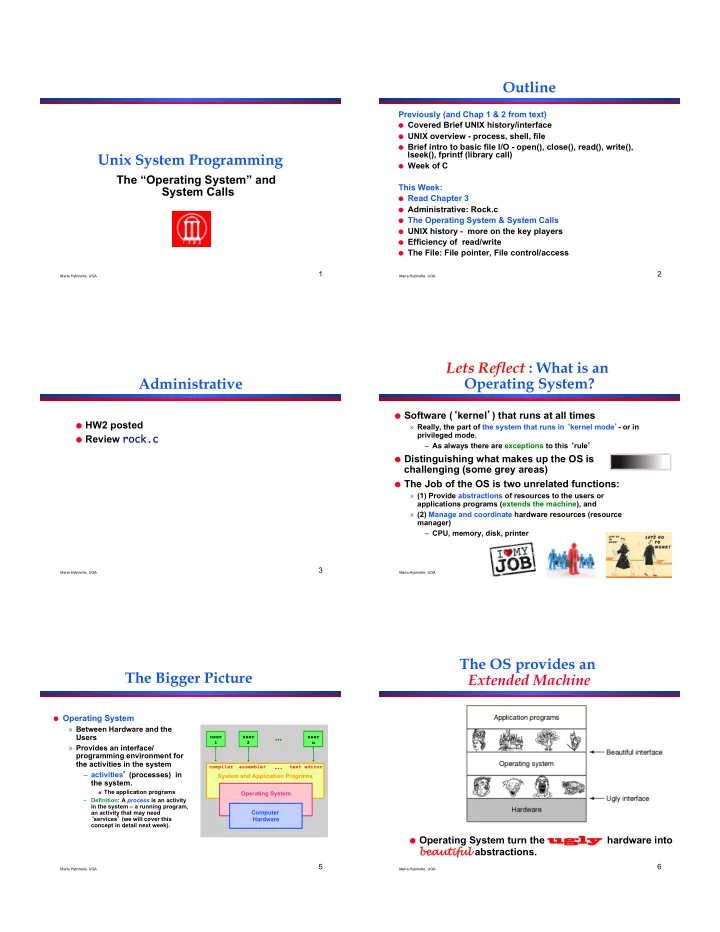
Outline Previously (and Chap 1 & 2 from text) Covered Brief UNIX history/interface UNIX overview - process, shell, file Brief intro to basic file I/O - open(), close(), read(), write(), lseek(), fprintf (library call) Unix System


slide-1
SLIDE 1

Maria Hybinette, UGA

1

Unix System Programming

The “Operating System” and

System Calls

Maria Hybinette, UGA

2

Outline

Previously (and Chap 1 & 2 from text)

  • Covered Brief UNIX history/interface
  • UNIX overview - process, shell, file
  • Brief intro to basic file I/O - open(), close(), read(), write(),

lseek(), fprintf (library call)

  • Week of C

This Week:

  • Read Chapter 3
  • Administrative: Rock.c
  • The Operating System & System Calls
  • UNIX history - more on the key players
  • Efficiency of read/write
  • The File: File pointer, File control/access

Maria Hybinette, UGA

3

Administrative

  • HW2 posted
  • Review rock.c

rock.c

Maria Hybinette, UGA

4

Lets Reflect : What is an Operating System?

  • Software (kernel) that runs at all times

» Really, the part of the system that runs in kernel mode- or in privileged mode. – As always there are exceptions to this rule

  • Distinguishing what makes up the OS is

challenging (some grey areas)

  • The Job of the OS is two unrelated functions:

» (1) Provide abstractions of resources to the users or applications programs (extends the machine), and » (2) Manage and coordinate hardware resources (resource manager) – CPU, memory, disk, printer

Maria Hybinette, UGA

5

The Bigger Picture

  • Operating System

» Between Hardware and the Users » Provides an interface/ programming environment for the activities in the system – activities (processes) in the system.

  • The application programs

– Definition: A process is an activity in the system – a running program, an activity that may need services (we will cover this concept in detail next week). System and Application Programs

compiler assembler text editor

Operating System Computer Hardware

user! 1! user! 2! user ! n !

… !

Maria Hybinette, UGA

6

The OS provides an Extended Machine

  • Operating System turn the ugly

ugly hardware into bea eautiful abstractions.

slide-2
SLIDE 2

Maria Hybinette, UGA

7

Example: Resource

  • Example: Accessing a raw disk really involves :

» specifying the data, the length of data, the disk drive, the track location(s), and the sector location(s) within the corresponding track(s). (150 mph)

  • Problem: But applications don’t want to worry about the

complexity of a disk (dont care about tracks or sectors)

Disk%arm% Disk%platters% A%track%

lseek( file, file_size, SEEK_SET ); write( file, text, len ); write( block, len, device, track, sector );

interfaces to OS via system calls

Heads generate a magnetic field that polarize the disk

Maria Hybinette, UGA

8

Shell: Another Level of provided to users

  • Provide users with access to the services
  • f the kernel.

» A shell of-course,– illusion of a thin layer of abstraction to the kernel and its services.

  • CLI – command line interface to kernel

services (project 1 focus)

  • GUI - graphical user interface to the kernel

Hardware OS Abstraction Shell Abstraction Person

Maria Hybinette, UGA

9

Key Questions in System Design

How to provide a bea eautiful interface, consider:

  • What does the OS look like? To the user?
  • What services does an operating system

provide?

» These services need to be provided in a safe manner – E.g., Provision for Safe resource sharing (disk, memory) – What is the mechanism to provide Safety? And why do we nee it?

System and Application Programs compiler assembler text editor

Operating System Computer Hardware user! 1! user! 2!

user ! 3 !

  • Memory Management
  • Process Management
  • File Management
  • I/O System Management
  • Protection & Security

Maria Hybinette, UGA

10

Why Safety?: Resource Sharing

  • Example Goal: Protect the OS from other activities and

provide protection across activities.

  • Problem: Activities can crash each other (and crash the OS)

unless there is coordination between them.

  • General Solution: Constrain an activity so it only runs in its
  • wn memory environment (e.g., in its own sandbox), and

make sure the activity cannot access other sandboxes.

» Sandbox: Address Space (memory space) – Its others memory spaces that the activity cant touch including the Operating Systems address space

Maria Hybinette, UGA

11

Safety: Resource Sharing

  • Example: Areas of protection:

» Writing to disk (where) – really any form of I/O. – Files, Directories, Socket » Writing / Reading Memory » Creating new processes

  • How do we create (and manage) these

areas of protection.

  • Let the Kernel Handle it, and for safety it acts in

privileged mode to access to hardware broadly

Maria Hybinette, UGA

12

Protection Implementation: “Dual Mode” Operations

  • General Idea: The OS is omnipotent and everything

else isn’t - as simple as that

» Utilize Two modes CPU operation (provided by hardware) – Kernel Mode – Anything goes – access everywhere (unrestricted access) to the underlying hardware.

  • In this mode can execute any CPU instruction and reference any memory

access

– User Mode – Activity can only access state within its own address space (for example - web browsers, calculators, compilers, JVM, word from microsoft, power point, etc run in user mode).

How does the OS prevent arbitrary programs (run by arbitrary users) from invoking accidental or malicious calls to halt the operating system

  • r modify memory such as the master boot sector?
slide-3
SLIDE 3

Maria Hybinette, UGA

13

Hardware: Different modes of protection (>2 Intel)

  • Hardware provides different mode bits of protection –

where at the lowest level – ring 0 – anything goes, unrestricted mode (trusted kernel runs here).

– Intel x86 architecture provides multiple levels of protection:

Maria Hybinette, UGA

14

Hardware: Example Dual-Mode Operation

  • Mode bit (0 or 1) provided by

hardware

» Provides ability to distinguish when system is running user code or kernel code » Mode 1 : normal when address space is limited » Mode 0 : Kernel mode more privileged.

  • Mode bit switches

» atinterrupt(trap) to kernel, or » when returning from a trap set back to user mode

kernel" user"

Interrupt/fault, system call" set user mode"

  • Question: What is the mechanism from the point of

view of a process to access kernel functions (e.g., it wants to write to disk)? ….

Maria Hybinette, UGA

15

Mechanics of “System Calls” (e.g., Intel’s trap())

  • System Call: Mechanism for user activities (user

processes) to access kernel functions.

  • Example: UNIX implements system calls (request

calls) via the trap() instruction (system call, e.g., read() contains the trap instruction, internally).

  • When the control returns to the user code the CPU is

switched back to User Mode.

trap User%Mode% Kernel/Supervisor%Mode% Set%Kernel%Mode% Trusted%Code% Branch%(Jump) % Table% 1" 2 3% libc is intermediate library that handles the packaging Trap in Linux is INT 0x80 assembly instruction

Maria Hybinette, UGA

16

Example: I/O System Calls

  • All I/O instructions are

privileged instructions.

  • Must ensure that a user

program could never gain control of the computer in kernel mode

» Avoid a user program that, as part of its execution, stores a new addressin the interrupt vector. – libc

System call to perform I/O Read read

System Call n

1

Case n

2 3

Execute System Call Perform I/O Return to user Calls System Call Trap to kernel User level Kernel level

Maria Hybinette, UGA

17

UNIX – details - Steps in Making a System Call

  • Consider the UNIX read system

call (via a library routine)

» count = read( fd, buffer, nbytes )

» reads nbytes of data from a file (given a file descriptor fd) into a buffer

  • 11 steps:

» 1-3: push parameters onto stack » 4: calls routine » 5: code for read placed in register

– Actual system call # goes into EAX register – Args goes into other registers (e.g, EBX and ECX)

» 6: trap to OS

– INT 0x80 assembly instruction I in LINUX

» 7-8: OS saves state, calls the appropriate handler (read) » 9-10: return control back to user program » 11: pop parameters off stack

Return to caller Trap to the kernel Put code for read in register Increment stack pointer Call read Push fd Push nbytes Push & buffer Dispatch Sys call handlers User Space Kernel Space

Address 0xFFFFFFFF 0x0

Read User Program Read

1 2 3 7 8 11 6 4 9 10 5

Art of picking Registers; http:// www.swansontec.com/sregisters.html P44-45 tannenbaum

Maria Hybinette, UGA

18

System Calls Triva

  • Linux has 319 different system calls (2.6)
  • Free BSD almost 330.
slide-4
SLIDE 4

Maria Hybinette, UGA

19

Types of System Calls

  • Process control

» fork, execv, waitpid, exit, abort

  • File management (will cover first)

» open, close, read, write

  • Device management

» request device, read, write

  • Information maintenance

» get time, get date, get process attributes

  • Communications

» message passing: send and receive messages,

– create/delete communication connections

» Shared memory map memory segments

Maria Hybinette, UGA

20

Library Calls

  • System call wrappers

Maria Hybinette, UGA

21

Library Routines: Higher Level

  • f Abstraction to System Calls
  • Provide another level of

abstraction to system calls to

» improve portability and » easy of programming

  • Standard POSIX C-Library

(UNIX) (stdlib, stdio):

» C program invoking printf() library call, which calls write() system call

  • Win 32 API for Windows
  • JVM