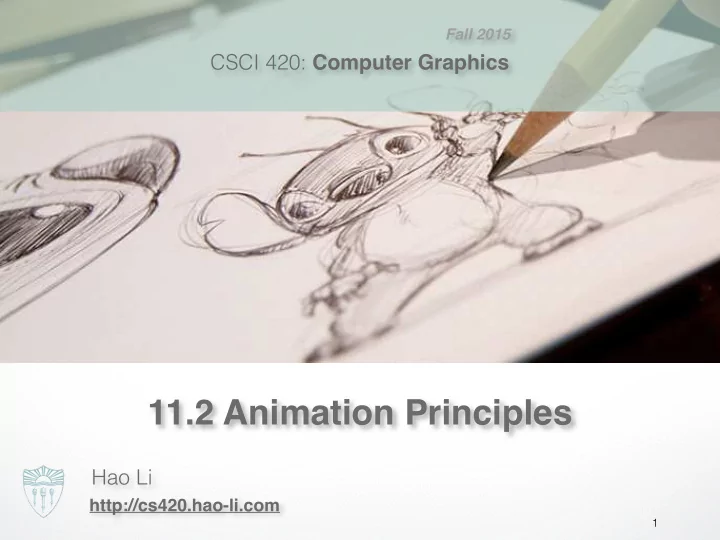
SLIDE 1 CSCI 420: Computer Graphics Hao Li
http://cs420.hao-li.com
1
Fall 2015
11.2 Animation Principles
SLIDE 2 Additional Reading
Rango: Character Walking Tests
SLIDE 3 Computer Animation
– polygon positions, – normals, – spline control points, – joint angles, – camera parameters, – lights, – color, etc.
- n parameters define an n-dimensional state space
- Values of n parameters = point in state space
SLIDE 4 Computer Animation
- Animation defined by path through state space
- To produce animation:
- 1. start at beginning of state space path
- 2. set the parameters of your model
- 3. render the image
- 4. move to next point along state space path,
- 5. Goto 2.
- Path usually defined by a set of motion curves
(one for each parameter)
- Animation = specifying state space trajectory
SLIDE 5
Additional Reading
SLIDE 6 Animation
Sequence of images that give perception of movement when played in rapid succession
- Film: 24 fps, explorations in high frame-rate movies (48/60 fps)
- Video: 30 fps
~130K images for a 90 min movie “Bring things to life.”
SLIDE 7 Traditional Animation
- Film runs at 24 frames per second (fps)
– That’s 1440 pictures to draw per minute – 1800 fpm for video (30fps)
– Need to stay organized for efficiency and cost reasons – Need to render the frames systematically
– How to create the desired look and mood while conveying story? – Artistic vision has to be converted into a sequence of still frames – Not enough to get the stills right--must look right at full speed
- Hard to “see” the motion given the stills
- Hard to “see” the motion at the wrong frame rate
SLIDE 8
High Frame Rate Filming
SLIDE 9
Animation
SLIDE 10
Animation
SLIDE 11
Animation
SLIDE 12 Animation
– Important frames – Motion-based description – Example: beginning of stride,
end of stride
- Inbetweens: draw remaining frames
– Traditionally done by (low-paid) human animators
SLIDE 13 Layered Motion
- It’s often useful to have multiple layers of animation
– How to make an object move in front of a background? – Use one layer for background, one for object – Can have multiple animators working simultaneously on different layers, avoid re-drawing and flickering
- Transparent acetate allows
multiple layers – Draw each separately – Stack them on a copy stand – Transfer onto film by taking
a photograph of the stack
SLIDE 14
Geri’s Game
SLIDE 15
Character Animation
SLIDE 16
Character Animation
SLIDE 17
Geri’s Game: Subdivision Surfaces
SLIDE 18
Animation Principles
SLIDE 19
Luxo Jr.
SLIDE 20
Squash and Stretch
SLIDE 21
Squash and Stretch
SLIDE 22
Timing
SLIDE 23
Timing
SLIDE 24
Anticipation
SLIDE 25
Follow Through
SLIDE 26
Follow Through
SLIDE 27
Staging
SLIDE 28
Ease-In and Ease-Out
SLIDE 29
Arcs
SLIDE 30
Exaggeration
SLIDE 31
Secondary Action
SLIDE 32
Secondary Action
SLIDE 33
Appeal
SLIDE 34
Personality
SLIDE 35 Principles of Traditional Animation
- Stylistic conventions followed by Disney’s animators and
- thers (but this is not the only interesting style, of course)
- From experience built up over many years
– Squash and stretch -- use distortions to convey flexibility – Timing -- speed conveys mass, personality – Anticipation -- prepare the audience for an action – Followthrough and overlapping action -- continuity with next action – Slow in and out -- speed of transitions conveys subtleties – Arcs -- motion is usually curved – Exaggeration -- emphasize emotional content – Secondary Action -- motion occurring as a consequence – Appeal -- audience must enjoy watching it
SLIDE 36
Further Reading
SLIDE 37 Computer-Assisted Animations
- Computerized Cel painting
– Digitize the line drawing, color it using seed fill – Eliminates cel painters – Widely used in production (little hand painting any more) – e.g. Lion King
– Automatically interpolate between two drawings to produce inbetweens (similar to morphing) – Hard to get right
- inbetweens often don’t look natural
- what are the parameters to interpolate? Not clear...
- not used very often
SLIDE 38 Computer Animation
- Generate images by rendering a 3D model
- Vary parameters to produce animation
- Brute force
– Manually set the parameters for every frame – 1440n values per minute for n parameters – Maintenance problem
– Lead animators create important frames – Computers draw inbetweens from 3D(!) – Dominant production method
SLIDE 39 http://cs420.hao-li.com
Thanks!
39