1 Exception Tables Exceptions An exception is a transfer of - - PDF document

▶
1
SMART_READER_LITE
LIVE PREVIEW

1 Exception Tables Exceptions An exception is a transfer of - - PDF document

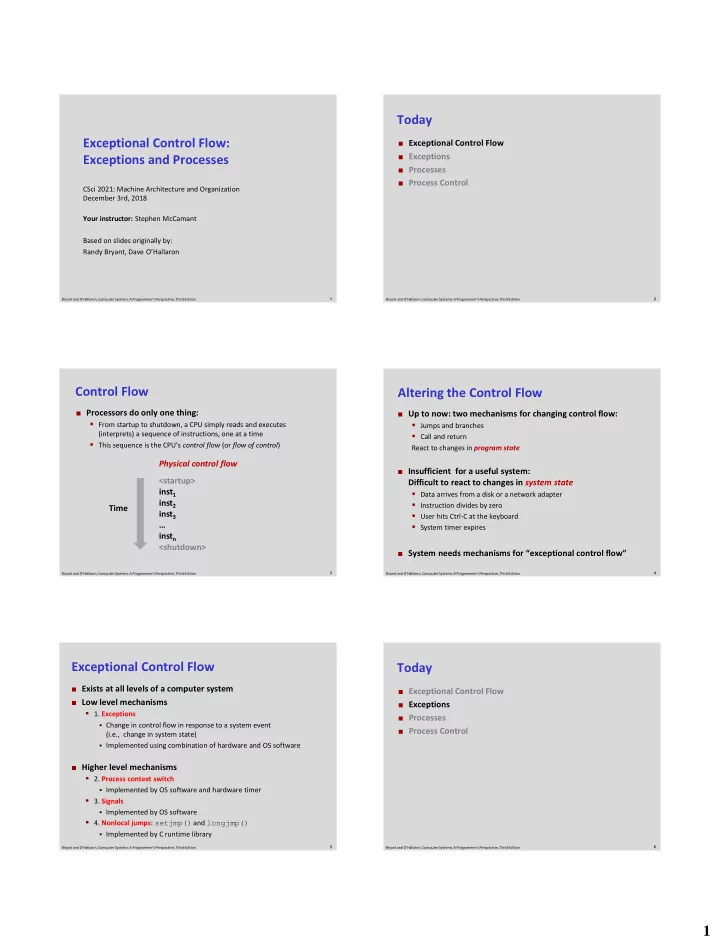
Today Exceptional Control Flow: Exceptional Control Flow Exceptions Exceptions and Processes Processes Process Control CSci 2021: Machine Architecture and Organization December 3rd, 2018 Your instructor: Stephen McCamant Based


slide-1
SLIDE 1

1

1 Bryant and O’Hallaron, Computer Systems: A Programmer’s Perspective, Third Edition

Exceptional Control Flow: Exceptions and Processes

CSci 2021: Machine Architecture and Organization December 3rd, 2018 Your instructor: Stephen McCamant Based on slides originally by: Randy Bryant, Dave O’Hallaron

2 Bryant and O’Hallaron, Computer Systems: A Programmer’s Perspective, Third Edition

Today

 Exceptional Control Flow  Exceptions  Processes  Process Control

3 Bryant and O’Hallaron, Computer Systems: A Programmer’s Perspective, Third Edition

Control Flow

<startup> inst1 inst2 inst3 … instn <shutdown>

 Processors do only one thing:

  • From startup to shutdown, a CPU simply reads and executes

(interprets) a sequence of instructions, one at a time

  • This sequence is the CPU’s control flow (or flow of control)

Physical control flow Time

4 Bryant and O’Hallaron, Computer Systems: A Programmer’s Perspective, Third Edition

Altering the Control Flow

 Up to now: two mechanisms for changing control flow:

  • Jumps and branches
  • Call and return

React to changes in program state

 Insufficient for a useful system:

Difficult to react to changes in system state

  • Data arrives from a disk or a network adapter
  • Instruction divides by zero
  • User hits Ctrl-C at the keyboard
  • System timer expires

 System needs mechanisms for “exceptional control flow”

5 Bryant and O’Hallaron, Computer Systems: A Programmer’s Perspective, Third Edition

Exceptional Control Flow

 Exists at all levels of a computer system  Low level mechanisms

  • 1. Exceptions
  • Change in control flow in response to a system event

(i.e., change in system state)

  • Implemented using combination of hardware and OS software

 Higher level mechanisms

  • 2. Process context switch
  • Implemented by OS software and hardware timer
  • 3. Signals
  • Implemented by OS software
  • 4. Nonlocal jumps: setjmp() and longjmp()
  • Implemented by C runtime library

6 Bryant and O’Hallaron, Computer Systems: A Programmer’s Perspective, Third Edition

Today

 Exceptional Control Flow  Exceptions  Processes  Process Control

slide-2
SLIDE 2

2

7 Bryant and O’Hallaron, Computer Systems: A Programmer’s Perspective, Third Edition

Exceptions

 An exception is a transfer of control to the OS kernel in response

to some event (i.e., change in processor state)

  • Kernel is the memory-resident part of the OS
  • Examples of events: Divide by 0, arithmetic overflow, page fault, I/O

request completes, typing Ctrl-C

User code Kernel code

Exception Exception processing by exception handler

  • Return to I_current
  • Return to I_next
  • Abort

Event

I_current I_next

8 Bryant and O’Hallaron, Computer Systems: A Programmer’s Perspective, Third Edition

1 2

...

n-1

Exception Tables

Each type of event has a unique exception number k

k = index into exception table (a.k.a. interrupt vector)

Handler k is called each time exception k occurs

Exception Table Code for exception handler 0 Code for exception handler 1 Code for exception handler 2 Code for exception handler n-1

...

Exception numbers

9 Bryant and O’Hallaron, Computer Systems: A Programmer’s Perspective, Third Edition

Asynchronous Exceptions (Interrupts)

 Caused by events external to the processor

  • Indicated by setting the processor’s interrupt pin
  • Handler returns to “next” instruction

 Examples:

  • Timer interrupt
  • Every few ms, an external timer chip triggers an interrupt
  • Used by the kernel to take back control from user programs
  • I/O interrupt from external device
  • Hitting Ctrl-C at the keyboard
  • Arrival of a packet from a network
  • Arrival of data from a disk

10 Bryant and O’Hallaron, Computer Systems: A Programmer’s Perspective, Third Edition

Synchronous Exceptions

 Caused by events that occur as a result of executing an

instruction:

  • Traps
  • Intentional
  • Examples: system calls, breakpoint traps, special instructions
  • Returns control to “next” instruction
  • Faults
  • Unintentional but possibly recoverable
  • Examples: page faults (recoverable), protection faults

(unrecoverable), floating point exceptions

  • Either re-executes faulting (“current”) instruction or aborts
  • Aborts
  • Unintentional and unrecoverable
  • Examples: illegal instruction, parity error, machine check
  • Aborts current program

11 Bryant and O’Hallaron, Computer Systems: A Programmer’s Perspective, Third Edition

System Calls

Number Name Description read Read file 1 write Write file 2

  • pen

Open file 3 close Close file 4 stat Get info about file 57 fork Create process 59 execve Execute a program 60 _exit Terminate process 62 kill Send signal to process

 Each x86-64 system call has a unique ID number  Examples:

12 Bryant and O’Hallaron, Computer Systems: A Programmer’s Perspective, Third Edition

System Call Example: Opening File

User calls: open(filename, options)

Calls __open function, which invokes system call instruction syscall

00000000000e5d70 <__open>: ... e5d79: b8 02 00 00 00 mov $0x2,%eax # open is syscall #2 e5d7e: 0f 05 syscall # Return value in %rax e5d80: 48 3d 01 f0 ff ff cmp $0xfffffffffffff001,%rax ... e5dfa: c3 retq

User code Kernel code

Exception Open file Returns

syscall cmp

%rax contains syscall number

Other arguments in %rdi, %rsi, %rdx, %r10, %r8, %r9

Return value in %rax

Negative value is an error corresponding to negative errno

slide-3
SLIDE 3

3

13 Bryant and O’Hallaron, Computer Systems: A Programmer’s Perspective, Third Edition

Fault Example: Page Fault

User writes to memory location

That portion (page) of user’s memory is currently on disk

int a[1000]; main () { a[500] = 13; } 80483b7: c7 05 10 9d 04 08 0d movl $0xd,0x8049d10

User code Kernel code

Exception: page fault Copy page from disk to memory Return and reexecute movl

movl

14 Bryant and O’Hallaron, Computer Systems: A Programmer’s Perspective, Third Edition

Fault Example: Invalid Memory Reference

Sends SIGSEGV signal to user process

User process exits with “segmentation fault”

int a[1000]; main () { a[5000] = 13; } 80483b7: c7 05 60 e3 04 08 0d movl $0xd,0x804e360

User code Kernel code

Exception: page fault Detect invalid address

movl

Signal process

15 Bryant and O’Hallaron, Computer Systems: A Programmer’s Perspective, Third Edition

Today

 Exceptional Control Flow  Exceptions  Processes  Process Control

16 Bryant and O’Hallaron, Computer Systems: A Programmer’s Perspective, Third Edition

Processes

 Definition: A process is an instance of a running

program.

  • One of the most profound ideas in computer science
  • Not the same as “program” or “processor”

 Process provides each program with two key

abstractions:

  • Logical control flow
  • Each program seems to have exclusive use of the CPU
  • Provided by kernel mechanism called context switching
  • Private address space
  • Each program seems to have exclusive use of main

memory.

  • Provided by kernel mechanism called virtual memory

CPU

Registers

Memory

Stack Heap Code Data

17 Bryant and O’Hallaron, Computer Systems: A Programmer’s Perspective, Third Edition

Multiprocessing: The Illusion

 Computer runs many processes simultaneously

  • Applications for one or more users
  • Web browsers, email clients, editors, …
  • Background tasks
  • Monitoring network & I/O devices

CPU

Registers

Memory

Stack Heap Code Data

CPU

Registers

Memory

Stack Heap Code Data

…

CPU

Registers

Memory

Stack Heap Code Data

18 Bryant and O’Hallaron, Computer Systems: A Programmer’s Perspective, Third Edition

Multiprocessing Example

 Running program “top” on Mac

  • System has 123 processes, 5 of which are active
  • Identified by Process ID (PID)
slide-4
SLIDE 4

4

19 Bryant and O’Hallaron, Computer Systems: A Programmer’s Perspective, Third Edition

Multiprocessing: The (Traditional) Reality

 Single processor executes multiple processes concurrently

  • Process executions interleaved (multitasking)
  • Address spaces managed by virtual memory system (later in course)
  • Register values for nonexecuting processes saved in memory

CPU

Registers

Memory

Stack Heap Code Data Saved registers Stack Heap Code Data Saved registers Stack Heap Code Data Saved registers

…

20 Bryant and O’Hallaron, Computer Systems: A Programmer’s Perspective, Third Edition

Multiprocessing: The (Traditional) Reality

 Save current registers in memory

CPU

Registers

Memory

Stack Heap Code Data Saved registers Stack Heap Code Data Saved registers Stack Heap Code Data Saved registers

…

21 Bryant and O’Hallaron, Computer Systems: A Programmer’s Perspective, Third Edition

Multiprocessing: The (Traditional) Reality

 Schedule next process for execution

CPU

Registers

Memory

Stack Heap Code Data Saved registers Stack Heap Code Data Saved registers Stack Heap Code Data Saved registers

…

22 Bryant and O’Hallaron, Computer Systems: A Programmer’s Perspective, Third Edition

Multiprocessing: The (Traditional) Reality

 Load saved registers and switch address space (context switch)

CPU

Registers

Memory

Stack Heap Code Data Saved registers Stack Heap Code Data Saved registers Stack Heap Code Data Saved registers

…

23 Bryant and O’Hallaron, Computer Systems: A Programmer’s Perspective, Third Edition

Multiprocessing: The (Modern) Reality

 Multicore processors

  • Multiple CPUs on single chip
  • Share main memory (and some of

the caches)

  • Each can execute a separate process
  • Scheduling of processors onto

cores done by kernel

CPU

Registers

Memory

Stack Heap Code Data Saved registers Stack Heap Code Data Saved registers Stack Heap Code Data Saved registers

…

CPU

Registers

24 Bryant and O’Hallaron, Computer Systems: A Programmer’s Perspective, Third Edition

Concurrent Processes

 Each process is a logical control flow.  Two processes run concurrently (are concurrent) if their

flows overlap in time

 Otherwise, they are sequential  Examples (running on single core):

  • Concurrent: A & B, A & C
  • Sequential: B & C

Process A Process B Process C

Time

slide-5
SLIDE 5

5

25 Bryant and O’Hallaron, Computer Systems: A Programmer’s Perspective, Third Edition

User View of Concurrent Processes

 Control flows for concurrent processes are physically

disjoint in time

 However, we can think of concurrent processes as

running in parallel with each other Time

Process A Process B Process C

26 Bryant and O’Hallaron, Computer Systems: A Programmer’s Perspective, Third Edition

Context Switching

 Processes are managed by a shared chunk of memory-

resident OS code called the kernel

  • Important: the kernel is not a separate process, but rather runs as part
  • f some existing process.

 Control flow passes from one process to another via a

context switch

Process A Process B

user code kernel code user code kernel code user code context switch context switch

Time

27 Bryant and O’Hallaron, Computer Systems: A Programmer’s Perspective, Third Edition

Today

 Exceptional Control Flow  Exceptions  Processes  System calls and process startup

28 Bryant and O’Hallaron, Computer Systems: A Programmer’s Perspective, Third Edition

System Call Error Handling

 On error, Linux system-level functions typically return -1 and

set global variable errno to indicate cause.

 Hard and fast rule:

  • You must check the return status of every system-level function
  • Only exception is the handful of functions that return void

 Example:

if ((pid = fork()) < 0) { fprintf(stderr, "fork error: %s\n", strerror(errno)); exit(0); }

29 Bryant and O’Hallaron, Computer Systems: A Programmer’s Perspective, Third Edition

Error-reporting functions

 Can simplify somewhat using an error-reporting function:

void unix_error(char *msg) /* Unix-style error */ { fprintf(stderr, "%s: %s\n", msg, strerror(errno)); exit(0); } if ((pid = fork()) < 0) unix_error("fork error");

30 Bryant and O’Hallaron, Computer Systems: A Programmer’s Perspective, Third Edition

Error-handling Wrappers

 We simplify the code we present to you even further by

using Stevens-style error-handling wrappers:

pid_t Fork(void) { pid_t pid; if ((pid = fork()) < 0) unix_error("Fork error"); return pid; } pid = Fork();

slide-6
SLIDE 6

6

49 Bryant and O’Hallaron, Computer Systems: A Programmer’s Perspective, Third Edition

execve: Loading and Running Programs

int execve(char *filename, char *argv[], char *envp[])

 Loads and runs in the current process:

  • Executable file filename
  • Can be object file or script file beginning with #!interpreter

(e.g., #!/bin/bash)

  • …with argument list argv
  • By convention argv[0]==filename
  • …and environment variable list envp
  • “name=value” strings (e.g., USER=droh)
  • getenv, putenv, printenv

 Overwrites code, data, and stack

  • Retains PID, open files and signal context

 Called once and never returns

  • …except if there is an error

50 Bryant and O’Hallaron, Computer Systems: A Programmer’s Perspective, Third Edition

Structure of the stack when a new program starts

Null-terminated environment variable strings Null-terminated command-line arg strings envp[n] == NULL envp[n-1]

...

envp[0] argv[argc] = NULL argv[argc-1]

...

argv[0] Future stack frame for main environ (global var) Bottom of stack Top of stack argv (in %rsi) envp (in %rdx) Stack frame for libc_start_main argc (in %rdi)

51 Bryant and O’Hallaron, Computer Systems: A Programmer’s Perspective, Third Edition

execve Example

envp[n] = NULL envp[n-1] envp[0] … myargv[argc] = NULL myargv[2] myargv[0] myargv[1] “/bin/ls” “-lt” “/usr/include” “USER=droh” “PWD=/usr/droh” environ myargv

if ((pid = Fork()) == 0) { /* Child runs program */ if (execve(myargv[0], myargv, environ) < 0) { printf("%s: Command not found.\n", myargv[0]); exit(1); } }

Executes “/bin/ls –lt /usr/include” in child process using current environment:

(argc == 3)

52 Bryant and O’Hallaron, Computer Systems: A Programmer’s Perspective, Third Edition

Summary

 Exceptions

  • Events that require nonstandard control flow
  • Generated externally (interrupts) or internally (traps and faults)

 Processes

  • At any given time, system has multiple active processes
  • Only one can execute at a time on a single core, though
  • Each process appears to have total control of

processor + private memory space