Dealing With I/O Dealing With I/O CS 105 Tour of the Black Holes - - PowerPoint PPT Presentation

dealing with i o dealing with i o cs 105
SMART_READER_LITE
LIVE PREVIEW

Dealing With I/O Dealing With I/O CS 105 Tour of the Black Holes - - PowerPoint PPT Presentation

Dealing With I/O Dealing With I/O CS 105 Tour of the Black Holes of Computing Problem: I/O devices are slow Solution 1: wait for I/O CPU stops executing instructions


slide-1
SLIDE 1

Exceptional Control Flow Exceptional Control Flow

Topics

Exceptions

Signals

Shells

CS 105

“Tour of the Black Holes of Computing”

– 2 – CS 105

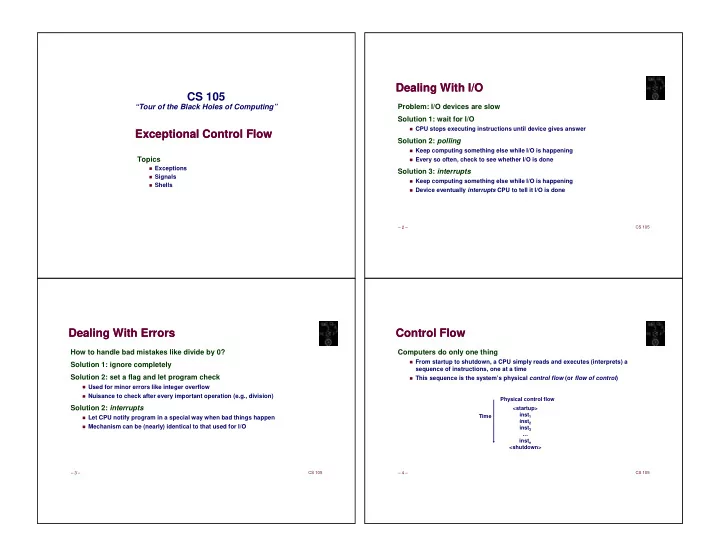
Dealing With I/O Dealing With I/O

Problem: I/O devices are slow Solution 1: wait for I/O

CPU stops executing instructions until device gives answer

Solution 2: polling

Keep computing something else while I/O is happening

Every so often, check to see whether I/O is done

Solution 3: interrupts

Keep computing something else while I/O is happening

Device eventually interrupts CPU to tell it I/O is done

– 3 – CS 105

Dealing With Errors Dealing With Errors

How to handle bad mistakes like divide by 0? Solution 1: ignore completely Solution 2: set a flag and let program check

Used for minor errors like integer overflow

Nuisance to check after every important operation (e.g., division)

Solution 2: interrupts

Let CPU notify program in a special way when bad things happen

Mechanism can be (nearly) identical to that used for I/O

– 4 – CS 105

Control Flow Control Flow

Computers do only one thing

From startup to shutdown, a CPU simply reads and executes (interprets) a sequence of instructions, one at a time

This sequence is the system’s physical control flow (or flow of control)

<startup> inst1 inst2 inst3 … instn <shutdown> Physical control flow Time

slide-2
SLIDE 2

– 5 – CS 105

Altering the Control Flow Altering the Control Flow

Up to now: two mechanisms for changing control flow:

Jumps and branches—react to changes in program state

Call and return using stack discipline—react to program state

Insufficient for a useful system

Difficult for the CPU to react to other changes in system state

Data arrives from a disk or a network adapter Instruction divides by zero User hits control-C at the keyboard System timer expires

System needs mechanisms for “exceptional control flow”

– 6 – CS 105

Exceptional Control Flow Exceptional Control Flow

Exists at all levels of a computer system

Low-Level Mechanism

Exceptions

Change in control flow in response to a system event (i.e., change in system state)

Combination of hardware and OS software

Higher-Level Mechanisms

Process context switch (done by OS software and HW timer)

Signals (done by OS software)

Nonlocal jumps (throw/catch)—ignored in this course

– 7 – CS 105

Exceptions Exceptions

An exception is a transfer of control to OS kernel in response to some event (i.e., change in processor state) Exceptions interrupt the normal control flow

User Process OS Exception Exception processing by exception handler

  • Return to current
  • Return to next
  • Or abort & never return

event

current next

Think of it as a hardware-initiated function call

– 8 – CS 105 1 2 n-1

...

Exception Tables (Interrupt Vectors) Exception Tables (Interrupt Vectors)

Each type of event has a unique exception number k

k = index into exception table (a.k.a., interrupt vector)

Jump table entry k points to a function (exception handler).

Handler k is called each time exception k occurs.

interrupt vector code for exception handler 0 code for exception handler 1 code for exception handler 2 code for exception handler n-1

...

Exception numbers

slide-3
SLIDE 3

– 9 – CS 105

Asynchronous Exceptions (Interrupts) Asynchronous Exceptions (Interrupts)

Caused by events external to processor

Indicated by putting voltage on the processor’s interrupt pin(s)

Handler returns to “next” instruction.

Examples:

Timer interrupt

Every few milliseconds, triggered by external timer chip Used by kernel to take control back from user programs

I/O interrupts

Hitting control-C (or any key) at the keyboard Arrival of packet from network Finishing writing data to disk

– 10 – CS 105

Synchronous Exceptions Synchronous Exceptions

Caused by events that occur as result of executing an instruction:

Traps

Intentional Examples: system calls, breakpoint traps, special instructions Returns control to “next” instruction

Faults

Unintentional but possibly recoverable Examples: page faults (recoverable), protection faults (unrecoverable) Either re-executes faulting (“current”) instruction or aborts

Aborts

Unintentional and unrecoverable Examples: parity error, machine fails ongoing self-tests Aborts current program or entire OS

– 13 – CS 105

System Call Example System Call Example

User calls: open(filename, options) Calls __open function, which invokes system call instruction syscall

00000000000e5d70 <__open>: ... e5d79: b8 02 00 00 00 mov $0x2,%eax # open is syscall #2 e5d7e: 0f 05 syscall # Return value in %rax e5d80: 48 3d 01 f0 ff ff cmp $0xfffffffffffff001,%rax ... e5dfa: c3 retq

✂ ✁ ✄ ☎ ✆ ✆ ✄ ✝ ✞
  • %rax
  • %rdi%rsi

%rdx%r10%r8%r9

  • %rax
  • errno

– 15 – CS 105

Fault Example: Invalid Memory Fault Example: Invalid Memory

Memory Reference

User writes to memory location

Address is not valid

Virtual memory system detects invalid address, causes fault

OS sends SIGSEGV signal to user process (discussed in a few minutes)

User process exits with “segmentation fault”

User Process OS page fault Detect invalid address event

movl int a[1000]; main () { a[5000] = 13; } 80483b7: c7 05 60 e3 04 08 0d movl $0xd,0x804e360

Signal process

slide-4
SLIDE 4

– 16 – CS 105

ECF Exists at All Levels of a System ECF Exists at All Levels of a System

Exceptions

Hardware and operating system kernel software

Concurrent processes

Hardware timer and kernel software

Signals

Kernel software

Non-local jumps (ignored in this class)

Application code

Unsupported in C (except for horrible setjmp hack)

C++/Java throw/catch

Python try/except

– 17 – CS 105

Killing a Process Killing a Process

Problem: runaway process (e.g., unintentional infinite loop)

Solution: kernel has superpowers, can kill it off

Problem: cleaning up after killing process

Kernel can close open files, release memory, etc.

Kernel can’t know whether to delete temporary files or send “bye-bye” message across network

Solution: let processes intercept attempt to kill

Assumption is that they will clean up and exit gracefully

No direct enforcement of that assumption!

– 18 – CS 105

Signals Signals

A signal is a small “message” that notifies a process that an event of some type has occurred in the system

Kernel abstraction for exceptions and interrupts

Sent from kernel (sometimes at request of another process) to a process

Different signals are identified by small integer IDs

Only information in a signal is its ID and fact of arrival

Represented internally by one bit in kernel

ID Name Default Action Corresponding Event 2 SIGINT Terminate Interrupt from keyboard (ctl-c) 9 SIGKILL Terminate Kill program (cannot override or ignore) 11 SIGSEGV Terminate & Dump Segmentation violation 14 SIGALRM Terminate Timer signal 17 SIGCHLD Ignore Child stopped or terminated

– 19 – CS 105

Signal Concepts: Sending Signal Concepts: Sending

Kernel sends (delivers) a signal to a destination process by updating some state in the context of the destination process Kernel sends a signal for one of the following reasons:

Kernel has detected a system event such as divide by zero (SIGFPE) or termination

  • f a child process (SIGCHLD)

Another process has invoked the kill system call to explicitly request that the kernel send a signal to the destination process

slide-5
SLIDE 5

– 20 – CS 105

Signal Concepts: Receiving Signal Concepts: Receiving

A destination process receives a signal when it is forced by kernel to react in some way to delivery of the signal Five possible ways to react:

Ignore the signal (do nothing)

Terminate the process

Temporarily stop the process from running

Continue a stopped process (let it run again)

Catch the signal by executing a user-level function called a signal handler

OS-initiated function call Akin to hardware exception handler being called in response to asynchronous interrupt Like interrupts, signal handler might or might not return

– 21 – CS 105

Signal Concepts: Pending & Blocked Signals Signal Concepts: Pending & Blocked Signals

A signal is pending if it has been sent but not yet received

There can be at most one pending signal of any particular type

Important: signals are not queued

If a process has pending signal of type k, then subsequent signals of type k for that

process are discarded

Process can block receipt of certain signals

Blocked signals can be delivered, but won’t be received until signal is unblocked

Pending signal is received at most once

– 23 – CS 105

Receiving Signals Receiving Signals

Suppose kernel is returning from an exception handler and is ready to pass control to process p

  • – 24 –

CS 105

Receiving Signals Receiving Signals

Suppose kernel is returning from exception handler and is ready to pass control to process p Kernel computes pnb = pending & ~blocked

The set of pending nonblocked signals for process p

If (pnb == 0)

Pass control to next instruction in logical flow for p

Else

Choose lowest-numbered signal k in pnb and force process p to receive signal k

Receipt of signal triggers some action by p

Repeat for all nonzero k in pnb

Pass control to next instruction in logical flow for p

slide-6
SLIDE 6

– 26 – CS 105

Sending Signals with kill Sending Signals with kill

kill sends arbitrary signal to a process or process group Examples

kill –KILL 24818

Send SIGKILL to process 24818

kill –9 –24817

Send SIGKILL to every process in

process group 24817

linux> ./forks 16 linux> Child1: pid=24818 pgrp=24817 Child2: pid=24819 pgrp=24817 linux> ps PID TTY TIME CMD 24788 pts/2 00:00:00 zsh 24818 pts/2 00:00:02 forks 24819 pts/2 00:00:02 forks 24820 pts/2 00:00:00 ps linux> kill -9 -24817 linux> ps PID TTY TIME CMD 24788 pts/2 00:00:00 zsh 24823 pts/2 00:00:00 ps linux>

– 27 – CS 105

Sending Signals From the Keyboard Sending Signals From the Keyboard

Typing ctrl-c (ctrl-z) sends a SIGINT (SIGTSTP) to every job in the foreground process group.

SIGINT – default action is to terminate each process

SIGTSTP – default action is to stop (suspend) each process

Fore- ground job Back- ground job #1 Back- ground job #2 Shell Child Child

pid=10 pgid=10

Foreground process group 20 Background process group 32 Background process group 40

pid=20 pgid=20 pid=32 pgid=32 pid=40 pgid=40 pid=21 pgid=20 pid=22 pgid=20

– 29 – CS 105

Sending Signals with kill Sending Signals with kill

void fork12() { pid_t pid[N]; int i, child_status; for (i = 0; i < N; i++) if ((pid[i] = fork()) == 0) while(1); /* Child infinite loop (bad style!) */ /* Parent terminates the child processes */ for (i = 0; i < N; i++) { printf("Killing process %d\n", pid[i]); kill(pid[i], SIGINT); } /* Parent reaps terminated children */ for (i = 0; i < N; i++) { pid_t wpid = wait(&child_status); if (WIFEXITED(child_status)) printf("Child %d terminated with exit status %d\n", wpid, WEXITSTATUS(child_status)); else printf("Child %d terminated abnormally\n", wpid); } } – 30 – CS 105

Default Actions Default Actions

Each signal type has predefined default action, which is one of:

Process terminates

Process terminates and dumps “core” (memory) to a file

Nowadays dump is suppressed in normal operation

Process stops until restarted by a SIGCONT signal

Process ignores the signal

slide-7
SLIDE 7

– 31 – CS 105

Installing Signal Handlers Installing Signal Handlers

The signal function modifies the default action associated with receipt of signal signum:

handler_t *signal(int signum, handler_t *handler)

Different values for handler:

SIG_IGN: ignore signals of type signum

SIG_DFL: revert to default action on receipt of signals of type signum

Otherwise, handler is address of a signal handler

Referred to as “installing” the handler Called when process receives signal of type signum Executing handler is called “catching” or “handling” the signal When handler returns, control passes back to instruction in control flow of process that

was interrupted by receipt of the signal

– 32 – CS 105

Signal Handling Example Signal Handling Example

  • – 33 –

CS 105

Signals Handlers as Concurrent Flows Signals Handlers as Concurrent Flows

A signal handler is a separate logical flow (not process) that runs concurrently with the main program

  • while (1)

;

  • handler(){

… }

  • – 38 –

CS 105

Guidelines for Writing Safe Handlers Guidelines for Writing Safe Handlers

G0: Keep your handlers as simple as possible

e.g., Set a global flag and return G1: Call only async-signal-safe functions in your handlers

printf, sprintf, malloc, and exit are not safe! G2: Save and restore errno on entry and exit

So that other handlers don’t overwrite your value of errno G3: Protect accesses to shared data structures by temporarily blocking all signals.

To prevent possible corruption G4: Declare global variables as volatile

To prevent compiler from storing them in a register G5: Declare global flags as volatile sig_atomic_t

flag: variable that is only read or only written (e.g. flag = 1, not flag++)

Flag declared this way does not need to be protected like other globals

slide-8
SLIDE 8

– 40 – CS 105

Shell Programs Shell Programs

A shell is an application program that runs programs on behalf of the user

sh – Original Unix Bourne shell

csh – BSD Unix C shell, tcsh – Enhanced C shell (both deprecated)

bash – “Bourne-Again” shell

zsh – “Z” shell

int main() { char cmdline[MAXLINE]; while (1) { /* read */ printf("> "); Fgets(cmdline, MAXLINE, stdin); if (feof(stdin)) exit(0); /* evaluate */ eval(cmdline); } }

Execution is a sequence of read/evaluate steps

– 41 – CS 105

Simple Shell eval Function Simple Shell eval Function

void eval(char *cmdline) { char *argv[MAXARGS]; /* argv for execvp() */ int bg; /* should the job run in bg or fg? */ pid_t pid; /* process id */ bg = parseline(cmdline, argv); if (!builtin_command(argv)) { if ((pid = Fork()) == 0) { /* child runs user job */ execvp(argv[0], argv); fprintf(stderr, "%s: Command not found.\n", argv[0]); exit(1); } if (!bg) { /* parent waits for fg job to terminate */ int status; if (waitpid(pid, &status, 0) == -1) unix_error("waitfg: waitpid error"); } else /* otherwise, don’t wait for bg job */ printf("%d %s", pid, cmdline); } }

– 42 – CS 105

Problem with Simple Shell Example Problem with Simple Shell Example

Shell correctly waits for and reaps foreground jobs But what about background jobs?

Will become zombies when they terminate

Will never be reaped because shell (typically) will not terminate

Eventually you hit process limit and can’t do any work

ECF to the rescue:

SIGCHLD will notify us of child termination

Ignored by default, so must explicitly catch

But signal handler must be carefully written (see next two slides)

– 43 – CS 105

Signal Handler Funkiness Signal Handler Funkiness

Pending signals are not queued

For each signal type, just have single bit indicating whether or not signal is pending

Even if multiple processes have sent this signal!

int ccount = 0; void child_handler(int sig) { int child_status; pid_t pid = wait(&child_status); ccount--; printf("Received signal %d from process %d\n", sig, pid); } void fork14() { pid_t pid[N]; int i, child_status; ccount = N; signal(SIGCHLD, child_handler); for (i = 0; i < N; i++) if ((pid[i] = fork()) == 0) { /* Child: Exit */ exit(0); } while (ccount > 0) pause();/* Suspend until signal occurs */ }

slide-9
SLIDE 9

– 44 – CS 105

Living With Nonqueuing Signals Living With Nonqueuing Signals

Must check for all terminated jobs

Typically loop with waitpid

void child_handler2(int sig) { int child_status; pid_t pid; while ((pid = waitpid(-1, &child_status, WNOHANG)) != -1) { ccount--; printf("Received signal %d from process %d\n", sig, pid); } } void fork15() { . . . signal(SIGCHLD, child_handler2); . . . }

– 45 – CS 105

Summary Summary

Signals provide process-level exception handling

Can generate from user programs

Can define effect by declaring signal handler

Some caveats

Very high overhead

>10,000 clock cycles Only use for exceptional conditions

Don’t have queues

Just one bit for each pending signal type