1 Some Challenges Some Common False Positives What is normal - - PDF document

1
SMART_READER_LITE
LIVE PREVIEW

1 Some Challenges Some Common False Positives What is normal - - PDF document

Thanks To Anthony Joseph, Doug Tygar, Umesh Intrusion Detection Vazirani, and David Wagner for generously allowing me to use their slides as the basis for this set of slides. Fall 2008 CS 334: Computer Security 1 Fall 2008 CS 334:


slide-1
SLIDE 1

1

Fall 2008 CS 334: Computer Security 1

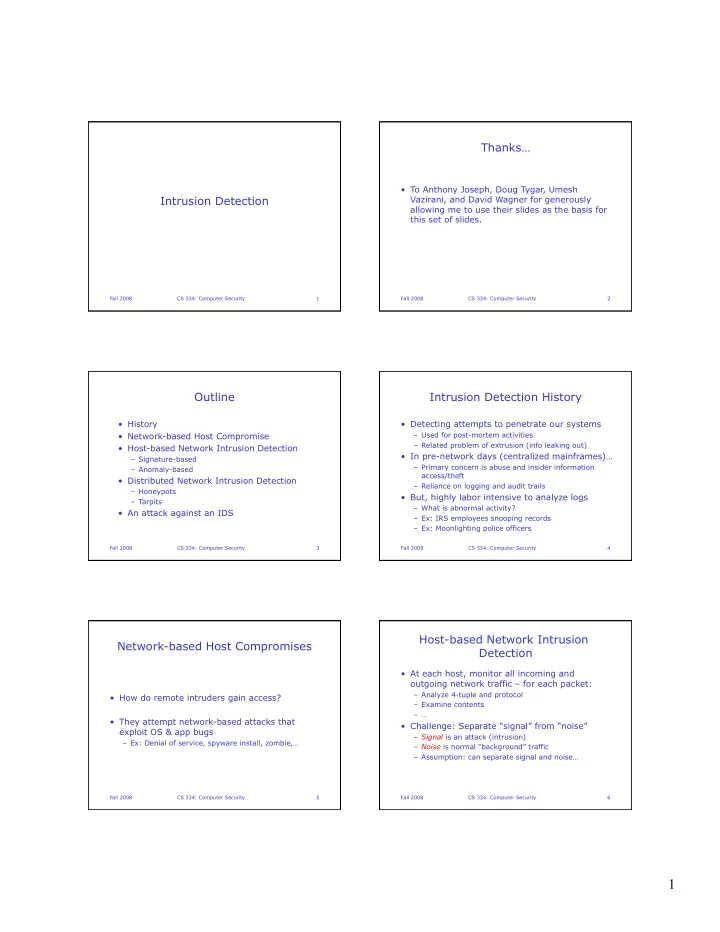
Intrusion Detection Thanks…

  • To Anthony Joseph, Doug Tygar, Umesh

Vazirani, and David Wagner for generously allowing me to use their slides as the basis for this set of slides.

Fall 2008 CS 334: Computer Security 2

Outline

  • History
  • Network-based Host Compromise
  • Host-based Network Intrusion Detection

– Signature-based – Anomaly-based

  • Distributed Network Intrusion Detection

– Honeypots – Tarpits

  • An attack against an IDS

Fall 2008 CS 334: Computer Security 3

Intrusion Detection History

  • Detecting attempts to penetrate our systems

– Used for post-mortem activities – Related problem of extrusion (info leaking out)

  • In pre-network days (centralized mainframes)…

– Primary concern is abuse and insider information access/theft – Reliance on logging and audit trails

  • But, highly labor intensive to analyze logs

– What is abnormal activity? – Ex: IRS employees snooping records – Ex: Moonlighting police officers

Fall 2008 CS 334: Computer Security 4

Network-based Host Compromises

  • How do remote intruders gain access?
  • They attempt network-based attacks that

exploit OS & app bugs

– Ex: Denial of service, spyware install, zombie,…

Fall 2008 CS 334: Computer Security 5

Host-based Network Intrusion Detection

  • At each host, monitor all incoming and
  • utgoing network traffic – for each packet:

– Analyze 4-tuple and protocol – Examine contents – …

  • Challenge: Separate “signal” from “noise”

– Signal is an attack (intrusion) – Noise is normal “background” traffic – Assumption: can separate signal and noise…

Fall 2008 CS 334: Computer Security 6

slide-2
SLIDE 2

2

Some Challenges

  • What is normal traffic?

– Server, desktop, PDA, PDA/phone, … – My normal traffic? Your normal traffic?

  • What if I’m hurt and work from home for a while?

– Lots of data for servers

  • Why do we need sufficient signal and noise

separation?

– To avoid too many false alarms!

  • What happens if signals are missed?

– Possible intrusion!

Fall 2008 CS 334: Computer Security 7

Some Common False Positives

  • Proximity probes

– Website load balancers will probe your machine for proximity – Connect to website hosted by mirror-image.com, and >10 load balancers in 6 countries probe your machine

  • Stale IP caches

– Using dynamic IP addresses, you may get the “old” address of someone who was running a P2P app – Peers continue to try to “re-connect”

  • Web posts with dynamic IP addresses

– Spiders crawl machine currently using IP address

Fall 2008 CS 334: Computer Security 8

Lots and Lots of Data!!

  • Network trace from Win2K desktop

Fall 2008 CS 334: Computer Security 9

Trace Analysis

Fall 2008 CS 334: Computer Security 10

Analyzing Host-based Trace Data

  • TCP

connection probes on port 445

  • Day 0 is

March 4, 2003

Fall 2008 CS 334: Computer Security 11

Some Background: MS Blaster

  • Worm affected Win XP and Win 2K, began

spreading August 13, 2003

  • Programmed to “SYN flood” port 80 of

windowsupdate.com on August 15, thus creating a DDoS attack

  • Exploited buffer overflow vulnerability (no surprise

there) in Microsoft’s DCOM RPC service (located at port 135)

– DCOM (Distributed Component Object Model) is proprietary MS technology for communicating among software components distributed throughout network

Fall 2008 CS 334: Computer Security 12

slide-3
SLIDE 3

3

Some Background: MS Blaster

  • Port 445: reserved for MS Directory services.
  • MS silently installed Internet server into every

version of Win 2K, accessible via port 445

  • Allows crackers to remotely log on to computers,

then upload and run any program without computer owner being aware

  • One method for setting up a “Botnet”
  • In addition to port 135, Blaster also targeted

ports 139 and 445

  • Blaster propagated by testing connections to

random IP addresses using these ports

Fall 2008 CS 334: Computer Security 13

MSBlaster in Detail

  • TCP 445

probes/hr

  • Hour 0 is
  • n July

20, 2003

Fall 2008 CS 334: Computer Security 14

(hours)

MSBlaster in More Detail

  • TCP 445

probes / 10 min

  • Minute 0 is

15:20 on July 20, 2003

Fall 2008 CS 334: Computer Security 15

(minutes)

Example Common Attack

  • Port scanning a host

– Trying to connect/send data to different ports/ protocols: sequential scan of host – Nmap tool (http://www.insecure.org/nmap/)

  • Determines OS/hostname/device type detection via

service fingerprinting (ex: SGI IRIX has svc on TCP port 1)

  • Determines what svc is really listening on a port and

can even determine app name and version

  • Operates in optional obfuscation mode
  • How to detect attack?

Fall 2008 CS 334: Computer Security 16

Intrusion Detection Using Signals

  • This is a misuse detection problem

– Similar problem to virus detection – “Match what you know”

  • High-level solution:

– Collect info about attack methods and types

  • 4-tuple/protocol
  • Packet contents

– Create and look for signatures

  • Slammer packet, port scan, …

Fall 2008 CS 334: Computer Security 17

Intrusion Detection Using Noise

  • This is an anomaly detection problem

– Need to learn normal behavior – “Match what’s different”

  • High-level solution:

– Try to identify what is normal traffic

  • Common 4-tuple/protocol

– Heuristic: Look for major deviations (outliers)

  • Ex: unusual target port, source addr, or port sequence

(scan)

– Apply AI: Statistical Learning Techniques

Fall 2008 CS 334: Computer Security 18

slide-4
SLIDE 4

4

Signature Detection

  • Language to specify intrusion patterns

– 4-tuple/protocol and potential intrusion values

  • Ex: External host -> file server (port 110, 135, …)
  • Ex: Internal workstation -> external P2P host

– Packet contents

  • Could be single or multiple packets (stream

reconstruction)

– Sequence of 4-tuple/protocol and packets

  • Also, model of protocol/app finite state machine
  • Lots of state in pattern matching engine
  • Example rule:

– alert tcp any -> my ip 21 (content:"site exec”; content:"%"; msg:"site exec buffer overflow attempt";)

Fall 2008 CS 334: Computer Security 19

Signature Detection

  • Snort tool (http://www.snort.org/)

– 2 million downloads, 100,000+ active users,

  • Advantages

– Very low false positive (alarm) rate

  • Disadvantages

– Only able to detect already known attacks – Simple changes to attack can defeat detection

  • Ex: Scan every even port, then every odd port…

Fall 2008 CS 334: Computer Security 20

Anomaly Detection

  • Analyze normal operation (behavior), look for

anomalies

– Uses AI techniques: Statistical Learning Techniques – Compute statistical properties of “features”

  • 4-tuple, protocol, packet contents, packets/sec, range
  • f port numbers, …

– Report errors if statistics are outside of “normal” range

Fall 2008 CS 334: Computer Security 21

Anomaly Detection

  • Advantages

– Can recognize “evolved” and new attacks

  • Disadvantages

– High false positive rate (alarms) – May have delayed alarm – Some attacks can hide in “normal” traffic – SLT requires training on known good data – Hard to capture protocol state behavior (FSM) – Problems when what’s “normal” changes

  • Ex: flash crowds

Fall 2008 CS 334: Computer Security 22

Super Stealthy Port Scanning

  • Use many zombies (each scans a few ports/

hour of target)

– Each zombie is assigned many machines to scan

  • Fast to scan both one machine, and many
  • Very hard to detect at targets!

Fall 2008 CS 334: Computer Security 23

Distributed Intrusion Detection

  • Place appliance in the network at choke point
  • r, share results across machines
  • Apply signature or anomaly detection across

larger data set

  • Advantages:

– Easier to detect stealth probes of large number of machines

  • Disadvantages:

– Large amount of data to communicate

Fall 2008 CS 334: Computer Security 24

slide-5
SLIDE 5

5

Honeypots

  • Closely monitored network decoys
  • May distract adversaries from more valuable

machines on a network

  • May provide early warning about new attack

and exploitation trends

– Enables in-depth examination of adversaries during and after exploitation

Fall 2008 CS 334: Computer Security 25

Honeypots

  • Can simulate one or more network services on
  • ne or more machines

– Can have virtual cluster of machines

  • Causes an attacker to think you're running

vulnerable services that can be used to break into the machine

– Can log access attempts to those ports, including the attacker's source IP and keystrokes – Can watch attacker in real-time and trace back/forward

  • Provides advanced warning of an attack

– Could use to automate generation of new firewall rules

Fall 2008 CS 334: Computer Security 26

Tarpits

  • A very,very sticky honeypot…
  • Set up network decoy

– For each port we want to “tarpit,” we allow connections to come in, but don’t let them out

  • Idea:

– Slow down scanning tools/worms to kill their performance/propagation because they rely on quick turnarounds – Might also give us time to protect real hosts

Fall 2008 CS 334: Computer Security 27

Example Tarpit Implementations

  • Accept any incoming TCP connection
  • When data transfer begins to occur, set TCP

window size to zero, so no data can be transferred within the session

  • Hold the connection open, and ignore any

requests by remote side to close session

  • Attacker must wait for the connection to

timeout in order to disconnect

Fall 2008 CS 334: Computer Security 28

Tarpits

  • Advantages

– Can customize for specific worms

  • Ex: analyze incoming packets to port 80 and only tarpit

web connections from worms – look for “cmd.exe” (CodeRed) or “default.ida” (Nimda)

  • Disadvantages

– Might trap valid host – Can cause some operating systems to crash

Fall 2008 CS 334: Computer Security 29

Intrusion Prevention Systems

  • We can detect intrusions, so why not

automatically cut off network connections to compromised hosts?

  • Intrusion Prevention Systems do this
  • But, what if we’re wrong…

– Possible Denial of Service – trick IPS into thinking host is compromised – Turn off access our airline reservation server when a fare deal causes very high/different traffic patterns

Fall 2008 CS 334: Computer Security 30

slide-6
SLIDE 6

6

Witty Worm (March 2004): Attacking the IDS

  • Targeted a buffer overflow vulnerability in

several of Internet Security Systems IDS products

  • Deletes a randomly chosen sectors of hard

drives over time killing system

  • Payload contained phrase:

– “(^.^) insert witty message here (^.^)” – Thus the name of the worm

  • First worm to take advantage of vulnerabilities

in software designed specifically to enhance network security

Fall 2008 CS 334: Computer Security 31

More Witty Firsts

  • First widely propagated Internet worm with a

destructive payload

  • First worm with order of magnitude larger hit

list than any previous worm

  • Shortest known interval between vulnerability

disclosure and worm release – 1 day

  • First to spread through nodes doing something

proactive to secure their computers / networks

  • Spread through a population almost an order
  • f magnitude smaller than that of previous

worms

Fall 2008 CS 334: Computer Security 32

Intrusion Detection Systems Summary

  • On going arms race between attackers and

detection technologies

  • Real challenge is false positive rate

– Renders most IDS useless – alerts ignored

  • Adaptive, anomaly detection is promising, but

still lacking

  • IPS products are still immature and

problematic

  • IDS products are now targets

Fall 2008 CS 334: Computer Security 33