
SLIDE 1
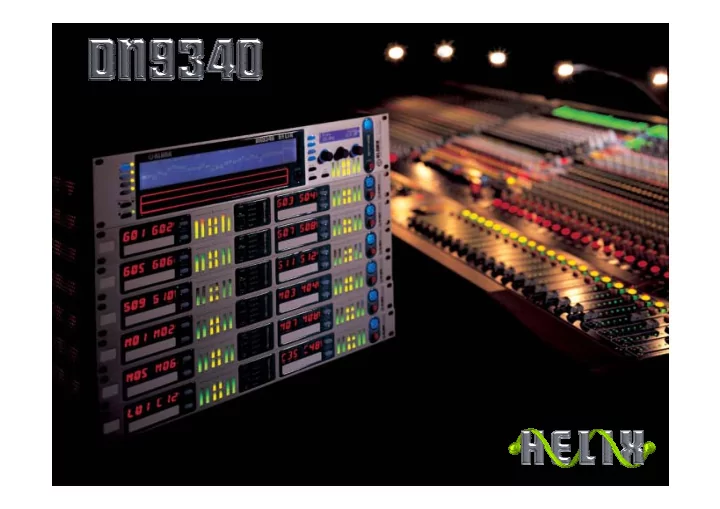
What is Helix ??? Its a l Five-mode dual 31-band graphic equaliser l - - PowerPoint PPT Presentation
What is Helix ??? Its a l Five-mode dual 31-band graphic equaliser l Five-mode dual 31-band graphic equaliser l Dual 12-band parametric equaliser l Dual 12-band parametric equaliser l Four configurable filters per channel l Four configurable
What is Helix ??? It’s a…
l Five-mode dual 31-band graphic equaliser l Dual 12-band parametric equaliser l Four configurable filters per channel l Full function delay line per channel l Two dynamic EQ filters per channel l Numerous supplementary functions l EQ for every application, in any combination l Five-mode dual 31-band graphic equaliser l Dual 12-band parametric equaliser l Four configurable filters per channel l Full function delay line per channel l Two dynamic EQ filters per channel l Numerous supplementary functions l EQ for every application, in any combination
Main function keys Split touch strip Secondary display Rotary encoders Large, high- resolution LCD display Full input,
Dynamic EQ metering PC access
Touch Strip Operation
L Graphic EQ: L One touch selects fader, values shown on small display L Upper strip boosts, lower strip cuts L Hold for continuous fader movement, fast in cut / slow in
boost
L Tap for +/- increments in 0.5dB steps (0.1dB on rotary) L Parametric / configurable filters / T-DEQ L One touch selects filter, values shown on small display L Hold and slide to move filter
Helix Home Page
LReal time view of composite audio response of unit LDisplays what functions are operative LControl overall gain and delay plus markers LVery easy to see what’s going on…
Graphic Equalisation Functions
LDual 31-band graphic equaliser LChoice of Q: constant, symmetrical and
proportional, plus DN360 and DN27 emulations
LApply an EQ curve then adjust the overall ‘Q’
and/or the graphic EQ type to suit the application. Fantastic and Unique!
LIndividual channel, fader and overall function
bypass
Parametric Equalisation Functions
LDual 12-band parametric equaliser LAll bands configurable 20Hz to 20kHz LSimple and intuitive operation via encoders and / or
touch strip
LIndividual filter, channel and overall function bypass
Configurable Filters
LFour filters (up to 8th-order) available per channel LEach filter configurable to be: LHigh pass / Low pass LHigh shelf / Low shelf L12dB Notch with Q value of up to 150 LIntuitive operation via encoders or touch strip LIndividual channel and overall function bypass
Delay Line
LFull function delay line per channel LUp to 1s delay available LDelay available in Time (milliseconds,
microseconds) and Distance (feet / inches or metres)
LIndividual channel and overall function bypass
(small alpha numeric display)
Dynamic Equalisation Filters (T-DEQ)
L Unique functionality: L THRESHOLD DEPENDENT EQUALISATION L (NOT frequency-conscious compression) L Programmable in 4 steps:
Dynamic Equalisation Filters
L This means that any frequency can be programmed to be at
a specific level when it reaches a chosen amplitude, i.e.:
L At –30dB (= quiet), you want +6dB at 80Hz for added bass
at low level, but at 0dB (= loud) you want –3dB at 80Hz. Simply use one of the dynamic filters in HELIX to achieve
L Configure one filter to be a lower-threshold shelf with a
suitable boost figure, then use as a channel insert to enhance quiet vocals. Or…
Power handling (watts) Frequency (Hz)
20 60 40 80 100 600 500 400 300
Broadband limiter setting for driver protection
Example: single 18” driver, bandwidth 30Hz to 90 Hz Broadband limiter set at +3dBu Power handling
Driver may be damaged here
Power handling (watts) Frequency (Hz)
20 60 40 80 100 600 500 400 300
Broadband limiter setting for driver protection
Example: single 18” driver, bandwidth 30Hz to 90 Hz Broadband limiter set at +6dBu Power handling
T-DEQ filter set as narrow- band hard limiter to protect driver where it is weak
Unique advantage of T-DEQ
L
Because you can choose to limit only the specific frequency or frequency range you require, you can raise the broadband limiter threshold whilst using T-DEQ to protect the driver. This means:
L
MORE POWER AND DYNAMICS
L
MORE PROTECTION AGAINST DRIVER FAILURE
Supplementary Functions
Auto-gain ranging, a feature unique to Klark Teknik. This automatically and instantly compensates for gain changes caused by cutting or boosting any frequencies. So your graphic EQ curve has no effect at all
NOTHING ELSE DOES THIS! Markers – 8 x user definable markers to indicate important or specific frequency points such as crossovers
SYSTEM PERFORMANCE
L Common Mode Rejection (CMRR):
>80dB / 1kHz
L Maximum input level:
+21.5dBu
L Maximum output level (into >2kohm):
+21.5dBu
L Distortion (THD+N at +4dBu, 20Hz - 20 kHz): <0.01% L Dynamic Range (20Hz-20kHz unweighted):
>115dB
What else does Helix do?
The world’s greatest consoles, linked to the world’s greatest EQ – at last!!!
Connect one DN9340 Helix to your abc Heritage or Legend-series with a standard RS-232 9-pin cable… …then link up to another 62 channels of Helix (masters and / or slaves) using standard microphone leads… …program them to your particular application and make the audio connections as normal…
…then pressing any solo button sends a message via the RS-232 port that it has been activated, and this instantaneously brings the channel of Helix assigned to it into the control surface of the master unit! This also means that you can have a rack of units remote from the mix position and just
your system EQ!
Just when you thought it couldn’t get any better..
L Two DN9340 Helix units (4 channels) in a 1RU device L Stereo linkable for IEM and other applications L Memory recall by contact closures on rear L Comms via RS-485 using standard XLR microphone leads L Integral replaceable scribble strips L ‘Me’ LED to show channel currently selected L Use to create any combination of EQ channels L Maximise usefulness of console linking facility L Extremely cost effective – about the same cost per channel
as a first-class analogue graphic EQ!
This is 26 channels of totally configurable digital EQ in eight rack spaces
Thank you for visiting… Thank you for visiting…