SLIDE 1
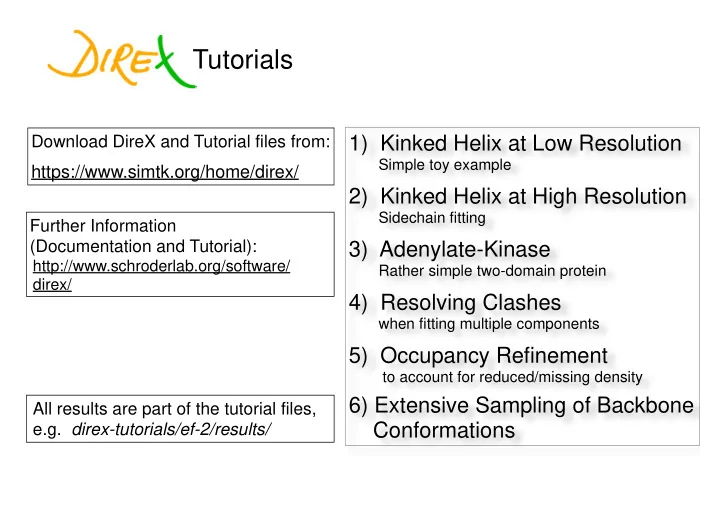
1) Kinked Helix at Low Resolution
Simple toy example
2) Kinked Helix at High Resolution
Sidechain fitting
3) Adenylate-Kinase
Rather simple two-domain protein
4) Resolving Clashes
when fitting multiple components
5) Occupancy Refinement
to account for reduced/missing density
6) Extensive Sampling of Backbone Conformations
Tutorials
Download DireX and Tutorial files from:
https://www.simtk.org/home/direx/
Further Information (Documentation and Tutorial):
http://www.schroderlab.org/software/ direx/
All results are part of the tutorial files, e.g. direx-tutorials/ef-2/results/
SLIDE 2 DireX is a command line program:
$> direx -pdb input.pdb -map density.mrc -o conf.pdb -f refine.par
Tutorials
parameter file
Typical usage is iteration over:
- Edit parameter file in text editor
- Run direx ( type ‘./run.sh’)
- Look at results with e.g. VMD or Chimera
Make sure the executable is in the PATH. e.g. for bash:
$> export PATH=$PATH:$HOME/direx-0.6.2/direx
you may want to put this line into ~/.bashrc
SLIDE 3
Generate a template parameter file with default values:
direx -of all.par [-v]
Parameter File
General options Coordinate Perturbation
Tirion Advanced perturbation
DEN Density map
Occupancy Refinement
Distance Restraints Position Restraints NCS Restraints Others, including experimental
and weird parameters
SLIDE 4 #!/bin/bash # Generate density from "target.pdb" direx -f mkdensity.par -pdb target.pdb \
- o mkdensity.pdb -omap kinked-density.mrc \
- map self -map_apix 2.0
# Run refinement starting from extended-helix.pdb direx -f refine.par -pdb extended-helix.pdb \
- o conf.pdb -omap model.mrc \
- map kinked-density.mrc -ox traj.xtc \
- mapcc mapcc.dat
Kinked Helix at Low Resolution
direx-0.6-tutorials/kinked-helix-lores/
SLIDE 5
nsteps = 100 pert_fac = 0.02 use_den = yes den_no_ratio = 3.0 den_strength = 0.4 den_upper = 15.0 den_lower = 3.0 den_gamma = 0.1 map_strength = 0.03 cur_map_kernel = gaussian cur_map_dmin = 8.0 cur_map_dmax = 200.0
Kinked Helix at Low Resolution
direx-0.6-tutorials/kinked-helix-lores/ General DEN Density Map
set model map resolution
annealing = 100 den_const_dist = 0.1 den_break_dist = 0.5 map_cv_dmin = 10.0
SLIDE 6
Kinked Helix at Low Resolution
direx-0.6-tutorials/kinked-helix-lores/
$> vmd -f extended-helix.pdb traj.xtc -m kinked-density.mrc
Look at results:
Final structure is conf.pdb Model density map is model.mrc $> chimera conf.pdb model.mrc kinked-density.mrc Watch fitting trajectory:
SLIDE 7 Kinked Helix at Low Resolution
direx-0.6-tutorials/kinked-helix-lores/ Optimizing the γ-parameter
0.2 0.4 0.6 0.8 1
1.06 1.08 1.1 1.12 1.14 1.16 1.18 1.2
γ-parameter
Cα-RMSD
SLIDE 8 direx-0.6-tutorials/kinked-helix-hires/
To help convergence, we use a two-step protocol, fitting first at low-resolution
#!/bin/bash # Make density direx -f mkdensity.par -pdb target.pdb \
- o mkdensity.pdb -omap kinked-density.mrc \
- map generate -map_apix 1.0
# Run refinement at lower resolution for better # convergence direx -f refine-low.par -pdb extended-helix.pdb \
- o conf-low.pdb -omap model-low.mrc \
- map kinked-density.mrc -ox traj-low.xtc \
- mapcc mapcc-low.dat
# Run refinement at higher resolution direx -f refine-high.par -pdb extended-helix.pdb \
- p conf-low.pdb -refden extended-helix.pdb \
- o conf-high.pdb -omap model-high.mrc \
- map kinked-density.mrc -ox traj-high.xtc -mapcc
mapcc-high.dat
Kinked Helix at High Resolution
SLIDE 9
nsteps = 200 den_strength = 0.4 den_sidechain = 1.0 cur_map_dmin = 3.0
Kinked Helix at High Resolution
direx-0.6-tutorials/kinked-helix-hires/
set resolution to 6 Å
First step: Low-resolution
annealing = 200 pert_fac = 0.5 den_resid_range = 10 den_upper = 10.0 den_lower = 3.0 cur_map_dmax = 200.0 map_cv_dmin = 6.0 den_gamma = 0.5
SLIDE 10
Kinked Helix at High Resolution
direx-0.6-tutorials/kinked-helix-hires/
Second step: High-resolution
nsteps = 400 den_strength = 0.4 den_sidechain = 0.2 annealing = 400 pert_fac = 0.0 den_resid_range = 10 den_upper = 10.0 den_lower = 3.0 cur_map_dmin = 3.0
Set resolution to about 3 Å
cur_map_dmax = 200.0 map_cv_dmin = 3.3 den_gamma = 1.0 fully move into the density give more freedom to sidechains
SLIDE 11
Kinked Helix at High Resolution
direx-0.6-tutorials/kinked-helix-hires/
vmd -f extended-helix.pdb traj-low.xtc traj-high.xtc -m kinked- density.mrc
Look at results:
Final structure is conf-high.pdb
SLIDE 12 Adenylate Kinase
(1ake-7A.mrc) filtered to 7Å (1ake-7A-filt7A.mrc) A more realistic example: 3D reconstruction from noisy projection images (with perfect Euler angles, though!)
0.1 0.2 0.3 0.4 0.5
0.2 0.4 0.6 0.8 1
Fourier Shell Correlation (FSC) spatial frequency (1/Å)
SLIDE 13
den_gamma = 0.6 den_strength = 0.4 den_upper = 10.0 den_lower = 3.0 den_resid_range = -1
DEN parameters
cur_map_dmin = 5.0 cur_map_dmax = 200.0 map_cv_dmin = 7.0
Density parameters
Adenylate Kinase
start RMSD = 4.3 Å final RMSD = 1.5 Å
SLIDE 14 # Run refinement allowing chain overlap # with chain repelling forces added to resolve clashes. direx -f refine-1.par -pdb separate-chains.pdb -p clash.pdb \
- o conf-1.pdb -omap model-1.mrc -map dimer-density.mrc -ox traj-1.xtc\
- refden separate-chains.pdb -mapcc mapcc-1.dat
# Regular refinement direx -f refine-2.par -pdb separate-chains.pdb -p current-1.pdb \
- o conf-2.pdb -ox traj-2.xtc -map dimer-density.mrc \
- refden separate-chains.pdb -omap model-2.mrc -mapcc mapcc-2.dat
Resolve Clashes
direx-0.6-tutorials/resolve-clashes/ Prevent CONCOORD algorithm from defining distance restraints between overlapping models Add repulsive forces between atoms from overlapping chains Set resid_range = 100 (i.e. no restraints between different chains 2-step protocol:
SLIDE 15
# >0 means atoms repel each other. # <0 means atoms attract each other. repel_shift = 0.01 # Use interchain concoord # if "no", chains are allowed to overlap. interchain_concoord = no
Resolve Clashes
direx-0.6-tutorials/resolve-clashes/ Parameters (Misc options)
SLIDE 16 Occupancy Refinement
direx-0.6-tutorials/occ-refine/
Start model
Test with synthetic data at 10Å
map computed from full target model
map computed from target model with modified occupancy values
Make sure all occupancy values are set to 1.0 in the starting PDB file !
direx -f refine.par -pdb ../start.pdb
- o conf.pdb -map ../map-10A-occ.mrc
- omap model.mrc -ox traj.xtc
SLIDE 17 map_bfac_as_occ = yes map_occ_restraint_lambda = 0.01 map_group_refine_occ = yes
Occupancy Refinement
direx-0.6-tutorials/occ-refine/
map_refine_occ = yes compute_map_use_occ = yes map_refine_occ_damp = 0.0001
To limit number of additional parameters use
Parameters: Use one occ-value for whole residue:
RMSD to target: Standard = 1.6 Å With occ_ref = 0.2 Å
map_occ_restraint_cycles = 1
SLIDE 18 2450 83 87 6.586872 1.0 1.0 134 142 11.959764 1.0 1.0 29 36 10.655318 1.0 1.0 47 50 5.115659 1.0 1.0 51 44 11.699368 1.0 1.0 117 119 5.155894 1.0 1.0 42 52 14.894925 1.0 1.0 82 88 10.340846 1.0 1.0 114 123 14.310755 1.0 1.0 108 98 15.450371 1.0 1.0 ... expd_const_dist = 1.0 expd_strength = 0.5
$> direx -pdb input.pdb -expd disre.dat ...
Distance Restraints
Command line: Parameters: disre.dat: Tip: Get list of H-bonds from Chimera:
- Tools->Structure Analysis->FindHBond
- Check box “Write information to file”
- in Save File Dialog, choose Naming Style
“serial number”
- edit file to match the DireX format (see left)
SLIDE 19
3847 14 1 2 3 4 5 6 ... ncs_strength = 0.01 n_ncs = 5000 ncs_upper = 15.0 ncs_lower = 3.0
$> direx -pdb input.pdb -ncs ncs.dat ...
NCS Restraints
Non-crystallographic symmetry Actin filament
Command line: Parameters: ncs.dat:
The specific symmetry operator is not defined. The restraints just keep all monomers similar without restraining their relative position/orientation
SLIDE 20 tirion_use = yes tirion_pert_fac = 1.0 tirion_ub = 0.5 den_secstr_loop = 0.6
[...]
7 9 A M H 8 10 A R H 9 11 A S H 10 12 A L H 11 13 A M H 12 14 A D H 13 15 A K 14 16 A V G 15 17 A T G 16 18 A N G 17 19 A V E 18 20 A R E 19 21 A N E 20 22 A M E 21 23 A S E 22 24 A V E
[...]
Elongation-factor 2
direx-0.6-tutorials/ef-2/ Read secondary structure information
$> direx -pdb start-1n0u.pdb -secstr 1n0u.ss Parameter: File format:
Tirion Enhanced Sampling tirion_lb = 0.5