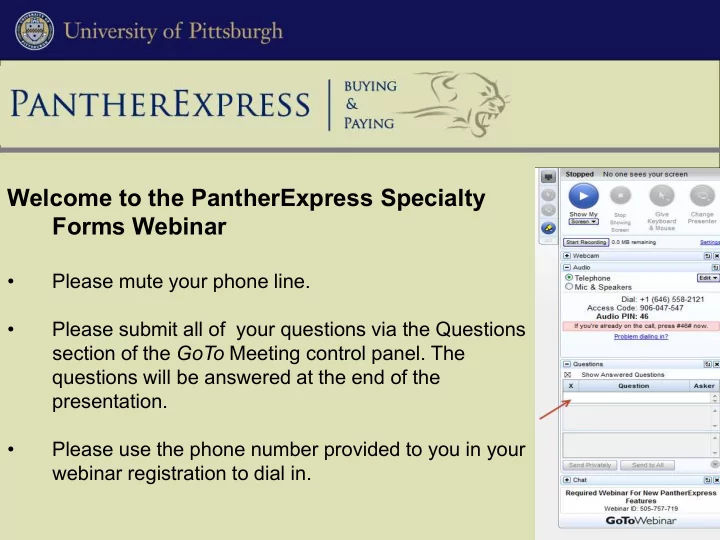
Welcome to the PantherExpress Specialty Forms Webinar Please mute - - PowerPoint PPT Presentation

welcome to the pantherexpress specialty forms webinar
SMART_READER_LITE
LIVE PREVIEW

Welcome to the PantherExpress Specialty Forms Webinar Please mute - - PowerPoint PPT Presentation

Welcome to the PantherExpress Specialty Forms Webinar Please mute your phone line. Please submit all of your questions via the Questions section of the GoTo Meeting control panel. The questions will be answered at the end of the


slide-1
SLIDE 1

Welcome to the PantherExpress Specialty Forms Webinar

  • Please mute your phone line.
  • Please submit all of your questions via the Questions

section of the GoTo Meeting control panel. The questions will be answered at the end of the presentation.

  • Please use the phone number provided to you in your

webinar registration to dial in.

slide-2
SLIDE 2

PantherExpress System Specialty Forms Information Session PantherExpress Team

slide-3
SLIDE 3

What’s Happening?

  • The new functionality in the PantherExpress System is being

implemented and is called Specialty Forms.

  • Specialty Forms will enable you to properly contract for services and will

also replace the current paper disbursement requests.

  • Some of the Specialty Forms are: Professional Service Agreements

(PSA), Supplier Provided Agreements, Conference and Events Agreements, Guest Speaker Agreements, and Research Subcontract Agreements.

  • Each form has specific information to complete the transaction easily

and efficiently.

slide-4
SLIDE 4

Project Background:

  • Current volume of disbursements on Main Campus is 54,000 totaling

$300 million.

  • Multiple departments participated in planning meetings and the

development of the Specialty Forms solution.

  • Pilot groups from six departments began using the functionality in

November 2012.

  • As of today – we have over 232 Specialty Forms in the system from the

pilot departments.

slide-5
SLIDE 5

Why Was This Project Undertaken?

  • Improved controls: budgetary and regulatory.
  • Tracking spend against contracts.
  • Speed payment for services contracts.
  • Online access to contract information.
slide-6
SLIDE 6

Concerns Around the Current Process:

  • All paper. Storage costs for paper copies – no easy way to access

information related to the transaction – lose original documentation.

  • Document sent through inter-office mail.
  • Increased risk of over spending on contracts.
slide-7
SLIDE 7
  • Invoice information for the transaction is

visible in the system.

  • Any supporting documentation is available on

the transaction.

  • The new processes will better adhere to

existing policies

  • Ensure compliance with federal and state

research requirements.

  • History is permanently attached to the

transaction.

  • Approvals are permanently attached to the

transaction.

  • Contract established prior to making

payment in accordance with University policy.

  • Goods are obtained through purchase orders

with the University’s favorable terms and conditions.

  • Assigning shopping carts
  • View transaction approvals in document

history.

  • Comments and notes will be available in the transaction history of the order.

What are the Benefits?

slide-8
SLIDE 8

What will Happen to Paper Disbursements?

  • Our goal is to discontinue paper for most disbursements beginning on:

July 1, 2014

  • Minor exceptions to be discussed in the Specialty Forms training.
  • Any requests to pay for goods through another payment mechanism,

aside from P-Card, will be returned.

slide-9
SLIDE 9

What Does this Mean to My Department?

  • Specialty Forms training will begin in late January 2014.
  • The RC business office must be included in the training along with any
  • ther departments in that RC. Multiple RCs can be trained at one time.
  • We will be contacting the Business Manager to set up the training for

each RC and asking them to reserve an appropriate location to hold the training.

  • The training will be conducted in a lecture-based format.
  • Training must be completed for all RC’s by May 30, 2014.
slide-10
SLIDE 10

How are the Approvals Going to Work?

  • Department Approval

Anyone currently approving contracts for services or disbursement requests needs to be trained.

  • Second Signature Approval

Some form types will automatically route to the appropriate individual in the department for approval. You can also forward approvals – ability to send the document to additional approvers for review.

slide-11
SLIDE 11

What Do I Need to Do?

  • Determine who already has PantherExpress System access.
  • Any person in your department who will need access to the Specialty

Forms must become a PantherExpress System user.

  • Ensure all users have taken or will take the on-line Purchasing

Fundamentals course.

  • Ensure each new user completes an annual Conflict of Interest

submission.

  • Once training dates are finalized, Business Managers should notify

departmental users of the Specialty Forms training.

slide-12
SLIDE 12

What Do I Need to Do? (cont.)

  • Determine who will be getting access to the Specialty Forms.
  • Determine who will be approving the Specialty Forms transactions.
  • Determine who needs to be registered for training.
  • Complete new User Profile forms
  • Add the Specialty Forms role.
  • Add the suggested Buyer role – Buyer Level 1.
slide-13
SLIDE 13

Date to Remember:

The Business Managers at the RC level should ensure that all of the Department Administrators should complete the survey by:

December 20, 2013

www.surveymonkey.com/s/NeedsAssessment1113

slide-14
SLIDE 14

PantherExpress System Links: User Profile Form Instructions: cfo.pitt.edu/pexpress/documents/PEUserProfileFormInstructions.pdf User Profile Form: cfo.pitt.edu/pexpress/pbuyuser.php#pbuyforms Training Needs Assessment Form:

  • www.surveymonkey.com/s/NeedsAssessment1113

Conflict of Interest Form: www.hsconnect.pitt.edu/HSC/authc/login.do?app=iCOI&page=login Purchasing Fundamentals Online Course: cfo.pitt.edu/pexpress/training/purchFund.php Training Materials: cfo.pitt.edu/pExpress/SpecialtyFormsTraining.php

slide-15
SLIDE 15

Questions?

PantherExpress Customer Service Team: Phone: 412-624-3278

  • r submit an online inquiry at:

cfo.pitt.edu/pexpress/CustomerService/purchasing/pantherbuy.php

120513