Web-Based Information Course Content Systems Introduction - - PowerPoint PPT Presentation

web based information course content systems
SMART_READER_LITE
LIVE PREVIEW

Web-Based Information Course Content Systems Introduction - - PowerPoint PPT Presentation

Web-Based Information Course Content Systems Introduction Databases & WWW Internet and WWW SGML / XML Winter 2002 Protocols Managing servers HTML and beyond Search Engines CMPUT 499: JavaScript


slide-1
SLIDE 1

Web-based Information Systems University of Alberta

 Dr. Osmar R. Zaïane, 2001

1

Web-Based Information Systems

  • Dr. Osmar R. Zaïane

University of Alberta

Winter 2002

CMPUT 499: JavaScript

Web-based Information Systems University of Alberta

 Dr. Osmar R. Zaïane, 2001

2

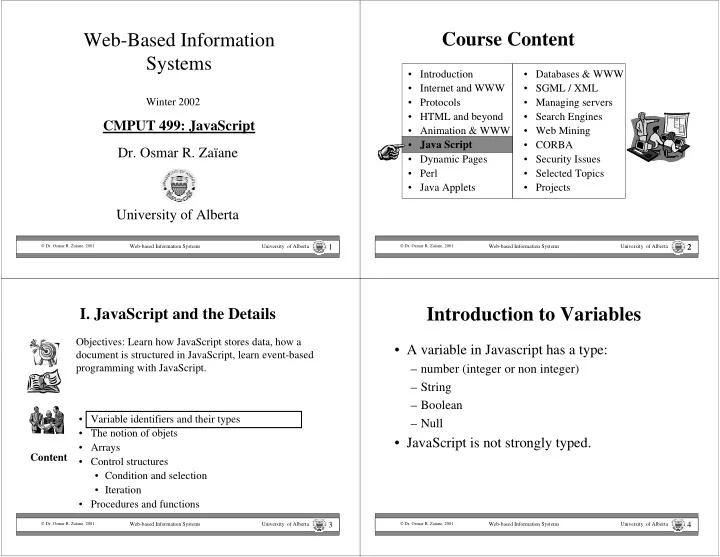
  • Databases & WWW
  • SGML / XML
  • Managing servers
  • Search Engines
  • Web Mining
  • CORBA
  • Security Issues
  • Selected Topics
  • Projects

2

Course Content

  • Introduction
  • Internet and WWW
  • Protocols
  • HTML and beyond
  • Animation & WWW
  • Java Script
  • Dynamic Pages
  • Perl
  • Java Applets

Web-based Information Systems University of Alberta

 Dr. Osmar R. Zaïane, 2001

3

  • I. JavaScript and the Details
  • Variable identifiers and their types
  • The notion of objets
  • Arrays
  • Control structures
  • Condition and selection
  • Iteration
  • Procedures and functions

Objectives: Learn how JavaScript stores data, how a document is structured in JavaScript, learn event-based programming with JavaScript. Content

Web-based Information Systems University of Alberta

 Dr. Osmar R. Zaïane, 2001

4

Introduction to Variables

  • A variable in Javascript has a type:

– number (integer or non integer) – String – Boolean – Null

  • JavaScript is not strongly typed.
slide-2
SLIDE 2

Web-based Information Systems University of Alberta

 Dr. Osmar R. Zaïane, 2001

5

Declaring Variables

The first time a variable is used it must be declared with the keyword ‘var’. var identifier = value; The identifier must start with a letter or underscore ‘_’ and can have as many characters as necessary (letters, digits, underscore). Javascript is sensitive to capital letters. myvariable is different from MyVariable and x ≠ X

Web-based Information Systems University of Alberta

 Dr. Osmar R. Zaïane, 2001

6

Type Conversion on the fly

  • Because JavaScript is not strongly typed, it

is possible to:

– Change the type of a variable; – Do operations on variables of different types. – The major type, or default type, is string.

Web-based Information Systems University of Alberta

 Dr. Osmar R. Zaïane, 2001

7

Variable Examples

<HTML> <HEAD> <TITLE>Mon premier JavaScript avec variables</TITLE> <script language="JavaScript"> <!– hide script var monNombre=35; var maChaine="2000"; var monAutreChaine=“CMPUT499"; var monAddition = monNombre+monNombre; var maConcatenation = maChaine + monAutreChaine; var monErreur = monNombre + monAutreChaine; var monCalcul = monNombre + maChaine; var monReve = monAutreChaine + maChaine; // end of hide --> </script> </HEAD>

Web-based Information Systems University of Alberta

 Dr. Osmar R. Zaïane, 2001

8

Variable Examples (con’t)

<BODY> <script language="JavaScript"> <!-- hide script document.write("monAddition="+monAddition+"<BR>"); document.write("maConcatenation="+maConcatenation+"<BR>"); document.write("monErreur="+monErreur+"<BR>"); document.write("monReve="+monReve+"<BR>"); monErreur = monNombre * 3; document.write("monErreur="+monErreur+"<BR>"); monNombre="Salut"; document.write("monNombre="+monNombre+"<BR>"); // end of hide --> </script> </BODY> </HTML>

monAddition=70 maConcatenation=2000TICE monErreur=35CMPUT499 monReve= CMPUT4992000 monErreur=105 monNombre=Salut

slide-3
SLIDE 3

Web-based Information Systems University of Alberta

 Dr. Osmar R. Zaïane, 2001

9

  • I. JavaScript and the Details
  • Variable identifiers and their types
  • The notion of objets
  • Arrays
  • Control structures
  • Condition and selection
  • Iteration
  • Procedures and functions

Objectives: Learn how JavaScript stores data, how a document is structured in JavaScript, learn event-based programming with JavaScript. Content

Web-based Information Systems University of Alberta

 Dr. Osmar R. Zaïane, 2001

10

JavaScript & Concept of Objects

  • JavaScript is not an object-oriented language.
  • JavaScript is an object-based language.
  • There are many pre-defined objects, but

programmers can define their own objects.

  • An object has attributes (specific properties) as

well as methods (behaviour of objects).

  • An attribute could be a value or recursively

another object.

Web-based Information Systems University of Alberta

 Dr. Osmar R. Zaïane, 2001

11

A Book is an Object

Title Authors Editors Number of pages Price Set of Chapters Set of figures and images etc. Each book has the same attributes with different values

Web-based Information Systems University of Alberta

 Dr. Osmar R. Zaïane, 2001

12

What are the Objects, What are their Properties?

?

slide-4
SLIDE 4

Web-based Information Systems University of Alberta

 Dr. Osmar R. Zaïane, 2001

13

Access Object Properties

myObject.oneProperty

Object Name . Attributre Name If the attribute is also an object, to access the property of the attribute’s attribute: myObject.oneProperty.aPropertyOfProperty Ex: Book.Editor.Address document.MyForm.Name.value

Web-based Information Systems University of Alberta

 Dr. Osmar R. Zaïane, 2001

14

Access Object Methods

myObject.oneMethod(parameters)

Object Name . Method Name ( parameters ) If there are no parameters: myObject.oneMethod() Ex: document.write(“Hello!”)

Web-based Information Systems University of Alberta

 Dr. Osmar R. Zaïane, 2001

15

Predefined Object Classes

  • There are many intrinsic pre-defined objects in

JavaScript:

  • These objects have their pre-defined attributes and

methods.

–Date –String –Math –Window –Document –Navigator –History –Location –Form etc…

Web-based Information Systems University of Alberta

 Dr. Osmar R. Zaïane, 2001

16

Object Date

  • The object Date needs to be instantiated

with the keyword new.

var today= new date();

  • The class Date doesn’t have properties but

the following methods:

  • getDate()
  • getDay()
  • getHours()
  • getMinutes()
  • getMonth()
  • getSeconds()
  • getTime();
  • getTimezoneOffset()
  • getYear()
  • setDate()
  • setHours()
  • setMinutes()
  • setMonth()
  • getSeconds()
  • setTime();
  • setYear()

etc…

slide-5
SLIDE 5

Web-based Information Systems University of Alberta

 Dr. Osmar R. Zaïane, 2001

17

Example with Date

<HTML> <HEAD> <TITLE>Mon essai avec les dates</TITLE><script language="JavaScript"> var maintenant=new Date(); var dateNaissance = new Date(60,05,18); </script></HEAD> <BODY> <script language="JavaScript"> document.write("Aujourd'hui nous sommes le:="+maintenant+"<BR>"); document.write("La date de naissance de toto est le="+dateNaissance+"<BR>"); document.write("la Date:"+dateNaissance.getDate()+ "/" + (dateNaissance.getMonth()+1) + "/" + (dateNaissance.getYear()+1900)+"<BR>"); document.write("Il est maintenant:" + maintenant.getHours() + ":" + maintenant.getMinutes() + ":" + maintenant.getSeconds()+"<BR>"); maintenant.setYear(2010); document.write("On s'est transporté au futur. La nouvelle date est:<br>"+maintenant); </script></BODY></HTML>

Web-based Information Systems University of Alberta

 Dr. Osmar R. Zaïane, 2001

18

The Object String

  • Where we define a string constant or a string variable,

JavaScript creates an instance of an object String.

  • The object String has one property, lenght, and many

methods:

  • anchor() astring.anchor(anchor)<A name=“anchor”>astring</A>
  • big() astring.big()<BIG>astring</BIG>
  • blink() astring.bink()<BLINK>astring</BLINK>
  • bold() astring.bold()<BOLD>astring</BOLD>
  • fontcolor() astring.fontcolor(#FF0000)<FONT color=“#FF0000”>astring</FONT>
  • fontsize() astring.fontsize(5)<FONT size=5>astring</FONT>
  • italics(); astring.italics() <I>astring</I>
  • small() astring.small()<SMALL>astring</SMALL>
  • sub() astring.sub() <SUB>astring</SUB>
  • sup() astring.sup() <SUP>astring</SUP>

Web-based Information Systems University of Alberta

 Dr. Osmar R. Zaïane, 2001

19

The Object String (con’t)

  • Other methods for the String object:
  • link()
  • toUpperCase() astring.toUpperCase() converts into uppercase
  • toLowerCase() astring.toLowerCase() converts into lowercase
  • substring()

astring.substring(3,5) substring from 3rd character to 5th.

  • indexOf() astring.indexOf(anOther) returns the position of anOther in astring.
  • charAt() astring.charAt(4) returns the 4th character.

The index in a string starts at 0.

Web-based Information Systems University of Alberta

 Dr. Osmar R. Zaïane, 2001

20

Example with String Object

<HTML> <HEAD> <TITLE>Mon essai avec les chaines</TITLE> <script language="JavaScript"> var maChaine=prompt("Donnez moi une phrase","Je suis alle a l'ecole"); </script> </HEAD><BODY> <script language="JavaScript"> document.write(maChaine+"<BR>"); document.write(maChaine.bold()+"<BR>"); document.write(maChaine.italics()+"<BR>"); document.write(maChaine.fontcolor("red").blink()+"<BR>"); document.write(maChaine.link("http://www.cnn.com")+"<BR>"); document.write(maChaine+"<BR>"); </script> </BODY></HTML>

slide-6
SLIDE 6

Web-based Information Systems University of Alberta

 Dr. Osmar R. Zaïane, 2001

21

The Object Math

  • The class Math contains common constants such as:

Math.PI and Math.E which respectively return 3.1415926535897931 and 2.7182818284590451

  • Some useful methods:
  • abs()
  • acos()
  • cos()
  • asin()
  • sin()
  • atan()
  • tan();
  • exp()
  • log()
  • max()
  • min()
  • pow()
  • random()
  • round()
  • sqrt();
  • floor()

Web-based Information Systems University of Alberta

 Dr. Osmar R. Zaïane, 2001

22

The Object Window

  • JavaScript provides by default an object window

representing the current window. This object is the root of the hierarchy describing the JavaScript objects.

  • This object has many properties:
  • defaultStatus

default message displayed on the status bar

  • frames

set of frames displayed by the browser

  • length

number of frames present in the parent window

  • name

name of the window

  • parent

parent window

  • self

active window

  • status

message displayed on the status bar

  • top

top of the object hierarchy defined by the browser

  • window

active window

Web-based Information Systems University of Alberta

 Dr. Osmar R. Zaïane, 2001

23

Methods of the Window Object

  • alert()

(modal) window to display a message.

  • confirm() (modal) window for selection.
  • prompt()

(modal) window to enter a value.

  • clear()

clears the window content.

  • open()
  • pens a new window.
  • close()

closes the current window. To open a window: window.open(“URL”,”NameOfWindow”,”options”); Options are:

  • menubar
  • status
  • scrollbars
  • resizable
  • width
  • height
  • toolbar
  • location
  • directories

Web-based Information Systems University of Alberta

 Dr. Osmar R. Zaïane, 2001

24

Example with Windows

<HTML> <HEAD> <TITLE>Mon essai avec les fenetres</TITLE> </HEAD> <BODY> <A HREF="#" onMouseOver="window.status='bonjour!';return true;">Salut</A> <BR> <A HREF="test.html" TARGET="nouvelle">Ouvre moi</A> <BR> </BODY> </HTML>

slide-7
SLIDE 7

Web-based Information Systems University of Alberta

 Dr. Osmar R. Zaïane, 2001

25

Opening a Window

<HTML> <HEAD> <TITLE>Mon autre essai avec les fenetres</TITLE> </HEAD> <BODY> <a href="#" onClick="maFenetre=window.open( 'test.html',‘monTest','width=100,height=200,scrollbars,resizable'); return true;">Ouvre moi</a><br> <a href="#" onClick="maFenetre.focus();return true;">Montre moi</a><br> <a href="#" onClick="maFenetre.blur();">Cache moi </a><br> <a href="#" onClick="maFenetre.close();return true;">Ferme moi</a><br> </BODY> </HTML>

Web-based Information Systems University of Alberta

 Dr. Osmar R. Zaïane, 2001

26

Example with Window Options

<HTML> <HEAD> <TITLE>Encore un essai avec les fenetres</TITLE> </HEAD> <BODY> menubar,status,scrollbars,resizable,location,directories,width,height <BR> <a href="#" onClick="option=prompt('Quelles sont les options:'); maFenetre=window.open('','monTest',option); return true;">Ouvre moi</a> <BR> <a href="#" onClick="maFenetre.close(); return true;">Ferme moi</a> <BR> </BODY> </HTML>

Web-based Information Systems University of Alberta

 Dr. Osmar R. Zaïane, 2001

27

Document Object Model (DOM)

  • Now that we know what a JavaScript object is

and we know how to open a window, it is time to learn about the document object model.

  • JavaScript includes predefined objects such as
  • window. These objects have predefined

properties and methods.

  • An object property can also be an object.

Web-based Information Systems University of Alberta

 Dr. Osmar R. Zaïane, 2001

28

Objet Hierarchy

window history frame location document links anchors image applets embeds area form button checkbox FileUpload hidden password reset submit text textarea select

  • ption

Most of the trics to make a web page more dynamic use the document model and take advantage of the hierarchical model.

slide-8
SLIDE 8

Web-based Information Systems University of Alberta

 Dr. Osmar R. Zaïane, 2001

29

Other Examples of Predefined Objects

  • History contains the list of all visited URL

during the current session.

<HTML> <HEAD><TITLE>essai avec l'historique</TITLE></HEAD> <BODY> <SCRIPT LANGUAGE="JavaScript"> document.write("Nombre d'URL="+window.history.length); </SCRIPT><FORM> <INPUT TYPE=button VALUE="Back"

  • nClick="window.history.back();return true;">

<INPUT TYPE=button VALUE="Retour 3 pages"

  • nClick="window.history.go(-3);return true;">

</FORM> </BODY></HTML>

Web-based Information Systems University of Alberta

 Dr. Osmar R. Zaïane, 2001

30

The Frames

  • The important thing about frames, is that each

frame inside a window is also considered a window.

  • This implies nested window.
  • Thus, there is a window on top including all the
  • thers called top, and each window has a parent

called parent. To reference the current window, we use self (interchangeable with window).

top parent self

Web-based Information Systems University of Alberta

 Dr. Osmar R. Zaïane, 2001

31

JavaScript and Frames

<HTML><HEAD><TITLE>essai avec les cadres</TITLE> <SCRIPT LANGUAGE="JavaScript"> var FrameVide = '<html><body bgcolor="#FFFFFF"></body></html>'; </SCRIPT> </HEAD> <FRAMESET rows="25%,*"> <FRAME SRC="EX16.HTM" name="controle"> <FRAME SRC="javascript:parent.FrameVide" name="cadre_cible"> </FRAMESET> </HTML>

<HTML> <HEAD><TITLE>cadre de controle</TITLE></HEAD> <BODY> <a href="#" onClick="top.cadre_cible.document.writeln('Bonjour!<br>');">Bonjour!</a> <BR><a href="#" onClick="top.cadre_cible.document.writeln('Salut!<br>');">Salut!</a> </BODY></HTML>

EX16.HTM

Web-based Information Systems University of Alberta

 Dr. Osmar R. Zaïane, 2001

32

JavaScript and Frames (con’t)

<HTML><HEAD><TITLE>encore un essai avec les cadres</TITLE> <SCRIPT LANGUAGE="JavaScript"> var FrameVide = '<html><body bgcolor="#FFFFFF"></body></html>'; </SCRIPT> </HEAD> <FRAMESET rows="25%,*"> <FRAME SRC="EX16b.HTM" name="controle"> <FRAME SRC="javascript:parent.FrameVide" name="cadre_cible"> </FRAMESET> </HTML> <HTML> <HEAD><TITLE>cadre de controle</TITLE></HEAD> <BODY> <a href="#" onClick="top.cadre_cible. document.bgColor='#00FF00';">Vert</a> <BR><a href="#" onClick="top.cadre_cible. document.bgColor='yellow';">Jaune</a> </BODY></HTML>

EX16b.HTM

slide-9
SLIDE 9

Web-based Information Systems University of Alberta

 Dr. Osmar R. Zaïane, 2001

33

The Objet Navigator

There are no methods associated but some attributes:

<html> <head><title>Version du Navigateur</title></head> <body> <h1> Voyons de quel navigateur s'agit il</h1> <hr> <script language="javascript"> document.write("La version de ce navigateur est " + navigator.appVersion); document.write ("<br>le Navigateur est <B>" + navigator.appName + "</B>"); document.write("<br>Le nom de code est " + navigator.appCodeName); document.write ("<br>La plate-forme cliente est " + navigator.userAgent); </script> </body></html>

Web-based Information Systems University of Alberta

 Dr. Osmar R. Zaïane, 2001

34

  • I. JavaScript and the Details
  • Variable identifiers and their types
  • The notion of objets
  • Arrays
  • Control structures
  • Condition and selection
  • Iteration
  • Procedures and functions

Objectives: Learn how JavaScript stores data, how a document is structured in JavaScript, learn event-based programming with JavaScript. Content

Web-based Information Systems University of Alberta

 Dr. Osmar R. Zaïane, 2001

35

Les Tableaux

  • Variables can contain numbers, strings, and object
  • references. There is also another type of information

that JavaScript can manipulate: Arrays.

var products = new Array(“car”, “truck”, “bike”); product[0] car product[1] truck product[2] bike product.length 3

Web-based Information Systems University of Alberta

 Dr. Osmar R. Zaïane, 2001

36

Simple Example with Arrays

<HTML> <HEAD> <TITLE>test with arrays</TITLE> <SCRIPT LANGUAGE="JavaScript"> var coulours=new Array("red","blue","green","white"); </SCRIPT> </HEAD> <BODY> <a href="#" onClick="document.bgColor=coulours[0];return true;">Coulour1</a> <BR> <a href="#" onClick="document.bgColor=coulours[1];return true;">Coulour2</a> <BR> <a href="#" onClick="document.bgColor=coulours[2];return true;">Coulour3</a> <BR> <a href="#" onClick="document.bgColor=coulours[3];return true;">Coulour4</a> </BODY> </HTML>

slide-10
SLIDE 10

Web-based Information Systems University of Alberta

 Dr. Osmar R. Zaïane, 2001

37

Another Test with Arrays

<HTML> <HEAD> <TITLE>Another test with arrays</TITLE> <SCRIPT LANGUAGE="JavaScript"> var processors=new Array("Intel PIII","AMD K7","Cirex"); </SCRIPT> </HEAD><BODY> <FORM NAME=formulaire> <INPUT TYPE=text NAME=typeAchat VALUE=""><BR> <INPUT TYPE=button VALUE="Intel"

  • nClick="document.formulaire.typeAchat.value=processors[0];return true;">

<INPUT TYPE=button VALUE="AMD"

  • nClick="document.formulaire.typeAchat.value=processors[1];return true;">

<INPUT TYPE=button VALUE="Cirex"

  • nClick="document.formulaire.typeAchat.value=processors[2];return true;">

</FORM> </BODY></HTML>

Web-based Information Systems University of Alberta

 Dr. Osmar R. Zaïane, 2001

38

Random Add

<HTML><HEAD> <TITLE>Test win Arrays</TITLE> <SCRIPT LANGUAGE="JavaScript"> var pubs=new Array("car01.jpg","car02.jpg","car03.jpg","car04.jpg", "car05.jpg","car06.jpg","car07.jpg"); var numPub=pubs.length; var now = new Date(); var x = now.getSeconds() % numPub; </SCRIPT> </HEAD><BODY> <H1>Today’s Car</H1> <SCRIPT LANGUAGE="JavaScript"> document.write(“Car Number "+ x+"<br>"); document.write("<IMG WIDTH=320 HEIGHT=240 SRC="+pubs[x]+">"); </SCRIPT></BODY></HTML>

Web-based Information Systems University of Alberta

 Dr. Osmar R. Zaïane, 2001

39

DOM Revised

  • Despite the fact that we didn’t see all the
  • bject details in DOM, we have now a rough

idea how it works and how it is used.

  • After seeing the arrays, we know that a

document is structured as follows:

links[] anchors[] images[] area[] form[] document document.image[2].src=“…”; Change the 3rd document image.

Web-based Information Systems University of Alberta

 Dr. Osmar R. Zaïane, 2001

40

  • I. JavaScript and the Details
  • Variable identifiers and their types
  • The notion of objets
  • Arrays
  • Control structures
  • Condition and selection
  • Iteration
  • Procedures and functions

Objectives: Learn how JavaScript stores data, how a document is structured in JavaScript, learn event-based programming with JavaScript. Content

slide-11
SLIDE 11

Web-based Information Systems University of Alberta

 Dr. Osmar R. Zaïane, 2001

41

Condition and Selection

  • There are many variations for this

Web-based Information Systems University of Alberta

 Dr. Osmar R. Zaïane, 2001

42

if - then - else

if (condition) instruction; if (condition) { instruction1; instruction2; … } if (condition) instruction; else OtherInstruction; if (condition) { instruction1; instruction2; … } else { instructionA; instructionB; … } Like many other languages, JavaScript provides control structures to execute instructions pending some conditions.

Web-based Information Systems University of Alberta

 Dr. Osmar R. Zaïane, 2001

43

Nested Selections

  • We can also have many nested conditions

if (condition1) {instructions1;} else if (condition2) {instructions2;} else if (condition3) {instructions3;} else if (condition4) {instructions4;} …. else {otherInstructions;}

Web-based Information Systems University of Alberta

 Dr. Osmar R. Zaïane, 2001

44

Logic Operators

  • Conjunction:

– And && – example: (price>=200 && member==true)

  • Disjunction

– Or || – example: (age>26 || total==1000)

  • Negation

– Not ! – example: (!finale && !(numbre==50))

slide-12
SLIDE 12

Web-based Information Systems University of Alberta

 Dr. Osmar R. Zaïane, 2001

45

Example with Condition

<HTML> <HEAD><TITLE>Example with Condition</TITLE></HEAD> <BODY> <SCRIPT LANGUAGE="JavaScript"> var month=prompt(“What is your favorit colour?"); if (pays.toUpperCase() == “BLUE") alert(“Great! Me too."); else alert(“That is ugly!"); </SCRIPT> </BODY> </HTML>

Web-based Information Systems University of Alberta

 Dr. Osmar R. Zaïane, 2001

46

Iterations

  • JavaScript offre une structure de contrôle

qui permet d’exécuter une série d’instructions plusieurs fois.

  • Cette structure de contrôle est utile pour les
  • pérations répétitives.
  • Répéter x fois ou répéter jusqu’à ce qu’une

certaine condition est vérifiée.

Web-based Information Systems University of Alberta

 Dr. Osmar R. Zaïane, 2001

47

While Loop

while (condition) instruction; while (condition) { instruction1; instruction2; … } The execution of the instruction is repeted while the condition is true. Like many other languages, JavaScript provides control structures repetitions

Web-based Information Systems University of Alberta

 Dr. Osmar R. Zaïane, 2001

48

Example with Repetition

<HTML> <HEAD><TITLE>devinette</TITLE> <SCRIPT LANGUAGE="JavaScript"> var maintenant = new Date(); var x = maintenant.getSeconds(); var reponse=prompt("devinez les secondes"); </SCRIPT></HEAD><BODY> <SCRIPT LANGUAGE="JavaScript"> while (reponse != x) { document.write( reponse+"<br>"); if (x<reponse) alert("Trop grand"); else alert("Trop petit"); reponse=prompt("devinez les secondes"); } document.write("Bravo!"); </SCRIPT></BODY></HTML>

slide-13
SLIDE 13

Web-based Information Systems University of Alberta

 Dr. Osmar R. Zaïane, 2001

49

For Loop

for (init;condition;increment) instruction; for (init;condition;increment) { instruction1; instruction2; … } for (i=0;i<20;i++) document.write(“*”);

Web-based Information Systems University of Alberta

 Dr. Osmar R. Zaïane, 2001

50

Example with for Loop

<html> <head><title>Table des Factoriels</title></head> <body> <h1>Factoriels de 1 a 9</h1> <script language = "JavaScript"> <! -- cache moi for (i=1, fact=1; i<10;i++, fact=fact *i){ document.write (i + "! = " + fact); document.write ("<br>"); } // fin de cache --> </script> </body> </html>

Web-based Information Systems University of Alberta

 Dr. Osmar R. Zaïane, 2001

51

Arrays and DOM

  • As seen before, a document could have a set of
  • images. These images could have a name: <IMG

SRC=“image.gif” NAME=myName>

  • The name of an image can be used to manipulate

then image: document.myName.src=“car.gif”;

  • With DOM, a document has an image array:

document.images[0], document.images[1],…

  • When can then manipulate the images by accessing

this array: document.images[3].src=“car.gif”;

Web-based Information Systems University of Alberta

 Dr. Osmar R. Zaïane, 2001

52

Example with images[]

<html> <head><title>Les images du document</title> </head><BODY> <IMG SRC=dblace1.jpg><IMG SRC=dblace2.jpg> <IMG SRC=dblace3.jpg><IMG SRC=dblace4.jpg> <IMG SRC=dblace5.jpg> <SCRIPT LANGUAGE="JavaScript"> var laquelle=100; while(laquelle<0 || laquelle>4) laquelle=prompt('Changer quelle image? (0 .. 4)','1'); window.document.images[laquelle].src="car01.jpg"; </SCRIPT> </BODY> </html>

slide-14
SLIDE 14

Web-based Information Systems University of Alberta

 Dr. Osmar R. Zaïane, 2001

53

  • I. JavaScript and the Details
  • Variable identifiers and their types
  • The notion of objets
  • Arrays
  • Control structures
  • Condition and selection
  • Iteration
  • Procedures and functions

Objectives: Learn how JavaScript stores data, how a document is structured in JavaScript, learn event-based programming with JavaScript. Content

Web-based Information Systems University of Alberta

 Dr. Osmar R. Zaïane, 2001

54

Functions and Procedures

  • Functions and procedures, also called

subroutines, are fundamental in JavaScript programming.

  • A subroutine is a set of instructions semantically

linked.

  • Grouping instructions in subroutines avoids

rewriting the instructions. If there is an update, it suffices to make the change once in the sub- routine.

Web-based Information Systems University of Alberta

 Dr. Osmar R. Zaïane, 2001

55

Example showing the use of subroutines with and without parameters

  • Suppose we want to measure the reading

speed of a user. We could put a button within the text that would display the time each time it is pressed.

K asdddfkjashhdf askdjfhhaskdjfh asddfkjjgasdf asdkdfjasd kjhggasdf fkjkfjhjh dsfkjh asdflkjkj asdkfjhss asfkfjhhasd asdkjh asdkjhasd kjhasddf kjhasd kjhasdfdkjhasd fkjhasdkfjha sdkjjhasdd kjhasdd kjhkjhkjh kjhkjh kjh

Web-based Information Systems University of Alberta

 Dr. Osmar R. Zaïane, 2001

56

The button could be:

<FORM> <INPUT TYPE=button VALUE=time onClick=" var theDate=new Date(); var hour=theDate.getHours(); var minutes=theDate.getMinutes(); var secondes=theDate.getSeconds(); var theTime=hour + ':' + minutes + ':' + secondes; alert(theTime);"> </FORM>

slide-15
SLIDE 15

Web-based Information Systems University of Alberta

 Dr. Osmar R. Zaïane, 2001

57

Il y a un Problème

  • The previous code could be put in different places

within the text.

  • Notice that if the minutes or the secondes are less

than 10, only one digit is displayed (0,1, 2, 3, …9) and not two (00, 01, 02,…09).

  • Now we have to update the code wherever we

incerted it.

  • A better solution would be to write a subroutine

that displays the time and call this same sub- routine with all the buttons in the text.

Web-based Information Systems University of Alberta

 Dr. Osmar R. Zaïane, 2001

58

Sub-routine without Parameters

function annonceTime() { var theDate=new Date(); var hour=theDate.getHours(); var minutes=theDate.getMinutes(); var secondes=theDate.getSeconds(); var theTime=hour + ':' + minutes + ':' + secondes; alert(theTme); } <SCRIPT LANGUAGE="JavaScript"> <!– hide me // end hide --> </SCRIPT>

<FORM> <INPUT TYPE=button VALUE=Time

  • nClick="annonceTime();">

</FORM>

Web-based Information Systems University of Alberta

 Dr. Osmar R. Zaïane, 2001

59

Updating the sub-routine

function annonceTime() { var theDate=new Date(); var hour=theDate.getHours(); var minutes=theDate.getMinutes(); if (minutes<10) minutes="0"+ minutes; var secondes=theDate.getSeconds(); if (secondes<10) secondes="0"+ secondes; var theTime=heure + ':' + minutes + ':' + secondes; alert(theTime); } The change is done once and all buttons are updated.

Web-based Information Systems University of Alberta

 Dr. Osmar R. Zaïane, 2001

60

Sub-routine with parameters

if (minutes<10) minutes="0"+ minutes; if (secondes<10) secondes="0"+ secondes; Similar operations we could create a new function to do this same operation.

slide-16
SLIDE 16

Web-based Information Systems University of Alberta

 Dr. Osmar R. Zaïane, 2001

61

Fonctions avec Paramètres et Valeur de Retour (suite)

function correct(theNumber) { var myValue; if (theNumber<10) myValue="0"+theNumber; else myValue=theNumber; return myValue; } arguments Returned value

Web-based Information Systems University of Alberta

 Dr. Osmar R. Zaïane, 2001

62

The updated sub-routine

function annonceTime() { var theDate=new Date(); var hour=theDate.getHours(); var minutes=theDate.getMinutes(); var corrMin = correct(minutes); var secondes=theDate.getSeconds(); var corrSec = correct(secondes); var theTime=hour + ':' + corrMin + ':' + corrSec; alert(theTime); }

Web-based Information Systems University of Alberta

 Dr. Osmar R. Zaïane, 2001

63

Object Creation

  • Functions are also used to define and create

new objects.

function house(roomn, year, gar){ this.rooms = roomn; this.year = year; this.aGarage = gar; } var myHouse = new house(8, 1990, true)

rooms year aGarage

Web-based Information Systems University of Alberta

 Dr. Osmar R. Zaïane, 2001

64

Objet - Arraya

  • Each object is made of an array of values and

properties.

  • Thus, we could write:

myHouse[0] = 8; myHouse[1] = 1990; myHouse[2] = true;

slide-17
SLIDE 17

Web-based Information Systems University of Alberta

 Dr. Osmar R. Zaïane, 2001

65

Index by Property

  • An array is dexed by an integer (0 to N).
  • An array representing an object is also

indexed by object attribute.

  • Thus, we could write:

myHouse[“rooms”] = 8; myHouse[“year”] = 1990; myHouse[“aGarage”] = true;

Web-based Information Systems University of Alberta

 Dr. Osmar R. Zaïane, 2001

66

Dynamic Extension of Objects

  • We can dynamically add attributes to an.

yourHouse = new house(5, 1974, true); yourHouse.closeOcean = “false”; yourHouse.windows = 18;

  • The extension concerns only the instance to

which the attributes were added. The other instances stay the same.

rooms year aGarage closeOcean windows yourHouse

Web-based Information Systems University of Alberta

 Dr. Osmar R. Zaïane, 2001

67

Attaching a method to an Object

  • Like Object Oriented languages, JavaScript

allows you to attach methods to objects that you create.

function house(roomn, year, gar){ this.rooms = rooms; this.year = year; this.aGarage = gar; this.display = displayHouse; }

Web-based Information Systems University of Alberta

 Dr. Osmar R. Zaïane, 2001

68

Calling the Method

function displayHouse(){ document.write(“House has “ + this.rooms); if (this.aGarage) document.write(“ and a garage.”); document.write(“Built in “+ this.year); }

myHouse=new house(8,1990,true); myHouse.display();

slide-18
SLIDE 18

Web-based Information Systems University of Alberta

 Dr. Osmar R. Zaïane, 2001

69

Summary Part I

  • We saw the basics of JavaScript and we learnd to

write scripts and perhaps interpret scripts written by

  • thers.
  • We explored the concept of object with JavaScript and covered

some predefined objects such as String, Date, Math, Window, etc., as well as their properties and methods.

  • We discussed the document object model (DOM).
  • We saw how to create new objects and and extend their properties

and methods.

Web-based Information Systems University of Alberta

 Dr. Osmar R. Zaïane, 2001

70

II Event-Based Programming with JavaScript

  • What is an event?
  • What are the recognized events?
  • Capturing events.

Objectives: Learn how JavaScript is event driven and how user actions are tracked. Contenu

Web-based Information Systems University of Alberta

 Dr. Osmar R. Zaïane, 2001

71

Interactive Application

  • For an interactive application one needs the

possiblity to react to users actions.

  • We need to provide the user with means to enter

data, click on objects, select options, etc.

  • The application needs to capture the users’s

actions and react to these actions.

  • Identify evenents and answer them.

Web-based Information Systems University of Alberta

 Dr. Osmar R. Zaïane, 2001

72

What is an Event?

  • An event is a change in the environment due to some

actions usually (but not always) made by the user.

  • These actions are pertaining to the mouse and

keyboard.

  • A change in the document or the objects in the

document constitute events.

  • Example: moving or clicking the mouse, updating a

value in an entry field, etc.

slide-19
SLIDE 19

Web-based Information Systems University of Alberta

 Dr. Osmar R. Zaïane, 2001

73

II Event-Based Programming with JavaScript

  • What is an event?
  • What are the recognized events?
  • Capturing events.

Objectives: Learn how JavaScript is event driven and how user actions are tracked. Contenu

Web-based Information Systems University of Alberta

 Dr. Osmar R. Zaïane, 2001

74

What are the events recognised by JavaScript?

  • Mouse click (left button).
  • Mouse cursor passing over and object.
  • The selection or de-selection of an entry field.
  • The update of the entry filed value.
  • The submission of an entry form.
  • The loading of a new document.
  • The exit of the browser or document.

Web-based Information Systems University of Alberta

 Dr. Osmar R. Zaïane, 2001

75

Events in JavaScript

  • nClick

the left button of the mouse is clicked when over a target.

  • nMouseOver

The mouse cursor passes over a target.

  • nBlur

The focus on a target is lost.

  • nFocus

The target is activated.

  • nSelect

The target is selected.

  • nChange

The target content changed.

  • nSubmit

The form is submitted (or being submitted).

  • nLoad

The page is being loaded.

  • nUnload

The page is being replaced or closed.

  • We already saw a sample of JavaScript events in the code

examples used to illustrate previous concepts.

  • JavaScript captures and manages 9 event types:

Web-based Information Systems University of Alberta

 Dr. Osmar R. Zaïane, 2001

76

The Event Targets

  • nClick

A HREF, BUTTON, CHECKBOX, RADIO, RESET, SUBMIT

  • nMouseOver

A HREF

  • nBlur

PASSWORD, SELECT, TEXT, TEXTAREA

  • nFocus

PASSWORD, SELECT, TEXT, TEXTAREA

  • nSelect

PASSWORD, TEXT, TEXTAREA

  • nChange

PASSWORD, SELECT, TEXT, TEXTAREA

  • nSubmit

FORM

  • nLoad

BODY (window), IMAGE

  • nUnload

BODY (window)

The targets actually capture the events; these are objects from the document object model (DOM). Objects don’t capture the same events.

slide-20
SLIDE 20

Web-based Information Systems University of Alberta

 Dr. Osmar R. Zaïane, 2001

77

Other Events

  • onError
  • onAbort
  • These events are used with window and

image and come from page or image loading interruptions (manual interruption, abort, etc.).

Web-based Information Systems University of Alberta

 Dr. Osmar R. Zaïane, 2001

78

How does it work?

  • The browser intercepts the events (also called

interruptions) and acts upon them.

  • Action Event Capture Action
  • The actions are associated to the targets by

means of the HTML tags.

  • <TAG onEvent=“Action”>
  • Example: <A href=“#” onClick=“alert(‘Hello!’);”>

Web-based Information Systems University of Alberta

 Dr. Osmar R. Zaïane, 2001

79

Another Event: Timeout

  • The window object has 2 specific methods to

manage a countdown

  • setTimeout() specifies a millisecond counter

that is associated to an instruction. After a specified time interval, an interruption is produced and the instruction is evaluated.

  • clearTimeout() cancels the countdown.

Web-based Information Systems University of Alberta

 Dr. Osmar R. Zaïane, 2001

80

Une Horloge Vivante

  • We saw how to display the current time in a

previous example.

  • To have a clock, it suffices to contineously

display the time at the same place.

  • We have to call the function to display the

time at regular intervals.

  • Defining a timeout within the time display

function would do the trick.

slide-21
SLIDE 21

Web-based Information Systems University of Alberta

 Dr. Osmar R. Zaïane, 2001

81

Example of a Timer

<html><head><title>Timer</title> <SCRIPT LANGUAGE="JavaScript"> function horloge () { var maintenant = new Date(); var heures = maintenant.getHours(); var minutes = maintenant.getMinutes(); var secondes = maintenant.getSeconds(); var resultat = "" + heures+ ((minutes < 10)?":0":":") + minutes + ((secondes < 10)?":0":":") + secondes; return resultat; } function quelleHeure() { var heure=horloge(); document.forms[0].temps.value=heure; setTimeout('quelleHeure()',1000); } </SCRIPT></head> <BODY onLoad="quelleHeure()"> <FORM> <INPUT TYPE=TEXT SIZE=8 NAME=temps> </FORM> </BODY></html>

Web-based Information Systems University of Alberta

 Dr. Osmar R. Zaïane, 2001

82

Slides with setTimeout()

<html> <head><title>Countdown images</title> <SCRIPT LANGUAGE="JavaScript"> var slides=new Array("jump1","jump2","jump3","jump4", "jump5","jump6","jump7","jump8"); var number=slides.length; var num=0; var timer=0; Contineously superposing images by calling the subroutine that displays an image at regular intervals.

Web-based Information Systems University of Alberta

 Dr. Osmar R. Zaïane, 2001

83

Slidess (con’t)

function forward() { stop(); num = (num+1) %number; window.document.images[0].src=slides[num] + ".jpg"; window.document.forms[0].image.value=num+1; } function backward() { stop(); if (num==0) num=number-1; else num--; document.images[0].src=slides[num] + ".jpg"; window.document.forms[0].image.value=num+1; }

Web-based Information Systems University of Alberta

 Dr. Osmar R. Zaïane, 2001

84

Slidess (con’t)

function next() { forward(); timer=setTimeout(“next()",500); } function stop() { clearTimeout(timer); } function restart() { timer=setTimeout(“next()",500); }

slide-22
SLIDE 22

Web-based Information Systems University of Alberta

 Dr. Osmar R. Zaïane, 2001

85

Slides (con’t)

</SCRIPT> </head> <BODY> <CENTER> <IMG SRC=jump1.jpg> <FORM> <INPUT TYPE=BUTTON value=&lt;&lt; onClick=‘backward();'> <INPUT TYPE=BUTTON value=Stop onClick='stop();'> <INPUT TYPE=BUTTON value=&gt;&gt; onClick=‘forward();'> <INPUT TYPE=BUTTON value=Show onClick='restart();'> Image:<INPUT TYPE=TEXT SIZE=1 NAME=image> </FORM> </CENTER> </BODY> </html>

Web-based Information Systems University of Alberta

 Dr. Osmar R. Zaïane, 2001

86

II Event-Based Programming with JavaScript

  • What is an event?
  • What are the recognized events?
  • Capturing events.

Objectives: Learn how JavaScript is event driven and how user actions are tracked. Contenu

Web-based Information Systems University of Alberta

 Dr. Osmar R. Zaïane, 2001

87

Order of Execution

  • In traditional programming, the order of execution is

dictated by the order of instrctions in the code. The execution is instruction by instruction.

  • With event-based programming, the order of execution

depends upon the events.

  • When an event is intercepted, the corresponding

instructions are executed.

Web-based Information Systems University of Alberta

 Dr. Osmar R. Zaïane, 2001

88

Order of Execution (con’t)

  • Functions should be defined before they are

invoqued.

  • Warning: An event could happen before the

whole document is loaded. The user can indeed use the mouse while only part of tha page is loaded and displayed.

  • Before invoquing a function we must make sure

it is defined.

  • This is one reason why it is better to put the

function definitions in <HEAD>

slide-23
SLIDE 23

Web-based Information Systems University of Alberta

 Dr. Osmar R. Zaïane, 2001

89

Associating Functions with Events

  • After defining a function, one must

associate this function to the events we want to capture.

  • We use the keywords for these events

(event handlers) that we saw previously.

<BODY onLoad=“JavaScript instructions”> <FRAMESET onLoad=“JavaScript instructions”> window.onLoad=FonctionReference;

Web-based Information Systems University of Alberta

 Dr. Osmar R. Zaïane, 2001

90

Example of Association

  • A form <FORM METHOD=…>…</FORM> allows data entry.

The brouser submits these data to the server when the submit button is pressed.

  • Adding onSubmit=“return verifyForm(this)” to the tab

<FORM> would call and execute the function verifyForm

when the browser attempts to submit the data, and thus allows to intercept the data and validate it before it is actually sent.

Web-based Information Systems University of Alberta

 Dr. Osmar R. Zaïane, 2001

91

Events for JavaScript Objects

  • We saw the list of events intercepted by

JavaScript.

  • Let’s see, object by object, the most common

events and the HTML syntax.

  • We will emphasise the evants associated with

form objects.

Web-based Information Systems University of Alberta

 Dr. Osmar R. Zaïane, 2001

92

Common Events and window

  • onLoad

invoqued when the page is loaded.

  • onUnload

invoqued when the page is left.

  • HTML Syntax
  • <BODY

[BACKGROUND= “imageURL”] [BGCOLOR = “color”] [TEXT = “color”] [LINK = “color”] [ALINK = “color”] [VLINK = “color”] [onLoad = “handler”] [onUnload = “handler”]>

  • <FRAMESET

[ROWS=“lines”] [COLS=“columns”] [onLoad=“handler”] [onUnload=“handler”]>

slide-24
SLIDE 24

Web-based Information Systems University of Alberta

 Dr. Osmar R. Zaïane, 2001

93

Common Events and link

  • onClick

invoqued when a hyperlink is cliked.

  • onMouseOver invoqued when the mouse is over the

link.

  • HTML Syntax
  • <A

HREF = “URL” [TARGET = “target_window”] [onClick = “handler”] [onMouseOver = “handler”]

>

Web-based Information Systems University of Alberta

 Dr. Osmar R. Zaïane, 2001

94

Common Events and form

  • onReset

invoqued before resetting.

  • onSubmit

invoqued before submitting.

  • HTML Syntax
  • <FORM

[NAME = “name”] [TARGET = “target_window”] [ACTION = “URL”] [METHOD = GET/POST] [ENCTYPE = “encryption”] [onReset = “handler”] [onSubmit = “handler”]

>

Web-based Information Systems University of Alberta

 Dr. Osmar R. Zaïane, 2001

95

Common Events and button

  • onClick

invoqued when the button is pressed.

  • HTML Syntax
  • <INPUT

TYPE = button VALUE= “string” [NAME = “name”] [onClick = “handler”]

>

name form type value Attributes

Web-based Information Systems University of Alberta

 Dr. Osmar R. Zaïane, 2001

96

Common Events and checkbox

  • onClick

invoqued when the checkbox is cliked.

  • HTML Syntax
  • <INPUT

TYPE = checkbox [VALUE= “string”] [NAME = “name”] [CHECKED] [onClick = “handler”]

>

name form checked defaultChecked type value Attributes

slide-25
SLIDE 25

Web-based Information Systems University of Alberta

 Dr. Osmar R. Zaïane, 2001

97

Common Events and radio button

  • onClick

invoqued when the radio button is clicked.

  • HTML Syntax
  • <INPUT

TYPE = radio [VALUE= “string”] [NAME = “name”] [CHECKED] [onClick = “handler”]

>

name form checked defaultChecked type value Attributes

Web-based Information Systems University of Alberta

 Dr. Osmar R. Zaïane, 2001

98

Common Events and select

  • onChange

invoqued when a change occurs.

  • onBlur

invoqued when the select looses focus.

  • onFocus

invoqued when the select is activated.

  • HTML Syntax
  • <SELECT

NAME = “name” [SIZE= size] [MULTIPLE] [onChange = “handler”] [onBlur = “handler”] [onFocus = “handler”]

>

name form length

  • ptions

selectedIndex type Attributes

Web-based Information Systems University of Alberta

 Dr. Osmar R. Zaïane, 2001

99

Common Events and text

  • onChange

invoqued when there is a change

  • onBlur

invoqued when the text looses focus

  • onFocus

invoqued when the text field is activated.

  • HTML Syntax
  • <INPUT

TYPE=text [NAME = “name”] [VALUE= “default”] [SIZE=size] [MAXLENGTH=maxsize] [onChange = “handler”] [onBlur = “handler”] [onFocus = “handler”]

>

name form value defaultValue type Attributes

Web-based Information Systems University of Alberta

 Dr. Osmar R. Zaïane, 2001

100

Coomon Events and textarea

  • onChange

invoqued when there is a change.

  • onBlur

invoqued when the area looses focus.

  • onFocus

invoqued when the area is activated

  • HTML Syntax
  • <TEXTAREA

[NAME = “name”] [ROWS= “lines”] [COLUMNS=“columns”] [WRAP=OFF/VIRTUAL/PHYSICAL] [onChange = “handler”] [onBlur = “handler”] [onFocus = “handler”]

>

name form value defaultValue type Attributes

slide-26
SLIDE 26

Web-based Information Systems University of Alberta

 Dr. Osmar R. Zaïane, 2001

101

Common Events and submit

  • onClick

invoqued the button is clicked.

  • HTML Syntax
  • <INPUT

TYPE = submit [VALUE= “string”] [NAME = “name”] [onClick = “handler”]

>

name form type value Attributes

Web-based Information Systems University of Alberta

 Dr. Osmar R. Zaïane, 2001

102

Common Events and reset

  • onClick

invoqued the button is clicked.

  • HTML Syntax
  • <INPUT

TYPE = reset [VALUE= “string”] [NAME = “name”] [onClick = “handler”]

>

name form type value Attributes

Web-based Information Systems University of Alberta

 Dr. Osmar R. Zaïane, 2001

103

Common Events and image

  • onClick

invoqued when the image is clicked.

  • HTML Syntax
  • <INPUT

TYPE = image SRC= “URL” [NAME = “name”] [onClick = “handler”]

>

name form type src Attributes

Web-based Information Systems University of Alberta

 Dr. Osmar R. Zaïane, 2001

104

Entering an e-mail Address

<html> <head><title>Valider e-mail</title> <SCRIPT LANGUAGE="JavaScript">

</script> <BODY onLoad="aZero();"> <FORM name="monAdresse" onsubmit="return verifierEmail();"> E-Mail: <input type="text" name="email" size="25"

  • nchange="this.value=checkemail();"><br>

<input type="submit" value="Soumet" name="B1"> <input type="reset" value="Init" name="B2" onclick="aZero();"> </FORM> </BODY> </html>

slide-27
SLIDE 27

Web-based Information Systems University of Alberta

 Dr. Osmar R. Zaïane, 2001

105

e-mail Validation

function checkemail(){ var ladresse=document.monAdresse.email.value; var nouvelle = ""; for (k = 0; k < ladresse.length; k++){ ch = ladresse.substring(k, k+1); if ((ch >= "A" && ch <= "Z") || (ch >= "a" && ch <= "z") || (ch == "@") || (ch == "[") || (ch == "]") || (ch == ".") || (ch == "_") || (ch == "-") || (ch >= "0" && ch <= "9")) nouvelle += ch; } if (ladresse!= nouvelle) { if (confirm("Vous avez entre des espaces ou des caracteres non valides.\n\n Clickez OK pour fixer ceci.\n\nClickez CANCEL pour garder inchange.")) return nouvelle; return ladresse; } return ladresse; }

Web-based Information Systems University of Alberta

 Dr. Osmar R. Zaïane, 2001

106

e-mail Validation (con’t)

function verifierEmail(){ var ladresse = document.monAdresse.email.value if (document.monAdresse.email.value == "") { alert("Entrez votre e-mail S.V.P.") document.monAdresse.email.focus(); return false; } ladresse=document.monAdresse.email.value; b = ladresse.substring(0,1) if (b == '@') { alert("Verifiez votre e-mail. Il doit y a voir un prefix avant '@'\n\n Exemple: jha@alibaba.tn") document.monAdresse.email.select(); document.monAdresse.email.focus(); return false; }

Web-based Information Systems University of Alberta

 Dr. Osmar R. Zaïane, 2001

107

e-mail Validation (con’t)

if ((ladresse.indexOf("@") == -1) || (ladresse.indexOf(".") == -1)) { alert("Verifiez votre e-mail. Une adresse doit inclure les signes '@' et '.'\n\n Exemple: jha@alibaba.tn"); document.monAdresse.email.select(); document.monAdresse.email.focus(); return false; } c = ladresse.indexOf("@") d = ladresse.indexOf("."); e = ladresse.substring(c,d); if (e.length < 2) { alert("Vous devez introduire quelque chose entre les signes \"@\" et \".\"") document.monAdresse.email.select(); document.monAdresse.email.focus(); return false; }

Web-based Information Systems University of Alberta

 Dr. Osmar R. Zaïane, 2001

108

e-mail Validation (con’t)

b = ladresse.indexOf(".") ladresse= ladresse.substring(b,ladresse.length); if (ladresse.length <2) { alert("Vous devez introduire au moins un caractere apres le signe '.'") document.monAdresse.email.select(); document.monAdresse.email.focus(); return false; } alert("Merci"); return false; } function aZero(){ document.monAdress.email.value = ""; document.monAdress.email.focus(); }

slide-28
SLIDE 28

Web-based Information Systems University of Alberta

 Dr. Osmar R. Zaïane, 2001

109

Summary Part II

  • We saw what is an event in JavaScript.
  • We saw how events are intercepted.
  • We enumerated the known events.
  • We saw the form elements and the associated events.
  • We saw how to program with events and how the

execution is done.

  • We illustrated the concepts with simple examples.

Web-based Information Systems University of Alberta

 Dr. Osmar R. Zaïane, 2001

110

  • III. Practical Examples
  • Data entry validation within a form;
  • Image animation in web pages;
  • Use of cookies to store client information;
  • A electronic cart in an e-commerce site.

Objectives: See and analyse some concrete examples with JavaScript. Contenu

Web-based Information Systems University of Alberta

 Dr. Osmar R. Zaïane, 2001

111

Some useful References

  • JavaScript with Netscape

http://developer.netscape.com/docs/manuals/index.html?content=javascript.html

  • Jscript (Microsoft) http://msdn.microsoft.com/scripting/default.htm
  • Builder.com http://www.builder.com
  • Designing with JavaScript http://www.webcoder.com/
  • Ask the JavaScript Pro http://www.inquiry.com/techtips/js_pro/
  • WebMonkey http://hotwired.lycos.com/webmonkey/programming/javascript/
  • Yahoo

http://dir.yahoo.com/Computers_and_Internet/Programming_Languages/JavaScript/

Web-based Information Systems University of Alberta

 Dr. Osmar R. Zaïane, 2001

112

<!DOCTYPE HTML PUBLIC "-//W3C//DTD HTML 4.0 Transitional//EN"> <HTML> <HEAD> <title>Example of Forms with JavaScript</title>

slide-29
SLIDE 29

Web-based Information Systems University of Alberta

 Dr. Osmar R. Zaïane, 2001

113

<SCRIPT TYPE="text/javascript" LANGUAGE="JavaScript"> function checkform() { if(document.myform.variable1.value=="") { alert("Please enter the full path for your file! "); document.myform.variable1.focus(); return(false); } if(document.myform.variable2.selectedIndex==0) { alert("Please choose a content! "); document.myform.variable2.focus(); return(false); } if(document.myform.variable3.value>5){ alert("Please enter a correct number! "); document.myform.variable3.focus(); return(false); } } </SCRIPT>

Web-based Information Systems University of Alberta

 Dr. Osmar R. Zaïane, 2001

114

</HEAD> <BODY bgcolor="#ffffff"> <center> <h1><font face="arial,helvetica"> Form Example</font></h1> </center> <FORM name=“myform" action="/cgi-bin/mycgi.pl" method="post" enctype="multipart/form-data"

  • nSubmit="return checkform()“>

<table border="0"> <tr> <td><font face="arial,helvetica"> Upload a file</font></td> <td>: <input type="file" name= "variable1" size=20 > </td> </tr>

Web-based Information Systems University of Alberta

 Dr. Osmar R. Zaïane, 2001

115

<tr> <td><font face="arial,helvetica"> File Content</font></td> <td>: <select name="variable2"> <option value="">-----> Please choose a content! <option value="1"> Resume <option value="2"> Application <option value="3"> Complaint <option value="4"> Other </select></td> </tr> <tr> <td><font face="arial,helvetica"> Number [0..5]</font></td> <td>: <input type=“text" name= "variable3" size=2 > </td> </tr> </table> <input type=submit value=“Upload”> </FORM> </BODY> </HTML>