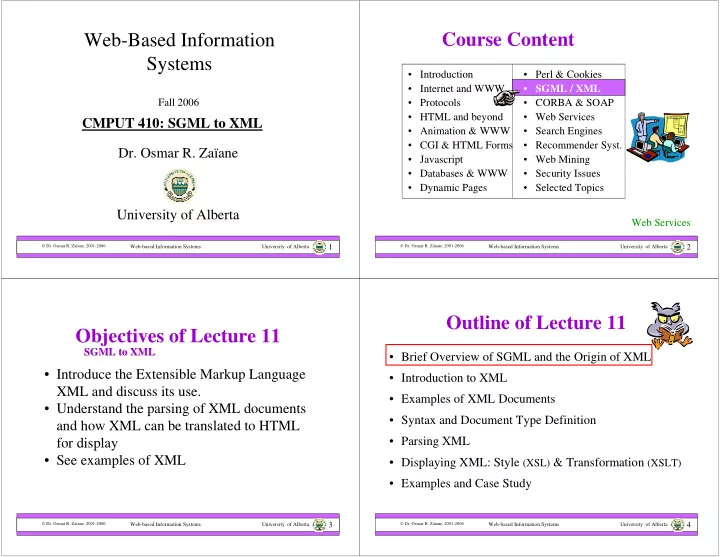
Web-Based Information Course Content Systems Introduction Perl - - PowerPoint PPT Presentation

web based information course content systems
SMART_READER_LITE
LIVE PREVIEW

Web-Based Information Course Content Systems Introduction Perl - - PowerPoint PPT Presentation

Web-Based Information Course Content Systems Introduction Perl & Cookies Internet and WWW SGML / XML Fall 2006 Protocols CORBA & SOAP HTML and beyond Web Services CMPUT 410: SGML to XML


slide-1
SLIDE 1

Web-based Information Systems University of Alberta

 Dr. Osmar R. Zaïane, 2001-2006

1

Web-Based Information Systems

  • Dr. Osmar R. Zaïane

University of Alberta

Fall 2006

CMPUT 410: SGML to XML

Web-based Information Systems University of Alberta

 Dr. Osmar R. Zaïane, 2001-2006

2

  • Perl & Cookies
  • SGML / XML
  • CORBA & SOAP
  • Web Services
  • Search Engines
  • Recommender Syst.
  • Web Mining
  • Security Issues
  • Selected Topics

Course Content

  • Introduction
  • Internet and WWW
  • Protocols
  • HTML and beyond
  • Animation & WWW
  • CGI & HTML Forms
  • Javascript
  • Databases & WWW
  • Dynamic Pages

Web Services

Web-based Information Systems University of Alberta

 Dr. Osmar R. Zaïane, 2001-2006

3

Objectives of Lecture 11

SGML to XML SGML to XML

  • Introduce the Extensible Markup Language

XML and discuss its use.

  • Understand the parsing of XML documents

and how XML can be translated to HTML for display

  • See examples of XML

Web-based Information Systems University of Alberta

 Dr. Osmar R. Zaïane, 2001-2006

4

Outline of Lecture 11

  • Brief Overview of SGML and the Origin of XML
  • Introduction to XML
  • Examples of XML Documents
  • Syntax and Document Type Definition
  • Parsing XML
  • Displaying XML: Style (XSL) & Transformation (XSLT)
  • Examples and Case Study
slide-2
SLIDE 2

Web-based Information Systems University of Alberta

 Dr. Osmar R. Zaïane, 2001-2006

5

Brief Overview of SGML & the Origin of XML

  • SGML stands for Standard Generalized Markup

Language

  • SGML is a meta language, a language for defining other

languages.

  • It was developed in the 1970s and was used by large

corporations for representing content of large documents.

  • SGML is very flexible and provides a set of features for

describing content of small documents such as short memos, or very long and complex documents such as technical manuals in several printed volumes.

Web-based Information Systems University of Alberta

 Dr. Osmar R. Zaïane, 2001-2006

6

SGML, What is it for?

  • Separation: Syntax rules + content
  • Many sophisticated options
  • Focuses on content structure
  • Very powerful for creating:

– Manuals – Books – Catalogs – Document collection – …

DTD

document document document document DTD

Web-based Information Systems University of Alberta

 Dr. Osmar R. Zaïane, 2001-2006

7

Problems with SGML

  • SGML has too many optional features making

the language complex

  • SGML standard is very long and complicated

difficult to maintain difficult to build parsers difficult for programmers to write processing programs difficult to mark up content Not always legible

Web-based Information Systems University of Alberta

 Dr. Osmar R. Zaïane, 2001-2006

8

Simplified SGML

  • HTML is derived from SGML and so is XML
  • XML is a simplified version of SGML without the

many features that do not apply in the Web context.

  • XML is a meta-language with SGML flexibility and

structure but without SGML complexities

SGML HTML XML

slide-3
SLIDE 3

Web-based Information Systems University of Alberta

 Dr. Osmar R. Zaïane, 2001-2006

9

Outline of Lecture 11

  • Brief Overview of SGML and the Origin of XML
  • Introduction to XML
  • Examples of XML Documents
  • Syntax and Document Type Definition
  • Parsing XML
  • Displaying XML: Style (XSL) & Transformation (XSLT)
  • Examples and Case Study

Web-based Information Systems University of Alberta

 Dr. Osmar R. Zaïane, 2001-2006

10

Introduction to XML

  • XML the eXtensible Markup Language is a

standard of the World-Wide Web Consortium

  • The official current version is 1.0 and was
  • riginally recommended in 1998
  • The official specification from the W3C are:

http://www.w3.org/TR/1998/REC-xml-19980210

  • More info can be found at:

http://www.w3.org/XML/

  • Many working groups and advisory boards are

currently enhancing XML

Web-based Information Systems University of Alberta

 Dr. Osmar R. Zaïane, 2001-2006

11

What is Special with XML

  • It is a language to markup data
  • There are no predefined tags like in HTML
  • Extensible tags can be defined and

extended based on applications and needs

  • Basically, you can create your own tags and

associate meanings to them

  • You need to follow rules for creating and

using tags

Web-based Information Systems University of Alberta

 Dr. Osmar R. Zaïane, 2001-2006

12

HTML vs. XML

<?xml version=“1.0” encoding=“ISO8859-1” ?> <Products> <product ID="123"> <ProdName>Shovel</ProdName> <price>10.59</price> <Quantity>4</Quantity> </product> <product ID="456"> <ProdName>Rake</ProdName> <price>15.00</price> <Quantity>1</Quantity> </product> <product ID="789"> <ProdName>Hoe</ProdName> <price>12.99</price> <Quantity>2</Quantity> </product> </Products> <HTML> <BODY> <H1>Shovel</H1> <H2>10.59</H2> <H2>4</H2> <H1>Rake</H1> <H2>15.00</H2> <H2>1</H2> <H1>Hoe</H1> <H2>12.99</H2> <H2>2</H2> </BODY> </HTML> <HTML> <BODY> <Table border=1><TR> <td>Shovel</td> <td>10.59</td> <td>4</td> </tr><tr> <td>Rake</td> <td>15.00</td><td>1</td> </tr><tr> <td>Hoe</td> <td>12.99</td> <td>2</td> </tr></table> </BODY> </HTML>

HTML conveys the look-n-feel Easy for us to pinpoint the price of a hoe, but what about a program? In XML tags have meanings easy for a program to find the price of a hoe.

slide-4
SLIDE 4

Web-based Information Systems University of Alberta

 Dr. Osmar R. Zaïane, 2001-2006

13

XML inside HTML

  • Some browsers, such as Microsoft Internet Explorer allow

XML inside an HTML document with the <XML> tag

<!DOCTYPE HTML PUBLIC "-//W3C//DTD HTML 4.0 Transitional//EN"> <HTML> <BODY> <XML ID = "xmlDoc"> <Products> <product ID="123"> <ProdName>Shovel</ProdName> <price>10.59</price> <Quantity>4</Quantity> </product> <product ID="456"> <ProdName>Rake</ProdName> <price>15.00</price> <Quantity>1</Quantity> </product> <product ID="789"> <ProdName>Hoe</ProdName> <price>12.99</price> <Quantity>2</Quantity> </product> </Products> </XML> <TABLE BORDER = "1" DATASRC = "#xmlDoc"> <THEAD> <TR> <TH>Product Name</TH> <TH>Quantity</TH><TH>Price</TH></TR> </THEAD> <TR> <TD><SPAN DATAFLD = "ProdName"></SPAN></TD> <TD><SPAN DATAFLD = "Quantity"></SPAN></TD> <TD><SPAN DATAFLD = "price"></SPAN></TD> </TR> </TABLE> </BODY> </HTML>

<XML ID=“xmlDoc” src=“products.xml”></xml>

Web-based Information Systems University of Alberta

 Dr. Osmar R. Zaïane, 2001-2006

14

Rules for Creating XML Documents

  • Rule 1: All terminating tags shall be closed

– Omitting a closing XML tag is an error. Example: <FirstName>Osmar</FirstName>

  • Rule 2: All non-terminating tags shall be closed

– Omitting a forward slash for non-terminating tags is an error. Example <Available answer=“yes”/>

  • Rule 3: XML shall be case sensitive

– Using the wrong case is an error. Example: <FirstName>Osmar</firstname> – It is OK in HTML <H1>my header</h1>

Web-based Information Systems University of Alberta

 Dr. Osmar R. Zaïane, 2001-2006

15

More Rules for Creating XML

  • Rule 4: An XML document shall have one root

– Attempting to create more than one root element would generate a syntax error

  • Rule 5: Nesting tag terminations shall not be allowed

– Closing a parent tag before closing a child’s tag is an error. Example <Author><name>Osmar</Author></name> – It is OK in HTML <b><I>bold italic text</b></I>

  • Rule 6: Attributes shall be quoted

– Omitting quotes, either single or double, around and XML attribute’s value is an error. Example <Product ID=“123”>

Web-based Information Systems University of Alberta

 Dr. Osmar R. Zaïane, 2001-2006

16

What is needed?

  • XML needs to be parsed to check whether

the documents are well formed

  • XML needs to be printed
  • XML needs to be interpreted for

information exchange or populating database

  • XML needs to be queried efficiently
slide-5
SLIDE 5

Web-based Information Systems University of Alberta

 Dr. Osmar R. Zaïane, 2001-2006

17

Outline of Lecture 11

  • Brief Overview of SGML and the Origin of XML
  • Introduction to XML
  • Examples of XML Documents
  • Syntax and Document Type Definition
  • Parsing XML
  • Displaying XML: Style (XSL) & Transformation (XSLT)
  • Examples and Case Study

Web-based Information Systems University of Alberta

 Dr. Osmar R. Zaïane, 2001-2006

18

<?xml version = "1.0"?> <letter> <contact type = "from"> <name>John Doe</name> <address>123 Main St.</address> <city>Anytown</city> <province>Somewhere</province> <postalcode>A1B 2C3</postalcode> </contact> <contact type = "to"> <name>Joe Schmoe</name> <address>123 Any Ave.</address> <city>Othertown</city> <province>Otherplace</province> <postalcode>Z9Y 8X7</postalcode> </contact>

Example1: Business Letter

Web-based Information Systems University of Alberta

 Dr. Osmar R. Zaïane, 2001-2006

19

<paragraph>Dear Sir,</paragraph> <paragraph>It is our privilege to inform you about

  • ur new database managed with XML. This new

system will allow you to reduce the load of your inventory list server by having the client machine perform the work of sorting and filtering the data. </paragraph> <paragraph>Sincerely, Mr. Doe</paragraph> </letter>

Example1: Business Letter Con’t

Web-based Information Systems University of Alberta

 Dr. Osmar R. Zaïane, 2001-2006

20

Example2: Memo

<?xml version = "1.0"?> <memo> <from> <fname>Osmar</fname> <lname>Zaiane</lname> </from> <date>Tuesday March 5, 2002</date> <to> cmput 499 </to> <subject>Assignment 5</subject> <message type = “U“\> <content> The fifth assignment will be about XML and rendering XML documents on a browser. </content> </memo>

slide-6
SLIDE 6

Web-based Information Systems University of Alberta

 Dr. Osmar R. Zaïane, 2001-2006

21

<?xml version = "1.0"?> <collection> <book> <title>Web Programming, Building Internet Applications</title> <author>Chris Bates</author> <isbn>0-471-49669-3</isbn> <pages>469</pages> <publisher>Wiley</publisher> <image>wprog.jpg</image> </book> <book> <title>Internet & World Wide Web: How to Program</title> <author>Deitel, Deitel and Nieto</author> <isbn>0-13-016143-8</isbn> <pages>1157</pages> <publisher>Prentice Hall</publisher> <image>iw3.jpg</image> </book> </collection>

Example3: Book Collection

Web-based Information Systems University of Alberta

 Dr. Osmar R. Zaïane, 2001-2006

22

<?xml version = "1.0"?> <catalog> <plant> <name>Butterfly bush</name> <latin>Buddleja alternifolia</latin> <height>4.5m</height> <season>Summer</season> <price>$3.45</price> <condition>dry sun</condition> <image>bbush.jpg</image> </plant> <plant> <name>Pineapple broom</name> <latin>Cytisus Battandieri</latin> <height>4m</height> <season>Early Summer</season> <price>$5.00</price> <condition>dry sun</condition> <image>pbroom.jpg</image> </plant>

Example4: Garden Catalog

Web-based Information Systems University of Alberta

 Dr. Osmar R. Zaïane, 2001-2006

23

… <plant> <name>Peony</name> <latin>Paeonia Lactiflora hybrids</latin> <height>60cm</height> <season>Summer</season> <price>$2.15</price> <condition>shade</condition> <image>peony.jpg</image> </plant> <plant> <name>Hollyhock</name> <latin>Alcea rosea</latin> <height>2.5m</height> <season>Summer</season> <price>$2.00</price> <condition>Clay soil</condition> <image>alcea.jpg</image> </plant> </catalog>

Example4: Garden Catalog

Con’t

Web-based Information Systems University of Alberta

 Dr. Osmar R. Zaïane, 2001-2006

24

Outline of Lecture 11

  • Brief Overview of SGML and the Origin of XML
  • Introduction to XML
  • Examples of XML Documents
  • Syntax and Document Type Definition
  • Parsing XML
  • Displaying XML: Style (XSL) & Transformation (XSLT)
  • Examples and Case Study
slide-7
SLIDE 7

Web-based Information Systems University of Alberta

 Dr. Osmar R. Zaïane, 2001-2006

25

Introduction to DTDs

  • DTD stands for Document Type Definition
  • A DTD is a set of rules that specify how to

use an XML markup. It contains specifications for each element, the attributes of the elements, and the values the attributes can take.

  • A DTD also specifies how elements are

contained in each other

  • A DTD ensures that XML documents

created by different programs are consistent

Web-based Information Systems University of Alberta

 Dr. Osmar R. Zaïane, 2001-2006

26 <?xml version = "1.0"?> <letter> <Urgency level=“1”\> <contact type = "from"> <name>John Doe</name> <address>123 Main St.</address> <city>Anytown</city> <province>Somewhere</province> <postalcode>A1B 2C3</postalcode> </contact> <contact type = "to"> <name>Joe Schmoe</name> <address>123 Any Ave.</address> <city>Othertown</city> <province>Otherplace</province> <postalcode>Z9Y 8X7</postalcode> </contact> <paragraph>Dear Sir,</paragraph> <paragraph>It is our privilege to inform you about our new database managed with XML. This new system will allow you to reduce the load of your inventory list server by having the client machine perform the work of sorting and filtering the data.</paragraph> <paragraph>Sincerely, Mr. Doe</paragraph> </letter>

Example1: Business Letter

Web-based Information Systems University of Alberta

 Dr. Osmar R. Zaïane, 2001-2006

27

DTD Example for business letter

<?xml version=“1.0” encoding=“UTF-8” ?> <!ELEMENT letter (Urgency, contact+, paragraph+)> <!ELEMENT Urgency (EMPTY)> <!ATTLIST Urgency level CDATA #IMPLIED> <!ELEMENT contact (name, address, city, province, postalcode, phone?, email?)> <!ATTLIST contact type CDATA #REQUIRED> <!ELEMENT name (#PCDATA)> <!ELEMENT address (#PCDATA)> <!ELEMENT city (#PCDATA)> <!ELEMENT province (#PCDATA)> <!ELEMENT postalcode (#PCDATA)> <!ELEMENT paragraph (#PCDATA)>

Empty means no end tag #PCDATA is parsed character data, it means that the element contains text CDATA means string #IMPLIED means that the attribute value is unspecified. + means one or more ? means optional

Web-based Information Systems University of Alberta

 Dr. Osmar R. Zaïane, 2001-2006

28

DTD Header

<?xml version=“1.0” encoding=“UTF-8” ?> Version of the xml Currently 1.0 Encoding specifies the character set used:

  • UTF-8 Unicode

Transformation 8 bits

  • UTF-16 Unicode

Transformation 16 bits

  • Etc.

Enables use of different character sets Internationalization

slide-8
SLIDE 8

Web-based Information Systems University of Alberta

 Dr. Osmar R. Zaïane, 2001-2006

29

DTD Rules

<!ELEMENT elementName (components and content)> Example: <!ELEMENT name (#PCDATA)> name is an element tag for text data <!ELEMENT Urgency (EMPTY)> Urgency is an element tag without closing tag <!ELEMENT letter (Urgency, contact+, paragraph+)> letter is an element that contains an Urgency element followed by one or more contact elements and one or more paragraph elements

Web-based Information Systems University of Alberta

 Dr. Osmar R. Zaïane, 2001-2006

30

Multiple Elements

<!ELEMENT letter (Urgency, contact+, paragraph+)> <!ELEMENT contact (name, address, city, province, postalcode, phone?, email?)> Are called multiple elements (lists of elements). They require the rule to specify their sequence and the number of times they can occur. | Any element may occur , Occur in specified sequence ? Optional, may occur 0 or once + Occurs ate least once (1 or many) * Occurs many times (0 or many)

Web-based Information Systems University of Alberta

 Dr. Osmar R. Zaïane, 2001-2006

31

Attributes in DTD

<!ATTLIST elementName attributeName Type Specification>

  • elementName and attributeName associate the attribute with the

element

  • The Type specifies if the attribute is free text (CDATA) or a list
  • f predefined values (value1 | value2 | value3)
  • Example:

<!ATTLIST Urgency level CDATA #IMPLIED> <!ATTLIST contact type CDATA #REQUIRED> <!ATTLIST P align (center | right | left) #IMPLIED>

  • Specification could be:
  • #REQUIRED

attribute must be specified

  • #IMPLIED

attributes can be unspecified

  • #FIXED

attribute is preset to a specific value

  • “defaultvalue”

default value for the attribute

Web-based Information Systems University of Alberta

 Dr. Osmar R. Zaïane, 2001-2006

32

Calling an External DTD

  • A DTD can be referenced from XML documents
  • <!DOCTYPE letter SYSTEM "letter.dtd">
  • Any element, attribute not explicitly defined in the DTD generates

an error in the XML document.

  • An XML document that conforms to a DTD is called valid and

well-formed.

  • There is a need to parse XML documents and validate them vis-à-

vis a DTD.

  • The keyword SYSTEM indicates that the DTD is system wide (or

private). PUBLIC references a public DTD.

  • <!DOCTYPE rss PUBLIC “-//Netscape Communications//DTD RSS 0.91//EN”

“http://my.netscape.com/publish/formats/rss-0.91.dtd”>

slide-9
SLIDE 9

Web-based Information Systems University of Alberta

 Dr. Osmar R. Zaïane, 2001-2006

33

Portability of XML

  • Adherence to DTDs ensure consistency between

XML documents

  • Defining a DTD is equivalent to creating a

customized markup language.

  • There are many domain specific markup

languages based on XML: MML (Mathematical Markup Language), CML (Chemical Markup Language),…many other XML-based languages

  • This is one of the main reasons why XML is so

successful for data exchange between applications

document document document DTD

Web-based Information Systems University of Alberta

 Dr. Osmar R. Zaïane, 2001-2006

34

Outline of Lecture 11

  • Brief Overview of SGML and the Origin of XML
  • Introduction to XML
  • Examples of XML Documents
  • Syntax and Document Type Definition
  • Parsing XML
  • Displaying XML: Style (XSL) & Transformation (XSLT)
  • Examples and Case Study

Web-based Information Systems University of Alberta

 Dr. Osmar R. Zaïane, 2001-2006

35

Parsing XML Documents

  • An XML parser (also XML processor)

combines an XML document and its DTD to determines the content and structure of the XML document which is turn is used by an application.

  • A parser is in between the document and the

application that uses XML documents. This application can be a Java application and Servlet or any other application that needs to use XML documents.

Web-based Information Systems University of Alberta

 Dr. Osmar R. Zaïane, 2001-2006

36

XML Parser

  • An XML parser enables applications to

access XML documents.

  • The parser can be embedded in the

application or separated as a different tier.

  • There are many parsers available on-line for

Java, Perl, C/C++, Python, PHP, etc.

XML

document

XML DTD XML Parser XML Application +

slide-10
SLIDE 10

Web-based Information Systems University of Alberta

 Dr. Osmar R. Zaïane, 2001-2006

37

XML Parser’s General Tasks

  • 1. Accesses and retrieves an XML document

and its DTD (if there is one), whether locally or across the network;

  • 2. Ensures that the XML document is well

formed and adheres to its DTD;

  • 3. Makes the XML document’s content

available to applications in a readable format.

Web-based Information Systems University of Alberta

 Dr. Osmar R. Zaïane, 2001-2006

38

Advantages of XML Parsers

  • You can write your own XML parser and embed it into

your XML applications, but why not taking advantage of the pre-built parsers that already take care of the three specified tasks (1-accessing and retrieving XML docs, 2-

validating XML docs, 3-modeling XML content)

  • There are many XML parsers available as open source, for

free, and some commercially. They are written for different platforms and languages, Java, C/C++ Perl, and even PHP.

  • A list of XML parsers, browsers and editors, etc. can be

found and downloaded from http://www.xmlsoftware.com/

Web-based Information Systems University of Alberta

 Dr. Osmar R. Zaïane, 2001-2006

39

What is the Difference?

  • In addition to the platforms and languages, parsers

differ in the way they validate XML and the way they make the XML content available to applications

  • Some parsers verify whether and XML document

adheres to its DTD, they are called validating

  • parsers. Others don’t and are called non-validating
  • parsers. Some give the choice.
  • Some parsers follow the DOM standard and other

follow the SAX standard to model XML content.

Web-based Information Systems University of Alberta

 Dr. Osmar R. Zaïane, 2001-2006

40

Why Validating, Why not?

  • Validating parsers need to check the XML document

vis-à-vis the rules in the DTD

  • Validating XML can be slow and necessitates large

memory.

  • While validating XML is valuable, convenient and

certainly useful, often a compromise is necessary when speed and space is at stake.

  • For fast solution with limited memory, a non-validating

parser is a better choice. However, when speed and memory is not an issue, validating parsers are better.

slide-11
SLIDE 11

Web-based Information Systems University of Alberta

 Dr. Osmar R. Zaïane, 2001-2006

41

Summary on Validating Parsers

  • A validating parser checks both the XML

document and its DTD. If the XML document strays away from the rules defined in the DTD the parser generates an error and stops processing.

  • A non-validating parser uses only the XML

document and is more tolerant as long as the XML is well formed based on the general XML rules.

  • Non-validating parsers are faster and need less

memory

Web-based Information Systems University of Alberta

 Dr. Osmar R. Zaïane, 2001-2006

42

Interfacing with XML Application

  • An XML parser makes the XML content

available to XML applications.

  • There are two ways to present the content of

XML documents: present it as a tree of component or present it as a stream of events.

  • There are two types of XML parsers: tree-

based and stream-based parsers.

Web-based Information Systems University of Alberta

 Dr. Osmar R. Zaïane, 2001-2006

43

Tree-Based XML Parser

  • Tree-based parsers use the DOM (Document Object

Model) recommendations by W3C to represent the content of XML documents in a tree format.

  • The tree is created in memory. It starts with the root

tag as the root of the tree and represents each element as a node of the tree with parent-children relationship between nested elements.

  • The DOM standard is the same that also supports

HTML documents that we used with JavaScript

Web-based Information Systems University of Alberta

 Dr. Osmar R. Zaïane, 2001-2006

44

Example of the Tree Model

<?xml version = "1.0"?> <memo> <from> <fname>Osmar</fname> <lname>Zaiane</lname> </from> <date>Tuesday March 21, 2001</date> <to> cmput 499 </to> <subject>Assignment 7</subject> <message type = “U“\> <content> The seventh assignment will be about XML and rendering XML documents on a browser. </content> </memo>

memo from date to subject message content fname lname

slide-12
SLIDE 12

Web-based Information Systems University of Alberta

 Dr. Osmar R. Zaïane, 2001-2006

45

Stream-Based XML Parsers

  • Stream-based parsers see the XML documents as a

stream of events

  • An informal specification of stream-based parsers

developed by volunteers on the xml-dev mailing list is SAX, primarily written for use with Java.

  • SAX stands for Simple API for XML
  • http://www.megginson.com/SAX/
  • Because it is event based, SAX does not explicitly build

the document tree in memory. The parser passes through the document once. Cannot “go back”.

  • The parser generates events as it reads the XML

document and the application needs to define and event handler

Web-based Information Systems University of Alberta

 Dr. Osmar R. Zaïane, 2001-2006

46

Example of the Event Model

<?xml version = "1.0"?> <memo> <from> <fname>Osmar</fname> <lname>Zaiane</lname> </from> <date>Tuesday March 21, 2001</date> <to> cmput 499 </to> <subject>Assignment 7</subject> <message type = “U“\> <content> The seventh assignment will be about XML and rendering XML documents on a browser. </content> </memo>

  • Start memo element
  • Start from element
  • Start fname element
  • Character event Osmar
  • End fname element
  • Start lname element
  • Character event Zaiane
  • End lname element
  • End from element
  • Start date element

  • End content element
  • End memo element

Each event generated is intercepted by an event handler in the application

Web-based Information Systems University of Alberta

 Dr. Osmar R. Zaïane, 2001-2006

47

DOM or SAX?

  • Since SAX does not build a document tree in memory, it

is more efficient than DOM and can process documents larger than the available memory.

  • DOM creates a static tree representation of the

document that can be updated (adding, removing and modifying elements) Needs more memory but is more effective and useful.

  • Most available parsers support SAX and DOM and have
  • ptions to turn validation on and off.

Web-based Information Systems University of Alberta

 Dr. Osmar R. Zaïane, 2001-2006

48

Using DOM Parser with PHP

  • 1. Open a new DOM XML document, or read one

into memory

  • 2. Manipulate the document by nodes
  • 3. Write out the resulting XML into a string or file.

domxml_open_mem() domxml_open_file() domxml_new_doc() dump_mem() dump_file() create_element() create_text_node() append_child() child_nodes() parent_node() get_content() remove_child() attributes() etc.

slide-13
SLIDE 13

Web-based Information Systems University of Alberta

 Dr. Osmar R. Zaïane, 2001-2006

49

Using SAX Parser with PHP

1. Determine what kinds of events you want to handle 2. Write handler functions for each event. At least a character data handler, a start element handler and an end element handler. 3. Create a parter using xml_parser_create() and call it using xml_parse(). 4. Free the memory used up by the parser using xml_parser_free()

xml_set_element_handler() xml_set_character_data_handler() xml_error_string() xml_get_error_code() xml_get_current_line_number() …

Web-based Information Systems University of Alberta

 Dr. Osmar R. Zaïane, 2001-2006

50

Example: PHP and SAX

<?php function startElement($parser, $name, $attrs) { echo "&lt;<font color=\"#0000cc\"> $name</font>\n"; if (count($attrs)) foreach ($attrs as $k => $v) { echo " <font color=\"#009900\">$k</font>=\"<font color=\"#990000\">$v</font>\""; } echo "&gt; </br>"; } function endElement($parser, $name) { echo "&lt;/<font color=\"#0000cc\"> $name</font>&gt;</br>\n"; } function characterData($parser, $data) { echo "<b>$data</b>"; }

Web-based Information Systems University of Alberta

 Dr. Osmar R. Zaïane, 2001-2006

51

Example: PHP and SAX (con’t)

$xml_parser = xml_parser_create(); xml_set_element_handler($xml_parser, "startElement", "endElement"); xml_set_character_data_handler(($xml_parser, "characterData " ); $file = "data.xml"; if (!($fp = fopen($file, "r"))) { die("could not open XML input");} while ($data = fread($fp, 4096)) { if (!xml_parse($xml_parser, $data, feof($fp))) { die(sprintf("XML error: %s at line %d", xml_error_string(xml_get_error_code($xml_parser)), xml_get_current_line_number($xml_parser))); } } xml_parser_free($xml_parser); ?>

Web-based Information Systems University of Alberta

 Dr. Osmar R. Zaïane, 2001-2006

52

Transforming XML into HTML with PHP

<?php $map_start_array = array( "memo" => "<table>", " from" => "<tr>", " fname" => "<td>From: " " lname" => "<td> " … ); $map_end_array = array( "memo" => "</table>", "from" => "</tr>", "fname" => "</td>" "lname" => "</td> " … );

function startElement($parser, $name, $attrs) { global $map_start_array; if (isset($map_start_array[$name])) { echo "$map_start_array[$name]"; } } function endElement($parser, $name) { global $map_end_array; if (isset($map_end_array[$name])) { echo "</$map_end_array[$name]>"; } } … ?>

slide-14
SLIDE 14

Web-based Information Systems University of Alberta

 Dr. Osmar R. Zaïane, 2001-2006

53

Outline of Lecture 11

  • Brief Overview of SGML and the Origin of XML
  • Introduction to XML
  • Examples of XML Documents
  • Syntax and Document Type Definition
  • Parsing XML
  • Displaying XML: Style (XSL) & Transformation (XSLT)
  • Examples and Case Study

Web-based Information Systems University of Alberta

 Dr. Osmar R. Zaïane, 2001-2006

54

How to Render XML in a Browser

  • HTML tags carry presentation instructions. XML

tags are related to the structure of the content

  • XML represents data only (structure-centric) and

does not specify how to render it. There is the what, not the how. HTML is presentation-centric.

  • There is a need for style sheets like CSS to specify

how things should be displayed.

  • Internet Explorer is capable of displaying XML in

a tree format.

  • Netscape ignores the XML tags.

Web-based Information Systems University of Alberta

 Dr. Osmar R. Zaïane, 2001-2006

55

Separate Data from Description

  • XSL (Extensible Style Language) defines the layout of

an XML document.

  • XSL is to XML what CSS is to HTML. However, XSL

is much more powerful since XSL rules provide control

  • n displaying and organizing of data.
  • XSL provide rules to transform an XML document into

another XML document (HTML is a particular XML).

  • XSL for Transformations is also known as XSLT
  • XSL are style sheets for displaying.
  • XSLT are rules for reorganizing.
  • XSLT takes a source tree and returns a result tree.

Web-based Information Systems University of Alberta

 Dr. Osmar R. Zaïane, 2001-2006

56

XSL Transformations

XML

document

XSL

Style Sheet

XSL Processor Output Document +

  • XML tree

XSLT

Xpath allows access to elements in tree

New XML tree

If new structure is HTML then can be displayed

Not all nodes are necessarily visited Nodes are selected with Xpath.

Source tree Result tree

slide-15
SLIDE 15

Web-based Information Systems University of Alberta

 Dr. Osmar R. Zaïane, 2001-2006

57

XPath: XML Pointer Language

  • http://www.w3.org/TR/xpath or

http://www.w3.org/TR/1999/REC-xpath-19991116

  • XML documents are modeled as trees
  • In XPath document tree nodes are either

elements, attributes, or text values (also comments). There is also an extra root.

  • Xpath expressions take a document tree and

return a set of nodes in the tree.

Web-based Information Systems University of Alberta

 Dr. Osmar R. Zaïane, 2001-2006

58

XPath Document Tree

<? Xml version=“1.0” ?> <Students> <Student SID=“123456”> <Name><First>John</First><Last>Smith</Last></Name> <Status>Full-UndG</Status> <Course Code=“cmput101” Semester=“W1999” /> <Course Code=“cmput291” Semester=“F1999” /> <Course Code=“cmput391” Semester=“F2000” /> </Student> <Student SID=“678123”> <Name><First>Jane</First><Last>Doe</Last></Name> <Status>Full-UndG</Status> <Course Code=“cmput114” Semester=“F1999” /> <Course Code=“cmput304” Semester=“F2000” /> </Student> </Students>

<!DOCTYPE students [ <!ELEMENT Students (Student*)> <!ELEMENT Student (Name, Status, Course*)> <!ELEMENT Name (First, Last)> <!ELEMENT First (#PCDATA)> …]>

Root

Students Student Student SID Name First Last John Smith Course Course

123456

Code

cmput101 W1999

Semester

Web-based Information Systems University of Alberta

 Dr. Osmar R. Zaïane, 2001-2006

59

XPath Expressions

  • Absolute path expressions:
  • /Students/Student/Name refers to the composite Name
  • //Name refers to Name descendent of the root
  • /Students//First refers to First descendent of Students
  • Relative path expressions: if current node corresponds to

Name,

./First is first name of current ../Course refers to a course of the current student ../..//First is first name of siblings ( // denotes arbitrary sub-path)

  • @ is used for attributes: /Students/Student/@SID
  • /Students/Student[1]/Course[3] for specific nodes

Web-based Information Systems University of Alberta

 Dr. Osmar R. Zaïane, 2001-2006

60

  • Path expressions with selection condition
  • Select all student who took a course in F2000

//Student[Course/@Semester="F2000"]

  • Select Undergrad student with last name starting

with ‘B’

//Student[Status="UndG" and starts-with(.//Last, "B")]

  • Select all students that took cmput391 in F2001

//Student[Course/@Code="cmput391" AND Course/@Semester="F2001"]

XPath Queries

slide-16
SLIDE 16

Web-based Information Systems University of Alberta

 Dr. Osmar R. Zaïane, 2001-2006

61

XSL Style Sheet

<xsl:stylesheet xmlns:xsl="http://www.w3.org/XSL/Transform/1.0" xmlns:fo="http://www.w3.org/XSL/Format/1.0"> <xsl:template match="root-document name"> <!-- processing stuff goes here --> <xsl:apply-templates select="node()" /> </xsl:template> </xsl:stylesheet> Simple recursive XSL template

Source: Using XML, Que, 2000

Xpath is used to locate parts of the source tree that match templates defined in the XSL stylesheet. When there is match, the result of the match is added to the result tree.

Web-based Information Systems University of Alberta

 Dr. Osmar R. Zaïane, 2001-2006

62

Element Matching

<xsl:template match=“element-name">

Use of Xpath alpha selects the element alpha, child of the context node * selects all element children of the context node beta() selects all beta element children of the context node @name selects the name attribute of the context node @* selects all the attributes of the context node alpha[1] selects the first alpha element child of the CN alpha[last()] selects the last alpha element child of the CN alpha[@type=“hello”] selects all alpha children of the Context node that have a type attribute with value hello …

Web-based Information Systems University of Alberta

 Dr. Osmar R. Zaïane, 2001-2006

63

Processing and Control Flow

<xsl:for-each select=“node-expression"> content </xsl:for-each> <xsl:if test=“Boolean test”> <xsl:template> content </xsl:template> </xsl:if>

Web-based Information Systems University of Alberta

 Dr. Osmar R. Zaïane, 2001-2006

64

Processing and Control Flow (2)

<xsl:choose> <xsl-when test=“Boolean test”> <xsl:template> content </xsl:template> </xsl:when> <xsl-when test=“Boolean test”> <xsl:template> content </xsl:template> </xsl:when> <xsl-otherwise> <xsl:template> content </xsl:template> </xsl:otherwise> </xsl:choose>

slide-17
SLIDE 17

Web-based Information Systems University of Alberta

 Dr. Osmar R. Zaïane, 2001-2006

65

Processing and Control Flow (3)

<xsl:sort select”string” lang=“??” data-type =“text” | “number” order=“ascending” | “descending” case-order = “upper-first” | “lower-first” />

Web-based Information Systems University of Alberta

 Dr. Osmar R. Zaïane, 2001-2006

66

Using XSLT from within PHP

To start using XSLT directly from PHP, you will need an XSLT file and the XML document that you wish to transform. <?php $xh = xslt_create(); $myResult = xslt_process( $xh, 'myContent.xml', 'myTransformation.xsl' ); xslt_free($xh); ?>

Web-based Information Systems University of Alberta

 Dr. Osmar R. Zaïane, 2001-2006

67

Transforming XML

  • Transforming on the server

– Works with any browser

  • Transforming on the client

– Less use of server resources

Web-based Information Systems University of Alberta

 Dr. Osmar R. Zaïane, 2001-2006

68

Outline of Lecture 11

  • Brief Overview of SGML and the Origin of XML
  • Introduction to XML
  • Examples of XML Documents
  • Syntax and Document Type Definition
  • Parsing XML
  • Displaying XML: Style (XSL) & Transformation (XSLT)
  • Examples and Case Study
slide-18
SLIDE 18

Web-based Information Systems University of Alberta

 Dr. Osmar R. Zaïane, 2001-2006

69 <?xml version="1.0"?> <productList xmlns="http://www.leeanne.com/aristotelian/productlist" xmlns:xsi="http://www.w3.org/1999/XMLSchema-instance" xsi:schemaLocation="http://www.leeanne.com/aristotelian/productlist/03xmp01.xsd"> <!-- Aristotelian Product List --> <listTitle>Aristotelian Logical Systems - Product List</listTitle> <product> <name>European Translator</name> <model>Mark IV</model> <languages>de fr es en</languages> </product> <product> <name>Universal Translator</name> <model>Mark V</model> <languages>de fr es en jp</languages> </product> <product> <name>Universal Translator</name> <model>Mark VI</model> <languages>de fr es en jp ch</languages> </product> <product> <name>BabelFish</name> <model>Mark VII</model> <languages> de fr es en jp ch kl rm fg </languages> </product> <product> <name>BabelFish</name> <model>Mark VIII</model> <languages> all {by direct thought transference} </languages> </product> </productList>

Web-based Information Systems University of Alberta

 Dr. Osmar R. Zaïane, 2001-2006

70

<?xml version="1.0" encoding="UTF-8"?> <!DOCTYPE xsd:schema PUBLIC "-//W3C//DTD XMLSCHEMA 19991216//EN" "" [ <!ENTITY % p 'xsd:'> <!ENTITY % s ':xsd'>]> <xsd:schema xmlns:xsd="http://www.w3.org/1999/XMLSchema" xmlns="http://www.leeanne.com/aristotelian/productlist" targetNamespace="http://www.leeanne.com/aristotelian/productlist"> <xsd:complexType name="productType" content="elementOnly"> <xsd:sequence> <xsd:element name="name" type="xsd:string" /> <xsd:element name="model" type="xsd:string" /> <xsd:element name="languages" type="xsd:string" /> </xsd:sequence> </xsd:complexType> <xsd:element name="productList"> <xsd:complexType content="elementOnly"> <xsd:sequence> <xsd:element name="listTitle" type="xsd:string"/> <xsd:element name="product" type="productType" minOccurs="1" maxOccurs="unbounded"/> </xsd:sequence> <xsd:attribute name="xmlns:xsi" type="xsd:uriReference" use="default" value="http://www.w3.org/1999/XMLSchema-instance"/> <xsd:attribute name="xsi:noNamespaceSchemaLocation" type="xsd:string"/> <xsd:attribute name="xsi:schemaLocation" type="xsd:string"/> </xsd:complexType> </xsd:element> </xsd:schema>

Web-based Information Systems University of Alberta

 Dr. Osmar R. Zaïane, 2001-2006

71 <?xml version="1.0" encoding="UTF-8"?> <xsl:stylesheet xmlns:xsl="http://www.w3.org/TR/WD-xsl"> <!-- XSL Stylesheet for Aristotelian Product List --> <xsl:template match="/"> <html> <head><title> <xsl:value-of select="//productList/listTitle"></xsl:value-of> </title> </head> <body> <h2><xsl:value-of select="//productList/listTitle"></xsl:value-of></h2> <div> <table border="1"> <tr> <th>Product</th> <th>Model Number</th> <th>Supported Languages</th></tr> <xsl:for-each select="//productList/product"> <tr> <td><xsl:value-of select="name"></xsl:value-of></td> <td><xsl:value-of select="model"></xsl:value-of></td> <td><xsl:value-of select="languages"></xsl:value-of></td> </tr> </xsl:for-each> </table> </div> </body> </html> </xsl:template></xsl:stylesheet>

Web-based Information Systems University of Alberta

 Dr. Osmar R. Zaïane, 2001-2006

72 <!DOCTYPE HTML PUBLIC "-//W3C//DTD HTML 4.0 Transitional//EN"> <HTML> <BODY> <XML ID = "xmlDoc"> <Products> <product ID="123"> <ProdName>Shovel</ProdName> <price>10.59</price> <Quantity>4</Quantity> </product> <product ID="456"> <ProdName>Rake</ProdName> <price>15.00</price> <Quantity>1</Quantity> </product> <product ID="789"> <ProdName>Hoe</ProdName> <price>12.99</price> <Quantity>2</Quantity> </product> </Products> </XML>

Example of XSL and XSLT Using Microsoft MSXML

slide-19
SLIDE 19

Web-based Information Systems University of Alberta

 Dr. Osmar R. Zaïane, 2001-2006

73

<XML ID = "xmlSortProdName"> <Products> <xsl:for-each order-by = "+ProdName" select = "product" xmlns:xsl = "http://www.w3.org/TR/WD-xsl"> <product> <ProdName><xsl:value-of select = "ProdName"/> </ProdName> <price><xsl:value-of select = "price"/> </price> <Quantity><xsl:value-of select = "Quantity"/> </Quantity> </product> </xsl:for-each> </Products> </XML> <XML ID = "xmlSortPrice"> <Products> <xsl:for-each order-by = “-price" select = “product" xmlns:xsl = "http://www.w3.org/TR/WD-xsl"> <product> <ProdName><xsl:value-of select = "ProdName"/> </ProdName> <price><xsl:value-of select = "price"/> </price> <Quantity><xsl:value-of select = "Quantity"/> </Quantity> </product> </xsl:for-each> </Products> </XML>

Web-based Information Systems University of Alberta

 Dr. Osmar R. Zaïane, 2001-2006

74 <XML ID = "xmlFilterProd"> <Products> <xsl:for-each select = "product[ProdName='Rake']" xmlns:xsl = "http://www.w3.org/TR/WD-xsl"> <product> <ProdName><xsl:value-of select = "ProdName"/> </ProdName> <price><xsl:value-of select = "price"/> </price> <Quantity><xsl:value-of select = "Quantity"/> </Quantity> </product> </xsl:for-each> </Products> </XML> <SCRIPT LANGUAGE = "Javascript"> var xmldoc = xmlData.cloneNode( true ); function sort( xsldoc ) { xmldoc.documentElement.transformNodeToObject( xsldoc.documentElement, xmlData.XMLDocument ); } </script>

Copies xmlData into xmldoc Applies a specified XSL style sheet to the data in parent node documentElement provides the root element of document

Web-based Information Systems University of Alberta

 Dr. Osmar R. Zaïane, 2001-2006

75

<TABLE BORDER = "1" DATASRC = "#xmlDoc"> <THEAD> <TR> <TH>Product Name</TH> <TH>Quantity</TH><TH>Price</TH></TR> <THEAD> <TR> <TD><SPAN DATAFLD = "ProdName"></SPAN></TD> <TD><SPAN DATAFLD = "Quantity"></SPAN></TD> <TD><SPAN DATAFLD = "price"></SPAN></TD> </TR> </TABLE> <INPUT TYPE = "button" VALUE = "Sort By Product Name" ONCLICK = "sort(xmlSortProdName.XMLDocument);"> <INPUT TYPE = "button" VALUE = "Sort By Price" ONCLICK = "sort(xmlSortPrice.XMLDocument);"> <INPUT TYPE = "button" VALUE = "Select Rake" ONCLICK = "sort(xmlFilterProd.XMLDocument);"> </BODY> </HTML>

Web-based Information Systems University of Alberta

 Dr. Osmar R. Zaïane, 2001-2006

76

XML Schema

  • Microsoft proposed an extension to DTD

called schema (or XML-Data).

  • W3C is developing a new XML schema

standard also known as DCD for Document Content Description.

  • Schema is an XML document definition

using XML syntax.

slide-20
SLIDE 20

Web-based Information Systems University of Alberta

 Dr. Osmar R. Zaïane, 2001-2006

77

<?xml version = "1.0"?> <collection> <book isbn= " 0-471-49669-3 " > <title>Web Programming, Building Internet Applications</title> <author>Chris Bates</author> <pages>469</pages> <publisher>Wiley</publisher> <image>wprog.jpg</image> </book> <book isbn= " 0-13-016143-8 " > <title>Internet $ World Wide Web: How to Program</title> <author>Deitel, Deitel and Nieto</author> <pages>1157</pages> <publisher>Prentice Hall</publisher> <image>iw3.jpg</image> </book> </collection>

Book Collection Example

Web-based Information Systems University of Alberta

 Dr. Osmar R. Zaïane, 2001-2006

78

<?xml version=“1.0” encoding=“UTF-8” ?> <!ELEMENT collection (book+)> <!ELEMENT book (title,author,pages,publisher,image)> <!ATTLIST book isbn CDATA #REQUIRED> <!ELEMENT title (#PCDATA)> <!ELEMENT author (#PCDATA)> <!ELEMENT pages (#PCDATA)> <!ELEMENT publisher (#PCDATA)> <!ELEMENT image (#PCDATA)>

DTD for Book Collection

Web-based Information Systems University of Alberta

 Dr. Osmar R. Zaïane, 2001-2006

79 <?xml version = "1.0"?> <xsd:schema xmlns:xsd="http://www.w3.org/2001/XMLSchema"> <xsd:annotation> <xsd:documentation xlm:lang="en"> XML Schema for a Bookstore as an example. </xsd:documentation> </xsd:annotation> <xsd:element name=“collection" type=“collectionType"/> <xsd:complexType name=“collectionType"> <xsd:sequence> <xsd:element name=“book" type=“bookType" minOccurs="1"/> </xsd:sequence> </xsd:complexType> <xsd:complexType name="bookType"> <xsd:attribute name="isbn" type="isbnType"/> <xsd:element name="title" type="xsd:string"/> <xsd:element name="author" type="xsd:string"/> <xsd:element name=“pages" type="xsd:string "/> <xsd:element name=“publisher" type="xsd:string "/> <xsd:element name="image" type=" xsd:string "/> </xsd:complexType>

Schema for Book Collection

Web-based Information Systems University of Alberta

 Dr. Osmar R. Zaïane, 2001-2006

80 <xsd:simpleType name="isbnType"> <xsd:restriction base="xsd:string"> <xsd:pattern value="\[0-9]{3}[-][0-9]{3}[-][0-9]{3}"/> </xsd:restriction> </xsd:simpleType> </xsd:schema>

Schema for Book Collection (con’t)

slide-21
SLIDE 21

Web-based Information Systems University of Alberta

 Dr. Osmar R. Zaïane, 2001-2006

81

Advanced Example

Example from Internet and WWW: How to Program by Deitel, Deitel and Nieto (Prentice Hall)

Web-based Information Systems University of Alberta

 Dr. Osmar R. Zaïane, 2001-2006

82

B2B Case: Commercial Transaction

Purchase Order Invoice goods Payment Suppliers E-business

Web-based Information Systems University of Alberta

 Dr. Osmar R. Zaïane, 2001-2006

83

B2B Case: Commercial Transaction

Purchase Order Invoice Suppliers E-business

XML Application XML servlets

Edit XML Receive & Post