Virtual Private Networks (VPN) 12: VPN, IPV6, NAT, MobileIP Last - - PDF document

virtual private networks vpn 12 vpn ipv6 nat mobileip
SMART_READER_LITE
LIVE PREVIEW

Virtual Private Networks (VPN) 12: VPN, IPV6, NAT, MobileIP Last - - PDF document

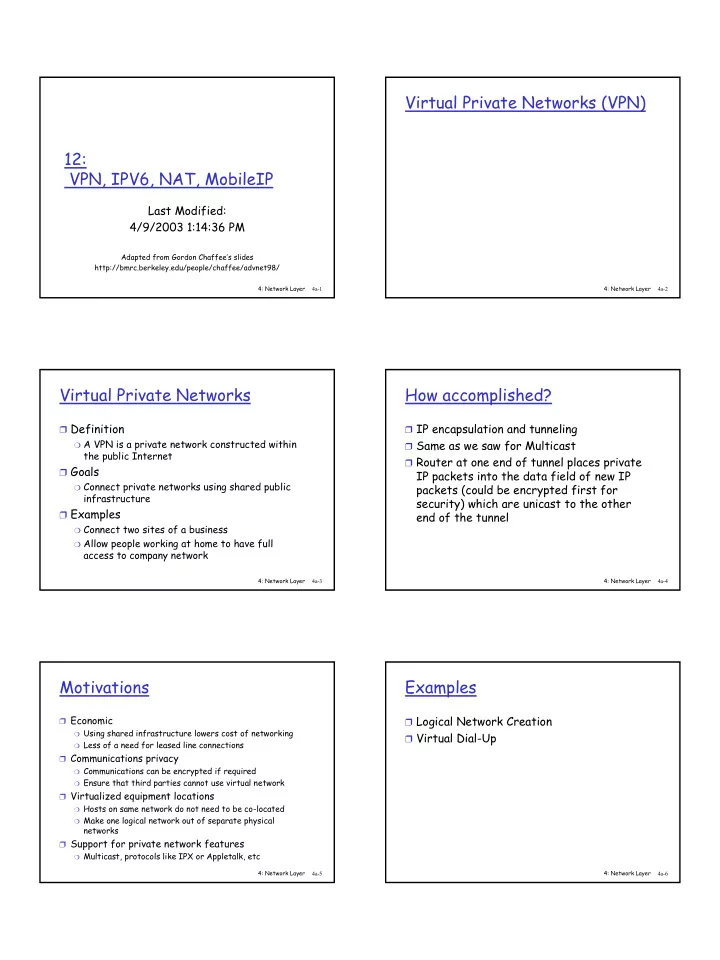
Virtual Private Networks (VPN) 12: VPN, IPV6, NAT, MobileIP Last Modified: 4/9/2003 1:14:36 PM Adapted from Gordon Chaffees slides http://bmrc.berkeley.edu/people/chaffee/advnet98/ 4: Network Layer 4: Network Layer 4a-1 4a-2 Virtual


slide-1
SLIDE 1

4: Network Layer 4a-1

12: VPN, IPV6, NAT, MobileIP

Last Modified: 4/9/2003 1:14:36 PM

Adapted from Gordon Chaffee’s slides http://bmrc.berkeley.edu/people/chaffee/advnet98/

4: Network Layer 4a-2

Virtual Private Networks (VPN)

4: Network Layer 4a-3

Virtual Private Networks

❒ Definition

❍ A VPN is a private network constructed within

the public Internet ❒ Goals

❍ Connect private networks using shared public

infrastructure ❒ Examples

❍ Connect two sites of a business ❍ Allow people working at home to have full

access to company network

4: Network Layer 4a-4

How accomplished?

❒ IP encapsulation and tunneling ❒ Same as we saw for Multicast ❒ Router at one end of tunnel places private

IP packets into the data field of new IP packets (could be encrypted first for security) which are unicast to the other end of the tunnel

4: Network Layer 4a-5

Motivations

❒ Economic

❍ Using shared infrastructure lowers cost of networking ❍ Less of a need for leased line connections

❒ Communications privacy

❍ Communications can be encrypted if required ❍ Ensure that third parties cannot use virtual network

❒ Virtualized equipment locations

❍ Hosts on same network do not need to be co-located ❍ Make one logical network out of separate physical

networks ❒ Support for private network features

❍ Multicast, protocols like IPX or Appletalk, etc 4: Network Layer 4a-6

Examples

❒ Logical Network Creation ❒ Virtual Dial-Up

slide-2
SLIDE 2

4: Network Layer 4a-7

Logical Network Creation Example

❒ Remote networks 1 and 2 create a logical

network

❒ Secure communication at lowest level

Internet Tunnel Gateway Gateway

Network 1 Network 2

4: Network Layer 4a-8

Virtual Dial-up Example

❒ Worker dials ISP to get basic IP service ❒ Worker creates tunnel to Home Network

Internet Tunnel Gateway Gateway Internet Service Provider Public Switched Telephone Network (PSTN) Worker Machine Home Network 4: Network Layer 4a-9

IPv6

4: Network Layer 4a-10

History of IPv6

❒ IETF began thinking about the problem of

running out of IP addresses in 1991

❒ Requires changing IP packet format -

HUGE deal!

❒ While we’re at it, lets change X too ❒ “NGTrans” (IPv6 Transition) Working

Group of IETF - June 1996

4: Network Layer 4a-11

IPv6 Wish List

❒ From “The Case for IPv6” ❒ Scalable Addressing and Routing ❒ Support for Real Time Services ❒ Support of Autoconfiguration (get your

  • wn IP address and domain name to

minimize administration

❒ Security Support ❒ Enhanced support for routing to mobile

hosts

4: Network Layer 4a-12

IPv4 Datagram

Version HLen TOS Length Ident Flags Offset TTL Protocol Checksum SourceAddr DestinationAddr Options (variable) Pad (variable) 4 8 16 19 31 Data

slide-3
SLIDE 3

4: Network Layer 4a-13

IPv6 Datagram

Version TrafficClass FlowLabel PayloadLen NextHeader HopLimit SourceAddress DestinationAddress 4 12 16 24 31 Next header/data 4: Network Layer 4a-14

IPv6 Base Header Format

❒ VERS = IPv6 ❒ TRAFFICE CLASS: specifies the routing priority

  • r QoS requests

❒ FLOW LABEL: to be used by applications

requesting performance guarantees

❒ PAYLOAD LENGTH: like IPv4’s datagram length,

but doesn’t include the header length like IPv4

❒ NEXT HEADER: indicates the type of the next

  • bject in the datagram either type of extension

header or type of data

❒ HOP LIMIT: like IPv4’s TimeToLive field but

named correctly

❒ NO CHECKSUM (processing efficiency)

4: Network Layer 4a-15

Address Space

❒ 32 bits versus 128 bits - implications?

❍ 4 billiion vesus 3.4 X1038 ❍ 1500 addresses per square foot of the earth

surface

4: Network Layer 4a-16

Addresses

❒ Still divide address into prefix that

designates network and suffix that designates host

❒ But no set classes, boundary between

suffix and prefix can fall anywhere (CIDR

  • nly)

❒ Prefix length associated with each address

4: Network Layer 4a-17

Addresses Types

❒ Unicast: delivered to a single computer ❒ Multicast: delivered to each of a set of

computers (can be anywhere)

❍ Conferencing, subscribing to a broadcast

❒ Anycast: delivered to one of a set of

computers that share a common prefix

❍ Deliver to one of a set of machines providing a

common servicer

4: Network Layer 4a-18

Address Notation

❒ Dotted sixteen?

❍ 105.67.45.56.23.6.133.211.45.8.0.7.56.45.3.189.

56 ❒ Colon hexadecimal notation (8 groups)

❍ 69DC:8768:9A56:FFFF:0:5634:343

❒ Or even better with zero compression

(replace run of all 0s with double ::)

❒ Makes host names look even more

attractive huh?

slide-4
SLIDE 4

4: Network Layer 4a-19

Special addresses

❒ Ipv4 addresses all reserved for

compatibility

❍ 96 zeros + IPv4 address = valid IPv6 address

❒ Local Use Addresses

❍ Special prefix which means “this needn’t be

globally unique”

❍ Allow just to be used locally ❍ Aids in autoconfiguration

4: Network Layer 4a-20

Datagram Format

❒ Base Header + 0 to N Extension Headers +

Data Area

4: Network Layer 4a-21

Extensible Headers

❒ Why? ❒ Saves Space and Processing Time

❍ Only have to allocate space for and spend time

processing headers implementing features you need ❒ Extensibility

❍ When add new feature just add an extension

header type - no change to existing headers

❍ For experimental features, only sender and

receiver need to understand new header

4: Network Layer 4a-22

Flow Label

❒ Virtual circuit like behaviour over a datagram network ❒ A sender can request the underlying network to establish a

path with certain requirements

  • Traffic class specifies the general requirements (ex.

Delay < 100 msec.)

❒ If the path can be established, the network returns an

identifier that the sender places along with the traffic class in the flow label

❒ Routers use this identifier to route the datagram along the

prearranged path

4: Network Layer 4a-23

ICMPv6

❒ New version of ICMP ❒ Additional message types, like “Packet Too

Big”

❒ Multicast group management functions

4: Network Layer 4a-24

Summary like IPv6

❍ Connectionless (each datagram contains

destination address and is routed seperately)

❍ Best Effort (possibility for virtual circuit

behaviour)

❍ Maximum hops field so can avoid datagrams

circulating indefinitely

slide-5
SLIDE 5

4: Network Layer 4a-25

Summary New Features

❒ Bigger Address Space (128 bits/address)

❍ CIDR only ❍ Any cast addresses

❒ New Header Format to help speed processing and

forwarding

❍ Checksum: removed entirely to reduce processing time at

each hop

❍ No fragmentation

❒ Simple Base Header + Extension Headers

❍ Options: allowed, but outside of header, indicated by

“Next Header” field ❒ Ability to influence the path a datagram will take

through the network (Quality of service)

4: Network Layer 4a-26

Transition From IPv4 To IPv6

❒ Not all routers can be upgraded

simultaneous

❍ no “flag days” ❍ How will the network operate with mixed IPv4

and IPv6 routers? ❒ Two proposed approaches:

❍ Dual Stack: some routers with dual stack (v6,

v4) can “translate” between formats

❍ Tunneling: IPv6 carried as payload n IPv4

datagram among IPv4 routers

4: Network Layer 4a-27

Dual Stack Approach

4: Network Layer 4a-28

Tunneling

IPv6 inside IPv4 where needed

4: Network Layer 4a-29

6Bone

❒ The 6Bone: an IPv6 testbed ❒ Started as a virtual network using IPv6

  • ver IPv4 tunneling/encapsulation

❒ Slowly migrated to native links fo IPv6

transport

❒ RFC 2471

4: Network Layer 4a-30

Recent History

❒ First blocks of IPv6 addresses delegated

to regional registries - July 1999

❒ 10 websites in the .com domain that can be

reached via an IPv6 enhanced client via an IPv6 TCP connection (http://www.ipv6.org/v6-www.html) - it was 5 a year ago (not a good sign?)

slide-6
SLIDE 6

4: Network Layer 4a-31

IPv5?

❒ New version of IP temporarily named “IP -

The Next Generation” or IPng

❒ Many competing proposals; name Ipng

became ambiguous

❒ Once specific protocol designed needed a

name to distinguish it from other proposals

❒ IPv5 has been assigned to an experimental

protocol ST

4: Network Layer 4a-32

Network Address Translation (NAT)

4: Network Layer 4a-33

Background

❒ IP defines private intranet address ranges

❍ 10.0.0.0 - 10.255.255.255 (Class A) ❍ 172.16.0.0 - 172.31.255.255 (Class B) ❍ 192.168.0.0 - 192.168.255.255 (Class C)

❒ Addresses reused by many organizations ❒ Addresses cannot be used for

communication on Internet

4: Network Layer 4a-34

Problem Discussion

❒ Hosts on private IP networks need to

access public Internet

❒ All traffic travels through a gateway

to/from public Internet

❒ Traffic needs to use IP address of

gateway

❒ Conserves IPv4 address space

❍ Private IP addresses mapped into fewer public

IP addresses

❍ Will this beat Ipv6?

4: Network Layer 4a-35

Scenario

Gateway

10.0.0.1 10.0.0.2 10.0.0.3 10.0.0.4

Host A BMRC Server

24.1.70.210 128.32.32.68 All Private Network hosts must use the gateway IP address

Private Network Public Internet

Public network IP address, globally unique Same private network IP addresses may be used by many organizations 4: Network Layer 4a-36

Network Address Translation Solution

❒ Special function on gateway

❍ IP source and destination addresses are

translated

❍ Internal hosts need no changes

❒ No changes required to applications ❒ TCP based protocols work well ❒ Non-TCP based protocols more difficult ❒ Provides some security

❍ Hosts behind gateway difficult to reach ❍ Possibly vulnerable to IP level attacks

slide-7
SLIDE 7

4: Network Layer 4a-37

NAT Example

NAT Gateway

Server

Address Translator

128.32.32.68

bmrc.berkeley.edu TCP Connection 1 TCP Connection 1 4: Network Layer 4a-38

TCP Protocol Diagram

Client Server

SYN, ACK Packet 0:50 ACK 0:50 FIN FIN, ACK Source IP Address Destination IP Address Checksum Sequence Number Dest Port Number Source Port Number

TCP Header

. . . . . . . . . .

IP Header

. . . . . ACK SYN SYN flag indicates a new TCP connection

4: Network Layer 4a-39

TCP NAT Example

Server Internet 10.0.0.3 24.1.70.210 128.32.32.68 NAT Gateway

PROTO SADDR DADDR SPORT DPORT FLAGS CKSUM TCP 24.1.70.210 128.32.32.68 40960 80 SYN 0x2436

2

  • 2. NAT gateway sees SYN flag set,

adds new entry to its translation

  • table. It then rewrites the packet

using gateway’s external IP address, 24.1.70.210. Updates the packet checksum. 10.0.0.1

PROTO SADDR DADDR SPORT DPORT FLAGS CKSUM TCP 128.32.32.68 24.1.70.210 80 40960 SYN, ACK 0x8041

3

  • 3. Server responds to SYN

packet with a SYN,ACK packet. The packet is sent to the NAT gateway’s IP address.

Client Server IPAddr Port IPAddr Port NATPort 10.0.0.3 1049 128.32.32.68 80 40960 . . . .. . . . .. . .

NAT Translation Table

PROTO SADDR DADDR SPORT DPORT FLAGS CKSUM TCP 10.0.0.3 128.32.32.68 1049 80 SYN 0x1636

1

  • 1. Host tries to connect

to web server at 128.32.32.68. It sends

  • ut a SYN packet using

its internal IP address, 10.0.0.3.

PROTO SADDR DADDR SPORT DPORT FLAGS CKSUM TCP 128.32.32.68 10.0.0.3 80 1049 SYN, ACK 0x7841

4

  • 4. NAT gateway looks in its

translation table, finds a match for the source and destination addresses and ports, and rewrites the packet using the internal IP address.

4: Network Layer 4a-40

Load Balancing Servers with NAT

❒ Single IP address for web server ❒ Redirects workload to multiple internal

servers

Server Server Server Server NAT Gateway (Virtual Server)

Private Intranet Public Internet

4: Network Layer 4a-41

Load Balancing Networks with NAT

NAT Gateway

❒ Connections from Private Intranet split

across Service Providers 1 and 2

❒ Load balances at connection level

❍ Load balancing at IP level can cause low TCP

throughput

Private Intranet Service Provider 1 Service Provider 2 Network X 4: Network Layer 4a-42

NAT Discussion

❒ NAT works best with TCP connections ❒ NAT breaks End-to-End Principle by

modifying packets

❒ Problems

❍ Connectionless UDP (Real Audio) ❍ ICMP (Ping) ❍ Multicast ❍ Applications use IP addresses within data

stream (FTP) ❒ Need to watch/modify data packets

slide-8
SLIDE 8

4: Network Layer 4a-43

MobileIP

4: Network Layer 4a-44

MobileIP

❒ Goal: Allow machines to roam around and

maintain IP connectivity

❒ Problem: IP addresses => location

❍ This is important for efficient routing

❒ Solutions?

❍ DHCP?

  • ok for relocation but not for ongoing connections

❍ Dynamic DNS (mobile nodes update name to IP

address mapping as they move around)?

  • ok for relocation but not for ongoing connections

4: Network Layer 4a-45

Mobile IP

❒ Allows computer to roam and be reachable ❒ Basic architecture

❍ Home agent (HA) on home network ❍ Foreign agent (FA) at remote network location ❍ Home and foreign agents tunnel traffic ❍ Non-optimal data flow

4: Network Layer 4a-46

MobileIP

❒ Mobile nodes have a permanent home

address and a default local router called the “home agent”

❒ The router nearest a nodes current

location is called the “foreign agent”

❍ Register with foreign agent when connect to

network

❍ Located much like the DHCP server

4: Network Layer 4a-47

Forwarding Packets

❒ Home agent impersonates the mobile host

by changing the mapping from IP address to hardware address (“proxy ARP”)

❒ Sends any packets destined for mobile

host on to the foreign agent with IP encapsulation

❒ Foreign agent strips off and does a special

translation of the mobile nodes IP address to its current hardware address

4: Network Layer 4a-48

Mobile IP Example

Home Agent Foreign Agent Internet Foreign Subnet Home Subnet Mobile Node 169.229.2.98 169.229.2.97 18.86.0.253 128.95.4.112 Fixed Node Register

  • 1. The Mobile Node registers itself with the Foreign

Agent on the Foreign Subnet. The Foreign Agent

  • pens an IP-IP tunnel to the Home Agent. The Home

Agent begins listening for packets sent to 169.229.2.98.

  • 2. The Fixed Node initiates a connection to the

Mobile Node. It sends packets to the Mobile Node’s home IP address, 169.229.2.98. The packets are routed to the Home Subnet.

  • 4. The Foreign Agent decapsulates the IP-IP packets,

and it sends them out on the Foreign Subnet. These packets will be addressed to 169.229.2.98.

  • 5. The Mobile Node receives the packets, and it

sends responses directly to the Fixed Node at 128.95.4.112.

  • 3. The Home Agent receives them, encapsulates

them in IP-IP packets, and it sends them to the Foreign Agent. Encapsulated packets are addressed to 18.86.0.253.

slide-9
SLIDE 9

4: Network Layer 4a-49

Avoiding the Foreign Agent

❒ Mobile host can also obtain a new IP

address on the remote network and inform the home agent

❒ The home agent can then resend the

packet to the new IP address

4: Network Layer 4a-50

Optimizations

❒ What if two remote hosts are temporarily

close together

❒ If they want to send traffic to each other,

why should it have to go all the way to their home agents and back again

❒ Optimizations exist to allow the sending

node to learn and cache the current location of a recipient to avoid this problem

4: Network Layer 4a-51

Roadmap

❒ Finished with the network layer and IP

specifics

❒ Next on to the link layer ❒ If two hosts are on the same network how

do they send data directly to one another