
SLIDE 1
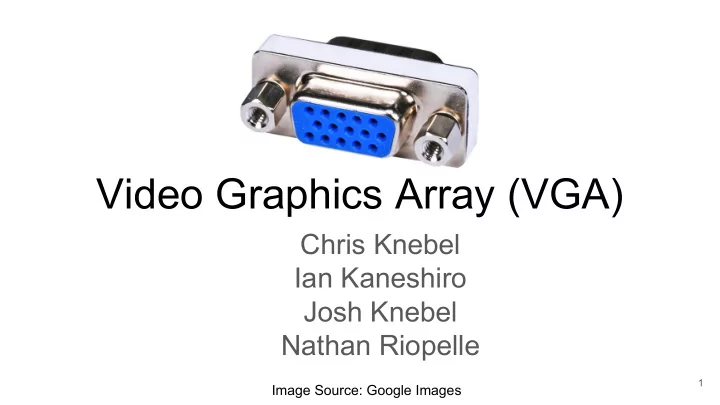
Video Graphics Array (VGA)
Chris Knebel Ian Kaneshiro Josh Knebel Nathan Riopelle
1
Image Source: Google Images
Video Graphics Array (VGA) Chris Knebel Ian Kaneshiro Josh Knebel - - PowerPoint PPT Presentation
Video Graphics Array (VGA) Chris Knebel Ian Kaneshiro Josh Knebel Nathan Riopelle 1 Image Source: Google Images Contents History Design goals Evolution The protocol Signals Timing Voltages Our
Chris Knebel Ian Kaneshiro Josh Knebel Nathan Riopelle
1
Image Source: Google Images
Contents
○ Design goals ○ Evolution
○ Signals ○ Timing ○ Voltages
2
From Analog to LCD
3
Early VGA
displays
https://1000logos.net/ibm-logo/
4
Analog Displays
https://cdn.ttgtmedia.com/WhatIs/images/crt.gif https://topclassactions.com/lawsuit-settlements/closed-settle ments/14097-crt-antitrust-litigation-class-action-settlement/
5
Analog Displays
6
https://gizmodo.com/its-easier-to-understand-how-tvs-work-when-you-watch-th-1822190499
Backup If Video Doesn’t Work
7
1 1280 1281 ... ... ... ... 1,331,200
Left to Right, Top to Bottom (just like you read)
Incoming Data [pixel 1331200, …, pixel 2, pixel 1] → Receiver
LCD Displays
https://www.thegoodguys.com.au/linden-50-inche s127cm-fhd-led-lcd-tv-l50htv17
8
Signals, Timing, Specifications
9
Horizontal/Vertical Scan
size and refresh rate
10
http://www.eng.ucy.ac.cy/theocharides/Courses/ECE664/VGA.pdf http://www.eecg.toronto.edu/~tm4/rgbout.html
Timing
30 second problem. Given:
○ How many pixels in one horizontal line?
Sync Pulse = 112 pixels Find the time to scan one horizontal line
http://www.jimmellon.co.uk/vga-timing-diagram.html
11
Answer
30 second problem. Given:
○ How many pixels in one horizontal line?
Sync Pulse = 112 pixels Find the time to scan one horizontal line
http://www.jimmellon.co.uk/vga-timing-diagram.html
12
The Cable
https://goo.gl/images/AANogs
13
Progress and Plans
14
Analog Voltage Outputs
○ Current LCDs use a ADC
https://www.youtube.com/watch?v=wzhDRIX2Ors&t=11s
15
FPGA Monitor
Physical Interface With Monitor
16
Monitor Identification and Image Storage
17
18 Adapted from: https://www.epiphan.com/blog/what-is-edid-and-why-is-it-important/
Display Data Channel (DDC)
○ Describes capabilities of monitor and supported graphics modes ○ Stored as a 128 or 256 byte binary file ○ Former key pin provides 5V to power ROM even when monitor is off
○ Based on I2C serial communication ○ Uses ID1 as SDA and ID3 as SCL ○ Unidirectional, monitor slave always provides EDID at address 0x50
19
Extended Display Data Channel (E-DDC)
8-bit segment index to I2C address 0x30
○ Segment range is 0x00 - 0x7F ○ Read performed immediately after like normal DDC2B ○ Index auto-resets on NACK or STOP to provide backwards compatibility
20
Methods for Storing Image Data
screen with 1 byte of RGB data per pixel Pros: Can be used for video or complex images Cons: Memory intensive
bitmap objects and their positions in the frame Pros: Uses less memory, possible without main CPU Cons: Only practical as a primary tool for simple bitmaps
https://en.wikipedia.org/wiki/File:Pac-man.png 21
High Definition Multimedia Interface
22
HDMI Keeps Evolving
○ 4k at greater than 30 Hz ○ 8k at 120 Hz with Display Stream Compression (DSC) ○ Deep color (twice as many bits/color)
23
https://www.diffen.com/difference/HDMI_vs_VGA https://img.dxcdn.com/productimages/sku_489282_1.jpg
HDMI Transmits Digital Data
Signaling
○ 10-bit transmission for every 8 bits ○ Edge minimizing ○ DC balance
24
https://www.army-technology.com/wp-content/uploa ds/static-progressive/nri/army/clients/Omnetics/omn etics_fig2.jpg
https://image.slidesharecdn.com/hdmivijaychachara152-14052 6050115-phpapp02/95/hdmi-15-638.jpg?cb=1401082522
Reliable
25
https://www.fpga4fun.com/files/HDMI_Demystified_rev_1_02.pdf
HDMI Pinout
Blue Clock Display Data Channel (for encryption key exchange) Notify Device of Connection
26
http://articles.triplewidemedia.com/choosing-right-video-cable-hdmi/
https://ae01.alicdn.com/kf/HTB1erTXRpXX XXaJXVXXq6xXFXXXG/SAMZHE-Braid-H DMI-Cable-HDMI-to-HDMI-2-0-4K-2K-Dou ble-magnetic-ring-shielded-for.jpg
Green Red
HDMI Transmits More Than Video
channels
○ Resolution ○ Aspect ratio ○ Serial number ○ Encryption data
27
https://www.cablestogo.com/learning/library/digital-signage/intro-to-tmds
28
3 Big Takeaways
necessitate unconventional approaches
bandwidth capabilities to support higher quality displays
29
Where To Learn More
VGA: https://www.youtube.com/watch?v=wzhDRIX2Ors HMDI Overview: https://www.audioholics.com/hdtv-formats/hdmi-interface-a-beginners-guide HDMI More in Depth: https://www.cablestogo.com/learning/library/digital-signage/intro-to-tmds HDMI Eye-pattern, cable, and speed: https://www.fpga4fun.com/files/HDMI_Demystified_rev_1_02.pdf
30
Takeaways: 1. VGA was created for analog displays 2. Even for simple protocols, memory and latency requirements necessitate unconventional approaches 3. HDMI can encode audio and continues to increase bandwidth capabilities to support higher quality displays
31
32
Bonus: Coding The Verilog
1. Use a counter that increments every pixel to generate the horizontal sync signal 2. Use a counter that increments every line to generate vertical sync signal 3. Drive R, G, and B low if in the front porch or sync pulse 4. Drive R, G, and B to appropriate levels if in the visible region a. Helper function that considers the current location to find the pixel color b. Image stored in memory
33
http://www.eecg.toronto.edu/~tm4/rgbout.html
34
HDMI Fun Fact
HDMI is not free
35
https://images-na.ssl-images-amazon.com/images/I/712Bi59beRL._SX425_.jpg
Color Mixing
36
https://encrypted-tbn0.gstatic.com/images?q=tbn:ANd9GcR7tOO7iLTDaJssTkBcls4JdH6_FmQpydjbM7zTJ7iTGum0fFh2
Pixel
Clearly better explanation about DAC and ADC
37
http://www.xess.com/blog/a-simple-vga-interface-for-the-xula-fpga-board/