Topic 10 return values, Math methods " Thinking like a computer - - PowerPoint PPT Presentation

topic 10
SMART_READER_LITE
LIVE PREVIEW

Topic 10 return values, Math methods " Thinking like a computer - - PowerPoint PPT Presentation

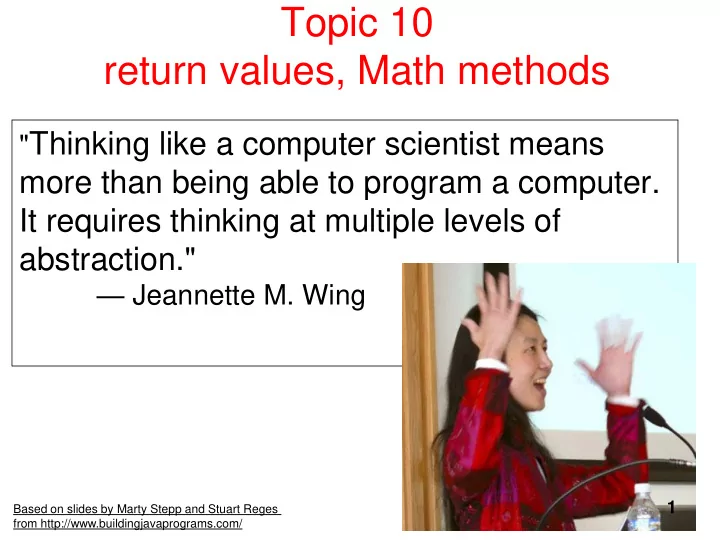
Topic 10 return values, Math methods " Thinking like a computer scientist means more than being able to program a computer. It requires thinking at multiple levels of abstraction." Jeannette M. Wing 1 Based on slides by Marty


slide-1
SLIDE 1

Topic 10 return values, Math methods

Based on slides by Marty Stepp and Stuart Reges from http://www.buildingjavaprograms.com/

"Thinking like a computer scientist means

more than being able to program a computer. It requires thinking at multiple levels of abstraction."

— Jeannette M. Wing

1

slide-2
SLIDE 2

static methods in other Classes

Java includes 8 primitive data types

– byte, short, int, long, float, double, char, boolean

The Java Standard Library includes thousands of other data types, classes

– System, String, Graphics, Color, …

The Math class contains static methods for common mathematical operations (for which an operator does not exist in Java) Call those methods: Math.<MethodName>

Math.pow(2, 5);

2

slide-3
SLIDE 3

Java's Math class

Method name Description Math.abs(value) absolute value Math.ceil(value) moves up to ceiling Math.floor(value) moves down to floor Math.log10(value) logarithm, base 10 Math.max(value1, value2) larger of two values Math.min(value1, value2) smaller of two values Math.pow(base, exp) base to the exp power Math.random() random double between 0 and 1 Math.rint(value) Round int, nearest whole number Math.sqrt(value) square root Math.sin(value) Math.cos(value) Math.tan(value) sine/cosine/tangent of an angle in radians Math.toDegrees(value) Math.toRadians(value) convert degrees to radians and back Constant Description Math.E 2.7182818... Math.PI 3.1415926...

3

slide-4
SLIDE 4

No output?

Simply calling these methods produces no visible result. Math.pow(3, 4); // no output

Math method calls use a Java feature called return values that cause them to be treated as expressions. The program runs the method, computes the answer, and then "replaces" the call with its computed result value.

Math.pow(3, 4); // no output 81.0; // no output

To see the result, we must print it or store it in a variable.

double result = Math.pow(3, 4); System.out.println(result); // 81.0

4

slide-5
SLIDE 5

Calling Math methods

Math.methodName(parameters) Examples:

double squareRoot = Math.sqrt(121.0); System.out.println(squareRoot); // 11.0 int absoluteValue = Math.abs(-50); System.out.println(absoluteValue); // 50 System.out.println(Math.min(3, 7) + 2); // 5

The Math methods do not print to the console.

– Each method produces ("returns") a numeric result. – The results are used as expressions (printed, stored, etc.).

5

slide-6
SLIDE 6

Return

return: To send out a value as the result of a method.

– The opposite of a parameter:

  • Parameters send information in from the caller to the method.
  • Return values send information out from a method to its caller.

– A call to the method can be used as part of an expression.

main Math.abs(-42)

  • 42

Math.round(2.71) 2.71 42 3

6

slide-7
SLIDE 7

Why return and not print?

It might seem more useful for the Math methods to print their results rather than returning them. Why don't they? Answer: Returning is more flexible than printing. – We can compute several things before printing:

double pow1 = Math.pow(3, 4); double pow2 = Math.pow(10, 6);

System.out.println("Powers are " + pow1 + " and " + pow2);

– We can combine the results of many computations:

double k = 13 * Math.pow(3, 4) + 5 - Math.sqrt(17.8);

7

slide-8
SLIDE 8

Clicker 1

What is output by the following code? double a = -1.9; double b = 2.25; System.out.print( Math.floor(a) + " " + Math.ceil(b) + " " + a);

  • A. 3.0
  • B. -2.0 3.0 -2.0
  • C. -1.0 3.0 -1.0
  • D. -1 3 -1.9
  • E. -2.0 3.0 -1.9

8

slide-9
SLIDE 9

Math questions

Evaluate the following expressions:

Math.abs(-1.23) Math.pow(3, 2) Math.pow(10, -2) Math.sqrt(121.0) - Math.sqrt(256.0) Math.round(Math.PI) + Math.round(Math.E) Math.ceil(6.022) + Math.floor(15.9994) Math.abs(Math.min(-3, -5)) Math.max and Math.min can be used to bound numbers.

Consider an int variable named age. What statement would replace negative ages with 0? What statement would cap the maximum age to 40?

9

slide-10
SLIDE 10

Quirks of real numbers

Some Math methods return double or other non-int types.

int x = Math.pow(10, 3); // ERROR: incompat. types

Some double values print poorly (too many digits).

double result = 1.0 / 3.0; System.out.println(result); // 0.3333333333333

The computer represents doubles in an imprecise way.

System.out.println(0.1 + 0.2); – Instead of 0.3, the output is 0.30000000000000004

10

slide-11
SLIDE 11

Type casting

type cast: A conversion from one type to another.

– To promote an int into a double for floating point division – To truncate a double from a real number to an integer

Syntax:

(type) expression

Examples: double result = (double) 19 / 5; // 3.8 int result2 = (int) result; // 3 int x = (int) Math.pow(10, 3); // 1000

11

slide-12
SLIDE 12

More about type casting

Type casting has high precedence and only casts the item immediately next to it.

double x = (double) 1 + 1 / 2; // 1.0 double y = 1 + (double) 1 / 2; // 1.5 You can use parentheses to force evaluation order. double average = (double) (a + b + c) / 3; A conversion to double can be achieved in other ways. double average = 1.0 * (a + b + c) / 3;

12

slide-13
SLIDE 13

Returning a value from a method

public static type name(parameters) { statements; ... return expression; }

Example:

// Returns the slope of the line between the given points. public static double slope(int x1, int y1, int x2, int y2) { double dy = y2 - y1; double dx = x2 - x1; return dy / dx; }

slope(5, 11, 1, 3) returns 2.0

13

slide-14
SLIDE 14

Clicker 2

Have we (in CS312, before today) used a method that returns a value in lecture?

  • A. No
  • B. Yes, a few times
  • C. Yes, hundreds of time
  • D. Lecture?? What lecture?
  • E. Maybe?

14

slide-15
SLIDE 15

Return examples

// Converts degrees Fahrenheit to Celsius. public static double fToC(double degreesF) { double degreesC = 5.0 / 9.0 * (degreesF - 32); return degreesC; } // Computes triangle hypotenuse length given its side lengths. public static double hypotenuse(int a, int b) { double c = Math.sqrt(a * a + b * b); return c; }

You can shorten the examples by returning an expression:

public static double fToC(double degreesF) { return 5.0 / 9.0 * (degreesF - 32); } 15

slide-16
SLIDE 16

Common error: Not storing

a return statement DOES NOT send a variable's name back to the calling method.

public static void main(String[] args) { slope(0, 0, 6, 3); System.out.println("The slope is " + result); // ERROR: result not defined } public static double slope(int x1, int x2, int y1, int y2) { double dy = y2 - y1; double dx = x2 - x1; double result = dy / dx; return result; } 16

slide-17
SLIDE 17

Fixing the common error

Instead, returning sends the variable's value back. – The returned value must be stored into a variable

  • r used in an expression to be useful to the caller.

public static void main(String[] args) { double s = slope(0, 0, 6, 3); System.out.println("The slope is " + s); } public static double slope(int x1, int x2, int y1, int y2) { double dy = y2 - y1; double dx = x2 - x1; double result = dy / dx; return result; } 17

slide-18
SLIDE 18

Clicker 3

What is the output of the following code?

int x = 5; int y = 7; System.out.print(m(x, y) + " " + x + " " + m(y, x)); public static int m(int x, int y) { x += 2; System.out.print(x + " "); y -= 2; return x * y; }

  • A. 7 9 35 5 27
  • B. 7 7 35 7 27
  • C. 7 5 9 27 35
  • D. 35 7 5 9 27
  • E. None of A - D are correct

18

slide-19
SLIDE 19

Exercise

In physics, the displacement of a moving body represents its change in position over time while accelerating.

– Given initial velocity v0 in m/s, acceleration a in m/s2, and elapsed time t in s, the displacement of the body is: – Displacement = v0 t + ½ a t 2

Write a method displacement that accepts v0, a, and t and computes and returns the change in position.

– example: displacement(3.0, 4.0, 5.0) returns 65.0

19

slide-20
SLIDE 20

Exercise solution

public static double displacement( double v0, double a, double t) { double d = v0 * t + 0.5 * a * Math.pow(t, 2); return d;

}

20

slide-21
SLIDE 21

Exercises

write a method to

– return the int average of 3 ints – return the double average of 3 ints – return the average of a given number of rolls of 2 six sided dice – calculate and return N factorial (N!). – return the number of seconds in a given number

  • f years.

– return the Nth digit of a given integer. – return the distance between two points.

21

slide-22
SLIDE 22

Exercise

If you drop two balls, which will hit the ground first?

– Ball 1: height of 600m, initial velocity = 25 m/sec downward – Ball 2: height of 500m, initial velocity = 15 m/sec downward

Write a program that determines how long each ball takes to hit the ground (and draws each ball falling). Total time is based on the force of gravity on each ball.

– Acceleration due to gravity ≅ 9.81 m/s2, downward – Displacement = v0 t + ½ a t 2

22

slide-23
SLIDE 23

Ball solution

// Simulates the dropping of two balls from various heights. import java.awt.*; public class Balls { public static void main(String[] args) { DrawingPanel panel = new DrawingPanel(600, 600); Graphics g = panel.getGraphics(); int ball1x = 100, ball1y = 0, v01 = 25; int ball2x = 200, ball2y = 100, v02 = 15; // draw the balls at each time increment for (double t = 0; t <= 10.0; t = t + 0.1) { g.setColor(Color.GRAY); panel.fillRect(0, 0, 600, 600); g.setColor(Color.RED); double disp1 = displacement(v01, t, 9.81); g.fillOval(ball1x, ball1y + (int) disp1, 10, 10); double disp2 = displacement(v02, t, 9.81); g.fillOval(ball2x, ball2y + (int) disp2, 10, 10); panel.sleep(50); // pause for 50 ms } } ...

23