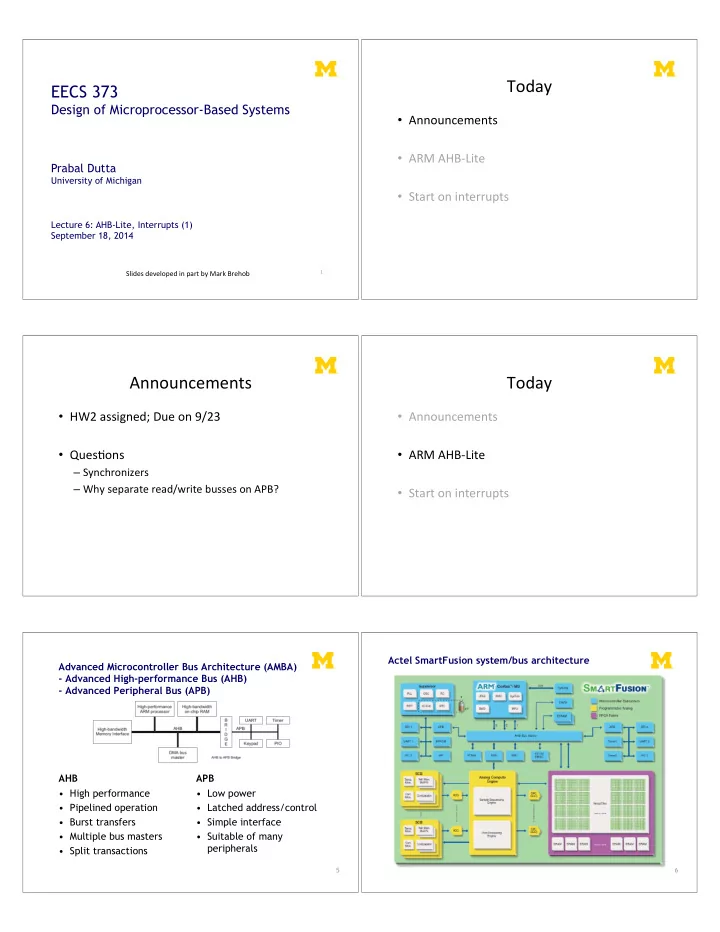
Today" EECS 373 Design of Microprocessor-Based Systems - - PDF document

today
SMART_READER_LITE
LIVE PREVIEW

Today" EECS 373 Design of Microprocessor-Based Systems - - PDF document

Today" EECS 373 Design of Microprocessor-Based Systems Announcements" ARM"AHB=Lite" Prabal Dutta " University of Michigan Start"on"interrupts" Lecture 6: AHB-Lite, Interrupts (1) September


slide-1
SLIDE 1

1"

EECS 373

Design of Microprocessor-Based Systems

Prabal Dutta

University of Michigan Lecture 6: AHB-Lite, Interrupts (1) September 18, 2014

Slides"developed"in"part"by"Mark"Brehob"

Today"

  • Announcements"
  • ARM"AHB=Lite"

"

  • Start"on"interrupts"

Announcements"

  • HW2"assigned;"Due"on"9/23"
  • QuesHons"

– Synchronizers" – Why"separate"read/write"busses"on"APB?"

Today"

  • Announcements"
  • ARM"AHB=Lite"

"

  • Start"on"interrupts"

Advanced Microcontroller Bus Architecture (AMBA)

  • Advanced High-performance Bus (AHB)
  • Advanced Peripheral Bus (APB)

AHB

  • High performance
  • Pipelined operation
  • Burst transfers
  • Multiple bus masters
  • Split transactions

APB

  • Low power
  • Latched address/control
  • Simple interface
  • Suitable of many

peripherals

5 6

Actel SmartFusion system/bus architecture

slide-2
SLIDE 2

7

AHB-Lite supports single bus master and provides high-bandwidth operation

  • Burst transfers
  • Single clock-edge
  • peration
  • Non-tri-state

implementation

  • Configurable bus width

8

AHB-Lite bus master/slave interface

  • Global signals

– HCLK – HRESETn

  • Master out/slave in

– HADDR (address) – HWDATA (write data) – Control

  • HWRITE
  • HSIZE
  • HBURST
  • HPROT
  • HTRANS
  • HMASTLOCK
  • Slave out/master in

– HRDATA (read data) – HREADY – HRESP 9

AHB-Lite signal definitions

  • Global signals

– HCLK: the bus clock source (rising-edge triggered) – HRESETn: the bus (and system) reset signal (active low)

  • Master out/slave in

– HADDR[31:0]: the 32-bit system address bus – HWDATA[31:0]: the system write data bus – Control

  • HWRITE: indicates transfer direction (Write=1, Read=0)
  • HSIZE[2:0]: indicates size of transfer (byte, halfword, or word)
  • HBURST[2:0]: indicates single or burst transfer (1, 4, 8, 16 beats)
  • HPROT[3:0]: provides protection information (e.g. I or D; user or handler)
  • HTRANS: indicates current transfer type (e.g. idle, busy, nonseq, seq)
  • HMASTLOCK: indicates a locked (atomic) transfer sequence
  • Slave out/master in

– HRDATA[31:0]: the slave read data bus – HREADY: indicates previous transfer is complete – HRESP: the transfer response (OKAY=0, ERROR=1) 10

Key to timing diagram conventions

  • Timing diagrams

– Clock – Stable values – Transitions – High-impedance

  • Signal conventions

– Lower case n denote active low (e.g. RESETn) – Prefix H denotes AHB – Prefix P denotes APB

11

Basic read and write transfers with no wait states

Pipelined Address & Data Transfer

12

Read transfer with two wait states

Two wait states added by slave by asserting HREADY low Valid data produced

slide-3
SLIDE 3

13

Write transfer with one wait state

One wait state added by slave by asserting HREADY low Valid data held stable 14

Wait states extend the address phase of next transfer

One wait state added by slave by asserting HREADY low Address stage of the next transfer is also extended 15

Transfers can be of four types (HTRANS[1:0])

  • IDLE (b00)

– No data transfer is required – Slave must OKAY w/o waiting – Slave must ignore IDLE

  • BUSY (b01)

– Insert idle cycles in a burst – Burst will continue afterward – Address/control reflects next transfer in burst – Slave must OKAY w/o waiting – Slave must ignore BUSY

  • NONSEQ (b10)

– Indicates single transfer or first transfer of a burst – Address/control unrelated to prior transfers

  • SEQ (b11)

– Remaining transfers in a burst – Addr = prior addr + transfer size

16

A four beat burst with master busy and slave wait

One wait state added by slave by asserting HREADY low Master busy indicated by HTRANS[1:0] 17

Controlling the size (width) of a transfer

  • HSIZE[2:0] encodes the size
  • The cannot exceed the data bus

width (e.g. 32-bits)

  • HSIZE + HBURST is determines

wrapping boundary for wrapping bursts

  • HSIZE must remain constant

throughout a burst transfer

18

Controlling the burst beats (length) of a transfer

  • Burst of 1, 4, 8, 16, and undef
  • HBURST[2:0] encodes the type
  • Incremental burst
  • Wrapping bursts

– 4 beats x 4-byte words wrapping – Wraps at 16 byte boundary – E.g. 0x34, 0x38, 0x3c, 0x30,…

  • Bursts must not cross 1KB

address boundaries

slide-4
SLIDE 4

19

A four beat wrapping burst (WRAP4)

20

A four beat incrementing burst (INCR4)

21

An eight beat wrapping burst (WRAP8)

22

An eight beat incrementing burst (INCR8) using half-word transfers

23

An undefined length incrementing burst (INCR)

24

Multi-master AHB-Lite requires a multi-layer interconnect

  • AHB-Lite is single-master
  • Multi-master operation

– Must isolate masters – Each master assigned to layer – Interconnect arbitrates slave accesses

  • Full crossbar switch often

unneeded

– Slaves 1, 2, 3 are shared – Slaves 4, 5 are local to Master 1

slide-5
SLIDE 5

Today"

  • Announcements"
  • ARM"AHB=Lite"

"

  • Start"on"interrupts"

Interrupts Merriam-Webster:

– “to break the uniformity or continuity of”

  • Informs a program of some external events
  • Breaks execution flow

Key questions:

  • Where do interrupts come from?
  • How do we save state for later continuation?
  • How can we ignore interrupts?
  • How can we prioritize interrupts?
  • How can we share interrupts?

26

I/O Data Transfer Two key questions to determine how data is transferred to/from a non-trivial I/O device:

  • 1. How does the CPU know when data is available?
  • a. Polling
  • b. Interrupts
  • 2. How is data transferred into and out of the

device?

  • a. Programmed I/O
  • b. Direct Memory Access (DMA)

Interrupts Interrupt (a.k.a. exception or trap):

  • An event that causes the CPU to stop executing the current

program and begin executing a special piece of code called an interrupt handler or interrupt service routine (ISR). Typically, the ISR does some work and then resumes the interrupted program. Interrupts are really glorified procedure calls, except that they:

  • can occur between any two instructions
  • are transparent to the running program (usually)
  • are not explicitly requested by the program (typically)
  • call a procedure at an address determined by the type of

interrupt, not the program Two basic types of interrupts (1/2)

  • Those caused by an instruction

– Examples:

  • TLB miss
  • Illegal/unimplemented instruction
  • div by 0

– Names:

  • Trap, exception

Two basic types of interrupts (2/2)

  • Those caused by the external world

– External device – Reset button – Timer expires – Power failure – System error

  • Names:

– interrupt, external interrupt

slide-6
SLIDE 6

How it works

  • Something tells the processor core there is an

interrupt

  • Core transfers control to code that needs to be

executed

  • Said code “returns” to old program
  • Much harder then it looks.

– Why?

… is in the details

  • How do you figure out where to branch to?
  • How to you ensure that you can get back to

where you started?

  • Don’t we have a pipeline? What about partially

executed instructions?

  • What if we get an interrupt while we are

processing our interrupt?

  • What if we are in a “critical section?”

Where

  • If you know what caused the interrupt

then you want to jump to the code that handles that interrupt.

– If you number the possible interrupt cases, and an interrupt comes in, you can just branch to a location, using that number as an

  • ffset (this is a branch table)

– If you don’t have the number, you need to poll all possible sources of the interrupt to see who caused it.

  • Then you branch to the right code

Get back to where you once belonged

  • Need to store the return address somewhere.

– Stack might be a scary place.

  • That would involve a load/store and might cause an

interrupt (page fault)! – So a dedicated register seems like a good choice

  • But that might cause problems later…

Snazzy architectures

  • A modern processor has many (often 50+)

instructions in-flight at once.

– What do we do with them?

  • Drain the pipeline?

– What if one of them causes an exception?

  • Punt all that work

– Slows us down

  • What if the instruction that caused the

exception was executed before some

  • ther instruction?

– What if that other instruction caused an interrupt? Nested interrupts

  • If we get one interrupt while handling

another what to do?

– Just handle it

  • But what about that dedicated register?
  • What if I’m doing something that can’t be stopped?

– Ignore it

  • But what if it is important?

– Prioritize

  • Take those interrupts you care about. Ignore the

rest

  • Still have dedicated register problems.
slide-7
SLIDE 7

Critical section

  • We probably need to ignore some interrupts but

take others.

– Probably should be sure our code can’t cause an exception. – Use same prioritization as before.

  • What about instructions that shouldn’t be

interrupted? Our processor

  • Over 100 interrupt sources

– Power on reset, bus errors, I/O pins changing state, data in on a serial bus etc.

  • Need a great deal of control

– Ability to enable and disable interrupt sources – Ability to control where to branch to for each interrupt – Ability to set interrupt priorities

  • Who wins in case of a tie
  • Can interrupt A interrupt the ISR for interrupt B?

– If so, A can “preempt” B.

  • All that control will involve memory mapped I/O.

– And given the number of interrupts that’s going to be a pain in the rear.

38 39

Enabling and disabling interrupt sources How to know where to go on an interrupt.

40