
SLIDE 1
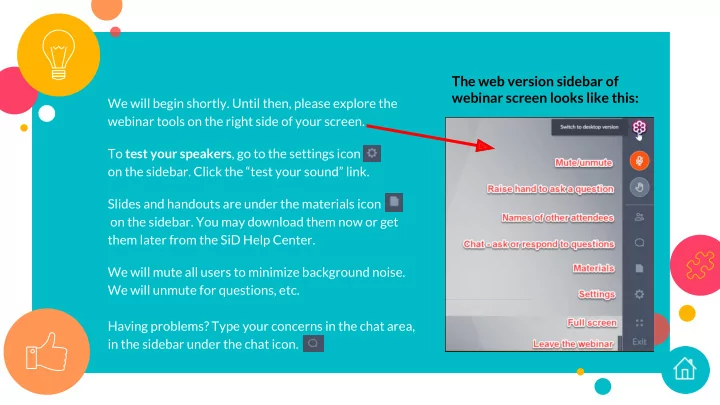
The web version sidebar of webinar screen looks like this:
We will begin shortly. Until then, please explore the webinar tools on the right side of your screen. To test your speakers, go to the settings icon
- n the sidebar. Click the “test your sound” link.
Slides and handouts are under the materials icon
- n the sidebar. You may download them now or get
them later from the SiD Help Center. We will mute all users to minimize background noise. We will unmute for questions, etc. Having problems? Type your concerns in the chat area, in the sidebar under the chat icon.