1 About Jo Miller, GPC, CSMS Jo Miller, GPC, CSMS, Owner, JM - - PDF document

1
SMART_READER_LITE
LIVE PREVIEW

1 About Jo Miller, GPC, CSMS Jo Miller, GPC, CSMS, Owner, JM - - PDF document

** The webinar will start at 2 minutes after the hour ** How to Harness the Power of Social Media to Improve Your Grant Seeking Presenters: Diane H. Leonard, GPC & Jo Miler, GPC, CSMS The slides and bonus materials can be found at this


slide-1
SLIDE 1

1

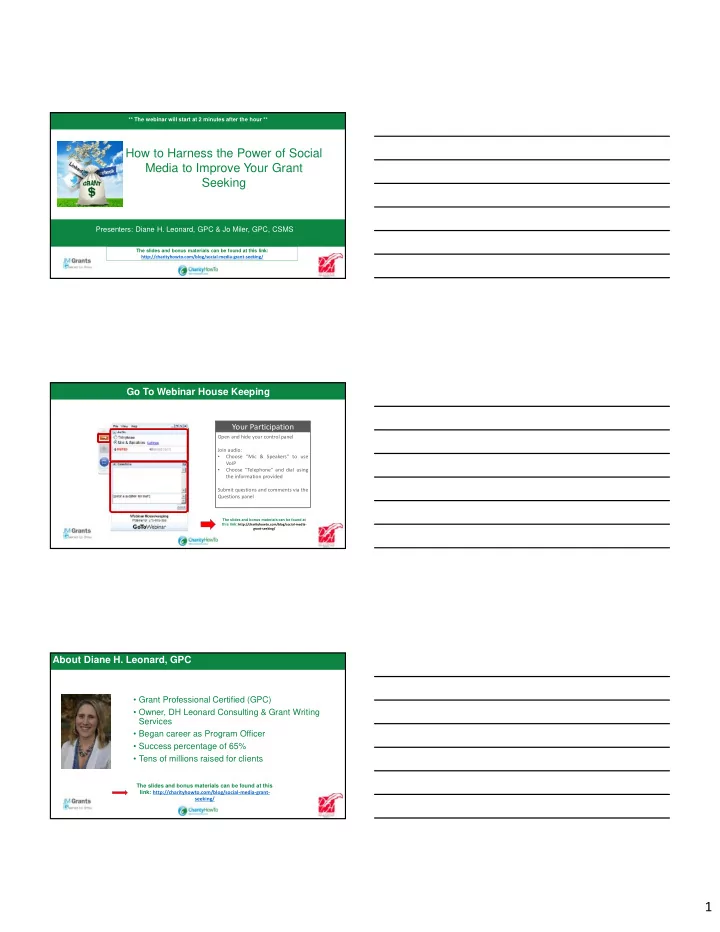
How to Harness the Power of Social Media to Improve Your Grant Seeking

Presenters: Diane H. Leonard, GPC & Jo Miler, GPC, CSMS

The slides and bonus materials can be found at this link: http://charityhowto.com/blog/social-media-grant-seeking/ ** The webinar will start at 2 minutes after the hour **

GoToWebinar Housekeeping

The slides and bonus materials can be found at this link: http://charityhowto.com/blog/social-media- grant-seeking/

Open and hide your control panel Join audio:

  • Choose “Mic & Speakers” to use

VoIP

  • Choose “Telephone” and dial using

the information provided Submit questions and comments via the Questions panel

Your Participation

Go To Webinar House Keeping About Diane H. Leonard, GPC

  • Grant Professional Certified (GPC)
  • Owner, DH Leonard Consulting & Grant Writing

Services

  • Began career as Program Officer
  • Success percentage of 65%
  • Tens of millions raised for clients

The slides and bonus materials can be found at this link: http://charityhowto.com/blog/social-media-grant- seeking/

slide-2
SLIDE 2

2

About Jo Miller, GPC, CSMS

  • Jo Miller, GPC, CSMS, Owner, JM Grants, J.

Miller & Associates, Inc.

  • Provides consulting services for government

and nonprofits

  • Secured more than 60 million dollars in grant

funding

  • Co-moderator of #grantchat
  • Chair of GPA Social Media Committee

The slides and bonus materials can be found at this link: http://charityhowto.com/blog/social-media-grant-seeking/

: Check In Questions

Where are you located? What is the one key thing you hope to learn during today’s training?

Type your answers in the question box

Check In Questions

The slides and bonus materials can be found at this link: http://charityhowto.com/blog/social-media-grant-seeking/

Tweet About It!

Tweet your questions, comments, and thoughts about today’s session including @charityhowto and be entered to win a registration to a future Charity How To webinar compliments of @dianehleonard, @jm_grants and @charityhowto.

slide-3
SLIDE 3

3

What we will cover today:

I. Grant Goals & Social Media Goals II. Social Media Policies & Plans

  • III. Twitter
  • IV. Facebook
  • V. LinkedIn
  • VI. Best Practices
  • VII. Questions

What we won’t cover…:

  • Setting up individual accounts
  • Setting up business/organization accounts
  • I. Grant Goals & Social Media Goals
slide-4
SLIDE 4

4

  • I. Grant Goals & Social Media Goals
  • A. Grant Goals
  • B. Social Media Goals
  • C. Where Are You Active
  • D. Twitter
  • E. Facebook
  • F. LinkedIn
  • A. Grant Goals
  • I. Grant Goals &

Social Media Goals

  • 1. Research
  • 2. Relationships
  • 3. wRiting
  • B. Social Media Goals
  • I. Grant Goals &

Social Media Goals

  • 1. Connections/Donations
  • 2. Relationships
  • 3. Information Sharing
slide-5
SLIDE 5

5

  • C. Where?
  • I. Grant Goals &

Social Media Goals

Where Are You Personally Active? Where Is Your Nonprofit Active?

  • C. Where?
  • I. Grant Goals &

Social Media Goals

Where Are Foundations Active?

  • C. Where?
  • I. Grant Goals &

Social Media Goals

slide-6
SLIDE 6

6

  • C. Where?
  • I. Grant Goals &

Social Media Goals

  • C. Where?
  • I. Grant Goals &

Social Media Goals

  • D. Twitter
  • I. Grant Goals &

Social Media Goals

Value

  • Individual Connections
  • Sharing Resources
  • Discovering Opportunities
slide-7
SLIDE 7

7

  • E. Facebook
  • I. Grant Goals &

Social Media Goals

Value

  • Shared Interests
  • Sharing Stories
  • Events
  • F. LinkedIn
  • I. Grant Goals &

Social Media Goals

Value

  • Professional Networking
  • Sharing Resources
  • II. Social Media Policies & Plans
slide-8
SLIDE 8

8

  • II. Social Media Policies & Plans
  • A. Why You Need a Policy & Plan
  • B. …But I Don’t Manage Our Social Media
  • C. …But We Aren’t Active on Social Media
  • D. How to Create a Policy
  • E. How to Create a Plan
  • A. Why You Need a Policy & Plan
  • II. Social Media Policies

& Plans

  • A. Why You Need a Policy & Plan
  • II. Social Media Policies

& Plans

slide-9
SLIDE 9

9

  • B. …But I Don’t Manage Our Social Media
  • II. Social Media Policies

& Plans

  • B. …But I Don’t Manage Our Social Media
  • II. Social Media Policies

& Plans

  • Who does manage your social media?
  • Do you have a social media plan?
  • Does it include donors? Corporate

sponsorships? Grantors?

  • C. …But We Aren’t Active on Social Media
  • II. Social Media Policies

& Plans

slide-10
SLIDE 10

10

  • C. …But We Aren’t Active on Social Media…YET
  • II. Social Media Policies

& Plans

  • What accounts do you have?
  • What accounts are you most comfortable with?

Using most frequently?

  • What accounts would you like to be more active
  • r create a presence on?
  • D. How to Create a Social Media Plan
  • II. Social Media Policies

& Plans

Social Media Strategy

  • II. Social Media Policies

& Plans

slide-11
SLIDE 11

11

Social Media Logic Model

  • II. Social Media Policies

& Plans

  • E. How to Create a Social Media Policy
  • II. Social Media Policies

& Plans

  • III. How to Utilize Twitter for Grant Funder Interactions
slide-12
SLIDE 12

12

  • III. How to Utilize Twitter for Grant Funder Interactions
  • A. Twitter Do’s & Don’ts
  • B. Following Funders
  • C. Retweeting Funders
  • D. Following Staff at Funders
  • E. Retweeting Staff at Funders
  • F. Promoting Grant Awards
  • G. Promoting Funders Work
  • A. Twitter Do’s and Don’ts
  • III. How to Utilize

Twitter for Funder Interactions

  • B. Following Funders
  • III. How to Utilize

Twitter for Funder Interactions

  • Create funder lists
  • Subscribe to other

colleague’s funder lists

  • Create funder

feeds in social media tools

slide-13
SLIDE 13

13

  • B. Following Funders
  • III. How to Utilize

Twitter for Funder Interactions

  • B. Following Funders
  • III. How to Utilize

Twitter for Funder Interactions

  • C. Retweeting Funders
  • III. How to Utilize

Twitter for Funder Interactions

slide-14
SLIDE 14

14

  • C. Retweeting Funders
  • III. How to Utilize

Twitter for Funder Interactions

  • D. Following Staff at Funders
  • III. How to Utilize

Twitter for Funder Interactions

  • D. Following Staff at Funders
  • III. How to Utilize

Twitter for Funder Interactions

slide-15
SLIDE 15

15

  • E. Retweeting Staff at Funders
  • III. How to Utilize

Twitter for Funder Interactions

  • F. Promoting Grant Awards
  • III. How to Utilize

Twitter for Funder Interactions

  • G. Promoting Funders Work
  • III. How to Utilize

Twitter for Funder Interactions

slide-16
SLIDE 16

16

  • G. Promoting Funders Work
  • III. How to Utilize

Twitter for Funder Interactions

  • III. How to Utilize Twitter Chats Grant Funder Interactions
  • III. How to Utilize Twitter Chats Grant Funder Interactions
  • A. Identifying Appropriate Chats
  • B. Becoming Part of a Chat Community
  • C. Participating in a Meaningful Way
  • D. Connecting with Chat Community Members
slide-17
SLIDE 17

17

  • A. Identifying Appropriate Chats
  • III. How to Utilize

Twitter Chats for Funder Interactions

  • A. Identifying Appropriate Chats
  • III. How to Utilize

Twitter Chats for Funder Interactions

  • What focus areas are you interested in?
  • What geographic community are you a part
  • f?
  • What are your professional competencies?
  • B. Becoming a Part of a Chat Community
  • III. How to Utilize

Twitter Chats for Funder Interactions

slide-18
SLIDE 18

18

  • B. Becoming a Part of a Chat Community
  • III. How to Utilize

Twitter Chats for Funder Interactions

  • Lurking
  • Reading transcripts
  • Putting it on your recurring calendar
  • Introducing yourself
  • Follow moderators
  • Follow very active community members
  • C. Participating in a Meaningful Way
  • III. How to Utilize

Twitter Chats for Funder Interactions

  • C. Participating in a Meaningful Way
  • III. How to Utilize

Twitter Chats for Funder Interactions

  • Review topic questions (if available)
  • Do not overly self-promote
  • Share in a meaningful way
  • Follow RT/MT protocol
slide-19
SLIDE 19

19

  • D. Connecting with Chat Community Members
  • III. How to Utilize

Twitter Chats for Funder Interactions

  • D. Connecting with Chat Community Members
  • III. How to Utilize

Twitter Chats for Funder Interactions

  • IV. How to Utilize Facebook for Funder Interactions
slide-20
SLIDE 20

20

  • IV. How to Utilize Facebook for Funder Interactions
  • A. Liking Foundations
  • B. Posting Project Updates
  • C. Sharing Success
  • D. Thanking for Funding
  • E. To Friend or Not to Friend…
  • A. Liking Foundations
  • IV. How to Utilize

Facebook for Funder Interactions

Recently, The Simmons Foundation announced their delay in grant awards on Facebook and Twitter…FIRST.

  • B. Posting Project Updates
  • IV. How to Utilize

Facebook for Funder Interactions

  • Share pictures of a program in progress
  • Share information about program

registration

  • Share information about success stores

….But be sure to thank and link to your funders in those posts.

slide-21
SLIDE 21

21

  • C. Sharing Success
  • IV. How to Utilize

Facebook for Funder Interactions

  • D. Thanking for Funding
  • IV. How to Utilize

Facebook for Funder Interactions

  • E. To Friend or Not to Friend…
  • IV. How to Utilize

Facebook for Funder Interactions

  • Blurred lines between professional and

personal connections on social media

  • Each individual has their own personal

guidelines

  • Can get sense of their personal guidelines

by looking at their profile before “friending”

  • r “following”
  • Respect individual unwritten guidelines
slide-22
SLIDE 22

22

  • IV. How to Utilize Facebook Groups for Funder Interactions
  • IV. How to Utilize Facebook Groups for Funder Interactions
  • A. Associations
  • B. Causes & Issues
  • C. Consultants
  • A. Associations
  • IV. How to Utilize

Facebook Groups for Funder Interactions

slide-23
SLIDE 23

23

  • B. Causes & Issues
  • IV. How to Utilize

Facebook Groups for Funder Interactions

  • B. Causes & Issues
  • IV. How to Utilize

Facebook Groups for Funder Interactions

  • C. Consultants
  • IV. How to Utilize

Facebook Groups for Funder Interactions

slide-24
SLIDE 24

24

  • C. Consultants
  • IV. How to Utilize

Facebook Groups for Funder Interactions

They are often sharing…

  • Best practices
  • Trends
  • Offering advice based on experiences
  • Funding opportunities
  • Additional funder news
  • V. How to Utilize LinkedIn for Funder Interactions
  • V. How to Utilize LinkedIn for Funder Interactions
  • A. Organization Pages
  • B. Causes & Issues Groups
  • C. Funders Created Groups
  • D. One-on-One Connections
slide-25
SLIDE 25

25

  • A. Organization Pages
  • V. How to Utilize

LinkedIn for Funder Interactions

  • A. Organization Pages
  • V. How to Utilize

LinkedIn for Funder Interactions

  • A. Organization Pages
  • V. How to Utilize

LinkedIn for Funder Interactions

slide-26
SLIDE 26

26

  • A. Organization Pages
  • V. How to Utilize

LinkedIn for Funder Interactions

  • B. Causes and Issues Groups
  • V. How to Utilize

LinkedIn for Funder Interactions

  • B. Causes and Issues Groups
  • V. How to Utilize

LinkedIn for Funder Interactions

slide-27
SLIDE 27

27

  • B. Causes and Issues Groups
  • V. How to Utilize

LinkedIn for Funder Interactions

  • C. Funders Created Groups
  • V. How to Utilize

LinkedIn for Funder Interactions

  • C. Funders Created Groups
  • V. How to Utilize

LinkedIn for Funder Interactions

slide-28
SLIDE 28

28

  • D. One-on-One Connections
  • V. How to Utilize

LinkedIn for Funder Interactions

  • D. One-on-One Connections
  • V. How to Utilize

LinkedIn for Funder Interactions

Mistakes Happen – Fail with Grace

  • VI. Best Practices
slide-29
SLIDE 29

29

Mistakes Happen – Fail with Grace

  • VI. Best Practices

Mistakes Happen – Fail with Grace

  • VI. Best Practices

Mistakes Happen – Fail with Grace

  • VI. Best Practices
slide-30
SLIDE 30

30

Fad or New Best Practice with Funders?

  • VI. Best Practices

Fad or New Best Practice with Funders?

  • VI. Best Practices
  • VII. Questions

Please enter questions into chat. Think of a question afterward? Email Diane at diane@dhleonardconsulting.com or Jo at jmiller@jmgrants.com

Q&A

slide-31
SLIDE 31

31

These Bonus Materials Are Included with Your Webinar

The slides and bonus materials can be found at this link: http://charityhowto.com/blog/social-media-grant-seeking/

Next Steps What Will Be Different? What will YOU do differently when you return to your office? What/how will you share with members of your team?

slide-32
SLIDE 32

32

Connect With Us! Twitter: @dianehleonard @jm_grants @charityhowtow Facebook: DH Leonard Consulting JM Grants Charity How To LinkedIn: Diane H. Leonard, GPC Jo Miller, GPC, CSMS

It’s quick, easy and super helpful! Thank you for your feedback.

To do: Complete survey

Please Take a Moment to Fill out the Anonymous Survey