The Anatomy of a Secure Web Applica6on Using Java - - PowerPoint PPT Presentation

the anatomy of a secure web applica6on using java
SMART_READER_LITE
LIVE PREVIEW

The Anatomy of a Secure Web Applica6on Using Java - - PowerPoint PPT Presentation

The Anatomy of a Secure Web Applica6on Using Java ApacheCon NA 2015 John Field, Pivotal Services @EMC 1 Image:


slide-1
SLIDE 1

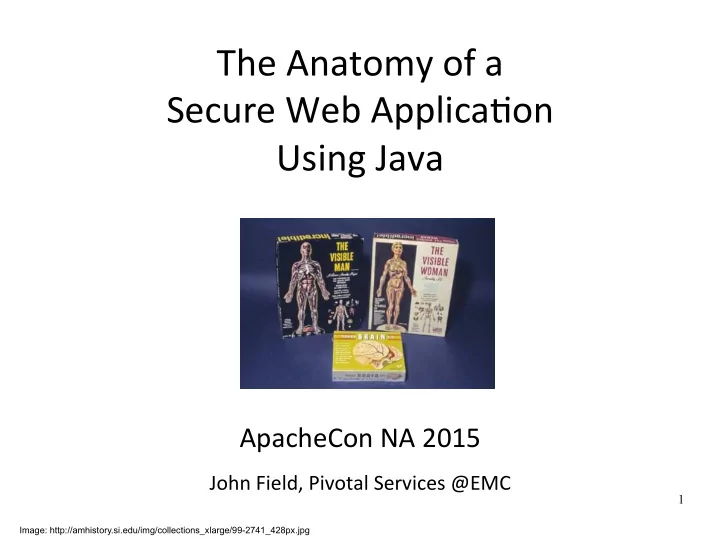
The ¡Anatomy ¡of ¡a ¡ ¡ Secure ¡Web ¡Applica6on ¡ ¡ Using ¡Java ¡ ¡ ¡ ¡ ¡ ¡

ApacheCon ¡NA ¡2015 ¡

¡

John ¡Field, ¡Pivotal ¡Services ¡@EMC ¡

Image: http://amhistory.si.edu/img/collections_xlarge/99-2741_428px.jpg

1
slide-2
SLIDE 2

Introduc6ons ¡

l John ¡Field ¡

l Security ¡Architect ¡at ¡ ¡

¡ ¡ ¡ ¡ ¡ ¡@architectedsec ¡ ¡ ¡ ¡ ¡ ¡ ¡ ¡hJps://johnpfield.wordpress.com ¡

¡

¡ *Joint ¡work ¡with ¡Shawn ¡McKinney, ¡Principal ¡at ¡Symas. ¡ ¡

¡

¡

@

ApacheCon NA 2015 2

slide-3
SLIDE 3

Agenda ¡

  • Introduc6on ¡ ¡
  • Quick ¡Demonstra6on ¡
  • Step-­‑by-­‑Step ¡“How ¡To” ¡Security ¡Guidance ¡
  • Based ¡upon ¡the ¡“FortressDemo2” ¡sample ¡applica6on ¡
  • Survey ¡of ¡Security ¡Architecture ¡PaJerns ¡
  • Requirements, ¡Capabili6es ¡
  • Conclusion ¡
  • Project ¡coordinates ¡

ApacheCon NA 2015

Picture of Oreo

3

slide-4
SLIDE 4

Tutorial ¡Approach ¡

  • Examine ¡a ¡typical ¡enterprise ¡Java ¡Web ¡applica6on, ¡
  • ne ¡architectural ¡layer ¡at ¡a ¡6me. ¡
  • Goals: ¡
  • Be ¡able ¡to ¡recognize ¡and ¡iden6fy ¡some ¡well-­‑

known ¡security ¡architecture ¡paJerns. ¡

  • Understand ¡how ¡each ¡paJern ¡contributes ¡to ¡

sa6sfying ¡the ¡overall ¡security ¡requirements. ¡

  • Learn ¡how ¡to ¡implement ¡these ¡paJerns ¡via ¡

pragma6c, ¡hands-­‑on ¡configura6on ¡guidance. ¡

ApacheCon NA 2015 4

slide-5
SLIDE 5

“No one can know everything about everything, but you should be able to visualize what happens up and down the stack as an application does its thing.”

  • - C. Bueno of Facebook, c. 2010

ApacheCon NA 2015 5

Be a “Full Stack” Developer

slide-6
SLIDE 6

Our ¡Business ¡Use ¡Case ¡

l Deployment ¡of ¡an ¡Enterprise ¡Java ¡Web ¡Applica6on. ¡

  • Assumes ¡a ¡standard ¡User ¡Agent ¡/ ¡Browser-­‑based ¡HTTPS ¡

access ¡path. ¡

l We ¡have ¡requirements ¡for: ¡ ¡

¡ ¡

  • User ¡Authen6ca6on ¡
  • User ¡Authoriza6on ¡
  • Audit ¡Logging ¡ ¡
  • Confiden6ality ¡and ¡Integrity ¡ ¡ ¡ ¡

HTTPS

ApacheCon NA 2015 6

slide-7
SLIDE 7

Core Security Architecture Patterns

  • 1. Use HTTPS / TLS on a shared network.
  • 2. Use Container-based Enforcement
  • 3. Delegate to a Trusted Third Party (TTP).
  • 4. Use RBAC to express access control policy.
  • 5. Create an audit log.

The patterns remain the same, whether deploying on standalone servers, or to the cloud.

ApacheCon NA 2015 7

slide-8
SLIDE 8

PAAS

High-Level Deployment

Tomcat Server Java Web Application HTTPS LDAPS JDBC

X509 Certificate ApacheCon NA 2015 8

slide-9
SLIDE 9

Demonstration

l Communications secured via SSL/TLS. l Users authenticate via enterprise LDAP. l Resource authorization via RBAC.

  • Static (type-based) and dynamic (instance-based)

l Including Static and Dynamic Separation of Duties

l Audit logging for all application events

  • i.e. any change of state

ApacheCon NA 2015 9

slide-10
SLIDE 10

High-Level Deployment

Tomcat Server Java Web Application HTTPS LDAPS JDBC

X509 Certificate ApacheCon NA 2015 10

PEP: AuthN & coarse- grained AuthZ PAP: Identities Policies PEP: Pages, controls, datum, AuthZ PEP: Audit Logging PEP: Confidentiality, Integrity PDP: PDP: Policy Decision

slide-11
SLIDE 11

The Anatomy of a Secure Java Web Application

ApacheCon NA 2015 11

slide-12
SLIDE 12

The Anatomy of a Secure Java Web Application

ApacheCon NA 2015 12

slide-13
SLIDE 13

Here we go!

ApacheCon NA 2015 13

slide-14
SLIDE 14

Need to:

  • Create certificates.
  • Put them in the right place.

ApacheCon NA 2015 14

slide-15
SLIDE 15

Step 1: Issue Certificates

If date < Mon Apr 7 2014, and version = 1.0.1, then installation is vulnerable to Heart Bleed and must be upgraded.

# ¡openssl ¡version ¡-­‑b ¡ # ¡sudo ¡apt-­‑get ¡upgrade ¡openssl ¡

ApacheCon NA 2015 15

slide-16
SLIDE 16

Step 1: Issue Certificates

# ¡mkdir ¡certs ¡ # ¡cd ¡certs ¡

¡

# ¡openssl ¡genrsa ¡2048 ¡> ¡pse-­‑ca-­‑key.pem ¡ # ¡openssl ¡req ¡-­‑new ¡-­‑x509 ¡-­‑nodes ¡-­‑days ¡3600 ¡-­‑key ¡pse-­‑ca-­‑ key.pem ¡-­‑out ¡pse-­‑ca-­‑cert.pem ¡ # ¡openssl ¡req ¡-­‑newkey ¡rsa:2048 ¡-­‑days ¡1825 ¡-­‑nodes ¡-­‑keyout ¡

  • reo-­‑server-­‑key.pem ¡-­‑out ¡oreo-­‑server-­‑req.pem ¡

Generate CA keys Generate self-signed CA certificate Generate server certificate signing request

ApacheCon NA 2015 16

slide-17
SLIDE 17

Step 1: Issue Certificates

# ¡openssl ¡rsa ¡-­‑in ¡oreo-­‑server-­‑key.pem ¡-­‑out ¡oreo-­‑server-­‑ key.pem ¡

¡

¡

# ¡openssl ¡x509 ¡-­‑req ¡-­‑in ¡oreo-­‑server-­‑req.pem ¡-­‑days ¡1825 ¡-­‑CA ¡ pse-­‑ca-­‑cert.pem ¡-­‑CAkey ¡pse-­‑ca-­‑key.pem ¡-­‑set_serial ¡01 ¡-­‑out ¡

  • reo-­‑server-­‑cert.pem ¡

¡

# ¡openssl ¡pkcs12 ¡-­‑export ¡-­‑name ¡fortressDemo2ServerCACert ¡-­‑ in ¡oreo-­‑server-­‑cert.pem ¡-­‑inkey ¡oreo-­‑server-­‑key.pem ¡-­‑out ¡ mykeystore.p12 ¡

Remove passphrase from private key Sign server certificate request Generate a temporary PKCS12 keystore.

ApacheCon NA 2015 17

slide-18
SLIDE 18

Step 1: Issue Certificates

# ¡keytool ¡-­‑importkeystore ¡-­‑destkeystore ¡mykeystore ¡-­‑ srckeystore ¡mykeystore.p12 ¡-­‑srcstoretype ¡pkcs12 ¡-­‑alias ¡ fortressDemo2ServerCACert ¡

Use Java keytool to import PKCS12 into JKS key store for Web server

# ¡keytool ¡-­‑import ¡-­‑alias ¡fortressDemo2ServerCACert ¡-­‑file ¡pse-­‑ ca-­‑cert.pem ¡-­‑keystore ¡mytruststore ¡

ApacheCon NA 2015 18

Use Java keytool to import CA cert into JKS truststore for client application

slide-19
SLIDE 19

Certificate Summary

  • Server-side: 4 Files.
  • Used by OpenLDAP and MySQL to offer TLS.
  • 1. pse-ca-cert.pem
  • 2. oreo-server-cert.pem
  • 3. oreo-server-key.pem
  • Used by Tomcat JSSE to offer HTTPS.
  • 4. mykeystore
  • Client-side: 1 File.
  • Used by the Web application JSSE to negotiate

HTTPS / TLS with OpenLDAP and MySQL servers.

  • mytruststore

ApacheCon NA 2015 19

slide-20
SLIDE 20

Step 2: Tomcat HTTPS

ApacheCon NA 2015 20

slide-21
SLIDE 21

Step 2: Tomcat HTTPS

# ¡sudo ¡apt-­‑get ¡install ¡tomcat7 ¡tomcat7-­‑admin ¡tomcat7-­‑docs ¡ ¡ # ¡vi ¡/usr/share/tomcat7/conf/server.xml ¡

ApacheCon NA 2015 21

slide-22
SLIDE 22

Step 2: Tomcat HTTPS

<Connector ¡port="8443" ¡maxThreads="200" ¡ ¡ ¡ ¡ ¡ ¡ ¡scheme="hJps" ¡secure="true" ¡ ¡ ¡ ¡ ¡ ¡ ¡ ¡SSLEnabled="true“ ¡ ¡ ¡ ¡ ¡ ¡ ¡keystoreFile= ¡“conf/mykeystore” ¡ ¡ ¡ ¡ ¡ ¡ ¡keystorePass=”changeit” ¡ ¡ ¡ ¡ ¡ ¡ ¡clientAuth="false" ¡sslProtocol="TLS"/> ¡

l Add the following to server.xml:

ApacheCon NA 2015 22

slide-23
SLIDE 23

Step 2: Tomcat HTTPS

# ¡sudo ¡cp ¡certs/mykeystore ¡ ¡/usr/share/tomcat7/conf ¡ # ¡sudo ¡cp ¡sentry-­‑1.0-­‑RC39-­‑proxy.jar ¡/usr/share/tomcat7/lib ¡ ¡ # ¡sudo ¡service ¡tomcat7 ¡restart ¡

While you are at it, add the JEE Security Realm Provider Proxy jar. Put mykeystore in the indicated place

ApacheCon NA 2015 23

slide-24
SLIDE 24

Step 3: Enable Java EE Security

ApacheCon NA 2015 24

slide-25
SLIDE 25

Add JEE Security To Web.xml

<security-constraint> <display-name>My Security Constraint</display-name> <web-resource-collection> <web-resource-name>Protected Area</web-resource-name> </web-resource-collection> <auth-constraint> </auth-constraint> </security-constraint> <login-config> <realm-name>MySecurityRealm</realm-name> <form-login-config> <form-error-page>/login/error.html</form-error-page> </form-login-config> </login-config> <url-pattern>/secured/*</url-pattern> <role-name>ROLE_DEMO_USER</role-name> <auth-method>FORM</auth-method> <form-login-page>/login/login.html</form-login-page>

ApacheCon NA 2015 25

Declarative coarse-grained authorization. Enforced high in the stack. HTML Form-based Authentication

slide-26
SLIDE 26

ApacheCon NA 2015 26

Step 4: Enable Policy Decision Point

slide-27
SLIDE 27

Step 4: Enable Policy Decision Point

ApacheCon NA 2015 27

Assume an LDAP server is already deployed. Focus on the PDP integration via Fortress Sentry

slide-28
SLIDE 28

Fortress Sentry RBAC PDP

  • Sentry is a standards-compliant RBAC PDP
  • Conforms to NIST / ANSI / INCITS 359
  • Integrates into Tomcat
  • JEE Custom Realm Provider
  • Integrates into application
  • As a standard Java component.
  • Add the dependency to Maven pom.xml
  • Add the Bean definition to Spring applicationContext.xml

ApacheCon NA 2015 28

slide-29
SLIDE 29

ANSI RBAC – the TL;DR

ApacheCon NA 2015 29

slide-30
SLIDE 30

ANSI RBAC – INCITS 359

RBAC0: Users, Roles, Perms, Sessions RBAC1: Hierarchical Roles RBAC2: Static Separation

  • f Duties

RBAC3: Dynamic Separation of Duties

30 ApacheCon NA 2015

slide-31
SLIDE 31

ANSI RBAC Object Model

31

Six basic elements:

  • 1. User – human or machine entity
  • 2. Role – a job function within an organization
  • 3. Object – maps to system resources
  • 4. Operation – executable image of program
  • 5. Permission – approval to perform an Operation on
  • ne or more Objects
  • 6. Session – contains set of activated roles for User

ApacheCon NA 2015

slide-32
SLIDE 32

ANSI RBAC Functional Model

Three standard interface definitions:

  • 1. Administrative

– Policy CRUD

  • 2. Review

– Policy Interrogation

  • 3. System

– Policy Enforcement

32 ApacheCon NA 2015

slide-33
SLIDE 33

ANSI RBAC PDP

Standards-compliant System Interface Definition:

  • 1. createSession
  • 2. checkAccess
  • 3. sessionPermissions
  • 4. sessionRoles
  • 5. getUser
  • 6. addActiveRole
  • 7. dropActiveRole

33 ApacheCon NA 2015

slide-34
SLIDE 34

Step 4: Enable Policy Decision Point

ApacheCon NA 2015 34

Focus on the PDP integration via Fortress Sentry

slide-35
SLIDE 35

Configure Tomcat Custom Realm

  • Add context.xml file to the META-INF folder:

<Context reloadable="true"> < debug="0" resourceName="UserDatabase" defaultRoles="ROLE_DEMO2_SUPER_USER, DEMO2_ALL_PAGES, ROLE_PAGE1, ROLE_PAGE2, ROLE_PAGE3" containerType="TomcatContext" realmClasspath=”” /> </Context> ¡ Realm className= "org.openldap.sentry.tomcat.Tc7AccessMgrProxy"

ApacheCon NA 2015 35

# sudo cp sentry-1.0-RC39-proxy.jar /usr/share/tomcat/lib

  • Copy sentry jar (cf. slide 23):
slide-36
SLIDE 36

<bean id= class= scope="prototype" factory-method="createInstance"> <constructor-arg value="HOME"/> </bean> "accessMgr" "org.openldap.fortress.AccessMgrFactory"

Configure Application Dependency

  • Add Maven dependency to application pom.xml:
  • Add bean definition to applicationContext.xml

36

<dependency> <groupId> </groupId> <artifactId> </artifactId> <version> </version> </dependency> 1.0-RC39 sentry

  • rg.openldap

ApacheCon NA 2015

slide-37
SLIDE 37

Enable LDAP SSL

37 ApacheCon NA 2015

slide-38
SLIDE 38

Enable OpenLDAP SSL Server

  • Add certificate artifacts to OpenLDAP slapd.conf:

# sudo vi /opt/symas/etc/openldap/slapd.conf TLSCACertificateFile /path/pse-ca-cert.pem TLSCertificateFile /path/oreo-server-cert.pem TLSCertificateKeyFile /path/oreo-server-key.pem

  • Add ldaps to OpenLDAP startup params:

# slapd … –h “ldaps://oreo:636”

38 ApacheCon NA 2015

slide-39
SLIDE 39

Enable LDAP SSL Client

  • Import CA PKI certificate into Java truststore
  • Cf. slide 16
  • Tell client where to find LDAP

# vi /src/main/resources/fortress.properties

host=oreo port=636 enable.ldap.ssl=true trust.store=/path/mytruststore trust.store.password=changeit

39 ApacheCon NA 2015

slide-40
SLIDE 40

Enable Spring Security

40 ApacheCon NA 2015

slide-41
SLIDE 41

Enable Spring Security

41

page-level authorization (declarative)

<bean id="fsi" class= "org.springframework.security.web.access.intercept.FilterSecurityInterceptor"> <property name="authenticationManager" ref="authenticationManager"/> <property name="accessDecisionManager” ref="httpRequestAccessDecisionManager"/> <property name="securityMetadataSource"> <sec:filter-invocation-definition-source> </sec:filter-invocation-definition-source> </property> </bean>

<sec:intercept-url pattern="/com.mycompany.page1“ access=“ROLE_PAGE1“/>

  • Add URL pattern(s) and corresponding role(s)

to Spring Security to applicationContext.xml:

ApacheCon NA 2015

slide-42
SLIDE 42

Enable Spring Security

  • Add Maven dependencies for Spring Security to

web app’s pom.xml:

42

<dependency> <groupId>org.springframework.security</groupId> <artifactId> </artifactId> <version>${spring.security.version}</version> </dependency> <dependency> <groupId>org.springframework.security</groupId> <artifactId> </artifactId> <version>${spring.security.version}</version> </dependency> <dependency> <groupId>org.springframework.security</groupId> <artifactId> </artifactId> <version>${spring.security.version}</version> </dependency> Spring-security-config

spring-security-web spring-security-core

ApacheCon NA 2015

slide-43
SLIDE 43

Add Security-Aware Web Framework Components

43 ApacheCon NA 2015

slide-44
SLIDE 44

Add Security-Aware Web Framework Components

44 ApacheCon NA 2015

add( { @Override protected void onSubmit( ... ) { { // do something here: } else { target.appendJavaScript( ";alert('Unauthorized');" ); } } }); new SecureIndicatingAjaxButton( "Page1", "Add" ) if( checkAccess( customerNumber )

As page is rendered, buttons are activated, per the user’s cached permissions. On submit, do programmatic authorization (instance-based) Page1.java, addButtons() private method

slide-45
SLIDE 45

Add Security Aware DAO components

45 ApacheCon NA 2015

slide-46
SLIDE 46

Add Security-Aware DAO Components

46

public Page1EO updatePage1( Page1EO entity ) { ... { // Call DAO.update method... } else throw new RuntimeException("Unauthorized”); ... return entity; } if(checkAccess(“Page1”,“Update”,entity.getCust()))

ApacheCon NA 2015

Just prior to database update, re-verify authorization for this instance. Page1DaoMgr.java, updatePage1() public method

slide-47
SLIDE 47

Enable DB SSL

47 ApacheCon NA 2015

slide-48
SLIDE 48

Enable MySQL SSL Server

  • In the MySQL my.cnf file, instruct listener to use

host name in certificate:

  • Add the certificate artifacts generated previously:

48 ApacheCon NA 2015

# sudo vi /etc/mysql/my.cnf ssl-ca=/path/pse-ca-cert.pem ssl-cert=/path/oreo-server-cert.pem ssl-key=/path/oreo-server-key.pem bind-address = oreo

slide-49
SLIDE 49

Enable MySQL SSL Client

  • Edit the fortress.properties in Web application:

49 ApacheCon NA 2015

# sudo vi fortressdemo2/src/main/resources trust.store.set.prop=true database.driver=com.mysql.jdbc.Driver database.url=jdbc:mysql:// demoDB

  • reo:3306/

?useSSL=true&amp;requireSSL=true

slide-50
SLIDE 50

The Anatomy of a Secure Java Web Application

ApacheCon NA 2015 50

slide-51
SLIDE 51

Core Security Architecture Patterns

  • 1. Use HTTPS / TLS on a shared network.
  • 2. Use Container-based Enforcement
  • As appropriate, at each architectural layer.
  • Declarative for static (type-based) resources.
  • Programmatic for dynamic (instance-based) resources.
  • 3. Delegate to a Trusted Third Party (TTP).
  • User Authentication, and Container-based Authorization
  • 4. Use RBAC to express access control policy.
  • 5. Create an audit log record for every application state

change.

ApacheCon NA 2015 51

slide-52
SLIDE 52

Part 2

How is it different in Cloud Foundry?

ApacheCon NA 2015 52

slide-53
SLIDE 53

FortressDemo2 in Cloud Foundry

  • Cloud Foundry
  • a Platform As A Service offering.
  • Enables enterprises to optimize:
  • Infrastructure utilization
  • Application developer productivity
  • What changes when deploying to Cloud?

ApacheCon NA 2015 53

slide-54
SLIDE 54

PAAS

FortressDemo2 in Cloud Foundry

ApacheCon NA 2015 54

slide-55
SLIDE 55

FortressDemo2 in Cloud Foundry

PAAS Java Servlet Container app.war LDAP RDMBS

ApacheCon NA 2015 55

slide-56
SLIDE 56

VM Warden Container PAAS Java Servlet Container app.war VM Warden Container RDMBS

FortressDemo2 in Cloud Foundry

LDAP

ApacheCon NA 2015 56

slide-57
SLIDE 57

VM Warden Container PAAS VM Warden Container RDMBS LDAPS:// JDBC:// Provided by PAAS HTTP:// HTTPS://

FortressDemo2 in Cloud Foundry

LDAP Java Servlet Container Existing Enterprise Service app.war Provided by PAAS

ApacheCon NA 2015 57

slide-58
SLIDE 58

Summary of Differences

  • 1. SSL Termination
  • 2. MySQL Credential Provisioning
  • 3. JEE Realm Configuration
  • 4. JSSE Truststore Management
  • 5. Warden Container Isolation

CF Build packs CF service bindings Linux containers CF security perimeter, and request routing

What We Need to Understand:

ApacheCon NA 2015 58

slide-59
SLIDE 59

Summary of Differences

  • 1. SSL Termination
  • 2. MySQL Credential Provisioning
  • 3. JEE Realm Configuration
  • 4. JSSE Truststore Management
  • 5. Warden Container Isolation

CF Build packs CF service bindings Linux containers CF security perimeter, and request routing

What We Need to Understand:

ApacheCon NA 2015 59

slide-60
SLIDE 60

Cloud Foundry Request Routing

  • Original deployment URL:
  • https://host.enterprise.com:8443/fortressdemo2/login.jsp
  • Cloud Foundry URL:
  • https://fortressdemo2.pcf.com/login.jsp
  • What does this imply?
  • Application context becomes a subdomain.
  • No host or port specified
  • DNS configured to resolve *.pcf.com to IP address of

the Cloud Foundry entry point. Remapping of Application URLs

ApacheCon NA 2015 60

slide-61
SLIDE 61

Cloud Foundry Request Routing

Browser CF Router HA Proxy DEA app.war

https://fortressdemo2.pcf.com/login.jsp

Client’s DNS resolves *.pcf.com to the CF entry point.

http://10.110.57.60:12345/login.jsp

CF Router maps app name “fortressdemo2” to IP and port. HA Proxy forwards request to the CF Router SSL Terminated Not visible

  • utside

cloud

ApacheCon NA 2015 61

slide-62
SLIDE 62
  • 1. SSL Termination
  • The SSL connection from user’s browser

terminates at the Cloud Foundry HA Proxy.

  • Only one certificate needed for all applications

hosted in the PAAS

  • No SSL from HA Proxy to our Tomcat instance.
  • All PAAS VMs on the same virtual subnet.
  • No access to application ports from outside cloud.

CF PAAS

HTTPS

ApacheCon NA 2015 62

slide-63
SLIDE 63

Summary of Differences

  • 1. SSL Termination
  • 2. MySQL Credential Provisioning
  • 3. JEE Realm Configuration
  • 4. JSSE Truststore Management
  • 5. Warden Container Isolation

CF Build packs CF service bindings Linux containers CF security perimeter, and request routing

What We Need to Understand:

ApacheCon NA 2015 63

slide-64
SLIDE 64

Cloud Foundry Service Bindings

  • Cloud Foundry has the concept of a Service
  • Services enable on-demand provisioning of resources.
  • Services can be Managed or User-Provided.
  • Developers declare app’s external service dependencies
  • using cf bind-service <app> <svc>.
  • At deployment time, war file is scanned
  • Determine the required runtime stack, (i.e. JRE + tomcat)
  • Inject any required connection strings, service credentials

Enabling Distributed Dependency Injection

ApacheCon NA 2015 64

slide-65
SLIDE 65
  • 2. MySQL Credential Provisioning
  • In CF, there are no hardcoded JDBC credentials
  • i.e. in application-Context.xml or fortress.properties.
  • Required database credentials are randomly

generated and injected at deployment time.

  • e.g.: User = 5GhaoxJwtCymalOI / Password =

9Bg4tIrEuInZQFVs

  • Feature requires an explicit JDBC DataSource
  • Needed a minor (back-compatible) change to

FortressDemo2 application source code

“Auto-Reconfiguration” eliminates hardcoded credentials

ApacheCon NA 2015 65

slide-66
SLIDE 66

Summary of Differences

  • 1. SSL Termination
  • 2. MySQL Credential Provisioning
  • 3. JEE Realm Configuration
  • 4. JSSE Truststore Management
  • 5. Warden Container Isolation

CF Build packs CF service bindings Linux containers CF security perimeter, and request routing

What We Need to Understand:

ApacheCon NA 2015 66

slide-67
SLIDE 67
  • The artifact that contains your runtime stack.
  • Can be auto-detected, or explicitly specified.
  • Example:

shell> mvn clean package shell> cf push fortressdemo2 -p target/fortressdemo2.war –b https://github.com/johnpfield/java-buildpack.git

  • Deployed application = app.war + buildpack.
  • Intended to support a class of applications, not a single

application.

What are they? And Why do I care?

App to deploy Stack to use

Cloud Foundry Buildpacks

ApacheCon NA 2015 67

slide-68
SLIDE 68

Cloud Foundry Buildpacks

  • The Buildpack is essentially a structure for your

runtime libraries.

  • Plus a small amount of “glue code” for interface contract.
  • Deployment modes: Easy, Expert, Offline.
  • Tradeoff of having somewhat tighter configuration

control, versus using latest-and-greatest.

  • Enterprise-specific customizations expected
  • Clone the repo, make changes, & re-bundle archive.
  • Put enterprise-specific jars or security artifacts in the

designated place.

Customizing the Java Buildpack

ApacheCon NA 2015 68

slide-69
SLIDE 69
  • 3. JEE Realm Configuration
  • 4. JSSE Truststore Management
  • For FortressDemo2 application, we needed 2

configurations of the CF Java Buildpack:

  • Added Sentry jar into the designated place
  • E.g. java-buildpack/resources/tomcat/lib/fortressProxyTomcat7-1.0-

RC39.jar

  • Specified our enterprise-specific Truststore in JRE
  • E.g. java-buildpack/resources/open_jdk_jre/lib/security/mycacerts

Configuring the Java Buildpack

ApacheCon NA 2015 69

slide-70
SLIDE 70

Summary of Differences

  • 1. SSL Termination
  • 2. MySQL Credential Provisioning
  • 3. JEE Realm Configuration
  • 4. JSSE Truststore Management
  • 5. Warden Container Isolation

CF Build packs CF service bindings Linux containers CF security perimeter, and request routing

What We Need to Understand:

ApacheCon NA 2015 70

slide-71
SLIDE 71

Warden Container Isolation

  • Cloud Foundry apps are deployed inside a

Warden container.

  • Multiple managed & isolated runtime environments on a

single host. (a.k.a: Linux Container, LXC)

  • Isolation is via the name-spacing of kernel

resources.

  • CPU, memory, disk, & network access.
  • Think: “chroot on steroids”
  • Management API integrates: cgroups, iptables, &
  • verlayfs.

Providing runtime partitioning and resource control

ApacheCon NA 2015 71

slide-72
SLIDE 72

Warden Container Isolation

Secure Cloud Multi-tenancy at a glance

Hostname: vm-09bf580a-69a0-431c-9741-bb49c4f318b8 VNIC: eth0 Filesystem: /var/vcap/data/warden/depot/ IP: 10.110.57.60 Memory: 4Gb Warden Container “B”

Hostname: 17ruu5224qb VNIC: w-17ruu5224-qb-1 Filesystem: /home/vcap IP: 10.254.0.6 Memory: 1Gb

Warden Container “A”

Hostname: 17ruu5224qa VNIC: w-17ruu5224-qa-1 Filesystem: /home/vcap IP: 10.254.0.2 Memory: 1Gb VNIC: w-17ruu5224qa-0 IP: 10.254.0.1 Filesystem: ./w-17ruu5224qa/tmp/rootfs VNIC: w-17ruu5334qb-0 IP: 10.254.0.5 Filesystem: ./17wruu5224qb/tmp/rootfs

DEA VM PAAS (ESX Node)

ApacheCon NA 2015 72

slide-73
SLIDE 73

Summary of Differences

  • 1. SSL Termination
  • 2. MySQL Credential Provisioning
  • 3. JEE Realm Configuration
  • 4. JSSE Truststore Management
  • 5. Warden Container Isolation

CF Build packs CF service bindings Linux containers CF security perimeter, and request routing

What We Need to Understand:

ApacheCon NA 2015 73

slide-74
SLIDE 74

Network Isolation

  • Is like oregano…
  • …you can never have too much.
  • You don’t need PCF to do this, but it’s much

easier.

  • PCF v1.3 features:
  • 1. Security Groups: management of iptables egress rules

(whitelists).

  • 2. Multiple Networks: separate infrastructure VMs from

application VMs.

  • 3. Availability Zones: improved DR availability across

geographic locations.

ApacheCon NA 2015 74

slide-75
SLIDE 75

Conclusions from Cloud Deployment

  • Core application security patterns are the

same, whether doing standalone, or cloud.

  • Application-Container contract is unchanged.
  • No changes to the internal security architecture
  • f the application itself.
  • Layered security design is motivated by use cases, and

maintainability, not the deployment environment.

  • Less platform config. required in a CF deploy.
  • Configure a class of container, rather than an instance.

ApacheCon NA 2015 75

slide-76
SLIDE 76

Coordinates

@architectedsec mailto: jfield@pivotal.io https://johnpfield.wordpress.com https://github.com/johnpfield/fortressdemo2 https://github.com/shawnmckinney/apache-fortress-demo http://directory.apache.org/fortress/ https://symas.com/downloads/ https://github.com/cloudfoundry

ApacheCon NA 2015 76