How Java works The java compiler takes a .java file and generates a - - PowerPoint PPT Presentation

how java works
SMART_READER_LITE
LIVE PREVIEW

How Java works The java compiler takes a .java file and generates a - - PowerPoint PPT Presentation

How Java works The java compiler takes a .java file and generates a .class file The .class file contains Java bytecodes, the assembler language for Java programs Bytecodes are executed in a JVM (java virtual machine), the valid


slide-1
SLIDE 1

Duke CPS 108 14.1

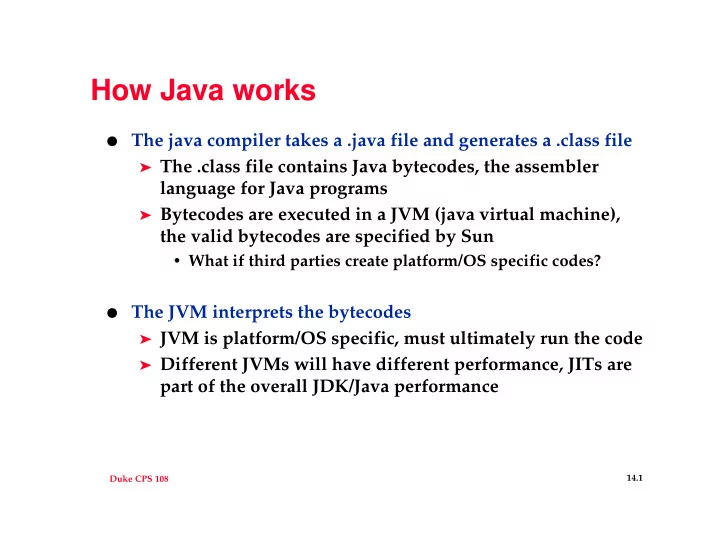
How Java works

  • The java compiler takes a .java file and generates a .class file

➤ The .class file contains Java bytecodes, the assembler

language for Java programs

➤ Bytecodes are executed in a JVM (java virtual machine),

the valid bytecodes are specified by Sun

  • What if third parties create platform/OS specific codes?
  • The JVM interprets the bytecodes

➤ JVM is platform/OS specific, must ultimately run the code ➤ Different JVMs will have different performance, JITs are

part of the overall JDK/Java performance

slide-2
SLIDE 2

Duke CPS 108 14.2

JIT, Just In Time Compiler

  • JVM ultimately translates bytecode into native code, each time

the same bytecodes are processed, the translation into native code must be made

➤ If we can cache translated code we can avoid re-translating

the same bytecode sequence

➤ Why not just translate the entire .java program into native

code?

  • Still need the JVM, the JIT works in conjunction with the

JVM, not in place of it

  • How are classes loaded into the JVM? Can this be thwarted?
slide-3
SLIDE 3

Duke CPS 108 14.3

Loading .class files

  • The bytecode verifier “proves theorems” about the bytecodes

being loaded into the JVM

➤ These bytecodes may come from a non-Java source, e.g.,

compile Ada into bytecodes (why?)

  • This verification is a static analysis of properties such as:

➤ .class file format (including magic number 0xCAFEBABE) ➤ Methods/instances used properly, parameters correct ➤ Stack doesn’t underflow/overflow ➤ …

  • Verification is done by the JVM, not changeable as is, for

example, the ClassLoader http://securingjava.com http://java.sun.com/sfaq/verifier.html

slide-4
SLIDE 4

Duke CPS 108 14.4

The ClassLoader

  • The “Primordial” loader is built-in to the JVM

➤ Sometimes called the “default” loader, but it’s not

extensible or customizable the way other loaders are

➤ Loads classes from the platform on which the JVM runs

(what are loader and JVM written in?)

  • Applet class loader, RMI class loader, user loaders

➤ Load .class files from URLs, from other areas of platform

  • n which JVM runs

➤ What’s the order of sources consulted for loading, does

this make a difference?

  • Why implement a custom loader?

➤ Work at Duke with JOIE

slide-5
SLIDE 5

Duke CPS 108 14.5

The Java ClassLoader

slide-6
SLIDE 6

Duke CPS 108 14.6

Security Manager

  • Applets use a SecurityManager

➤ Query for permissions ➤ Supported by browsers by

convention (would you use an “untrusted” browser)

  • The picture shows JDK 1.0

model, “sandbox” restrictions supported by SecurityManager

➤ Untrusted code restricted to

the sandbox

➤ All downloaded/applets are

untrusted

➤ Severely limits what a

downloaded program can do

slide-7
SLIDE 7

Duke CPS 108 14.7

SecurityManager changes in JDK 1.1

  • Applets support signing using

digital signatures

➤ Signature stored with code

in JAR file that’s downloaded

➤ Clients support open/full

access to “trusted” applets, some signatures ok

  • Still “all-or-nothing”, an applet

is untrusted or completely trusted

➤ What might be preferable?

slide-8
SLIDE 8

Duke CPS 108 14.8

SecurityManager changes in JDK 1.2

  • Policies are now supported

➤ Allow more fine-grained

control of access, permission

➤ Based on location (URL)

and/or digital signatures

➤ Uses public/private key,

applets don’t need to be signed, can be from a trusted location

  • Set policies on a systemwide

basis using policytool

➤ What about user-level

permissions?