Taking Care of Your Benton MacKaye Trail Section of the BMT - - PowerPoint PPT Presentation

taking care of your
SMART_READER_LITE
LIVE PREVIEW

Taking Care of Your Benton MacKaye Trail Section of the BMT - - PowerPoint PPT Presentation

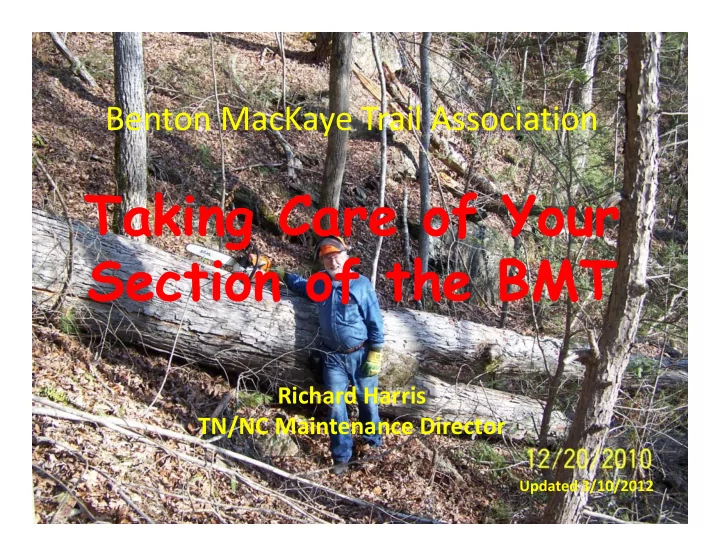
Benton MacKaye Trail Association Taking Care of Your Benton MacKaye Trail Section of the BMT Association Reporting of Hours Worked to BMTA and local USFS Richard Harris TN/NC Maintenance Director Updated 3/10/2012 Maintaining Your Section


slide-1
SLIDE 1

Benton MacKaye Trail Association

Reporting of Hours Worked to BMTA and local USFS

Benton MacKaye Trail Association

Taking Care of Your Section of the BMT

Richard Harris TN/NC Maintenance Director

Updated 3/10/2012
slide-2
SLIDE 2

Maintaining Your Section

  • Become very familiar with your section
  • Know what areas grow up rapidly or have trees that

routinely fall with high winds or winter snows

  • Know the status of your blazes and signs
  • Early Spring – log it out
  • Early Summer – brush it out
  • Fall – brush it out again
  • Touch up blazes or replace signs as needed
  • Recommend tread work or other needed major

maintenance to your maintenance director

  • Report all your work trips to your maintenance director
slide-3
SLIDE 3

Certifications & Rules

  • To use a hand saw, loppers, swingblades or gas

powered brush cutters, you don’t need special certifications

  • To use a chainsaw or crosscut saw, you must have the

appropriate USFS certification as well as First Aid and CPR certification

  • Also, remember a sawyer must have a second person

along to help. THIS IS REQUIRED

  • Always wear helmet, eye protection, gloves, heavy

duty shoes, long pants. In summer, snake guards are recommended

  • Chainsaw chaps are required for chainsaw work
slide-4
SLIDE 4

Reporting your Work Trips

  • Fill out the BMTA online form and email it to the

GA or TN/NC Maintenance Director

  • Or just send an email reporting your work trip

– Travel Hours – Work Hours – Section worked on – Specifically what you did

  • Trees logged out (number cut)
  • Brushing out
  • Tread repair, etc
slide-5
SLIDE 5

Reporting your Work Trips

  • When your maintenance director receives your

report, he will

– Forward your report to the appropriate Trails Tech in the USFS – Publish your report on the web (TN/NC on the Cherokee Hiking Club website so others can check up

  • n the condition of the trail
  • www.cherokeehikingclub.org

– Record your hours in the database – May send your report for inclusion in the E‐newsletter

slide-6
SLIDE 6

The Database

slide-7
SLIDE 7

The Trip Report

slide-8
SLIDE 8

Reporting your Work Trips

  • Once a year, your maintenance director will summarize hours

worked for each person in each district and forward this information to the Trails Tech in each district

  • You may receive rewards from the district such as a parking

pass or T‐shirt or hat

  • Yearly, maintainers who put in 30 or more hours in trail work

for the BMTA will receive a perk, such as the T‐shirt given out this past year

slide-9
SLIDE 9

Annual Walk‐Thru

  • Once a year, we want to get your section hiked

by someone other than the assigned section maintainer to produce an objective unbiased report on the condition of your section

  • These reports are sent to the section

maintainer and used by the maintenance director to plan the monthly work trips for the coming year

slide-10
SLIDE 10

Reporting your Work Trips

  • We want information on the following:

– Clearance (brush and logs) – Condition of the tread – Blazes – Signs – Sections needing reroutes, switchbacks, or drainage repair

  • We ask the reporter to take pictures and use a

GPS or cell phone with GPS capability, report findings on our standard form

slide-11
SLIDE 11

Walk‐Thru Report

slide-12
SLIDE 12

Walk‐Thru Report

slide-13
SLIDE 13

Walk‐Thru Report

slide-14
SLIDE 14

Walk‐Thru Report

slide-15
SLIDE 15

Walk‐Thru Report

slide-16
SLIDE 16

After your Walk‐Thru

  • Email your report to the appropriate

maintenance director

  • Include

– The Fillable PDF report itself – Pictures of signs – Your GPS track and waypoint file or a good map showing the location of signs, where work is needed, etc.

slide-17
SLIDE 17

The Sign Database

  • Ernie Engman is developing a sign database

using Google Earth

  • Your sign waypoints and pictures will be put
  • nto the BMT Google Earth showing the

location and the attached picture

  • Should be a reality in the next couple of

months.