
SLIDE 1
Internet of Things Systems, Security, and the Cloud (IoTSSC)
Paul Patras
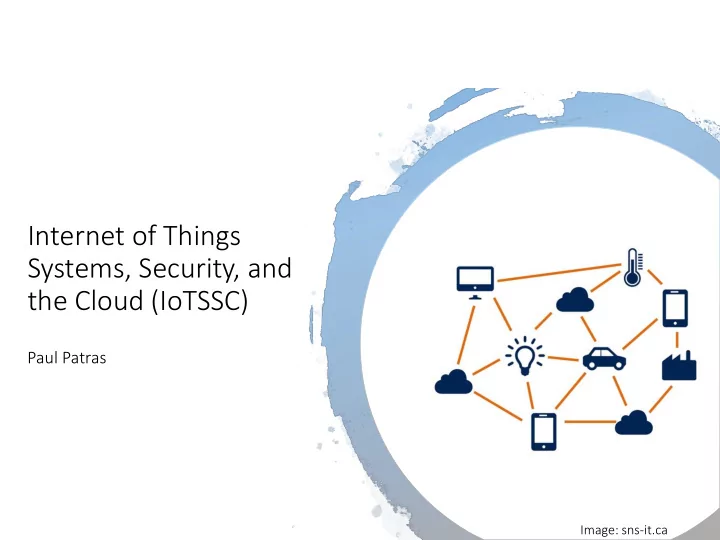
Image: sns-it.ca
Systems, Security, and the Cloud (IoTSSC) Paul Patras Image: - - PowerPoint PPT Presentation
Internet of Things Systems, Security, and the Cloud (IoTSSC) Paul Patras Image: sns-it.ca Course Objectives Give you technical grounding in key aspects of Internet of Things (IoT), including IoT systems architecture, hardware
Paul Patras
Image: sns-it.ca
Internet of Things (IoT), including
and demonstrate an IoT prototype.
On completion of this course, you should: 1. Have a good understanding of the Internet of Things concept and systems architecture; 2. Operate comfortably with wireless technologies and networking protocols specific to IoT systems; 3. Be familiar with standard security and privacy preserving mechanisms, and understand different cloud integration methods; 4. Be able to design, implement, and test a simple IoT system equipped with sensors and wireless transceivers; 5. Know how to write technical documentation of a project and present experimental results obtained, in a workshop style paper format.
IoTSSC is available to 4th year undergraduate students and MSc students, as long as:
Communications and Networks (INFR10074)
have done a project in a relevant area/must have passed Informatics Research Review (INFR11136) or Research Methods in Security, Privacy, and Trust (INFR11188)
interest in systems, security, and networking. If you do not meet these requirements and you do not have a concession agreed, then this course is not for you.
you MUS UST watch these videos
48h in advance at ppatras@inf.ed.ac.uk).
When: Mondays 10:00-13:00. Where: Appleton Tower, Room 3.09. Labs start on Monday (20 January). You will use NXP FRDM-K64 development boards, a range of sensors, smartphones, and the Google Cloud Platform. The same tools will be used for the coursework.
Coursework: 55% Practical examination: 15% Written examination: 30%
Lectures only scratch the surface. You will need to read research papers and books. Reading list at https://eu01.alma.exlibrisgroup.co m/leganto/public/44UOE_INST/lists /14938364490002466
Develop in pairs a full-stack IoT system that can be used to for geospatial air quality
Firmware for an embedded system, A simple Android app that will enable forwarding measurements collected by the embedded system to the cloud, A cloud-based analytics pipeline including a visualisation dashboard; a subscriber notification system Teams: pairing should be complete by now; please get in touch with each other to start planning. Coursework handout available at http://tiny.cc/iotssc-cw
Part 1 (formative)
Proposal document outlining the planned IoT prototype Deadline: Wednesday, 29 January 2020, 16:00
Part 2 (55 marks)
Workshop style paper documenting projects and results Deadline: Friday, 27 March 2020, 16:00
Quick prototype demos
Date/time: Thursday, 26 March 2020, 15:10
Presentations (15 marks)
Date/time: Monday, 23 March 2020, 10:00
Written exam (30 marks)
Date/time: TBC
I cannot grant any.
this on to your year organiser
submission first.
IoTSSC is a 20 credit course – 200 hours over S2:
Google, the other TBA.
94 ho hours s ind individual wor
PT meetings, training, ILW, etc.)
Develop a full-stack IoT system (FW, app, cloud logic) for geospatial air quality monitoring. Experimental environment: ‘In the wild’ (Edinburgh). At the end you must write a report as a workshop style paper, based on prototypes developed and results obtained. The handout provides guidance on core functionality expected; Specific details and requirements are intentionally omitted → be creative!
Platform with the following specifications: ARM Cortex M4 CPU,1 MB flash memory, 256 KB RAM, Bluetooth support (add-on).
sensor, optical gas sensor).
(please do not update SW or PIN lock them). You will need to return all of the above at the end in working condition and with all the cables/packaging.
have received instructions).
Two phases advised:
Phase 1: getting started with embedded systems development and communication with the cloud;
Phase 2: practical implementation of the IoT system. Complete Phase 1 first, otherwise you will not be able to make progress in Phase 2.
Develop embedded application that will read from different sensors attached to it: Develop simple Android app that will query the embedded system for measurements, retrieve these from the device via BLE communication, and append geolocation. Upload sensed information to the
with the cloud performed using the Android app that you will develop.
E.g. NO2,eCO2, PM2.5, etc. Record time of acquisition and the value.
For cloud integration, see Google Core IoT core tutorial on how to upload data using the HTTP bridge. You may use BigQuery to store the data that you collect. Alternatively, you can create a Google virtual machine (VM) and run an HTTP server to receive measurements; subsequently process these with whatever tool you find appropriate. Im Impo portant: t: you have limited budget
Build an air quality monitoring system using the sensors provided The sensors allow you to measure a number of pollutants considered dangerous to health and specific to outdoor/indoor
based on these. Consider validating accuracy against publicly available data. Can chose what sensors to use and which locations to monitor/for how long. Perform analysis on spatio-temporal variation of pollutants. More sophisticated analysis also encouraged (e.g. statistics about peak pollution times, ‘hotspot’ locations, forecasts, correlation analyses, etc.)
list of subscribers to the monitoring service when the air quality exceeds certain limits.
different ways – be creative; make use of resources available in the cloud.
important for evaluation (don’t forget!)
manner; think about what insights you want to offer to a user.
Part 1 (formative) – Document proposal
app, comms, cloud integration, analytics),
quality monitoring,
methodology. Max 2 pages, one proposal per team. Deadline: Wed, 29 January 2020, 16:00.
Part 2 (55 marks) – Submit:
functionality developed during both phases.
embedded devices and respectively with cloud.
processing and notification system.
ndivid idual reports that give a complete summary of your work.
Deadline: Friday, 29 March 2020, 16:00.
Report:
template;
references;
air quality monitoring task & IoT prototyping;
choices, solution approach;
including graphs obtained with your visualisation tool(s). Again be creative and think what matters beyond accuracy.
Code sharing among teams not permitted Reusing code snippets you find online OK, as long as (1) you clearly explain in report why you used some publicly available functionality; (2) appropriately comment source code, acknowledging original. Prototypes are team work, reports are individual – I want to see that each of you is able to articulate in your own terms and explain the challenges faced, solution(s) developed, and results obtained.
Accuracy demonstration Will choose several testing locations around George Square
Presentation of actual project not need – this is separate and carries other 15 marks (date/time: Mon, 23 March 10:00 –)
5 minutes per team
Evaluation according to the quality of your implementation, air quality estimation accuracy achieved by your solution and features, and quality of the report.
Basic Criteria
Additional Criteria
Exceptional Criteria
Evidence of excellent quality of the work may include code optimisation for embedded devices. Must demonstrate rigorous efforts were made to verify air quality monitoring functionality is accurate. Report must be well written and
system design, algorithms implemented, and insights gained (backed by appropriate graphs). Amount of work measurable through the number of approaches explored to implement the core functionality, including fusing data from different types of sensors to improve accuracy.
Image: sns-it.ca
1988 1988 Mark Weiss (Xerox PARC) – Ubi Ubiquitous s Com Computing “…hundreds of wireless computing devices per person per office, of all scales […] This is different from PDA's, dynabooks, or information at your
that does not live on a personal device of any sort, but is in the woodwork everywhere. […] its highest ideal is to make a computer so imbedded, so fitting, so natural, that we use it without even thinking about it.”
1988 1988 1999 1999 - 2002 2002 Neil Gershenfeld (MIT Media Lab) “in retrospect it looks like the rapid growth of the World Wide Web may have been just the trigger charge that is now setting off the real explosion, as things start to use the Net.” Kevin Ashton (Auto-ID @ MIT) – In Internet of
“We need an internet for things, a standardized way for computers to understand the real world”
1988 1988 1999 1999 - 2002 2002 2005 2005 ITU Internet Report: The Internet of Things “always on communications, in which new ubiquitous technologies (such as radio-frequency identification and sensors) promise a world of networked and interconnected devices (e.g. fridge, television, vehicle, garage door, etc.) that provide relevant content and information whatever the location of the user – heralding the dawn of a new era, one in which the internet (of data and people) acquires a new dimension to become an Internet of Things.”
1988 1988 1999 1999 - 2002 2002 2005 2005 2009 2009 EC, IoT — An action plan for Europe “network of interconnected objects, from books to cars, from electrical appliances to food […]. These objects will sometimes have their own Internet Protocol addresses, be embedded in complex systems and use sensors to obtain information from their environment […] and/or use actuators to interact with it”.
1988 1988 1999 1999 - 2002 2002 2005 2005 2009 2009 2013 2013 Cisco – coins In Internet of
rything “The Internet of Everything (IoE) brings together people, processes, data, and things to make networked connections more relevant and valuable than ever before – turning information into actions that create new capabilities, richer experiences, and unprecedented economic
countries.”
Small form factor Low power, low cost Sensors and actuators Wireless communication Connected to the Internet Programmable Some level of autonomy
dedicated to a single application. Instead providing a pla latform that can accommodate heterogeneous applications.
BUT connected the Internet.
devices, e.g. Arm envision 1 trillion Internet connected devices by 2030.
New Economy of Memory Abundance", Computer vol. 48 no. 12, p. 44-53, 2015
LSM9DS1: accelerometer + gyroscope + magnetometer Cost: ~£10
Source: adafruit.com
Fitbit Flex Li-Polymer, Single Cell, 5-day supply
Source: ifixit.com
Simple programming languages Arduino C, (Micro)Python Cloud communication protocols (HTTP, MQTT, CoAP) A range of powerful APIs/frameworks (REST, IFTTT) Language independent data formats (JSON, YAML) Cloud platforms (AWS, GCP, Microsoft Azure, Arm Pelion) Visualisation tools (Chart.JS, dygraphs, Kibana)
Images adapted from dattus.com, makeuseof.com, technologyadvice.com
Developing code that runs
ensure energy efficient
Ensuring reliable connectivity, optimal infrastructure sharing, scalability. Guaranteeing secure
not compromising user privacy for some utility. Aggregating large data sets and exploiting only context specific information in real-time. Modelling and predicting the behaviour of complex systems.
UK researchers wrote Ubicomp manifesto in 2006* – some challenges facing ubiquitous system design still hold Theoretical pe perspective: rigorous models that capture system behaviour at different levels of abstraction. Eng Engineering per perspective: architectural and network challenges posed by large scale, heterogeneous, and dynamic nature. Ex Experie ience per perspectiv ive: understand what principles underpin human-machine interaction and how a ubiquitous computing society might be shaped from a socio-technical perspective.
*D. Chalmers, M. Chalmers, J. Crowcroft, M. Kwiatkowska, R. Milner, E. O’Neill, T. Rodden, V. Sassone, M.
Sloman, “Ubiquitous Computing: Experience, Design and Science”, A Grand Challenge in Computing Research sponsored by the UK Computing Research Committee, 2006.
Computationally/energy constrained vs unconstrained devices Communication type (decentralised vs scheduled) and range (long vs short) User interface (display, keys, touch, voice, gestures)
Source: eurocomms.com
(thermostats)
automation)
and therefore subject to abuse
phone (app) – risk of malware and privileges abuse
(remember Mirai)
Provider’s server GPRS connection Smart meter Modem
What about robustness and service assurance?