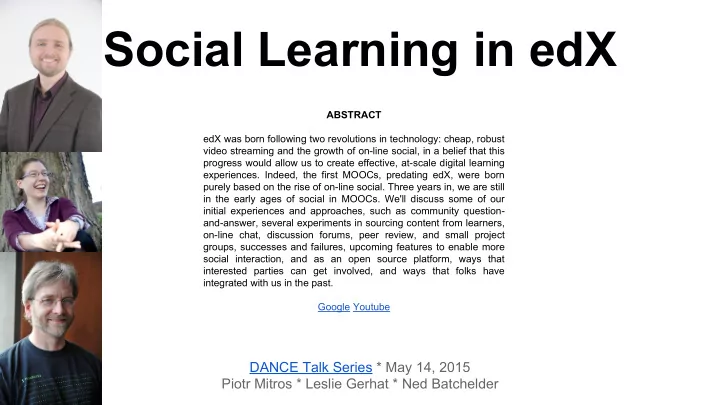
Social Learning in edX ABSTRACT edX was born following two - - PowerPoint PPT Presentation

social learning in edx
SMART_READER_LITE
LIVE PREVIEW

Social Learning in edX ABSTRACT edX was born following two - - PowerPoint PPT Presentation

Social Learning in edX ABSTRACT edX was born following two revolutions in technology: cheap, robust video streaming and the growth of on-line social, in a belief that this progress would allow us to create effective, at-scale digital learning


slide-1
SLIDE 1

Social Learning in edX

DANCE Talk Series * May 14, 2015 Piotr Mitros * Leslie Gerhat * Ned Batchelder

ABSTRACT edX was born following two revolutions in technology: cheap, robust video streaming and the growth of on-line social, in a belief that this progress would allow us to create effective, at-scale digital learning

  • experiences. Indeed, the first MOOCs, predating edX, were born

purely based on the rise of on-line social. Three years in, we are still in the early ages of social in MOOCs. We'll discuss some of our initial experiences and approaches, such as community question- and-answer, several experiments in sourcing content from learners,

  • n-line chat, discussion forums, peer review, and small project

groups, successes and failures, upcoming features to enable more social interaction, and as an open source platform, ways that interested parties can get involved, and ways that folks have integrated with us in the past. Google Youtube

slide-2
SLIDE 2

Social Learning in edX

DANCE Talk Series Inaugural Talk May 14, 2015 Piotr Mitros, Chief Scientist, edX Leslie Gerhat, Product Manager, Teaching and Learning, edX Ned Batchelder, Open Source Community Manager, edX

slide-3
SLIDE 3
  • Intro/overview
  • What we’ve done
  • What’s coming up
  • Getting involved
slide-4
SLIDE 4

Improving Quality Education at Scale Research

Sustainability

slide-5
SLIDE 5

Improving Quality Education at Scale ← this talk Research

Sustainability

slide-6
SLIDE 6

Mitros, et. al, 2013

slide-7
SLIDE 7

... <User1> right, so... loops yes ;) Im having trouble working out how he determines the direction of his loops and which ones are important. Take the 5 resistor example in S2V4 where he uses 4 of the 7 loops (arbitrarily?) and goes counterclockwise in one "just for fun" <User1> so my question is, how do you work out which loops you need to use for KCL or KVL and then how do you decide upon the direction? <User4> you can decide on the direction in any way you want. doesn't really matter. going the other way round just swaps all + and - signs in your equation, but since the result is =0, nothing really changes <User1> ok, let me refer back tot he 5 resistor example <User1> if you go the same way around for all of them then you dont get 0 when it looks to add up the equations you get from KVL <User4> (I'm still vieweing S2V1 though so I don't know the exact example you're referring to yet... I will get there in a few minutes though ;-) <User1> and you should... now I am probably "picking" the wrong loops, and I see where you are coming from and am abashed I did not see that sooner :P <User1> ok :P <User1> my question then becomes, how do you know what loops to pick? <User4> eventually you'll have to pick them all (or all but one) anyway. Normally you ...

slide-8
SLIDE 8
slide-9
SLIDE 9
slide-10
SLIDE 10
slide-11
SLIDE 11
slide-12
SLIDE 12

Mitros, 2014

slide-13
SLIDE 13

Li, Mitros, 2015

slide-14
SLIDE 14

Cormier*, Mitros*, Pritchard*, 2014

slide-15
SLIDE 15

Mitros, 2015

slide-16
SLIDE 16

Cohorts & Teams in edX courses

Leslie Gerhat, Product Manager, edX lgerhat@edx.org DANCE @ CMU 5/14/2015

slide-17
SLIDE 17

Cohorts & Teams enable social learning experiences in edX courses by providing smaller, more personalized group

  • pportunities within a larger course.

Cohorts & Teams in edX courses

slide-18
SLIDE 18

A cohort is a segmentation of learners within a course that shares a course experience with their group of learners, by engaging in the same content and

  • communication. Learners can also

engage in the wider learner community.

Cohorts

slide-19
SLIDE 19

Enable student communities

  • Bring together alumni for greater engagement
  • Provide enhanced support for teachers

Cohorts

slide-20
SLIDE 20

“I graduated in 1978... and always regretted not taking that [Civil War and Reconstruction] course. This was my chance. " -- Columbia Alumnus “It was terrific asking Eric [Foner] questions in a very intimate setting.” -- Columbia Alumnus

Cohorts

slide-21
SLIDE 21
  • Targeted content can be delivered to learners in a

cohort.

  • Segmented discussions enable smaller, more

personal conversations.

  • Instructor tools provide easy setup and

administration of cohorts.

Cohorts

slide-22
SLIDE 22

A team is a segmentation of learners within a course that shares a learning experience, by engaging in a targeted project or activity for a limited time period.

Teams

slide-23
SLIDE 23

Enable group learning experiences

  • Learners participate in group projects
  • Learners form study groups for support

Teams

slide-24
SLIDE 24
  • Learners can find and form teams with other

learners with shared interests

  • Small group discussions to enable communication
  • Integration with third party tools to encourage

collaboration

Teams

slide-25
SLIDE 25
  • Cohorts & Profiles are available now in Open edX

Cohorts documentation Profiles documentation

  • Teams will be available in Open edX at the end of

2015

Resources

slide-26
SLIDE 26

Extending Open edX

Ned Batchelder

slide-27
SLIDE 27

Goals

  • Quick overview of interfaces
  • Quick overview of process
slide-28
SLIDE 28

A course

  • Built of XBlocks
  • Like <div>’s in HTML
slide-29
SLIDE 29

XBlock runtime

  • Container for XBlocks
  • Provides service abstractions (+ data)

Runtime Services Data

slide-30
SLIDE 30

LMS

  • XBlock runtime
  • Provides:

○ User registration ○ Progress tracking ○ Grading ○ Forums

  • Data storage

○ Course in Mongo ○ Student data in MySQL ○ Abstracted away by XBlocks

slide-31
SLIDE 31

Runtime Services Data Grading Queue ORA Forums Progress Registration Profiles Analytics Instructor Dash Reporting Translation Commerce Wiki Certificates Theming Cohorting

LMS: much more stuff...

slide-32
SLIDE 32

Studio Internals

  • Courses are still XBlocks!
  • Mongo database shared with LMS
slide-33
SLIDE 33

Changing things

how can I implement my idea?

slide-34
SLIDE 34

Extension Points

https://github.com/edx/edx-platform/wiki/ Five-ways-to-extend-edX

  • XBlock
  • LTI
  • JSinput
  • OLX
  • Core code
slide-35
SLIDE 35

XBlock

  • Most likely choice
  • Create new courseware components
  • Designed for third-party devs
  • http://xblock.readthedocs.org
slide-36
SLIDE 36

What is an XBlock?

  • A Python package

○ runs on the server

  • A class providing:

○ Data fields ○ Views for presentation ○ produces HTML + CSS ○ Handlers for user input

  • A web app, one div at a time

○ Uses existing assets and skills

slide-37
SLIDE 37

LTI

  • External standard
  • Loosely coupled integration
slide-38
SLIDE 38

JSInput

  • Make a new Capa InputType with pure JS
  • Good for new problem types
  • http://edx.readthedocs.org/en/latest/

course_data_formats/jsinput.html

slide-39
SLIDE 39

OLX

  • XML representation of courses
  • Import/Export courseware
  • Manipulate outside of Open edX
slide-40
SLIDE 40

Hacking core code

  • Can change anything!
  • Not easy
  • Very few docs
slide-41
SLIDE 41

Contribution

how can I get my idea to others?

slide-42
SLIDE 42

XBlocks

  • Don’t need to be contributed to edX
  • Designed to be installed separately
slide-43
SLIDE 43

Contributing to core

  • Talk to us
  • Make a pull request
  • Work with reviewers
  • Merge!
slide-44
SLIDE 44

Getting help

  • Docs
  • IRC channel #edx-code on Freenode
  • Mailing list: edx-code on Google Groups:

○ https://groups.google.com/forum/#!forum/edx-code

  • Please ask!
slide-45
SLIDE 45

Questions?