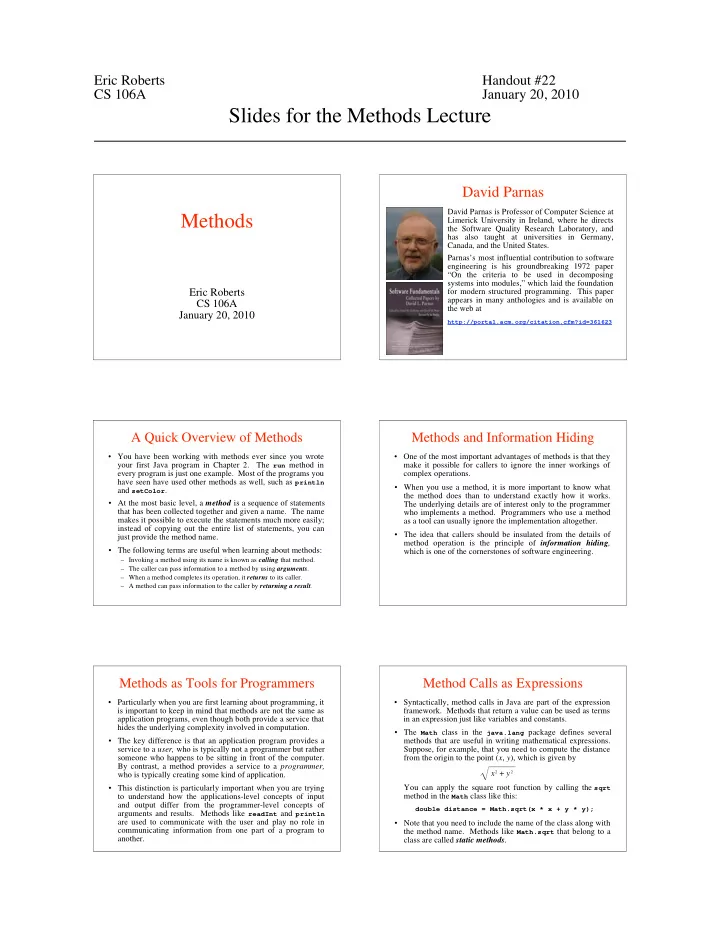
Slides for the Methods Lecture David Parnas David Parnas is - - PDF document

slides for the methods lecture
SMART_READER_LITE
LIVE PREVIEW

Slides for the Methods Lecture David Parnas David Parnas is - - PDF document

Eric Roberts Handout #22 CS 106A January 20, 2010 Slides for the Methods Lecture David Parnas David Parnas is Professor of Computer Science at Methods Limerick University in Ireland, where he directs the Software Quality Research


slide-1
SLIDE 1

Eric Roberts Handout #22 CS 106A January 20, 2010

Slides for the Methods Lecture Methods

Eric Roberts CS 106A January 20, 2010

David Parnas

David Parnas is Professor of Computer Science at Limerick University in Ireland, where he directs the Software Quality Research Laboratory, and has also taught at universities in Germany, Canada, and the United States. Parnas’s most influential contribution to software engineering is his groundbreaking 1972 paper “On the criteria to be used in decomposing systems into modules,” which laid the foundation for modern structured programming. This paper appears in many anthologies and is available on the web at

http://portal.acm.org/citation.cfm?id=361623

A Quick Overview of Methods

  • You have been working with methods ever since you wrote

your first Java program in Chapter 2. The run method in every program is just one example. Most of the programs you have seen have used other methods as well, such as println and setColor.

  • At the most basic level, a method is a sequence of statements

that has been collected together and given a name. The name makes it possible to execute the statements much more easily; instead of copying out the entire list of statements, you can just provide the method name.

  • The following terms are useful when learning about methods:

– Invoking a method using its name is known as calling that method. – The caller can pass information to a method by using arguments. – When a method completes its operation, it returns to its caller. – A method can pass information to the caller by returning a result.

Methods and Information Hiding

  • One of the most important advantages of methods is that they

make it possible for callers to ignore the inner workings of complex operations.

  • When you use a method, it is more important to know what

the method does than to understand exactly how it works. The underlying details are of interest only to the programmer who implements a method. Programmers who use a method as a tool can usually ignore the implementation altogether.

  • The idea that callers should be insulated from the details of

method operation is the principle of information hiding, which is one of the cornerstones of software engineering.

Methods as Tools for Programmers

  • Particularly when you are first learning about programming, it

is important to keep in mind that methods are not the same as application programs, even though both provide a service that hides the underlying complexity involved in computation.

  • The key difference is that an application program provides a

service to a user, who is typically not a programmer but rather someone who happens to be sitting in front of the computer. By contrast, a method provides a service to a programmer, who is typically creating some kind of application.

  • This distinction is particularly important when you are trying

to understand how the applications-level concepts of input and output differ from the programmer-level concepts of arguments and results. Methods like readInt and println are used to communicate with the user and play no role in communicating information from one part of a program to another.

Method Calls as Expressions

  • Syntactically, method calls in Java are part of the expression
  • framework. Methods that return a value can be used as terms

in an expression just like variables and constants.

  • The Math class in the java.lang package defines several

methods that are useful in writing mathematical expressions. Suppose, for example, that you need to compute the distance from the origin to the point (x, y), which is given by x 2 + y 2 You can apply the square root function by calling the sqrt method in the Math class like this:

double distance = Math.sqrt(x * x + y * y);

  • Note that you need to include the name of the class along with

the method name. Methods like Math.sqrt that belong to a class are called static methods.

slide-2
SLIDE 2

– 2 – Useful Methods in the Math Class

Math.abs(x) Returns the absolute value of x Math.min(x, y) Returns the smaller of x and y Math.max(x, y) Returns the larger of x and y Math.sqrt(x) Returns the square root of x Math.log(x) Returns the natural logarithm of x (loge x ) Math.exp(x) Returns the inverse logarithm of x (e x

)

Math.pow(x, y) Returns the value of x raised to the y power (x y

)

Math.sin(theta) Returns the sine of theta, measured in radians Math.cos(theta) Returns the cosine of theta Math.tan(theta) Returns the tangent of theta Math.asin(x) Returns the angle whose sine is x Math.acos(x) Returns the angle whose cosine is x Math.atan(x) Returns the angle whose tangent is x Math.toRadians(degrees) Converts an angle from degrees to radians Math.toDegrees(radians) Converts an angle from radians to degrees

Method Calls as Messages

  • In object-oriented languages like Java, the act of calling a

method is often described in terms of sending a message to an object. For example, the method call

rect.setColor(Color.RED);

is regarded metaphorically as sending a message to the rect

  • bject asking it to change its color.

setColor(Color.RED)

  • The object to which a message is sent is called the receiver.

receiver.name(arguments);

  • The general pattern for sending a message to an object is

Writing Your Own Methods

  • The general form of a method definition is

visibility type name(argument list) { statements in the method body } where visibility indicates who has access to the method, type indicates what type of value the method returns, name is the name of the method, and argument list is a list of declarations for the variables used to hold the values of each argument.

  • The usual setting for visibility is private, which means that

the method is available only within its own class. If other classes need access to it, visibility should be public instead.

  • If a method does not return a value, type should be void.

Such methods are sometimes called procedures.

Returning Values from a Method

  • You can return a value from a method by including a return

statement, which is usually written as

return expression;

where expression is a Java expression that specifies the value you want to return.

  • As an example, the method definition

private double feetToInches(double feet) { return 12 * feet; }

converts an argument indicating a distance in feet to the equivalent number of inches, relying on the fact that there are 12 inches in a foot.

Methods Involving Control Statements

  • The body of a method can contain statements of any type,

including control statements. As an example, the following method uses an if statement to find the larger of two values:

private int max(int x, int y) { if (x > y) { return x; } else { return y; } }

  • As this example makes clear, return statements can be used

at any point in the method and may appear more than once.

The factorial Method

  • The factorial of a number n (which is usually written as n! in

mathematics) is defined to be the product of the integers from 1 up to n. Thus, 5! is equal to 120, which is 1 x 2 x 3 x 4 x 5.

private int factorial(int n) { int result = 1; for (int i = 1; i <= n; i++) { result *= i; } return result; }

  • The following method definition uses a for loop to compute

the factorial function:

slide-3
SLIDE 3

– 3 – Nonnumeric Methods

private String weekdayName(int day) { switch (day) { case 0: return "Sunday"; case 1: return "Monday"; case 2: return "Tuesday"; case 3: return "Wednesday"; case 4: return "Thursday"; case 5: return "Friday"; case 6: return "Saturday"; default: return "Illegal weekday"; } }

Methods in Java can return values of any type. The following method, for example, returns the English name of the day of the week, given a number between 0 (Sunday) and 6 (Saturday):

Methods Returning Graphical Objects

  • The text includes examples of methods that return graphical
  • bjects. The following method creates a filled circle centered

at the point (x, y), with a radius of r pixels, which is filled using the specified color:

  • If you are creating a GraphicsProgram that requires many

filled circles in different colors, the createFilledCircle method turns out to save a considerable amount of code.

private GOval createFilledCircle(double x, double y, double r, Color color) { GOval circle = new GOval(x - r, y - r, 2 * r, 2 * r); circle.setFilled(true); circle.setColor(color); return circle; }

Predicate Methods

  • Methods that return Boolean values play an important role in

programming and are called predicate methods.

  • As an example, the following method returns true if the first

argument is divisible by the second, and false otherwise:

private boolean isDivisibleBy(int x, int y) { return x % y == 0; }

  • Once you have defined a predicate method, you can use it just

like any other Boolean value. For example, you can print the integers between 1 and 100 that are divisible by 7 as follows:

for (int i = 1; i <= 100; i++) { if (isDivisibleBy(i, 7)) { println(i); } }

Using Predicate Methods Effectively

  • New programmers often seem uncomfortable with Boolean

values and end up writing ungainly code. For example, a beginner might write isDivisibleBy like this:

private boolean isDivisibleBy(int x, int y) { if (x % y == 0) { return true; } else { return false; } } for (int i = 1; i <= 100; i++) { if (isDivisibleBy(i, 7) == true) { println(i); } }

While this code is not technically incorrect, it is inelegant enough to deserve the bug symbol.

private boolean isDivisibleBy(int x, int y) { if (x % y == 0) { return true; } else { return false; } }

Using Predicate Methods Effectively

  • A similar problem occurs when novices explicitly check to

see if a predicate method returns true. You should be careful to avoid such redundant tests in your own programs.

private boolean isDivisibleBy(int x, int y) { if (x % y == 0) { return true; } else { return false; } } for (int i = 1; i <= 100; i++) { if (isDivisibleBy(i, 7) == true) { println(i); } }

Mechanics of the Method-Calling Process

When you invoke a method, the following actions occur: Java evaluates the argument expressions in the context of the calling method. 1. Java then copies each argument value into the corresponding parameter variable, which is allocated in a newly assigned region of memory called a stack frame. This assignment follows the order in which the arguments appear: the first argument is copied into the first parameter variable, and so on. 2. Java then evaluates the statements in the method body, using the new stack frame to look up the values of local variables. 3. When Java encounters a return statement, it computes the return value and substitutes that value in place of the call. 4. Java then discards the stack frame for the called method and returns to the caller, continuing from where it left off. 5.

slide-4
SLIDE 4

– 4 – The Combinations Function

  • To illustrate method calls, the text uses a function C(n, k) that

computes the combinations function, which is the number of ways one can select k elements from a set of n objects.

  • Suppose, for example, that you have a set of five coins: a

penny, a nickel, a dime, a quarter, and a dollar: How many ways are there to select two coins?

penny + nickel penny + dime penny + quarter penny + dollar nickel + dime nickel + quarter nickel + dollar dime + quarter dime + dollar quarter + dollar

for a total of 10 ways.

Combinations and Factorials

  • Fortunately, mathematics provides an easier way to compute

the combinations function than by counting all the ways. The value of the combinations function is given by the formula C(n, k) = n ! k ! (n – k) !

x

  • Given that you already have a factorial method, is easy to

turn this formula directly into a Java method, as follows:

private int combinations(int n, int k) { return factorial(n) / (factorial(k) * factorial(n - k)); }

  • The next slide simulates the operation of combinations and

factorial in the context of a simple run method.

The Combinations Program

public void run() { int n = readInt("Enter number of objects in the set (n): "); int k = readInt("Enter number to be chosen (k): "); println("C(" + n + ", " + k + ") = " + combinations(n, k) ); }

Combinations

n k 10

Enter number of objects in the set (n): 5 C(5, 2) = 10 Enter number to be chosen (k):

2 5

2

private int combinations(int n, int k) { return factorial(n) / ( factorial(k) * factorial(n - k) ); } n k 2 5 120 2 6

Exercise: Finding Perfect Numbers

  • Greek mathematicians took a special interest in numbers that

are equal to the sum of their proper divisors (a proper divisor

  • f n is any divisor less than n itself). They called such

numbers perfect numbers. For example, 6 is a perfect number because it is the sum of 1, 2, and 3, which are the integers less than 6 that divide evenly into 6. Similarly, 28 is a perfect number because it is the sum of 1, 2, 4, 7, and 14.

  • For the rest of this class, we’re going to design and implement

a Java program that finds all the perfect numbers between two

  • limits. For example, if the limits are 1 and 10000, the output

should look like this:

FindPerfect

The perfect numbers between 1 and 10000 are: 6 28 496 8128