
SLIDE 1
COMP 520 Winter 2018 Scanning (1)
Scanning
COMP 520: Compiler Design (4 credits) Alexander Krolik
alexander.krolik@mail.mcgill.ca
MWF 9:30-10:30, TR 1080
http://www.cs.mcgill.ca/~cs520/2018/
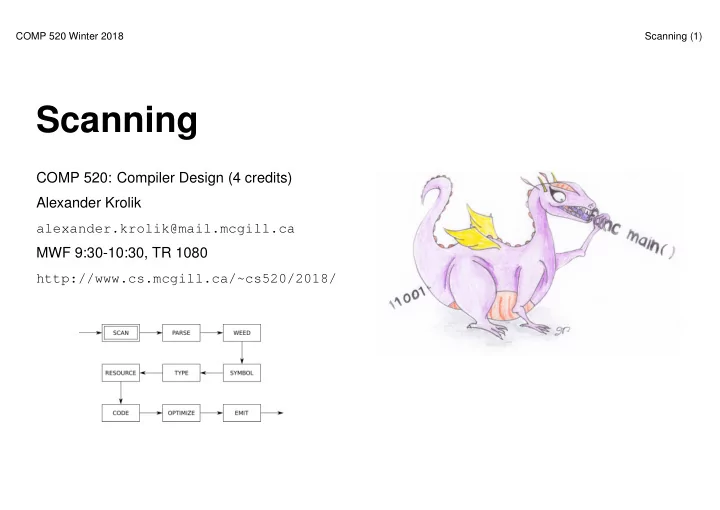
Scanning COMP 520: Compiler Design (4 credits) Alexander Krolik - - PowerPoint PPT Presentation
COMP 520 Winter 2018 Scanning (1) Scanning COMP 520: Compiler Design (4 credits) Alexander Krolik alexander.krolik@mail.mcgill.ca MWF 9:30-10:30, TR 1080 http://www.cs.mcgill.ca/~cs520/2018/ COMP 520 Winter 2018 Scanning (2) Announcements
COMP 520 Winter 2018 Scanning (1)
COMP 520: Compiler Design (4 credits) Alexander Krolik
alexander.krolik@mail.mcgill.ca
MWF 9:30-10:30, TR 1080
http://www.cs.mcgill.ca/~cs520/2018/
COMP 520 Winter 2018 Scanning (2)
Milestones
Midterm
COMP 520 Winter 2018 Scanning (3)
COMP 520 Winter 2018 Scanning (4)
Textbook, Crafting a Compiler
Modern Compiler Implementation in Java
Flex tool
http://mcgill.worldcat.org/title/flex-bison/oclc/457179470
COMP 520 Winter 2018 Scanning (5)
The scanning phase of a compiler
Overall
COMP 520 Winter 2018 Scanning (6)
var a = 5 if (a == 5) { print "success" }
Things of note
that take precedence over any other rule;
constants, etc); and
tVAR tIDENTIFIER(a) tASSIGN tINTEGER(5) tIF tLPAREN tIDENTIFIER(a) tEQUALS tINTEGER(5) tRPAREN tLBRACE tIDENTIFIER(print) tSTRING(success) tRBRACE
COMP 520 Winter 2018 Scanning (7)
Languages
Examples
– {1, 10, 100, 1000, 10000, 100000, . . . }: “1” followed by any number of zeros – {0, 1, 1000, 0011, 11111100, . . . }: ?!
COMP 520 Winter 2018 Scanning (8)
A regular language
A regular expressions
COMP 520 Winter 2018 Scanning (9)
In a scanner, tokens are defined by regular expressions
[alternation: either M or N]
[concatenation: M followed by N]
[zero or more occurences of M] What are M? and M +?
COMP 520 Winter 2018 Scanning (10)
Given a language with alphabet Σ={a,b}, the following are regular expressions
Your turn Write regular expressions for the following languages
COMP 520 Winter 2018 Scanning (11)
Given the alphabet Σ={a,b,c}, write a regular expression for each language if possible
in any order
COMP 520 Winter 2018 Scanning (12)
We can write regular expressions for the tokens in our source language using standard POSIX notation
[. . . ] defines a character class
The wildcard character
COMP 520 Winter 2018 Scanning (13)
Internally, scanners use finite state machines (FSMs) to perform lexical analysis. A finite state machine
Intuitively, scanners use states to represent how much of each token they have seen so far. Transitions are executed for each input character, moving from one state to another. A deterministic finite automaton (DFA)
COMP 520 Winter 2018 Scanning (14)
COMP 520 Winter 2018 Scanning (15)
❧ ❤ ❧ ✲ ✲ ❧ ❤ ❧ ✲ ✲ ❧ ❤ ❧ ✲ ✲ ❧ ❤ ❧ ✲ ✲ ❧ ❤ ❧ ✲ ✲ ❧ ❤ ❧ ❤ ❧ ❤ ❧ ❤ ❧ ❤ ❧ ❄ ✲ ✲
\t\n \t\n
❧ ❧ ❧ ✲ ✲ ✑✑ ✸ ◗◗ s ❄ ✲ ✲ ❄ ✲
* / + ( )
1-9 a-zA-Z0-9_ a-zA-Z_
COMP 520 Winter 2018 Scanning (16)
Design DFAs for the following languages
and an even number of “c”s in any order. Design a DFA using 8 states
The regular expression for the last example is easy, but (much) more complex for the other two
COMP 520 Winter 2018 Scanning (17)
Constructing a DFA directly from a regular expression is hard. A more popular construction involves an intermediate step with nondeterministric finite automata. A nondeterministric finite automaton
Since they both recognize regular languages, DFAs and NFAs are equally powerful!
COMP 520 Winter 2018 Scanning (18)
COMP 520 Winter 2018 Scanning (19)
COMP 520 Winter 2018 Scanning (20)
COMP 520 Winter 2018 Scanning (21)
Internally, scanners use DFAs to recognize tokens - not regular expressions. Therefore, they must first perform a conversion. flex (your scanning tool) follows a well defined algorithm that
See “Crafting a Compiler", Chapter 3; or “Modern Compiler Implementation in Java", Chapter 2
COMP 520 Winter 2018 Scanning (22)
You should know
NFA; and
You do not need to know
COMP 520 Winter 2018 Scanning (23)
Milestones
Midterm
COMP 520 Winter 2018 Scanning (24)
From your perspective, a scanner (or lexer)
Internally, a scanner
The technology behind scanning tools is well defined theoretically, and can (relatively) easily be implemented for the constructs in this class. But we have tools for efficiency!
COMP 520 Winter 2018 Scanning (25)
COMP 520 Winter 2018 Scanning (26)
COMP 520 Winter 2018 Scanning (27)
Assume the scanning tool has constructed a collection of DFAs, one for each lex rule
reg_expr1
DFA1 reg_expr2
DFA2 ... reg_rexpn
DFAn
How do we decide which regular expression should match the next characters to be scanned?
flex matches on all regular expressions, and follows the “first longest match” rules to select which token
is the successful match.
COMP 520 Winter 2018 Scanning (28)
Given DFAs D1, . . . , Dn, ordered by the input rule order, a flex-generated scanner executes
while input is not empty do si := the longest prefix that Di accepts
l := max{|si|}
if l > 0 then
j := min{i : |si| = l} remove sj from input perform the jth action
else (error case)
move one character from input to output
end end
COMP 520 Winter 2018 Scanning (29)
Example: keywords
... import return tIMPORT; [a-zA-Z_][a-zA-Z0-9_]* return tIDENTIFIER; ...
Given a string “importedFiles”, we want the token output of the scanner to be
tIDENTIFIER(importedFiles)
and not
tIMPORT tIDENTIFIER(edFiles)
Since we prefer longer matches, we get the right result.
COMP 520 Winter 2018 Scanning (30)
Example: keywords
... continue return tCONTINUE; [a-zA-Z_][a-zA-Z0-9_]* return tIDENTIFIER; ...
Given a string “continue foo”, we want the token output of the scanner to be
tCONTINUE tIDENTIFIER(foo)
and not
tIDENTIFIER(continue) tIDENTIFIER(foo)
Since both tCONTINUE and tIDENTIFIER match with the same length, there is a tie. Using the “first match” rule, we break the tie by looking at the rule order and get the correct result.
COMP 520 Winter 2018 Scanning (31)
In some languages, the “first longest match” (flm) rules are not enough. FORTRAN equals FORTRAN allows for the following tokens:
.EQ., 363, 363., .363
flm analysis of 363.EQ.363 gives us:
tFLOAT(363) E Q tFLOAT(0.363)
What we actually want is:
tINTEGER(363) tEQ tINTEGER(363)
Solution To distinguish between a tFLOAT and a tINTEGER followed by a “.”, flex allows us to use look-ahead, using ’/’:
363/.EQ. return tINTEGER;
A look-ahead matches on the full pattern, but only processes the characters before the ’/’. All subsequent characters are returned to the input stream for further matches.
COMP 520 Winter 2018 Scanning (32)
FORTRAN ignores whitespace
in C, these are equivalent to an assignment:
do5i = 1.25;
in C, these are equivalent to looping:
for (i=1; i<25; ++i) {...} (5 is interpreted as a line number)
Solution
tID(DO5I) tEQ tREAL(1.25)
tDO tINT(5) tID(I) tEQ tINT(1) tCOMMA tINT(25)
But we cannot make decision on tDO until we see the comma, look-ahead comes to the rescue:
DO/(letter|digit)*=(letter|digit)*, return tDO;
COMP 520 Winter 2018 Scanning (33)
In some languages, the correct token type for the sequence of characters may depend on its context C language Given the following snippet of a C program, is this a either cast to type a or a multiplication expression?
(a) * b
There are two main options used in practice to resolve this ambiguity
See https://en.wikipedia.org/wiki/The_lexer_hack for more details
COMP 520 Winter 2018 Scanning (34)
Golang Go (in a looser way) also suffers from context sensitivity in its grammar. (For some reason) both function calls and casts share the same syntax
int(a)
Is this a call to a function int, or a cast to type int? It all depends if int is a type or an identifier. Russ Cox might disagree that this is an “ambiguity at the syntactic level” (http://grokbase.com/t/gg/
golang-nuts/142pkyzh7r/go-nuts-parsing-go-code-without-context), but the issue still
remains
COMP 520 Winter 2018 Scanning (35)
In practice, we use tools to generate scanners instead of writing them by hand (although some production compilers still use hand written scanners for C)
✓ ✒ ✏ ✑ ✓ ✒ ✏ ✑ ✓ ✒ ✏ ✑ ❄ ❄ ✲ ✲ ❄ ❄
joos.l flex lex.yy.c gcc scanner foo.joos tokens
COMP 520 Winter 2018 Scanning (36)
flex uses a single .l file to define the scanner. The .l file
flex supports (amongst other things)
COMP 520 Winter 2018 Scanning (37)
/* The first section of a flex file contains: *
*
*
*/ %{ /* Code section */ %} /* Helper definitions */ DIGIT [0-9] /* Scanner options, line number generation */ %option yylineno /* The second section contains regular expressions, one per line, followed by the scanner * action. Actions are executed when a token is matched. An empty action is treated as a NOP. */ %% RULE ACTION %% /* User code comes in the last section */ main () {}
COMP 520 Winter 2018 Scanning (38)
%{ #include <stdio.h> %} DIGIT [0-9] %option yylineno %% [\r\n]+ [ \t]+ printf("Whitespace, length %lu\n", yyleng); "+" printf("Plus\n"); "-" printf("Minus\n"); "*" printf("Times\n"); "/" printf("Divide\n"); "(" printf("Left parenthesis\n"); ")" printf("Right parenthesis\n"); 0|([1-9]{DIGIT}*) { printf ("Integer constant: %s\n", yytext); } [a-zA-Z_][a-zA-Z0-9_]* { printf ("Identifier: %s\n", yytext); } . { fprintf(stderr, "Error: (line %d) unexpected character ’%s’\n", yylineno, yytext); exit(1); } %% int main() { yylex (); return 0; }
COMP 520 Winter 2018 Scanning (39)
After the scanner file is complete, using flex to create a scanner is really simple
$ vim tiny.l $ flex tiny.l ## flex has generated a file ’lex.yy.c’ $ gcc -o tiny lex.yy.c -lfl
COMP 520 Winter 2018 Scanning (40)
$ echo "a*(b-17) + 5/c" | ./tiny
Output
Identifier: a Times Left parenthesis Identifier: b Minus Integer constant: 17 Right parenthesis Whitespace, length 1 Plus Whitespace, length 1 Integer constant: 5 Div Identifier: c
COMP 520 Winter 2018 Scanning (41)
Having line information handy is essential for producing detailed error messages. There are two different implementations: manual, and automatic Manual line and character counting
%{ int lines = 0, chars = 0; %} %% \n lines++; chars++; . chars++; %% int main() { yylex(); printf("#lines = %d, #chars = %d\n", lines, chars); return 0; }
COMP 520 Winter 2018 Scanning (42)
Getting automated position information in flex
If position information is useful for further compilation phases
typedef struct yyltype { int first_line, first_column, last_line, last_column; } yyltype; %{ #define YY_USER_ACTION yylloc.first_line = yylloc.last_line = yylineno; %} %option yylineno %% . { fprintf(stderr, "Error: (line %d) unexpected char ’%s’\n", yylineno, yytext); exit(1); }
COMP 520 Winter 2018 Scanning (43)
Actions in a flex file can either
%{ #include <stdlib.h> /* atoi */ #include <stdio.h> /* printf */ #include "y.tab.h" /* Token types */ %} %% [aeiouy] [0-9]+ printf("%d", atoi (yytext) + 1); ’\\n’ { yylval.rune_const = ’\n’; return tRUNECONST; } %% int main () { yylex(); return 0; }
COMP 520 Winter 2018 Scanning (44)
The basic functionality of bison expects a token type to be returned. In some cases though, a token is not enough
In these cases, flex provides
[a-zA-Z_][a-zA-Z0-9_]* { yylval.stringconst = strdup(yytext); return tIDENTIFIER; }
COMP 520 Winter 2018 Scanning (45)
Compiler efficiency is extremely important, but scanners operate on a character by character basis. In reality, scanning is one of the more time consuming elements of a (simple) compiler. Recall: to produce a string of tokens, we match on every regular expression in the scanner. Something quite simple we can do is
COMP 520 Winter 2018 Scanning (46)
Say our language specification states that integers do not have a leading zero. The following assignment is thus invalid
var a : int a = 011
Using a standard 0|([1-9][0-9]*) regular expression and the flm rules, the scanner produces the token stream
tVAR tIDENTIFIER(a) tCOLON tINT tIDENTIFIER(a) tASSIGN tINTVAL(0) tINTVAL(11)
The first question to ask: is this a syntactic or a lexical error?
COMP 520 Winter 2018 Scanning (47)
It might be tempting to automatically assume this is a lexical error, but what if the user intended to write
var a : int a = 0 + 11
This might not be a very useful computation, but it is valid. The corrected token stream yields
tVAR tIDENTIFIER(a) tCOLON tINT tIDENTIFIER(a) tASSIGN tINTVAL(0) tPLUS // this is new tINTVAL(11)
If we assume this is a syntactic error, the original program was simply missing the addition operator and an informative error message can be displayed to the user
COMP 520 Winter 2018 Scanning (48)
On the other hand, we may decide a lexical error would be more appropriate for this input. Solution: Define 2 regular expressions
For an invalid integer
Using the longest match principle we choose the invalid regular expression and throw an error. For a valid integer
Using the first match principle we choose the valid regex and produce a tINTVAL(n) token.
COMP 520 Winter 2018 Scanning (49)
matching;