Eliminating left recursion (informally) Direct left rec. For each A - - PowerPoint PPT Presentation

eliminating left recursion informally
SMART_READER_LITE
LIVE PREVIEW

Eliminating left recursion (informally) Direct left rec. For each A - - PowerPoint PPT Presentation

Eliminating left recursion (informally) Direct left rec. For each A -> A 1 | ... | A n | 1 | ... | n Rewrite: A -> 1A' | ... | n A' Introduce: A' -> 1A' | ... | nA' | Indirect left rec. A


slide-1
SLIDE 1

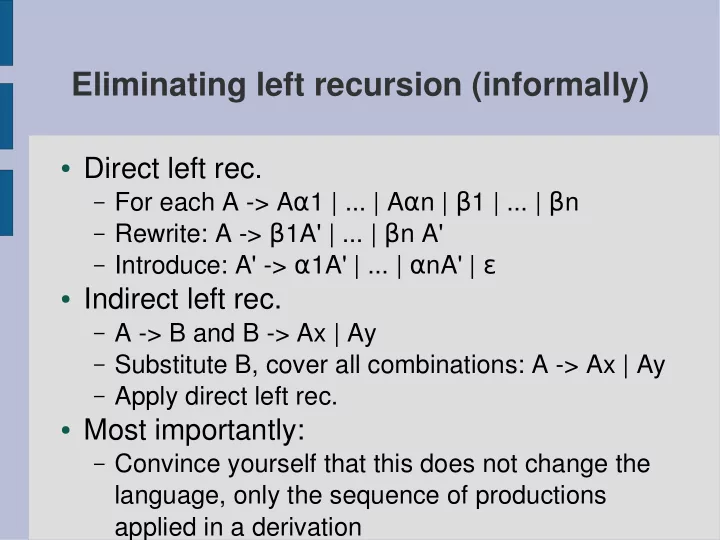
Eliminating left recursion (informally)

  • Direct left rec.

– For each A -> Aα1 | ... | Aαn | β1 | ... | βn – Rewrite: A -> β1A' | ... | βn A' – Introduce: A' -> α1A' | ... | αnA' | ε

  • Indirect left rec.

– A -> B and B -> Ax | Ay – Substitute B, cover all combinations: A -> Ax | Ay – Apply direct left rec.

  • Most importantly:

– Convince yourself that this does not change the

language, only the sequence of productions applied in a derivation

slide-2
SLIDE 2

Introducing Lex and Yacc

  • Lex and Yacc are languages with many

implementations – we'll use the 'flex' and 'bison' ones

  • They are tied to each other, as well as having a

somewhat hackish interface to C – both compile int C, and large sections of a Lex or Yacc specification will be written in C, directly included in the resulting scanner/parser

  • Specifications (*.l and *.y files) are written in 3 sections,

separated by a line containing only '%%'

– Initialization – Rules – Function implementations

slide-3
SLIDE 3

The initialization section

  • The first section sets the context for the rules – make sure

all functions used in the rule set have been prototyped, and declare any variables

– Anything between '%{' and '%}' will be included verbatim

(#include, global state vars, prototypes)

  • There is a small host of specific commands for both Lex and

Yacc, necessities will be covered here

  • The rest are covered in this book:

– The book is not fantastic, but it

can be a useful reference

slide-4
SLIDE 4

Lex: Rules

  • Rules in a Lex specification are transformed to an automaton in a

function called yylex(), which scans an input stream until it accepts, and returns a token value to indicate what it accepted

  • A rule is a regular expression, optionally tied to a small block of C

code – the typical task here is to return the appropriate token value for the matched reg.exp.

  • Yacc specs can generate a header file full of named token values

– this will be called “y.tab.h” by default, and can be #included by a Lex spec so you don't have to make up your own token values

  • Character classes are made with [], e.g.

– [A-Z]+ (one or more capital letters) – [0-9]* (zero or more digits) – [A-Za-z0-9] (one alphanumeric character) – Etc. etc.

slide-5
SLIDE 5

Lex: Internal state

  • Sometimes a token value is not enough information:

– ...so you matched an INTEGER. What's it's value? – ...so you matched a STRING. What does it say? – ...etc

  • The characters are shoved into a buffer (char *) called

'yytext' as they are matched – when a rule completes, this buffer will contain the matching text

– Shortly thereafter, it will contain the next match

  • instead. Copy what you need while you can.
  • There is also a variable called 'yylval' which can be

used for a spot of communication with the parser.

slide-6
SLIDE 6

Lex: Initialization

  • Typing up regular expressions can get messy. Common

parts can be given names in the initialization section, such as

– DIGIT [0-9] – WHITESPACE [\ \t\n]

  • These can be referred to in the rules as {DIGIT} and

{WHITESPACE} to make things a little more readable

  • By default there is a prototyped function 'yywrap' which you

are supposed to implement in order to handle transitions between multiple input streams (when one runs out of characters).

  • We won't need that - '%option noyywrap' will stop flex from

nagging you about defining it.

slide-7
SLIDE 7

Yacc: Rules

  • Yacc rules are grammar productions with slightly

different typography: “A -> B | C” reads

(Whitespace is immaterial, but I mostly write like this)

  • Parser constructs rightmost derivation,

(shift/reduce parsing = tracing the syntax tree)

  • Code for a production is called when the production is

matched

  • If the right hand side of the production is just a token from

the scanner, associated values can be taken from yylval

A : B { /* some code */ } | C { /* other code */ } ;

slide-8
SLIDE 8

Yacc: Variables

  • Consider the production

– if_stmt : IF expr THEN stmt ELSE stmt ENDIF { /*code*/ }

  • Since we want the /*code*/ to do something with the values which

triggered the production, we need a mechanism to refer to them

  • Yacc provides its own abstract variables:

– $$ is the left hand side of the production (typically the target of

an assignment)

– $1 refers to IF (most likely a token, here) – $2 refers to expr (which is probably either a value or some

kind of data structure

– $3 refers to THEN (a token again) – $4 refers the first stmt, (...and so on and so forth...)

  • What are the types of all these?
slide-9
SLIDE 9

The types of grammar entities

  • All terminals/nonterminals are by default made of type

“YYSTYPE”, which can be #define-d by the programmer

  • If more than one type is needed in a grammar, it can be

defined as a union

  • “%union { uint8_t ui; char *str; }” in the init. section will make

it possible to refer to 'yylval.ui' and 'yylval.str' when passing values from the scanner

  • Inside the parser, types are given to symbols with an own

directive: in this context “%type <ui> expr” will make “expr” symbols in the grammar be treated as 8-bit unsigned ints (when they are referred to as $x)

slide-10
SLIDE 10

Tokens

  • The tokens which are sent to the header file (included by the

scanner) can be defined in the init. Section – the following defines tokens for strings, numbers, and keywords if/else

– %token STRING NUMBER IF ELSE

  • Tokens can be %type-d just like other symbols
slide-11
SLIDE 11

yyerror

  • “int yyerror ( char * )” is called with an error string parameter

whenever parsing fails because the text is grammatically incorrect

  • Yacc needs an implementation of this
  • There is an uninformative one in the provided code – it could

easily be improved with more helpful messages, line # where the error occurred, etc., but we'll pass on that for the moment

slide-12
SLIDE 12

What to put where?

  • It's possible (but tricky) to make a compiler without

separating lexical, syntactical and semantic properties

  • Lexical analysis can be done with grammars, and both

scanners and parsers can do work related to semantics

  • The result very easily becomes a complicated mess
  • Recognizing these as distinct things is a simplified model of

languages, not a law of nature. It does not capture every truth about a language, but it helps designers to think about

  • ne thing at a time
  • How to apply this model is a decision you make, but the

theory is most helpful when you stick to isolating the three types of analysis from each other