
SLIDE 1
Sailing Together: Community Scanning from Stem to Stern
Lizzy Baus, Mollie Stanford, Katie Sundstrom, Heidi Schutt Lake Superior Libraries Symposium
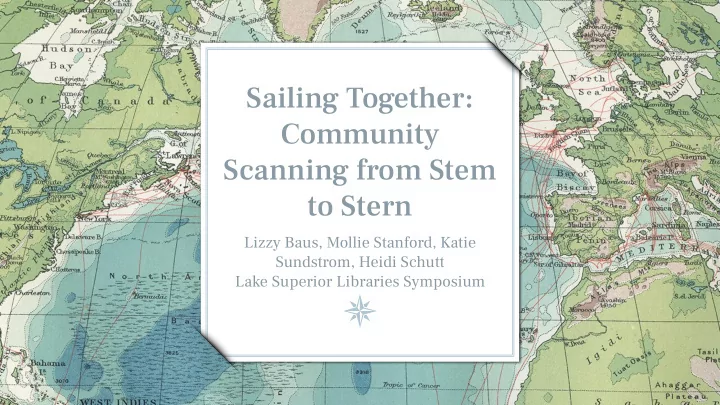
Sailing Together: Community Scanning from Stem to Stern Lizzy - - PowerPoint PPT Presentation
Sailing Together: Community Scanning from Stem to Stern Lizzy Baus, Mollie Stanford, Katie Sundstrom, Heidi Schutt Lake Superior Libraries Symposium Agenda Minnesota Digital Library and Scan for Keeps background Regional Library
Sailing Together: Community Scanning from Stem to Stern
Lizzy Baus, Mollie Stanford, Katie Sundstrom, Heidi Schutt Lake Superior Libraries Symposium
Agenda
➢ Minnesota Digital Library and Scan for Keeps background ➢ Regional Library System perspective ➢ Library event ➢ Other uses
2
The Minnesota Digital Library (MDL) supports discovery and education through access to unique digital collections shared by cultural heritage
state of Minnesota.
4
Libraries, archives, museums, historical societies, etc.
Visitors in the past year
Photos, maps, text, audio, video, 3D objects, etc.
5
Scan for Keeps program ➢ Pilot project, Fall 2015 → MDL-staffed events → Learn what works and what doesn’t ➢ Lending program, Fall 2016 → Provide equipment and templates → Offer advice
6
Scan for Keeps equipment
7
Scan for Keeps paperwork
8
Scan for Keeps templates
9
Scan for Keeps process
1. Express interest 2. Get trained 3. Sign form 4. Borrow equipment 5. Host event! 6. Return equipment
10
Learn more
For equipment list, procedures, forms, tips & tricks, and more:
https://mndigital.org/projects/scan-keeps
11
Regional Librarian Arrowhead Library System
mollie.stanford@alslib.info
12
13
REGIONAL LIBRARY SYSTEM PERSPECTIVE
14
ALS Kit Addition
15
Limo Premium Pro Table Top Photo 20" X 20" Soft Tent Kit with 800-900 Lumens Continuous Led Lights, Lmp106 -- $61.68 on Amazon
ALS Program Examples
16
Library Director Two Harbors Public Library
Katie.Sundstrom@alslib.info
17
Population: 3,517 Service Area: ~8,000
Open 47 hours / week Visitors: ~3,300 / month Circulation: ~5,800 items / month
18
Two Harbors Public Library Quick Facts
Getting Started
➢ Qualifying as a Program Host → Training → Equipment Transport → Practice
19
Audience ➢ What is our patron base? ➢ Which patrons are most likely to benefit? ➢ What days/times best reach this target audience?
20
Defining the Program
Scope ➢ What will we offer? → Photos → Slides → Realia ➢ How will patrons keep their scans? → USB Flash Drives → Burned CDs Time Frame ➢ Availability of: → Staff → Meeting Space → Equipment ➢ Limits for Patrons → Time Slot Sign-ups → Maximum Images
The Programs
March 28th, 2018, 2:00-4:00pm
➢ Pictures Only ➢ Attendance: 4 ➢ No Sign-up Sheet Feedback: ➢ Very positive ➢ We needed more time
January 10th, 2019, 2:00-5:00pm
➢ Pictures + Slides ➢ Attendance: 3 ➢ No Sign-up Sheet Feedback: ➢ Very positive ➢ We needed more time
21
What We Learned - The People ➢ Informal Social Hour ➢ Intergenerational Possibilities ➢ Great opportunity for collecting local history ➢ Good time to incorporate some technology training
22
What We Learned - the Technology ➢ The equipment is shared; pre-sets are
➢ Scanning is slow, especially for a tray of slides ➢ More sizes of slides than sizes of slide templates ➢ Editing capabilities are advanced, if you have the time ➢ No way to burn a disc
23
Recommendations Going Forward
➢ Always set-up the equipment well ahead of time ➢ Split the program time → Capitalize on a social hour for photos → Reserve separate ½ hour slots for slides
24
➢ Have extra staff assigned for back-up ➢ Consider doubling-up the programming → Technology Training → Community History → Genealogy → Scrapbooking
Anecdotes: 1. 50-year-old Christmas Photos for use as this year’s Christmas Cards 2. Saving space and memories 3. Following the kit around the ALS system to keep having more slides scanned
25
Population: 1,350 Service Area: 2,771
Open 40 hours / week Attendance: 750-800 / month Circulation: 2,000 items / month
26
Muir Library - Winnebago Quick Facts
Pushing the Limits
Rural Gateways & Califa Library Group
Applied in 2015 Began training in 2016 Library Programs in 2017-2019 10 Programs with 173 attendees 110 public libraries participated in the U.S.
27
Muir Library - Winnebago
Pushing the Limits Book Club Meets Science Cafe STEM Programs for Adults
Topics: Knowledge, Survival, Connection, Nature, Tradition, Transformation, Heritage, Motion, Preservation
28
Muir Library - Winnebago
Preserving Local/Family History
29
Muir Library - Winnebago
museums, county fair, churches, etc
equipment
safely online
30
THANKS!
Any questions?
31
Lizzy Baus eebaus@umn.edu Mollie Stanford
mollie.stanford@alslib.info
Katie Sundstrom
Katie.Sundstrom@alslib.info
Heidi Schutt hschutt@tds.lib.mn.us
Contact us!
CREDITS
Special thanks to all the people who made and released these awesome resources for free: ➢ Presentation template by SlidesCarnival ➢ Maps from David Rumsey Map Collection ➢ Photographs by Unsplash
32