Review Suppose a doctor can work in several hospitals and receives - - PDF document

review
SMART_READER_LITE
LIVE PREVIEW

Review Suppose a doctor can work in several hospitals and receives - - PDF document

Review Suppose a doctor can work in several hospitals and receives a salary from each one. Moreover, suppose each doctor has a primary home address and several doctors can have the same primary home address. Is R(doctor hospital salary


slide-1
SLIDE 1

1

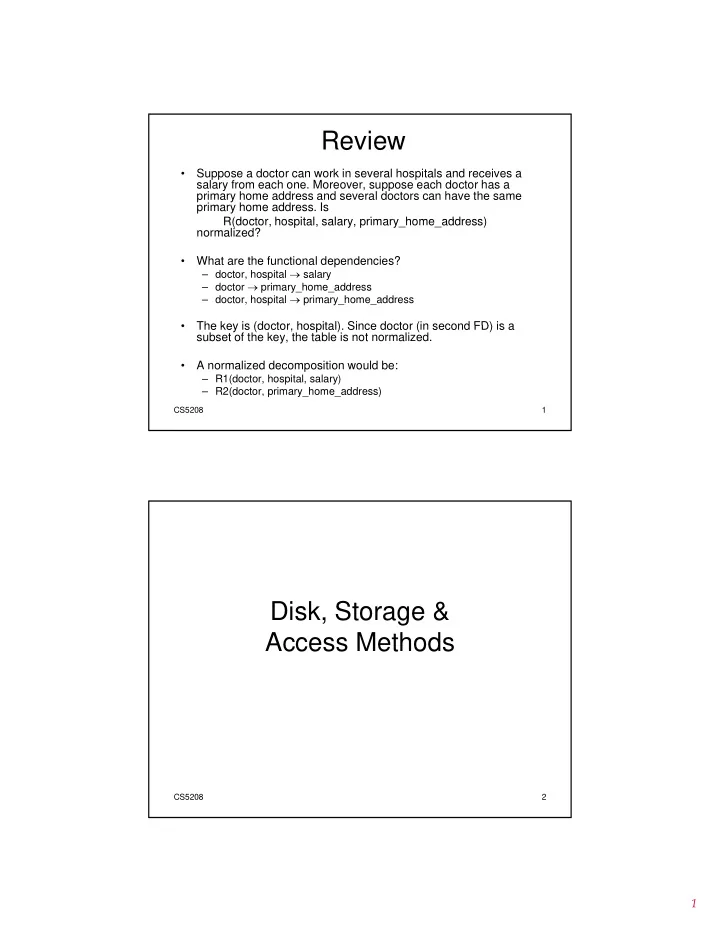
Review

  • Suppose a doctor can work in several hospitals and receives a

salary from each one. Moreover, suppose each doctor has a primary home address and several doctors can have the same primary home address. Is R(doctor hospital salary primary home address) R(doctor, hospital, salary, primary_home_address) normalized?

  • What are the functional dependencies?

– doctor, hospital  salary – doctor  primary_home_address – doctor, hospital  primary_home_address

  • The key is (doctor hospital) Since doctor (in second FD) is a

CS5208 1

  • The key is (doctor, hospital). Since doctor (in second FD) is a

subset of the key, the table is not normalized.

  • A normalized decomposition would be:

– R1(doctor, hospital, salary) – R2(doctor, primary_home_address)

Disk Storage & Disk, Storage & Access Methods

CS5208 2

slide-2
SLIDE 2

2

Disks and Files

  • DBMS stores information on (“hard”) disks
  • DBMS stores information on ( hard ) disks.
  • This has major implications for DBMS design!

– READ: transfer data from disk to main memory (RAM). – WRITE: transfer data from RAM to disk.

CS5208 3

– Both are high-cost operations, relative to in- memory operations, so must be planned carefully!

Why Not Store Everything in Main Memory?

  • Costs too much? Not any more

– $100 will buy you either 1 GB of RAM or 500 GB of disk today.

  • Main memory is volatile. We want data to be saved

between runs.

  • Data is also increasing at an alarming rate.

– “Big-Data” phenomenon

  • Memory error

– Larger memory means higher chances of data corruption

  • Typical storage hierarchy:

CS5208 4

Typical storage hierarchy:

– Main memory (RAM) for currently used data. – SSD/Flash memory (between RAM and Disk) – Disk for the main database (secondary storage). – Tapes for archiving older versions of the data (tertiary storage).

slide-3
SLIDE 3

3

Disks

  • Secondary storage device of choice.
  • Main advantage over tapes: random

access vs. sequential.

  • Data is stored and retrieved in units

called disk blocks or pages.

  • Unlike RAM, time to retrieve a disk page

i d di l ti di k

CS5208 5

varies depending upon location on disk.

– Therefore, relative placement of pages on disk has major impact on DBMS performance!

Components of a Disk

The platters spin (say, 120rps).

Spindle

Th bl i d

Disk head Tracks Sector Platters (2 surfaces)

The arm assembly is moved in or out to position a head

  • n a desired track. Tracks

under heads make a cylinder (imaginary!).

Arm movement

Only one head

Sector CS5208 6 Arm assembly

reads/writes at any

  • ne time.

 Block size is a multiple

  • f sector size (which is fixed).
slide-4
SLIDE 4

4

Accessing a Disk Page

  • Time to access (read/write) a disk block:

– seek time (moving arms to position disk head on track) – rotational delay (waiting for block to rotate under head) – transfer time (actually moving data to/from disk surface)

  • Seek time and rotational delay dominate.

– Seek time varies from about 0.3 to 10msec Rotational delay varies from 0 to 4msec

CS5208 7

– Rotational delay varies from 0 to 4msec – Transfer rate is about 0.08msec per 8KB page

  • Key to lower I/O cost: reduce seek/rotation delays!

Improving Access Time of Secondary Storage

  • Organization of data on disk

Organization of data on disk

  • Disk scheduling algorithms
  • Multiple disks or Mirrored disks
  • Prefetching and large-scale buffering
  • Algorithm design

CS5208 8

  • Algorithm design
slide-5
SLIDE 5

5

An Example

  • How long does it take to read a 2,048,000-byte file

that is divided into 8,000 256-byte records assuming the following disk characteristics? g g

average seek time 18 ms track-to-track seek time 5 ms rotational delay 8.3 ms maximum transfer rate 16.7 ms/track bytes/sector 512 sectors/track 40

CS5208 9

tracks/cylinder 11 tracks/surface 1,331

  • 1 track contains 40*512 = 20,480 bytes, the file

needs 100 tracks (~10 cylinders).

Design Issues

  • Randomly store records

– suppose each record is stored randomly on the disk – reading the file requires 8,000 random accesses – each access takes 18 (average seek) + 8.3 (rotational delay) + 0.4 (transfer one sector) = 26.7 ms – total time = 8,000*26.7 = 213,600 ms = 213.6 s

  • Store on adjacent cylinders

– read first cylinder = 18 + 8.3 + 11*16.7 = 210 ms read next 9 cylinders 9*(5+8 3+11*16 7) 1 773 ms

CS5208 10

– read next 9 cylinders = 9*(5+8.3+11*16.7) = 1,773 ms – total = 1,983 ms = 1.983 s

  • Blocks in a file should be arranged sequentially on disk to

minimize seek and rotational delay.

slide-6
SLIDE 6

6

Record Formats

F1 F2 F3 F4

Fixed Length Variable Length: Two formats

F1 F2 F3 F4

  • Information about field

types same for all records

Base address (B) L1 L2 L3 L4 Address = B+L1+L2 4 $ $ $ $ Field Count Fields Delimited by Special Symbols F1 F2 F3 F4 Array of Field Offsets CS5208 11

yp in a file; stored in system catalogs.

  • Finding ith field requires

scan of record.

  • Second offers direct access

to i’th field, efficient storage

  • f nulls; small directory
  • verhead.

Page Formats: Fixed Length Records

Slot 1 Slot 2 Slot 1 Slot 2 Free Slot N

. . . . . .

N M 1 . . . M ... 3 2 1 PACKED UNPACKED, BITMAP Slot N ee Space Slot M 1 1 number

  • f records

number

  • f slots

CS5208 12

  • Record id = <page id, slot #>. In first alternative,

moving records for free space management changes rid; may not be acceptable.

UN C , M

slide-7
SLIDE 7

7

Page Formats: Variable Length Records

Page i Rid = (i,N) Rid (i 2) Rid = (i,2) Rid = (i,1)

Pointer

20 16 24

N

CS5208 13

  • Can move records on page without changing rid;

so, attractive for fixed-length records too.

to start

  • f free

space

SLOT DIRECTORY

N . . . 2 1

# slots

Files of Records

  • Page or block is OK when doing I/O, but higher levels
  • f DBMS operate on records, and files of records.
  • FILE: A collection of pages, each containing a

collection of records. Must support: – insert/delete/modify record – read a particular record (specified using record id) – scan all records (possibly with some conditions on the records to be retrieved)

CS5208 14

records to be retrieved)

slide-8
SLIDE 8

8

Disk Space Management

  • Many files will be stored on a single disk
  • Need to allocate space to these files so that

disk space is effectively utilized – disk space is effectively utilized – files can be quickly accessed

  • Two issues

– management of free space in a disk

  • system maintains a free space list -- implemented

as bitmaps or link lists

CS5208 15

p – allocation of free space to files

  • granularity of allocation (blocks, clusters, extents)
  • allocation methods (contiguous, linked)

Bitmap

  • each block (one or more

pages) is represented by bit

  • consider a disk whose

blocks 2, 3, 4, 5, 8, 9, 10, 11 12 13 17 etc are

  • ne bit
  • a bitmap is kept for all

blocks in the disk – if a block is free, its corresponding bit is 0 – if a block is allocated, its 11, 12, 13, 17, etc. are

  • free. The bitmap would

be

  • 110000110000001...

CS5208 16

if a block is allocated, its corresponding bit is 1

  • to allocate space, scan the

map for 0s

0 1 2 3 4 5 6 7 8 9 10 11 12 13 14 15

slide-9
SLIDE 9

9

Link Lists

  • link all the free disk blocks together

– each free block points to the next free block

  • DBMS maintains a free space list head (FSLH) to the first

free block

  • to allocate space

– look up FSLH – follow the pointers t th FSLH

0 1 2 3 4 5 6 7

FSLH

CS5208 17

– reset the FSLH

0 1 2 3 4 5 6 7 8 9 10 11 12 13 14 15

Unordered (Heap) Files

  • Simplest file structure contains records in no particular
  • rder.
  • As file grows and shrinks, disk pages are allocated and

de-allocated.

  • To support record level operations, we must:

– keep track of the pages in a file – keep track of free space on pages

CS5208 18

– keep track of the records on a page

  • There are many alternatives for keeping track of this.

– We’ll consider 2

slide-10
SLIDE 10

10

Heap File Implemented as a List

Data Data Data Full Pages

  • The header page id and Heap file name must be stored

Header Page Page Page Page Data Page Data Page Data Page Pages with Free Space Full Pages

CS5208 19

The header page id and Heap file name must be stored someplace. – Database “catalog”

  • Each page contains 2 `pointers’ plus data.

Heap File Using a Page Directory

Data Page 1 Data Header Page

  • The entry for a page can include the number of free

Data Page 2 Data Page N

DIRECTORY CS5208 20

The entry for a page can include the number of free bytes on the page.

  • The directory is a collection of pages; linked list

implementation is just one alternative. – Much smaller than linked list of all HF pages!

slide-11
SLIDE 11

11

Buffer Management in a DBMS

Page Requests from Higher Levels

BUFFER POOL MAIN MEMORY DISK disk page free frame choice of frame dictated

CS5208 21

  • Data must be in RAM for DBMS to operate on it!
  • Table of <frame#, pageid> pairs is maintained.

DB

DISK choice of frame dictated by replacement policy

When a Page is Requested ...

  • If requested page is not in pool:

– Choose a frame for replacement Choose a frame for replacement – If frame is dirty, write it to disk – Read requested page into chosen frame

  • Pin the page and return its address.

CS5208 22

If requests can be predicted (e.g., sequential scans) pages can be pre-fetched several pages at a time!

slide-12
SLIDE 12

12

Access Methods

"If you don't find it in the index, look very f ll th h th ti t l "

CS5208 – Access methods 23

carefully through the entire catalogue."

  • - Sears, Roebuck, and Co.,

Consumer's Guide, 1897

Single Record and Range Searches

  • Single record retrievals
  • Single record retrievals

– ``Find student name whose matric# = 921000Y13’’

  • Range queries

– ``Find all students with cap > 3.2’’

  • Sequentially scanning the file is costly

If d t i i t d fil d bi h t fi d fi t

CS5208 – Access methods 24

  • If data is in sorted file, do binary search to find first

such student, then scan to find others.

  • cost of binary search can still be quite high.
slide-13
SLIDE 13

13

Indexes

  • An index on a file speeds up selections on the

search key fields for the index search key fields for the index.

– Any subset of the fields of a relation can be the search key for an index on the relation. – Search key is not the same as key (minimal set of fields that uniquely identify a record in a relation).

  • e.g., consider Student(matric#, name, addr, cap), the key is

matric# but the search key can be matric# name addr cap

CS5208 – Access methods 25

matric#, but the search key can be matric#, name, addr, cap

  • r any combination of them

– For each search key, you build an index Sequential File 10 Dense Index

Simple Index File (Data File Sorted)

record

20 10 40 30 60 50

10 20 30 40 50 60 70

record record record record

CS5208 – Access methods 26

80 70 100 90

80 90 100 110 120

slide-14
SLIDE 14

14

Sequential File 10 Sparse Index

10

Simple Index File (Cont)

20 10 40 30 60 50

10 30 50 70 90 110 130 150

CS5208 – Access methods 27

80 70 100 90

150 170 190 210 230

Sequential File 10 Sparse 2nd level

10 10

Simple Index File (Cont)

20 10 40 30 60 50

10 30 50 70 90 110 130 150 10 90 170 250 330 410 490

CS5208 – Access methods 28

80 70 100 90

150 170 190 210 230 570

slide-15
SLIDE 15

15 Sequence field

  • Dense index

Secondary indexes

50 30 70 20 80

  • Dense index

10 20 30 40 50 60 10 50 90 ...

CS5208 – Access methods 29

40 10 100 60 90

60 70 ...

sparse high level

Conventional indexes

Advantages:

  • Simple
  • Index is sequential file
  • Good for scans

Disadvantages:

  • Inserts expensive, and/or

CS5208 – Access methods 30

  • Lose sequentiality & balance
slide-16
SLIDE 16

16

10

Example

Index(sequential) 10 20 30 40 50 60 39 31 35 36 32 38 33 continuous

CS5208 – Access methods 31

70 80 90 38 34

  • verflow area

(not sequential)

free space

Tree-Structured Indexing

  • Tree-structured indexing techniques support

both range searches and equality searches both range searches and equality searches

CS5208 – Access methods 32

Data pages

slide-17
SLIDE 17

17

B+ Tree: The Most Widely Used Index

– Height-balanced.

  • Insert/delete at log

N cost (F = fanout N = # leaf

  • Insert/delete at log F N cost (F = fanout, N = # leaf

pages);

– Grow and shrink dynamically. – Minimum 50% occupancy (except for root).

  • Each node contains d <= m <= 2d entries. The

parameter d is called the order of the tree. O d (d) t l d b h i l

CS5208 – Access methods 33

  • Order (d) concept replaced by physical space

criterion in practice (`at least half-full’).

– `next-leaf-pointer’ to chain up the leaf nodes. – Data entries at leaf are sorted.

Example B+ Tree

  • Each node can hold 4 entries (order = 2)

Root

17 24 30 13 5

CS5208 – Access methods 34

2 3 14 16 19 20 22 24 27 29 33 34 38 39 7 5 8

slide-18
SLIDE 18

18

Node structure

index entry

  • Non-leaf nodes

P0 K 1 P 1 K 2 P 2 K m P m

  • Leaf nodes

CS5208 – Access methods 35 P0 K 1 P 1 K 2 P 2 K m P m

Next leaf node

Searching in B+ Tree

  • Search begins at root, and key comparisons

direct it to a leaf

  • Search for 5, 15, all data entries >= 24 ...

Root

17 24 30 13

CS5208 – Access methods 36

Based on the search for 15*, we know it is not in the tree!

2 3 5 14 16 19 20 22 24 27 29 33 34 38 39

slide-19
SLIDE 19

19

B+ Trees in Practice

  • Typical order: 100

Typical fill-factor: 67% Typical order: 100. Typical fill factor: 67%.

– average fanout = 133

  • Typical capacities (root at Level 1, and has 1 entry):

– Level 5: 1334 = 312,900,700 records – Level 4: 1333 = 2,352,637 records

  • Can often hold top levels in buffer pool:

CS5208 – Access methods 37

– Level 1 = 1 page = 8 Kbytes – Level 2 = 133 pages = 1 Mbyte – Level 3 = 17,689 pages = 133 MBytes

Inserting a Data Entry into a B+ Tree

  • Find correct leaf L.
  • Put data entry onto L

Put data entry onto L.

– If L has enough space, done! – Else, must split L (into L and a new node L2)

  • Redistribute entries evenly, copy up middle key.
  • Insert index entry pointing to L2 into parent of L.
  • This can happen recursively

CS5208 – Access methods 38

– To split index node, redistribute entries evenly, but push up middle key. (Contrast with leaf splits.)

  • Splits “grow” tree; root split increases height.

– Tree growth: gets wider or one level taller at top.

slide-20
SLIDE 20

20

Inserting 7 & 8 into Example B+ Tree

Root

17 24 30 13 2 3 5 14 16 19 20 22 24 27 29 33 34 38 39

CS5208 – Access methods 39

Inserting 7 & 8 into Example B+ Tree

Root

17 24 30 13 2 3 5 7 14 16 19 20 22 24 27 29 33 34 38 39

CS5208 – Access methods 40

slide-21
SLIDE 21

21

Inserting 7 & 8 into Example B+ Tree

Root

17 24 30 13 2 3 5 7 14 16 19 20 22 24 27 29 33 34 38 39

(Note that 5 is copied up and continues to appear in the leaf.)

  • Observe how minimum

CS5208 – Access methods 41

2 3 5 7 8

5

17 24 30 13

  • Observe how minimum
  • ccupancy is

guaranteed in both leaf and index pg splits.

Insertion (Cont)

  • Note

appears once in the index. Contrast (Note that 17 is pushed up and only this with a leaf split.)

  • Note

difference between copy-up and push-up; be sure you

5 24 30 17 13

CS5208 – Access methods 42

sure you understand the reasons for this.

2 3 5 7 8

5

17 24 30 13

slide-22
SLIDE 22

22

Example B+ Tree After Inserting 8

Root

17 2 3 17 24 30 14 16 19 20 22 24 27 29 33 34 38 39 13 5 7 5 8

CS5208 – Access methods 43

  • Notice that root was split, leading to increase in height.
  • In this example, we can avoid splitting by re-distributing

entries; however, this is usually not done in practice. Why?

Deleting a Data Entry from a B+ Tree

  • Start at root, find leaf L where entry belongs.
  • Remove the entry.

– If L is at least half-full, done! – If L has only d-1 entries,

  • Try to re-distribute, borrowing from sibling (adjacent

node with same parent as L).

  • If re-distribution fails, merge L and sibling.

CS5208 – Access methods 44

If re distribution fails, merge L and sibling.

  • If merge occurred, must delete entry (pointing to L
  • r sibling) from parent of L.
  • Merge could propagate to root, decreasing height.
slide-23
SLIDE 23

23

Example Tree After (Inserting 8, Then) Deleting 19

2 3

Root

17 24 30 14 16 19 20 24 27 29 33 34 38 39 13 5 7 5 8 22

CS5208 – Access methods 45

Example Tree After (Inserting 8, Then) Deleting 19

2 3

Root

17 24 30 14 16 20 22 24 27 29 33 34 38 39 13 5 7 5 8

CS5208 – Access methods 46

  • Deleting 19 is easy.
slide-24
SLIDE 24

24

Example Tree After Deleting 20 ...

Root

2 3 17 30 14 16 33 34 38 39 13 5 7 5 8 22 24 27 27 29

CS5208 – Access methods 47

  • Deleting 20 is done with re-distribution.

Notice how middle key is copied up.

Example Tree After Deleting 24 ...

Root

2 3 17 30 14 16 33 34 38 39 13 5 7 5 8 22 27 27 29

Node underflow

CS5208 – Access methods 48

Node underflow

slide-25
SLIDE 25

25

... And Then Deleting 24

  • Must merge.

30

  • Observe `toss’ of

index entry (on right), and `pull down’ of index entry (below).

22 27 29 33 34 38 39

Root CS5208 – Access methods 49

2 3 7 14 16 22 27 29 33 34 38 39 5 8 30 13 5 17

Example of Non-leaf Re-distribution (Delete 24)

Root

22

  • In contrast to previous

example, can re-

22 13 5 17 20 30 14 16 17 18 20 33 34 38 39 27 29 21 7 5 8 3 2 22 24 27

CS5208 – Access methods 50

example, can re distribute entry from left child of root to right child.

Root

13 5 17 20 22 30 14 16 17 18 20 33 34 38 39 22 27 29 21 7 5 8 3 2

slide-26
SLIDE 26

26

After Re-distribution

  • Intuitively, entries are re-distributed by `pushing

through’ the splitting entry in the parent node.

  • It suffices to re-distribute index entry with key 20;

we’ve re-distributed 17 as well for illustration.

Root

17

CS5208 – Access methods 51

14 16 33 34 38 39 22 27 29 17 18 20 21 7 5 8 2 3 13 5 30 20 22

Hash-based Index

  • Hash-based indexes

– (Ideally) best for equality selections – Performance degenerate for skewed data distributions – Inefficient for range searches

  • Depends on hash function used

CS5208 – Access methods 52

Depends on hash function used

  • Static and dynamic hashing techniques exist
slide-27
SLIDE 27

27

Static Hashing

  • # primary pages fixed, allocated sequentially,

never de-allocated; overflow pages if needed never de allocated; overflow pages if needed.

  • h(k) mod M = bucket to which data entry with

key k belongs. (M = # of buckets)

h(key) mod M key 1

CS5208 – Access methods 53

h key

Primary buckets Overflow buckets

M-1

Buckets are typically 1 disk block

Two alternatives

(1) key  h(key)

record

(1) key  h(key)

Index record k

CS5208 – Access methods 54

(2) key  h(key)

key 1

  • Alt (2) for “secondary” search key
slide-28
SLIDE 28

28

Static Hashing (Cont.)

  • Buckets may contain data records or pointers.

– Unless otherwise stated we assume the former – Unless otherwise stated, we assume the former.

  • Hash fn works on search key field of record r.

Must distribute values over range 0 ... M-1.

– h(key) = (a * key + b) mod M usually works well.

  • a and b are constants
  • h has to be tuned for different applications.

Long overflow chains can develop and degrade

CS5208 – Access methods 55

  • Long overflow chains can develop and degrade

performance.

– Extendible and Linear Hashing: Dynamic techniques to fix this problem.

Within a bucket or a chain of buckets:

  • Do we keep keys sorted?

p y

  • Yes, if CPU time critical

& Inserts/Deletes not too frequent

CS5208 – Access methods 56

slide-29
SLIDE 29

29

EXAMPLE 2 records/bucket

INSERT: INSERT: h(a) = 1 h(b) = 2 h(c) = 1 h(d) = 0

1 2 3

d a c b e

CS5208 – Access methods 57

h(d) 0

3

h(e) = 1

EXAMPLE: deletion

Delete:

1 2 3

a b c e d

Delete: e f

f

c

d

CS5208 – Access methods 58

3

f g

maybe move “g” up

slide-30
SLIDE 30

30

Rule of thumb:

  • Try to keep space utilization between 50%
  • If < 50%, waste space
  • If > 80%, overflows significant

– Depends on how good hash function is & on #keys/bucket

y p p and 80%

Utilization = # keys used/total # keys that fit

CS5208 – Access methods 59

  • How to cope with growth?

– Overflows and reorganization – Dynamic hashing

Clustered vs. Unclustered Index

  • Suppose the data file is unsorted.

– To build clustered index, first sort the data file (with some f h f f i ) free space on each page for future inserts). – Overflow pages may be needed for inserts. (Thus, order of data recs is `close to’, but not identical to, the sort order.)

Index entries direct search for data entries

CLUSTERED UNCLUSTERED CS5208 – Access methods 60

Data entries (Index File) (Data file) Data Records Data entries Data Records

slide-31
SLIDE 31

31

Dense vs. Sparse

  • If there is at least
  • ne data entry per
  • ne data entry per

search key value (in some data record), then dense.

– Every sparse index is clustered!

Ashby, 25, 3000 Smith, 44, 3000 Ashby Cass Smith 22 25 30 40 44 44 50 33 Bristow, 30, 2007 Basu, 33, 4003 Cass, 50, 5004 T 44 5004 Daniels, 22, 6003 Jones, 40, 6003

CS5208 – Access methods 61

– Sparse indexes are smaller.

Sparse Index

  • n

Name

Data File

Dense Index

  • n

Age

Tracy, 44, 5004

Multi-attribute Indexes

  • Composite Search Keys: Search on

a combination of fields.

– Equality query: Every field value is Examples of composite key indexes using lexicographic order. equal to a constant value. E.g. wrt <sal,age> index:

  • age=12 & sal =75

– Range query: Some field value is not a constant. E.g.:

  • age=12 & sal > 10 (use <age, sal>)
  • age < 12 & sal = 10 (use <age,sal>

may fetch more records than desired)

  • Data entries in index sorted by

sue 13 75 bob cal joe 12 10 20 80 11 12 name age sal <age, sal> <age> 12,20 12,10 11,80 13,75 10,12 11 12 12 13 10 CS5208 – Access methods 62

Data entries in index sorted by search key to support range queries.

– Lexicographic order, or – Spatial order

  • There are also multi-attribute

indexing structures (e.g., R-trees)

<sal, age> <sal> 20,12 75,13 80,11 20 75 80

Data records sorted by name Data entries in index sorted by <sal,age> Data entries sorted by <sal>

slide-32
SLIDE 32

32

Summary

  • Is it always beneficial to use an index for

data retrieval?

  • Is it beneficial to build indexes on ALL

tt ib t f t bl ?

CS5208 – Access methods 63

attributes of a table?