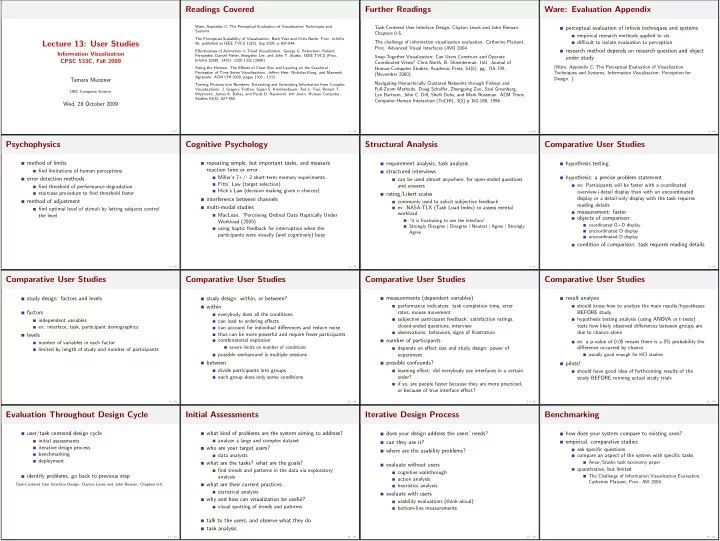
Readings Covered Further Readings Ware: Evaluation Appendix Ware, - - PowerPoint PPT Presentation

readings covered further readings ware evaluation appendix
SMART_READER_LITE
LIVE PREVIEW

Readings Covered Further Readings Ware: Evaluation Appendix Ware, - - PowerPoint PPT Presentation

Readings Covered Further Readings Ware: Evaluation Appendix Ware, Appendix C: The Perceptual Evaluation of Visualization Techniques and Task-Centered User Interface Design, Clayton Lewis and John Rieman, perceptual evaluation of infovis


slide-1
SLIDE 1

Lecture 13: User Studies

Information Visualization CPSC 533C, Fall 2009 Tamara Munzner UBC Computer Science Wed, 28 October 2009 1 / 49

Readings Covered

Ware, Appendix C: The Perceptual Evaluation of Visualization Techniques and Systems The Perceptual Scalability of Visualization. Beth Yost and Chris North. Proc. InfoVis 06, published as IEEE TVCG 12(5), Sep 2006, p 837-844. Effectiveness of Animation in Trend Visualization. George G. Robertson, Roland Fernandez, Danyel Fisher, Bongshin Lee, and John T. Stasko. IEEE TVCG (Proc. InfoVis 2008). 14(6): 1325-1332 (2008) Sizing the Horizon: The Effects of Chart Size and Layering on the Graphical Perception of Time Series Visualizations. Jeffrey Heer, Nicholas Kong, and Maneesh
  • Agrawala. ACM CHI 2009, pages 1303 - 1312.
Turning Pictures into Numbers: Extracting and Generating Information from Complex
  • Visualizations. J. Gregory Trafton, Susan S. Kirschenbaum, Ted L. Tsui, Robert T.
Miyamoto, James A. Ballas, and Paula D. Raymond. Intl Journ. Human Computer Studies 53(5), 827-850. 2 / 49

Further Readings

Task-Centered User Interface Design, Clayton Lewis and John Rieman, Chapters 0-5. The challenge of information visualization evaluation. Catherine Plaisant.
  • Proc. Advanced Visual Interfaces (AVI) 2004
Snap-Together Visualization: Can Users Construct and Operate Coordinated Views? Chris North, B. Shneiderman. Intl. Journal of Human-Computer Studies, Academic Press, 53(5), pg. 715-739, (November 2000). Navigating Hierarchically Clustered Networks through Fisheye and Full-Zoom Methods. Doug Schaffer, Zhengping Zuo, Saul Greenberg, Lyn Bartram, John C. Dill, Shelli Dubs, and Mark Roseman. ACM Trans. Computer-Human Interaction (ToCHI), 3(2) p 162-188, 1996. 3 / 49

Ware: Evaluation Appendix

perceptual evaluation of infovis techniques and systems empirical research methods applied to vis difficult to isolate evaluation to perception research method depends on research question and object under study [Ware, Appendix C: The Perceptual Evaluation of Visualization Techniques and Systems. Information Visualization: Perception for
  • Design. ]
4 / 49

Psychophysics

method of limits find limitations of human perceptions error detection methods find threshold of performance degradation staircase procedure to find threshold faster method of adjustment find optimal level of stimuli by letting subjects control the level 5 / 49

Cognitive Psychology

repeating simple, but important tasks, and measure reaction time or error Miller’s 7+/- 2 short-term memory experiments Fitts’ Law (target selection) Hick’s Law (decision making given n choices) interference between channels multi-modal studies MacLean, “Perceiving Ordinal Data Haptically Under Workload (2005) using haptic feedback for interruption when the participants were visually (and cognitively) busy 6 / 49

Structural Analysis

requirement analysis, task analysis structured interviews can be used almost anywhere, for open-ended questions and answers rating/Likert scales commonly used to solicit subjective feedback ex: NASA-TLX (Task Load Index) to assess mental workload “it is frustrating to use the interface” Strongly Disagree | Disagree | Neutral | Agree | Strongly Agree 7 / 49

Comparative User Studies

hypothesis testing hypothesis: a precise problem statement ex: Participants will be faster with a coordinated
  • verview+detail display than with an uncoordinated
display or a detail-only display with the task requires reading details measurement: faster
  • bjects of comparison:
coordinated O+D display uncoordinated O display uncoordinated D display condition of comparison: task requires reading details 8 / 49

Comparative User Studies

study design: factors and levels factors independent variables ex: interface, task, participant demographics levels number of variables in each factor limited by length of study and number of participants 9 / 49

Comparative User Studies

study design: within, or between? within everybody does all the conditions can lead to ordering effects can account for individual differences and reduce noise thus can be more powerful and require fewer participants combinatorial explosion severe limits on number of conditions possible workaround is multiple sessions between divide participants into groups each group does only some conditions 10 / 49

Comparative User Studies

measurements (dependent variables) performance indicators: task completion time, error rates, mouse movement subjective participant feedback: satisfaction ratings, closed-ended questions, interview
  • bservations: behaviors, signs of frustration
number of participants depends on effect size and study design: power of experiment possible confounds? learning effect: did everybody use interfaces in a certain
  • rder?
if so, are people faster because they are more practiced,
  • r because of true interface effect?
11 / 49

Comparative User Studies

result analysis should know how to analyze the main results/hypotheses BEFORE study hypothesis testing analysis (using ANOVA or t-tests) tests how likely observed differences between groups are due to chance alone ex: a p-value of 0.05 means there is a 5% probability the difference occurred by chance usually good enough for HCI studies pilots! should have good idea of forthcoming results of the study BEFORE running actual study trials 12 / 49

Evaluation Throughout Design Cycle

user/task centered design cycle initial assessments iterative design process benchmarking deployment identify problems, go back to previous step Task-Centered User Interface Design, Clayton Lewis and John Rieman, Chapters 0-5. 13 / 49

Initial Assessments

what kind of problems are the system aiming to address? analyze a large and complex dataset who are your target users? data analysts what are the tasks? what are the goals? find trends and patterns in the data via exploratory analysis what are their current practices statistical analysis why and how can visualization be useful? visual spotting of trends and patterns talk to the users, and observe what they do task analysis 14 / 49

Iterative Design Process

does your design address the users’ needs? can they use it? where are the usability problems? evaluate without users cognitive walkthrough action analysis heuristics analysis evaluate with users usability evaluations (think-aloud) bottom-line measurements 15 / 49

Benchmarking

how does your system compare to existing ones? empirical, comparative studies ask specific questions compare an aspect of the system with specific tasks Amar/Stasko task taxonomy paper quantitative, but limited The Challenge of Information Visualization Evaluation, Catherine Plaisant, Proc. AVI 2004 16 / 49
slide-2
SLIDE 2

Deployment

how is the system used in the wild? how are people using it? does the system fit into existing work flow? environment? contextual studies, field studies 17 / 49

Comparing Systems vs. Characterizing Usage

user/task centered design cycle: initial assessments iterative design process benchmarking: head-to-head comparison deployment (identify problems, go back to previous step) understanding/characterizing techniques tease apart factors when and how is technique appropriate line is blurry: intent 18 / 49

Perceptual Scalability

what are perceptual/cognitive limits when screen-space constraints lifted? 2 vs. 32 Mpixel display macro/micro views perceptually scalable no increase in task completion times when normalize to amount of data [The Perceptual Scalability of Visualization. Beth Yost and Chris North. IEEE TVCG 12(5) (Proc. InfoVis 06), Sep 2006, p 837-844.] 19 / 49

Perceptual Scalability

design 2 display sizes, between-subjects (data size also increased proportionally) 3 visualization designs, within small multiples: bars embedded graphs embedded bars 7 tasks, within 42 tasks per participant 3 vis x 7 tasks x 2 trials 20 / 49

Embedded Visualizations

[The Perceptual Scalability of Visualization. Beth Yost and Chris North. IEEE TVCG 12(5) (Proc. InfoVis 06), Sep 2006, p 837-844.] 21 / 49

Small Multiples Visualizations

attribute-centric instead of space-centric [The Perceptual Scalability of Visualization. Beth Yost and Chris North. IEEE TVCG 12(5) (Proc. InfoVis 06), Sep 2006, p 837-844.] 22 / 49

Results

20x increase in data, but only 3x increase in absolute task times [The Perceptual Scalability of Visualization. Beth Yost and Chris North. IEEE TVCG 12(5) (Proc. InfoVis 06), Sep 2006, p 837-844.] 23 / 49

Results

significant 3-way interaction between display, size, task [The Perceptual Scalability of Visualization. Beth Yost and Chris North. IEEE TVCG 12(5) (Proc. InfoVis 06), Sep 2006, p 837-844.] 24 / 49

Results

visual encoding important on small displays DS: mults sig slower than graphs on small DS: mults sig slower than embedded on large OS: bars sig faster than graphs for small OS: no sig difference bars/graphs for large spatial grouping important on large displays embedded sig faster+preferred over small mult no bar/graph differences 25 / 49

Critique

26 / 49

Critique

first study of macro/micro effects breaking new ground many possible followups physical navigation vs. virtual navigation The Effects of Peripheral Vision and Physical Navigation in Large Scale Visualization. GI 08 Move to Improve: Promoting Physical Navigation to Increase user Performance with Large Displays. CHI 07 27 / 49

Animation for Trends

Gapminder: animated bubble charts + human x/y position, size, color, animation is animation effective? presentation vs analysis trend vs transitions [Effectiveness of Animation in Trend Visualization. Robertson et al. IEEE TVCG (Proc. InfoVis 2008). 14(6): 1325-1332 (2008)] 28 / 49

Trends

many countertrends lost in clutter [Effectiveness of Animation in Trend Visualization. Robertson et al. IEEE TVCG (Proc. InfoVis 2008). 14(6): 1325-1332 (2008)] 29 / 49

Small Multiples

individual plots get small [Effectiveness of Animation in Trend Visualization. Robertson et al. IEEE TVCG (Proc. InfoVis 2008). 14(6): 1325-1332 (2008)] 30 / 49

Design

2 use: presentation vs. analysis (between-subjects) 3 vis encodings: animation vs. traces vs. small mults 2 dataset size: small vs. large 3 encoding x 2 size: within-subjects 24 tasks per participant 4 tasks x 3 encodings x 2 sizes 31 / 49

Results

small multiples more accurate than animation animation faster for presentation, slower for analysis than small multiples and trends dataset size matters (unsurprisingly) 32 / 49
slide-3
SLIDE 3

Critique

33 / 49

Critique

nice idea to investigate the gapminder phenomenon! well done study 34 / 49

Sizing the Horizon

high data density displays horizon charts, offset graphs [Sizing the Horizon: The Effects of Chart Size and Layering on the Graphical Perception of Time Series Visualizations. Heer, Kong, and Agrawala. CHI 2009, p 1303-1312.] 35 / 49

Experiment 1

how many bands? mirrored or offset? design: within-subjects 2 chart types: mirrored, offset 3 band counts: 2, 3, 4 16 trials per condition 96 trials per subject results surprise: offset no better than mirrored more bands is harder (time, errors) stick with just 2 bands 36 / 49

Experiment 2

mirror/layer vs line charts? effect of size? design: within-subjects 3 charts: line charts, mirror no banding, mirror 2 bands 4 sizes 10 trials per condition 120 trials per subject [Sizing the Horizon: The Effects of Chart Size and Layering on the Graphical Perception of Time Series Visualizations. Heer, Kong, and Agrawala. CHI 2009, p 1303-1312.] 37 / 49

Results

found crossover point where 2-band better: 24 pixels virtual resolution: unmirrored unlayered height line: 1x, 1band: 2x, 2band: 4x guidelines mirroring is safe layering (position) better than color alone 24 pixels good for line charts, 1band mirrors 12 or 16 pixels good for 2band 38 / 49

Critique

39 / 49

Critique

very well executed study best paper award finding crossover points is very useful 40 / 49

Pictures Into Numbers

field study participants: professional meterologists two people: forecaster, technician interfaces: multiple programs used protocol talkaloud videotaped sessions with 3 cameras [Turning Pictures into Numbers: Extracting and Generating Information from Complex Visualizations. Trafton et al. Intl J. Human Computer Studies 53(5), 827-850.] 41 / 49

Cognitive Task Analysis

initialize understanding of large scale weather build qualitative mental model (QMM) verify and adjust QMM write the brief task breakdown part of paper contribution 42 / 49

Coding Methodology

interface which interface used whether picture/chart/graph usage (every utterance!) goal extract quant/qual goal-oriented/opportunistic integrated/unintegrated brief-writing quant/qual QMM/vis/notes 43 / 49

Results

sig difference between vis used at CTA stages charts to build QMM images to verify/adjust QMM all kinds during brief-writing many others... [Turning Pictures into Numbers: Extracting and Generating Information from Complex
  • Visualizations. Trafton et al. Intl J. Human Computer Studies 53(5), 827-850.]
44 / 49

Critique

45 / 49

Critique

video coding is huge amount of work, but very illuminating untangling complex story of real tool use methodology of CTA construction not discussed here
  • ften bottomup/topdown mix
46 / 49

Credits

Heidi Lam guest lecture http://www.cs.ubc.ca/∼tmm/courses/cpsc533c-06-fall/#lect10 47 / 49

Proposals

due 5pm this Fri (Oct 30) by emailing me a URL Subject: 533 submit proposal format - PDF great, HTML ok, Word acceptable 48 / 49
slide-4
SLIDE 4

Presentations

days/topics now posted seed papers posted for first day rest up soon slides required, PPT or PDF if using my laptop: email me URL by 10am if your own laptop, email me URL by 3:00pm you need both summary and critique/synthesis important difference from me: audience hasn’t read papers! grading (probably) summary 50% synthesis/critique 20% style 15% materials %15 20 min total: 15-17 present, 3-5 questions must practice to get timing right! 49 / 49