
SLIDE 1
CS 148: Summer 2016 Introduction of Graphics and Imaging Zahid Hossain
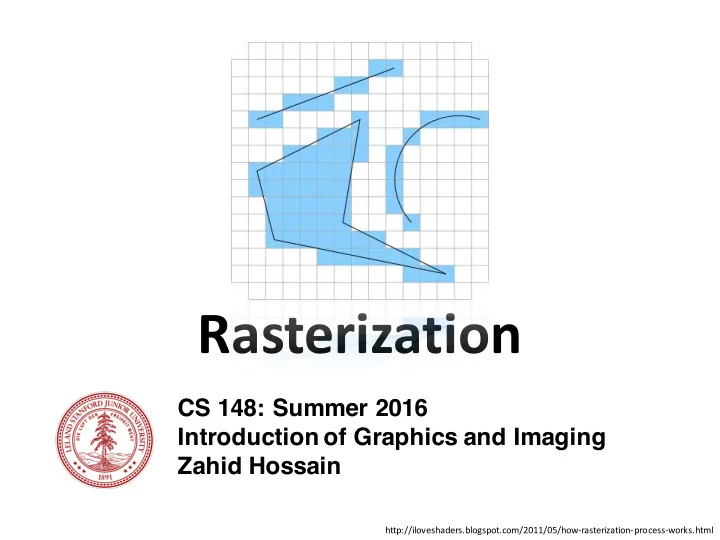
Rasterization
http://iloveshaders.blogspot.com/2011/05/how-rasterization-process-works.html
Rasterization CS 148: Summer 2016 Introduction of Graphics and - - PowerPoint PPT Presentation
Rasterization CS 148: Summer 2016 Introduction of Graphics and Imaging Zahid Hossain http://iloveshaders.blogspot.com/2011/05/how-rasterization-process-works.html Render [ren-der]: The process of generating an image from a description of a
CS 148: Summer 2016 Introduction of Graphics and Imaging Zahid Hossain
http://iloveshaders.blogspot.com/2011/05/how-rasterization-process-works.html
The process of generating an image from a description
CS 148: Introduction to Computer Graphics and Imaging (Summer 2016) – Zahid Hossain 2
https://en.wikipedia.org/wiki/Rendering_(computer_graphics)
3 CS 148: Introduction to Computer Graphics and Imaging (Summer 2016) – Zahid Hossain
CS 148: Introduction to Computer Graphics and Imaging (Summer 2016) – Zahid Hossain 4
Projection: 3D description to 2D description
Rasterization
http://iloveshaders.blogspot.com/2011/05/how-rasterization-process-works.html
CS 148: Introduction to Computer Graphics and Imaging (Summer 2016) – Zahid Hossain 5
http://upload.wikimedia.org/wikipedia/commons/8/83/Ray_trace_diagram.svg CS 148: Introduction to Computer Graphics and Imaging (Summer 2016) – Zahid Hossain 6
Raytracing
CS 148: Introduction to Computer Graphics and Imaging (Summer 2016) – Zahid Hossain 7
To convert vector data to raster – pixel or dot – format.
CS 148: Introduction to Computer Graphics and Imaging (Summer 2016) – Zahid Hossain 8
“A triangle is here, a circle is there, …” “This pixel is yellow…”
CS 148: Introduction to Computer Graphics and Imaging (Summer 2016) – Zahid Hossain 9
CS 148: Introduction to Computer Graphics and Imaging (Summer 2016) – Zahid Hossain 10
CS 148: Introduction to Computer Graphics and Imaging (Summer 2016) – Zahid Hossain 11
Pixel Pixel Pixel Pixel Pixel Pixel Pixel Pixel Pixel Pixel Pixel Pixel Pixel Pixel Pixel Pixel Pixel Pixel Pixel Pixel Pixel Pixel Pixel Pixel Pixel Pixel Pixel Pixel
CS 148: Introduction to Computer Graphics and Imaging (Summer 2016) – Zahid Hossain 12
(0,0)
+ x
CS 148: Introduction to Computer Graphics and Imaging (Summer 2016) – Zahid Hossain 13
+ y
(1,1) (2,1)
+ x + y
CS 148: Introduction to Computer Graphics and Imaging (Summer 2016) – Zahid Hossain 14
CS 148: Introduction to Computer Graphics and Imaging (Summer 2016) – Zahid Hossain 15
+ x + y
CS 148: Introduction to Computer Graphics and Imaging (Summer 2016) – Zahid Hossain 16
+ x + y
+ x + y
CS 148: Introduction to Computer Graphics and Imaging (Summer 2016) – Zahid Hossain 17
+ x + y
CS 148: Introduction to Computer Graphics and Imaging (Summer 2016) – Zahid Hossain 18
CS 148: Introduction to Computer Graphics and Imaging (Summer 2016) – Zahid Hossain 19
CS 148: Introduction to Computer Graphics and Imaging (Summer 2016) – Zahid Hossain 20
CS 148: Introduction to Computer Graphics and Imaging (Summer 2016) – Zahid Hossain 21
Variation by Pitteway (1967) “Midpoint Algorithm”
CS 148: Introduction to Computer Graphics and Imaging (Summer 2016) – Zahid Hossain 22
CS 148: Introduction to Computer Graphics and Imaging (Summer 2016) – Zahid Hossain 23
CS 148: Introduction to Computer Graphics and Imaging (Summer 2016) – Zahid Hossain 24
Easy fix via rotation/reflection
CS 148: Introduction to Computer Graphics and Imaging (Summer 2016) – Zahid Hossain 25
1 𝜗 Stategy
' (
CS 148: Introduction to Computer Graphics and Imaging (Summer 2016) – Zahid Hossain 26
Algorithm
line(𝒚𝟏, 𝒛𝟏,𝒚𝟐, 𝒛𝟐) 𝒚 ← 𝒚𝟏 𝐳 ← 𝒛𝟏 𝝑 = 𝒏 while 𝒚 < 𝒚𝟐 pixel(𝒚, 𝒛) if 𝝑 > 𝟐
𝟑
𝒛 ← 𝒛 + 𝟐 𝝑 ← 𝝑 + 𝒏 − 𝟐 else 𝝑 ← 𝝑 + 𝒏 𝒚 ← 𝒚 + 𝟐
𝜗 1
CS 148: Introduction to Computer Graphics and Imaging (Summer 2016) – Zahid Hossain 27
Algorithm
line(𝒚𝟏, 𝒛𝟏,𝒚𝟐, 𝒛𝟐) 𝒚 ← 𝒚𝟏 𝐳 ← 𝒛𝟏 𝝑 = 𝒏 while 𝒚 < 𝒚𝟐 pixel(𝒚, 𝒛) if 𝝑 > 𝟐
𝟑
𝒛 ← 𝒛 + 𝟐 𝝑 ← 𝝑 + 𝒏 − 𝟐 else 𝝑 ← 𝝑 + 𝒏 𝒚 ← 𝒚 + 𝟐
𝜗 1
CS 148: Introduction to Computer Graphics and Imaging (Summer 2016) – Zahid Hossain 28
Algorithm
line(𝒚𝟏, 𝒛𝟏,𝒚𝟐, 𝒛𝟐) 𝒚 ← 𝒚𝟏 𝐳 ← 𝒛𝟏 𝝑 = 𝒏 while 𝒚 < 𝒚𝟐 pixel(𝒚, 𝒛) if 𝝑 > 𝟐
𝟑
𝒛 ← 𝒛 + 𝟐 𝝑 ← 𝝑 − 𝟐 𝝑 ← 𝝑 + 𝒏 𝒚 ← 𝒚 + 𝟐
𝜗 1
CS 148: Introduction to Computer Graphics and Imaging (Summer 2016) – Zahid Hossain 29
Algorithm
line(𝒚𝟏, 𝒛𝟏,𝒚𝟐, 𝒛𝟐) 𝒚 ← 𝒚𝟏 𝐳 ← 𝒛𝟏 𝝑 = 𝒏 while 𝒚 < 𝒚𝟐 pixel(𝒚, 𝒛) if 𝝑 > 𝟐
𝟑
𝒛 ← 𝒛 + 𝟐 𝝑 ← 𝝑 − 𝟐 𝝑 ← 𝝑 + 𝒏 𝒚 ← 𝒚 + 𝟐
𝜗 (𝑦0,𝑧0) 𝑦,𝑧
CS 148: Introduction to Computer Graphics and Imaging (Summer 2016) – Zahid Hossain 30
Algorithm
line(𝒚𝟏, 𝒛𝟏,𝒚𝟐, 𝒛𝟐) 𝒚 ← 𝒚𝟏 𝐳 ← 𝒛𝟏 𝝑 = 𝒏 while 𝒚 < 𝒚𝟐 pixel(𝒚, 𝒛) if 𝝑 > 𝟐
𝟑
𝒛 ← 𝒛 + 𝟐 𝝑 ← 𝝑 − 𝟐 𝝑 ← 𝝑 + 𝒏 𝒚 ← 𝒚 + 𝟐
𝜗 (𝑦0,𝑧0) 𝑦,𝑧
CS 148: Introduction to Computer Graphics and Imaging (Summer 2016) – Zahid Hossain 31
Algorithm
line(𝒚𝟏, 𝒛𝟏,𝒚𝟐, 𝒛𝟐) 𝒚 ← 𝒚𝟏 𝐳 ← 𝒛𝟏 𝝑 = 𝒏 while 𝒚 < 𝒚𝟐 pixel(𝒚, 𝒛) if 𝝑 > 𝟐
𝟑
𝒛 ← 𝒛 + 𝟐 𝝑 ← 𝝑 − 𝟐 𝝑 ← 𝝑 + 𝒏 𝒚 ← 𝒚 + 𝟐
𝜗 (𝑦0,𝑧0) 𝑦,𝑧
CS 148: Introduction to Computer Graphics and Imaging (Summer 2016) – Zahid Hossain 32
Algorithm
line(𝒚𝟏, 𝒛𝟏,𝒚𝟐, 𝒛𝟐) 𝒚 ← 𝒚𝟏 𝐳 ← 𝒛𝟏 𝝑 = 𝒏 while 𝒚 < 𝒚𝟐 pixel(𝒚, 𝒛) if 𝝑 > 𝟐
𝟑
𝒛 ← 𝒛 + 𝟐 𝝑 ← 𝝑 − 𝟐 𝝑 ← 𝝑 + 𝒏 𝒚 ← 𝒚 + 𝟐
𝜗 (𝑦0,𝑧0) 𝑦,𝑧
CS 148: Introduction to Computer Graphics and Imaging (Summer 2016) – Zahid Hossain 33
line(𝒚𝟏, 𝒛𝟏, 𝒚𝟐,𝒛𝟐) 𝒚 ← 𝒚𝟏 𝐳 ← 𝒛𝟏 𝝑 = 𝒏 while 𝒚 < 𝒚𝟐 pixel(𝒚, 𝒛) if 𝝑 >
𝟐 𝟑
𝒛 ← 𝒛 + 𝟐 𝝑 ← 𝝑 − 𝟐 𝝑 ← 𝝑 + 𝒏 𝒚 ← 𝒚 + 𝟐
CS 148: Introduction to Computer Graphics and Imaging (Summer 2016) – Zahid Hossain 34
line(𝒚𝟏, 𝒛𝟏, 𝒚𝟐,𝒛𝟐) 𝒚 ← 𝒚𝟏 𝐳 ← 𝒛𝟏 𝝑 = 𝒏 while 𝒚 < 𝒚𝟐 pixel(𝒚, 𝒛) if 𝝑 >
𝟐 𝟑
𝒛 ← 𝒛 + 𝟐 𝝑 ← 𝝑 − 𝟐 𝝑 ← 𝝑 + 𝒏 𝒚 ← 𝒚 + 𝟐
𝜗 = 𝑛 =
=> =?
⇒ Δ𝑦 𝜗 = Δ𝑧 ⇒ 2Δ𝑦 𝜗 = 2Δ𝑧 Use 𝑒 = 2Δ𝑦 𝜗
CS 148: Introduction to Computer Graphics and Imaging (Summer 2016) – Zahid Hossain 35
line(𝒚𝟏, 𝒛𝟏, 𝒚𝟐,𝒛𝟐) 𝒚 ← 𝒚𝟏 𝐳 ← 𝒛𝟏 𝒆 = 𝟑𝚬𝐳 while 𝒚 < 𝒚𝟐 pixel(𝒚, 𝒛) if 𝝑 >
𝟐 𝟑
𝒛 ← 𝒛 + 𝟐 𝝑 ← 𝝑 − 𝟐 𝝑 ← 𝝑 + 𝒏 𝒚 ← 𝒚 + 𝟐
𝜗 = 𝑛 =
=> =?
⇒ Δ𝑦 𝜗 = Δ𝑧 ⇒ 2Δ𝑦 𝜗 = 2Δ𝑧 Use 𝑒 = 2Δ𝑦 𝜗
CS 148: Introduction to Computer Graphics and Imaging (Summer 2016) – Zahid Hossain 36
line(𝒚𝟏, 𝒛𝟏, 𝒚𝟐,𝒛𝟐) 𝒚 ← 𝒚𝟏 𝐳 ← 𝒛𝟏 𝒆 = 𝟑𝚬𝐳 while 𝒚 < 𝒚𝟐 pixel(𝒚, 𝒛) if 𝝑 >
𝟐 𝟑
𝒛 ← 𝒛 + 𝟐 𝝑 ← 𝝑 − 𝟐 𝝑 ← 𝝑 + 𝒏 𝒚 ← 𝒚 + 𝟐
𝜗 >
' (
⇒ 2Δ𝑦 𝜗 > Δx ⇒ 𝑒 > Δ𝑦
CS 148: Introduction to Computer Graphics and Imaging (Summer 2016) – Zahid Hossain 37
line(𝒚𝟏, 𝒛𝟏, 𝒚𝟐,𝒛𝟐) 𝒚 ← 𝒚𝟏 𝐳 ← 𝒛𝟏 𝒆 = 𝟑𝚬𝐳 while 𝒚 < 𝒚𝟐 pixel(𝒚, 𝒛) if 𝒆 > 𝚬𝐲 𝒛 ← 𝒛 + 𝟐 𝝑 ← 𝝑 − 𝟐 𝝑 ← 𝝑 + 𝒏 𝒚 ← 𝒚 + 𝟐
𝜗 >
' (
⇒ 2Δ𝑦 𝜗 > Δx ⇒ 𝑒 > Δ𝑦
CS 148: Introduction to Computer Graphics and Imaging (Summer 2016) – Zahid Hossain 38
line(𝒚𝟏, 𝒛𝟏, 𝒚𝟐,𝒛𝟐) 𝒚 ← 𝒚𝟏 𝐳 ← 𝒛𝟏 𝒆 = 𝟑𝚬𝐳 while 𝒚 < 𝒚𝟐 pixel(𝒚, 𝒛) if 𝒆 > 𝚬𝐲 𝒛 ← 𝒛 + 𝟐 𝝑 ← 𝝑 − 𝟐 𝝑 ← 𝝑 + 𝒏 𝒚 ← 𝒚 + 𝟐
𝜗 >
' (
⇒ 2Δ𝑦 𝜗 > Δx ⇒ 𝑒 > Δ𝑦
CS 148: Introduction to Computer Graphics and Imaging (Summer 2016) – Zahid Hossain 39
line(𝒚𝟏, 𝒛𝟏, 𝒚𝟐,𝒛𝟐) 𝒚 ← 𝒚𝟏 𝐳 ← 𝒛𝟏 𝒆 = 𝟑𝚬𝐳 while 𝒚 < 𝒚𝟐 pixel(𝒚, 𝒛) if 𝒆 > 𝚬𝐲 𝒛 ← 𝒛 + 𝟐 𝒆 ← 𝒆 − 𝟑𝚬𝐲 𝝑 ← 𝝑 + 𝒏 𝒚 ← 𝒚 + 𝟐
𝜗 >
' (
⇒ 2Δ𝑦 𝜗 > Δx ⇒ 𝑒 > Δ𝑦
CS 148: Introduction to Computer Graphics and Imaging (Summer 2016) – Zahid Hossain 40
line(𝒚𝟏, 𝒛𝟏, 𝒚𝟐,𝒛𝟐) 𝒚 ← 𝒚𝟏 𝐳 ← 𝒛𝟏 𝒆 = 𝟑𝚬𝐳 while 𝒚 < 𝒚𝟐 pixel(𝒚, 𝒛) if 𝒆 > 𝚬𝐲 𝒛 ← 𝒛 + 𝟐 𝒆 ← 𝒆 − 𝟑𝚬𝐲 𝝑 ← 𝝑 + 𝒏 𝒚 ← 𝒚 + 𝟐
𝜗 >
' (
⇒ 2Δ𝑦 𝜗 > Δx ⇒ 𝑒 > Δ𝑦
CS 148: Introduction to Computer Graphics and Imaging (Summer 2016) – Zahid Hossain 41
line(𝒚𝟏, 𝒛𝟏, 𝒚𝟐,𝒛𝟐) 𝒚 ← 𝒚𝟏 𝐳 ← 𝒛𝟏 𝒆 = 𝟑𝚬𝐳 while 𝒚 < 𝒚𝟐 pixel(𝒚, 𝒛) if 𝒆 > 𝚬𝐲 𝒛 ← 𝒛 + 𝟐 𝒆 ← 𝒆 − 𝟑𝚬𝐲 𝒆 ← 𝒆 + 𝟑𝚬𝐳 𝒚 ← 𝒚 + 𝟐
𝜗 >
' (
⇒ 2Δ𝑦 𝜗 > Δx ⇒ 𝑒 > Δ𝑦
CS 148: Introduction to Computer Graphics and Imaging (Summer 2016) – Zahid Hossain 42
line(𝒚𝟏,𝒛𝟏,𝒚𝟐,𝒛𝟐) 𝒚 ← 𝒚𝟏 𝐳 ← 𝒛𝟏 𝚬y ← 𝒛𝟐 − 𝒛𝟏 𝚬𝒚 ← 𝒚𝟐 − 𝒚𝟏 twoDY ← 𝚬𝐳 ≪ 𝟐 twoDX ← 𝚬𝐲 ≪ 𝟐 𝒆 = twoDY while 𝒚 < 𝒚𝟐 pixel(𝒚,𝒛) if 𝒆 > 𝚬𝐲 𝒛 ← 𝒛 + 𝟐 𝒆 ← 𝒆 −twoDX 𝒆 ← 𝒆 +twoDY 𝒚 ← 𝒚 + 𝟐
CS 148: Introduction to Computer Graphics and Imaging (Summer 2016) – Zahid Hossain 43
Pitteway (1967) “Midpoint Algorithm” READING ASSIGNMENT !
+ x + y
CS 148: Introduction to Computer Graphics and Imaging (Summer 2016) – Zahid Hossain 44
CS 148: Introduction to Computer Graphics and Imaging (Summer 2016) – Zahid Hossain 45
CS 148: Introduction to Computer Graphics and Imaging (Summer 2016) – Zahid Hossain 46
Equation of a line:
CS 148: Introduction to Computer Graphics and Imaging (Summer 2016) – Zahid Hossain 47
Equation of a line: Implicit Form
CS 148: Introduction to Computer Graphics and Imaging (Summer 2016) – Zahid Hossain 48
Equation of a line: Implicit Form
CS 148: Introduction to Computer Graphics and Imaging (Summer 2016) – Zahid Hossain 49
F(x, y) > 0
CS 148: Introduction to Computer Graphics and Imaging (Summer 2016) – Zahid Hossain 50
CS 148: Introduction to Computer Graphics and Imaging (Summer 2016) – Zahid Hossain 51
Assume
Assume
CS 148: Introduction to Computer Graphics and Imaging (Summer 2016) – Zahid Hossain 52
NE E
Choose between E and NE
CS 148: Introduction to Computer Graphics and Imaging (Summer 2016) – Zahid Hossain 53
Decision variable: for next move NE E
CS 148: Introduction to Computer Graphics and Imaging (Summer 2016) – Zahid Hossain 54
Decision variable: for next move In this case NE E
Choose NE
CS 148: Introduction to Computer Graphics and Imaging (Summer 2016) – Zahid Hossain 55
Decision variable update When NE was chosen
CS 148: Introduction to Computer Graphics and Imaging (Summer 2016) – Zahid Hossain 56
Decision variable update When NE was chosen If E were chosen instead
CS 148: Introduction to Computer Graphics and Imaging (Summer 2016) – Zahid Hossain 57
Recall
Fraction!
CS 148: Introduction to Computer Graphics and Imaging (Summer 2016) – Zahid Hossain 58
Recall
Fraction! Define Implicit Function as:
CS 148: Introduction to Computer Graphics and Imaging (Summer 2016) – Zahid Hossain 59
+ x + y
CS 148: Introduction to Computer Graphics and Imaging (Summer 2016) – Zahid Hossain 60
http://www.cheap-computermonitors.com/images/1-cheap-flat-screen-computer-monitors.jpg
CS 148: Introduction to Computer Graphics and Imaging (Summer 2016) – Zahid Hossain 61
Clipping
CS 148: Introduction to Computer Graphics and Imaging (Summer 2016) – Zahid Hossain 62
Clipping
CS 148: Introduction to Computer Graphics and Imaging (Summer 2016) – Zahid Hossain 63
Clipping
CS 148: Introduction to Computer Graphics and Imaging (Summer 2016) – Zahid Hossain 64
CS 148: Introduction to Computer Graphics and Imaging (Summer 2016) – Zahid Hossain 65
Line Thickness
CS 148: Introduction to Computer Graphics and Imaging (Summer 2016) – Zahid Hossain 66
Antialiasing
CS 148: Introduction to Computer Graphics and Imaging (Summer 2016) – Zahid Hossain 67
Antialiasing
CS 148: Introduction to Computer Graphics and Imaging (Summer 2016) – Zahid Hossain 68
Antialiasing
CS 148: Introduction to Computer Graphics and Imaging (Summer 2016) – Zahid Hossain 69
Stippling Patterns
CS 148: Introduction to Computer Graphics and Imaging (Summer 2016) – Zahid Hossain 70
CS 148: Introduction to Computer Graphics and Imaging (Summer 2016) – Zahid Hossain 71
Non-convex!
CS 148: Introduction to Computer Graphics and Imaging (Summer 2016) – Zahid Hossain 72
CS 148: Introduction to Computer Graphics and Imaging (Summer 2016) – Zahid Hossain 73
CS 148: Introduction to Computer Graphics and Imaging (Summer 2016) – Zahid Hossain 74
Parallelizable Less Computation
CS 148: Introduction to Computer Graphics and Imaging (Summer 2016) – Zahid Hossain 75
CS 148: Introduction to Computer Graphics and Imaging (Summer 2016) – Zahid Hossain 76
CS 148: Introduction to Computer Graphics and Imaging (Summer 2016) – Zahid Hossain 77
CS 148: Introduction to Computer Graphics and Imaging (Summer 2016) – Zahid Hossain 78
CS 148: Introduction to Computer Graphics and Imaging (Summer 2016) – Zahid Hossain 79
Point inside
CS 148: Introduction to Computer Graphics and Imaging (Summer 2016) – Zahid Hossain 80
Point outside
CS 148: Introduction to Computer Graphics and Imaging (Summer 2016) – Zahid Hossain 81
CS 148: Introduction to Computer Graphics and Imaging (Summer 2016) – Zahid Hossain 82
CS 148: Introduction to Computer Graphics and Imaging (Summer 2016) – Zahid Hossain 83
Linear
CS 148: Introduction to Computer Graphics and Imaging (Summer 2016) – Zahid Hossain 84
Continuous across boundaries
Only depends on these two
CS 148: Introduction to Computer Graphics and Imaging (Summer 2016) – Zahid Hossain 85
Adjacency and Singularity
CS 148: Introduction to Computer Graphics and Imaging (Summer 2016) – Zahid Hossain 86
Small triangle and slivers
CS 148: Summer 2016 Introduction of Graphics and Imaging Zahid Hossain
http://iloveshaders.blogspot.com/2011/05/how-rasterization-process-works.html