Prototypes (1/2) JavaScript: fundamentals, concepts, Every object - - PDF document

prototypes 1 2 javascript fundamentals concepts
SMART_READER_LITE
LIVE PREVIEW

Prototypes (1/2) JavaScript: fundamentals, concepts, Every object - - PDF document

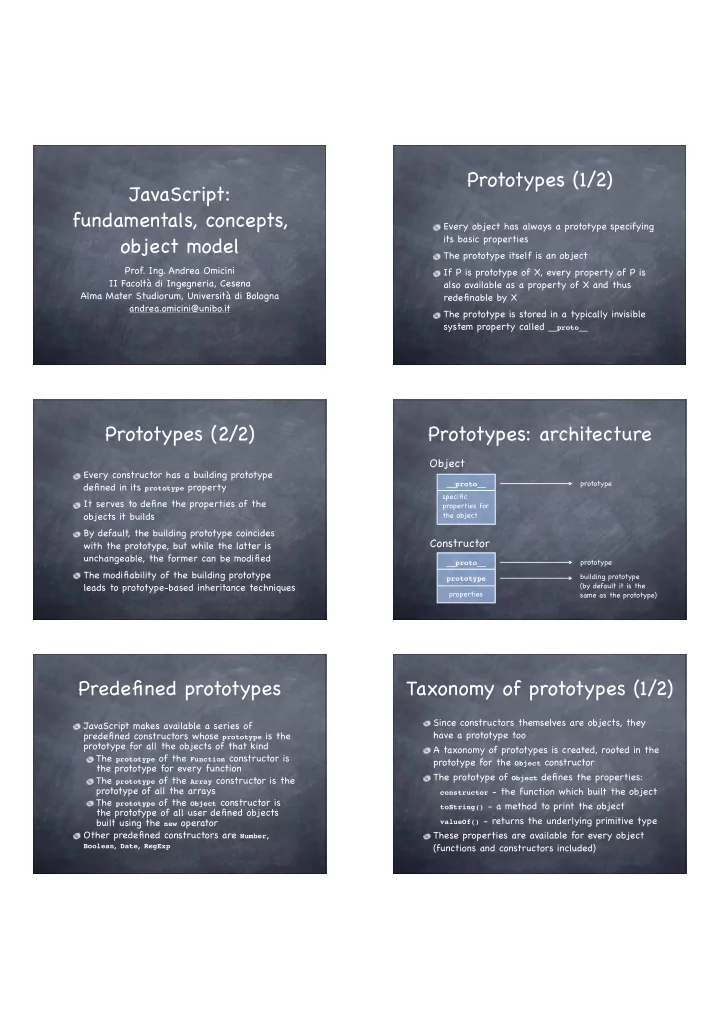
Prototypes (1/2) JavaScript: fundamentals, concepts, Every object has always a prototype specifying object model its basic properties The prototype itself is an object Prof. Ing. Andrea Omicini If P is prototype of X, every property of P is


slide-1
SLIDE 1

JavaScript: fundamentals, concepts,

  • bject model
  • Prof. Ing. Andrea Omicini

II Facoltà di Ingegneria, Cesena Alma Mater Studiorum, Università di Bologna andrea.omicini@unibo.it Every object has always a prototype specifying its basic properties The prototype itself is an object If P is prototype of X, every property of P is also available as a property of X and thus redefinable by X The prototype is stored in a typically invisible system property called __proto__

Prototypes (1/2) Prototypes (2/2)

Every constructor has a building prototype defined in its prototype property It serves to define the properties of the

  • bjects it builds

By default, the building prototype coincides with the prototype, but while the latter is unchangeable, the former can be modified The modifiability of the building prototype leads to prototype-based inheritance techniques

Prototypes: architecture

specific properties for the object prototype

Object

properties prototype

Constructor

prototype building prototype (by default it is the same as the prototype) __proto__ __proto__

Predefined prototypes

JavaScript makes available a series of predefined constructors whose prototype is the prototype for all the objects of that kind The prototype of the Function constructor is the prototype for every function The prototype of the Array constructor is the prototype of all the arrays The prototype of the Object constructor is the prototype of all user defined objects built using the new operator Other predefined constructors are Number,

Boolean, Date, RegExp

Taxonomy of prototypes (1/2)

Since constructors themselves are objects, they have a prototype too A taxonomy of prototypes is created, rooted in the prototype for the Object constructor The prototype of Object defines the properties:

constructor - the function which built the object toString() - a method to print the object valueOf() - returns the underlying primitive type

These properties are available for every object (functions and constructors included)

slide-2
SLIDE 2

Taxonomy of prototypes (2/2)

All functions and in particular all constructors are attached to the prototype of Function That prototype defines common properties (e.g.

arguments) for every function (including constructors)

and inherits properties from the prototype of Object (e.g. constructor)

Object Function Array Number Boolean

Constructors

Special case: constructor of Point

chain of predefined prototypes...

Experiments

The predefined method isPrototypeOf() tests if an object is included in another object’ s chain

  • f prototypes

Object.prototype.isPrototypeOf(Function) // true Object.prototype.isPrototypeOf(Array) // true

The Point constructor is both a function and an

  • bject

Function.prototype.isPrototypeOf(Point) // true Object.prototype.isPrototypeOf(Point) // true

The prototype property

The building prototype exists only for constructors and defines properties for all the objects built by that constructor To define a specific building prototype you need to: define an object with desired properties playing the prototype role assign that object to the prototype property of the constructor The prototype property can be dynamically changed but it affects only newly created objects

Example (1/2)

Given the constructor

Point = function(i, j) { this.x = i this.y = j }

we want to associate a prototype to it so that

getX and getY functions will be defined

Note that the form function Point() does not make the Point identifier global, leading to problems if the prototype is added from an environment where Point is invisible

Example (2/2)

Define the constructor for the object which will play the prototype role

GetXY = function() { this.getX = function() { return this.x } this.getY = function() { return this.y } }

Create it and assign it to the prototype property

  • f the Point constructor

myProto = new GetXY(); Point.prototype = myProto

You can invoke getX and getY on newly created

Point objects only p4 = new Point(7, 8); alert(p4.getX())

Architecture

properties prototype = building prototype

Constructor

prototype

BEFORE

properties prototype

Constructor

prototype building prototype myProto getX getY

AFTER

__proto__ __proto__

slide-3
SLIDE 3

Searching properties

properties prototype

Constructor

prototype building prototype myProto getX getY

AFTER

specific properties for the object

Object

Searching order for properties

__proto__ __proto__

using the __proto__ property

New experiments (1/2)

Object Function GetXY p4 myProto

constructor constructor __proto__ __proto__ prototype constructor

Point

constructor constructor prototype constructor __proto__

null

prototype constructor

New experiments (1/2)

Searching for p4 identity

myProto.isPrototypeOf(p4) // true GetXY.prototype.isPrototypeOf(p4) // true Point.prototype.isPrototypeOf(p4) // true Object.prototype.isPrototypeOf(p4) // true Function.prototype.isPrototypeOf(p4) // false

Searching for myProto and GetXY identities

Point.prototype.isPrototypeOf(myProto) // true Object.prototype.isPrototypeOf(myProto) // true Function.prototype.isPrototypeOf(myProto) // false Point.prototype.isPrototypeOf(GetXY) // false Object.prototype.isPrototypeOf(GetXY) // true Function.prototype.isPrototypeOf(GetXY) // true

Instead of associating a new prototype to an existing constructor, it is possible to add new properties to the existing constructor

Point.prototype.getX = function() { ... } Point.prototype.getY = function() { ... }

The two approaches are not equivalent A change in the existing prototype affects also existing objects A new prototype affects only objects newly created from then on

Building prototypes: an alternative approach Example (1/2)

Given the constructor

Point = function(i, j) { this.x = i this.y = j }

we want to modify the existing prototype so that getX and getY functions will be included Note that those functions will work for existing

  • bjects and for objects created from then on

Example (2/2)

Create a first object

p1 = new Point(1, 2)

The function getX is not supported

p1.getX // returns undefined

Modify the existing prototype

Point.prototype.getX = function() { return this.x } Point.prototype.getY = function() { return this.y }

Now getX works even on existing objects

p1.getX() // returns 1

slide-4
SLIDE 4

Prototype-based inheritance

Chains of prototypes are the mechanism offered by JavaScript to support a sort of inheritance It is an inheritance between objects, not between classes as in object-oriented languages When a new object is created using new, the system links that object with the building prototype for the constructor used This is also true for constructors, which have

Function.prototype as their prototype

Expressing inheritance

To express the idea of a subclass Student inheriting from an existing class Person you need to explicitly link Student.prototype with a new

Person object

explicitly change the constructor property of

Student.prototype (which now would link the Person constructor) to make it reference the Student constructor

Example (1/2)

Base constructor

Person = function(n, y) { this.name = n; this.year = y this.toString = function() { return this.name + ‘ was born in ‘ + this.year } }

Derived constructor

Student = function(n, y, m) { this.name = n; this.year = y; this.matr = m; this.toString = function() { return this.name + ‘ was born in ’ + this.year + ‘ and has matriculation ’ + this.matr } }

Example (2/2)

Setting the chain of prototypes

Student.prototype = new Person() Student.prototype.constructor = Student

Test

function test() { var p = new Person(“Andrew”, 1965) var s = new Student(“Luke”, 1980, “001923”) // displays: Andrew was born in 1965 alert(p) // displays: Luke was born in 1980 and has matriculation 001923 alert(s) }

Inheritance: an alternative (1/2)

An alternative approach can be employed without touching prototypes: reusing by call the base constructor function, simulating other languages, e.g. the use of super in Java

Rectangle = function(a, b) { this.x = a; this.y = b this.getX = function() { return this.x } this.getY = function() { return this.y } } Square = function(a) { Rectangle.call(this, a, a) }

Inheritance: “super” in constructors

Base constructor

Person = function(n, y) { this.name = n; this.year = y this.toString = function() { return this.name + ‘ was born in ‘ + this.year } }

Derived constructor

Student = function(n, y, m) { Person.call(this, n, y); this.matr = m; this.toString = function() { return this.name + ‘ was born in ’ + this.year + ‘ and has matriculation ’ + this.matr } }

slide-5
SLIDE 5

Inheritance: “super” in methods

When prototypes are explicitly manipulated, the

prototype property can be used to call methods

defined in the base constuctor

Student = function(n, y, m) { Person.call(this, n, y); this.matr = m this.toString = function() { return Student.prototype.toString.call(this) + ‘ and has matriculation ’ + this.matr } }

The Student.prototype is a Person object, so call calls the toString function of that object

An alternative: “super” in methods

Avoiding the use of prototypes, it is necessary to explicitly exploit an object of the kind of the prototype to invoke the desired method

Student = function(n, y, m) { Person.call(this, n, y); this.matr = m this.toString = function() { return p.toString.call(this) + ‘ and has matriculation ’ + this.matr } }

The p object must be a Person object which must exist when the function is called, so that

call calls the toString function of that object

Inheritance: experiments

Using the Student and Person constructor setting explicitly the chain of prototypes, the following results are

  • btained with p a Person object and s a Student object

p.isPrototypeOf(s) // false Person.isPrototypeOf(s) // false Object.isPrototypeOf(s) // false Object.prototype.isPrototypeOf(s) // true Person.isPrototypeOf(Student) // false Student.prototype.isPrototypeOf(Student) // false Student.prototype.isPrototypeOf(Student.prototype) // false Student.prototype.isPrototypeOf(s) // true

Inheritance: more experiments

Using the same environment as before, but without explicitly setting the chain of prototypes, the following results are obtained:

p.isPrototypeOf(s) // false Person.isPrototypeOf(s) // false Object.isPrototypeOf(s) // false Object.prototype.isPrototypeOf(s) // true Person.isPrototypeOf(Student) // false (new Person()).isPrototypeOf(Student) // false (new Person()).isPrototypeOf(Student.prototype) // false (new Person()).isPrototypeOf(s) // false

Arrays (1/2)

An array is built using the Array constructor, whose arguments are the initial content of the array

colors = new Array(‘red’, ‘green’, ‘blue’)

Elements are enumerated starting with 0 and can be accessed using square brackets, e.g.

colors[2]

The length attribute contains the dynamic length of the array Cells in an array are not constrained to contain elements of the same kind

Arrays (2/2)

It is also possible to define an empty array and add elements later using assignments

colors = new Array(); colors[0] = ‘red’

Starting with JavaScript 1.2, an array can be built listing the initial elements, separated by commas, between square brackets

numbers = [1, 2, ‘three’]

slide-6
SLIDE 6

Dynamic and fragmented arrays

It is possible to dynamically add elements to arrays whenever it is necessary

letters = [‘a’, ‘b’, ‘c’]; letters[3] = ‘d’

Arrays can be fragmented: indexes have not to be in a set of adjacent numbers

letters[9] = ‘j’ letters.length returns 10 letters.toString() returns a,b,c,d,,,,,,j

Objects as arrays (1/2)

Every JavaScript object is defined by the set

  • f its properties: this is why they are

internally represented as arrays This mapping between objects and arrays let

  • bject access be possible through an array-like

notation using the property name as a selector Let p be an object, s a string containing the name of the property x of p; then the notation

p[s] gives access to the property named x like

the dot notation p.x does

Objects as arrays (2/2)

What is the advantage of the array notation

  • ver the dot notation?

Using the dot notation p.x implies that the name of the property is known when writing the program The array notation p[s] let the programmer access a property whose name can be known during execution and saved in the string variable s for future use

Introspection

Since the set of an object’ s properties can dynamically change, it may be necessary to discover which properties an object has at runtime A special construct is available to iterate on the visible properties of the object

for (variable in object) { … }

For example, to list the name of all properties:

function showProperties(obj) { for (var p in obj) { document.write(p + ‘<br>’) } }

From introspection to intercession

Using the for/in construct it is possible to discover the visible properties of an object To access those properties you need to obtain a reference to them starting from a string containing the name of each property

function showProperties(obj) { for (var p in obj) { var property = obj[p] document.write(‘The property ’ + p + ‘ has type ’ + typeof(property) + ‘<br>’) } }

The global object

JavaScript does not distinguish object methods from global functions: global functions are methods of a system-defined global object The global object features as methods, functions not owned by specific

  • bjects and predefined functions

as data, global variables as functions, predefined functions

slide-7
SLIDE 7

Global predefined functions

eval – evaluate the JavaScript program passed

as a string (reflection, intecession)

escape – convert a string in a portable format,

substituting “illegal” characters with escaped sequences (e.g. ‘%20’ for ‘ ’)

unescape – convert a string from the portable

format to the original format

isFinite, isNan, parseFloat, parseInt, … …

(Constructors of) Predefined objects

Most common are Array, Boolean, Function, Number,

Object, String

The Math object contains a mathematical library: constants (E, PI, LN10, LN2, LOG10E, LOG2E, SQRT1_2,

SQRT2) and functions of all sorts

Don’t instantiate it: use it as a static component The Date object contains features to represent date and time concepts and work with them The RegExp object supports working with regular expressions

Date: construction (1/2)

Constructors

Date(), Date(milliseconds), ...

The Date() constructor creates an object representing current day and hour on the system in use In Date(milliseconds), milliseconds are calculated starting from 00:00:00 of January 1st, 1970, using the UTC standard day of 86.4M sec

Date: construction (2/2)

Constructors

Date(string), Date(year, month, day [, hh, mm, ss, ms])

UTC and GMT are supported Days go from –100M to +100M around 1/1/1970 In Date(string), string must be in the format recognized by Date.parse In Date(y, m, d), year, month and day must be provided; other parameters are optional; parameters not provided are set to 0

Date: methods

Methods

getDay returns the day of the week from 0

(Sunday) to 6 (Saturday)

getDate returns the day from 1 to 31 getMonth returns the month from 0 (January) to 11 (December) getFullYear returns the year on four digits getHours returns the hour from 0 to 23 getMinutes returns the minute from 0 to 59 getSeconds returns the seconds from 0 to 59 …

Date: example

Example

d = new Date(); millennium = new Date(3000, 00, 01) s = new String((millennium – d) / 86400000) days = s.substring(0, s.indexOf(‘.’)) // integer part alert(days + ‘days to the year 3000’)

Output (on March 5th, 2006)

362987 days to the year 3000

slide-8
SLIDE 8

Who is the global

  • bject?

The global object is unique and it is always created by the interpreter before executing anything There is no global identifier: in every situation there is a given object used as global object in a browser, that object is typically window but on the server side, it would probably be another object to play the role of global object Could it be a problem not to know which object plays the role of global object?

The global object: warnings

Function and variables not assigned to a specific

  • bject are assigned to the global object…

…but if they appear in a function’ s scope they are assigned as local to that scope There are no problems, if global properties are used without making the global object emerge There can be problems if eval or another reflexive function is used, since eval(“var f”) is different from var f because the first definition is not executed in the global environment

Global object and functions as data (1/4)

JavaScript lets variables reference functions and functions be passed as arguments to other functions

var square = function(z) { return z*z } function exe(f, x) { return f(x) }

But the f variable must reference a function object cannot be a string containing the name of an already defined function

exe(“Math.sin”, .8) // error

Global object and functions as data (2/4)

Beside the approach based on the Function constructor, the global object can be exploited to

  • btain a reference to a function object

corresponding to a given function name Let p be a reference to an object, and s a string containing the name of the x property of p, then the array-like notation p[s] returns a reference to the property x In this case, p is the global object, s a function name, x the function object corresponding to the name in s

Global object and functions as data (3/4)

The following notation

var name = Math[“sin”]

puts in the name variable a reference to the function object Math.sin So, after defining the function

function exe(f, x) { return f(x) }

we can invoke

exe(name, .8) // returns 0.7173560908995228

because the “sin” string has been translated into a reference to the Math.sin object, suitable for invocation

Global object and functions as data (4/4)

Generalizing

var fun = prompt(“Enter a function name”) var f = Math[fun]

Now the user can specify a function name and let it be searched and invoked by a reflexive mechanism The result can be showed in another window

confirm(“Result: ” + exe(f, x))

Note that in this example the Math object plays the role of the global object since functions are searched in it only

slide-9
SLIDE 9

Forms and their management (1/3)

JavaScript is often used in the context of HTML forms A form usually contains text fields and buttons

<form name=“aForm”> <input type=“text” name=“textField” size=“30” maxlength=“30”> <input type=“button” name=“button” value=“Click here”> </form>

When the button is pressed, it is possible to invoke a JavaScript function

Forms and their management (2/3)

When a button is pressed, the button pressed event can be intercepted by the onclick attribute

<form name=“aForm”> <input type=“button” name=“button” value=“Click here” onclick=“alert(‘You clicked me!’)”> </form>

Remember to alternate double and single quotes when writing JavaScript code in HTML attributes

Forms and their management (3/3)

As an alternative example, when the button is pressed we can make the browser write the result of one of our functions

<form name=“aForm”> <input type=“button” name=“button” value=“Click here” onclick=“document.write (square(6))”> </form>

Note that square must be already defined

Forms: which events?

Events which can be intercepted on an element (managed on the correspondent tag)

  • nclick, onmouseover, onmouseout, …

Events which can be intercepted on a window (managed in the body tag)

  • nload, onunload, onblur, …

Example

<body onload=“alert(‘Loaded!’)”> <form name=“aForm”> <input type=“button” name=“button” value=“Click here” onclick=“alert(square(6))”> </form> </body>

Forms: events management

To reuse the value returned by confirm, prompt,

  • r other functions, a whole JavaScript program

has to be inserted as the value of the onclick attribute (as a sequence or a function call) Examples

  • nclick=“x = prompt(‘Name and surname’);

document.write(x)”

  • nclick=“ok = confirm(‘Is this OK?’); if (!ok)

alert(‘Warning!’)”

Forms and text fields

Text fields can be objects with a name within a form object with a name As such, they can be referenced using the dot notation, e.g. document.aForm.aTextField Text fields are characterized by the value property Example

<form name=“aForm"> <input type="text" name=“surname" size=“20”> <input type="button" name="button" value="Show“

  • nclick="alert(document.aForm.surname.value)">

</form>

slide-10
SLIDE 10

Functions as links

A JavaScript function can be used as a valid link usable as the href attribute of the a element The effect of a click on that link is the execution

  • f the function and the display of the result in a

new HTML page within the same window Example

<a href=“javascript:square(10)”>This should be 100</a>