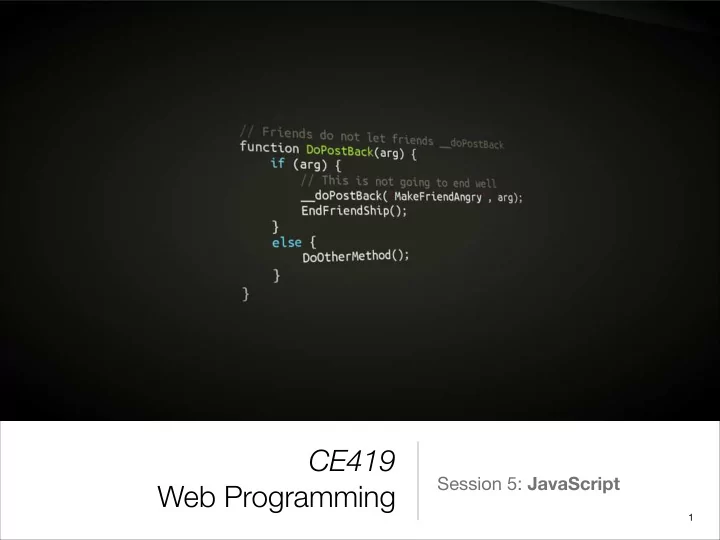
SLIDE 1 CE419 Web Programming
Session 5: JavaScript
1
SLIDE 2 What is JavaScript?
- JavaScript is a dynamic programming language.
- Introduced in 1995 as a way to add programs to web
pages in the Netscape Navigator browser.
- It has made modern web applications possible.
- Has almost nothing to do with Java.
- ECMAScript.
2
SLIDE 3 What is JavaScript?
- Client-side
- Interact with user, control the browser, communicate
asynchronously, alter the displayed document.
SLIDE 4 Welcome to JavaScript!
- JavaScript is case-sensitive.
- Each statement is optionally ended with a semicolon .
- Syntax is very similar to C and Java.
SLIDE 5 Values, Types, and Operators
- Numbers: 13, 16.59, 1.23e8.
- Arithmetic operations: *, /, -, +, %
- (18 - 5) % 4 * 2 / 2
console.log(15 / 2); 7.5
SLIDE 6 Infinity & NaN
console.log(Infinity * -2);
console.log(10 / 0); Infinity console.log(0 / 0); NaN console.log(Infinity - Infinity); NaN
SLIDE 7 Values, Types, and Operators
- Strings
- Booleans: true and false (null, undefined, 0, NaN, '', are
false, the rest is true).
- Comparisons: >, <, <=, >=, ==, !=
"This is a string." 'This is a \'string\', too.' console.log('100' + "250"); 100250 console.log('100' != "250"); true console.log(NaN == NaN); false
SLIDE 8 Values, Types, and Operators
- Logical operators: ||, &&, !
- Conditional operator
console.log(!(3 == 4 || 10 >= 2)); false console.log(5 > 2 ? 'foo' : 'bar'); foo
SLIDE 9 Values, Types, and Operators
- null & undefined
- denote the absence of a meaningful value.
- The difference in meaning between undefined and null
is an accident of JavaScript’s design, and it doesn’t matter most of the time.
console.log(console.log('1')); 1 undefined
SLIDE 10 Automatic Type Conversion
- JavaScript goes out of its way to accept almost any
program you give it.
console.log(8 * null) console.log("5" - 1) console.log("5" + 1) console.log("five" * 2) console.log(false == 0) console.log('1' == 1) console.log(true == [1]) console.log([[]] == 0) 4 51 NaN true true true true
SLIDE 11
Automatic Type Conversion
console.log(null == undefined); console.log(null == 0); true false
SLIDE 12 JavaScript Equality table
https://dorey.github.io/JavaScript-Equality-Table/
SLIDE 13 Automatic Type Conversion
- When you don't want automatic type conversion, use
=== and !==.
- Rule of thumb: Always use 3 equals unless you have a
good reason to use 2.
console.log(false === 0); console.log('1' === 1); false false
SLIDE 14
Short-circuiting
console.log(null || "user") console.log("Karl" || "user") "user" "Karl"
SLIDE 15
Playtime!
alert('Knock, knock.'); var who = prompt("Who's there?"); var res = confirm("Do you like JS?")
SLIDE 16 Program Structure
- Variables
- Every time you forget to put var, a kitten dies horribly.
- Local vs. Global
var myAge = 21; var box; console.log(box); undefined
SLIDE 17
Program Structure
if (num < 10) { alert("Small"); } else if (num < 100) { alert("Medium"); } else { alert("Large"); } var number = 0; while (number <= 12) { console.log(number); number = number + 2; } do { var name = prompt("Who are you?"); } while (!name); var result = 1; for (var i = 0; i < 10; i = i + 1) result = result * 2;
SLIDE 18
Program Structure
switch (weather) { case "rainy": console.log("bring an umbrella."); break; case "sunny": console.log("Dress lightly."); case "cloudy": console.log("Go outside."); break; default: console.log("Unknown weather"); break; }
SLIDE 19 Comments
// this is a comment /* this is a long comment. years ago I was walking down the street when I saw a programming beating himself with a
- book. I looked at the cover and I saw
that it was a JS book. I asked him why and he said that he is tired of this stupid language… */
SLIDE 20 Functions
- JavaScript is flexible with arguments.
- All arguments can be accessed using arguments
pseudo-array:
var square = function(x) { return x * x; }; console.log(square(12)); 144
SLIDE 21 Functions & Scopes
var x = "outside"; var f1 = function() { var x = "inside f1"; }; f1(); console.log(x); var f2 = function() { x = "inside f2"; }; f2(); console.log(x);
inside f2
SLIDE 22 Nested Scopes
var landscape = function() { var result = ""; var flat = function(size) { for (var count = 0; count < size; count++) result += "_"; }; var mountain = function(size) { result += "/"; for (var count = 0; count < size; count++) result += "'"; result += "\\"; }; flat(3); mountain(4); flat(6); mountain(1); flat(1); return result; };
___/''''\______/'\_
SLIDE 23
Declaration Notation
function square(x) { return x * x; }; console.log(square(12)); console.log("The future says:", future()); function future() { return "We STILL have no flying cars."; }
SLIDE 24 Closure
- A closure is the local variables for a function — kept
alive after the function has returned, or
- A closure is a stack-frame which is not deallocated
when the function returns.
function sayHello2(name) { var text = 'Hello ' + name; // Local variable var sayAlert = function() { alert(text); } return sayAlert; } say2 = sayHello2('Bob'); say2();
SLIDE 25 Closure
- A closure is the local variables for a function — kept
alive after the function has returned, or
- A closure is a stack-frame which is not deallocated
when the function returns.
function sayHello2(name) { var text = 'Hello ' + name; // Local variable var sayAlert = function() { alert(text); } return sayAlert; } say2 = sayHello2('Bob'); say2();
SLIDE 26 Closure
function say() { var num = 20; var sayAlert = function() { alert(num); } num++; return sayAlert; } var sayNumber = say(); sayNumber();
21
SLIDE 27 Let's see closure in action!
Showtime!
27
SLIDE 28 Arrays
- A lot of methods are available: concat, indexOf, join,
lastIndexOf, pop, push, reverse, sort, shift, slice, etc.
var myList = [2, 3, false, "sadjad", 11]; console.log(myList.length); myList[myList.length] = 'newItem'; myList.push('newerItem'); for(var i = 0; i < myList.length; i++) { console.log(myList[i]); } for(var i in myList) { console.log(i); }
SLIDE 29 Object-Oriented Programming with JavaScript
- JavaScript is object-oriented to its core, with powerful,
flexible OOP capabilities.
- JavaScript is a prototype-based language which
contains no class statement, such as is found in C++ or Java.
- Instead, JavaScript uses functions as classes.
SLIDE 30
The Class & Objects
var Person = function () {}; var person1 = new Person(); var person2 = new Person(); var Person = function (firstName) { this.firstName = firstName; console.log('Person instantiated'); }; var person1 = new Person('Alice'); var person2 = new Person('Bob'); console.log('person1 is ' + person1.firstName); console.log('person2 is ' + person2.firstName);
SLIDE 31
The Class & Objects
var Person = function (firstName) { this.firstName = firstName; console.log('Person instantiated'); }; Person.prototype.sayHello = function() { console.log(this.firstName); } var person1 = new Person('Alice'); person1.sayHello(); console.log(Person.prototype); { sayHello: [Function] }
SLIDE 32 Objects
var obj = { firstName: "Sadjad", lastName: "Fouladi", age: 25, email: "sfouladi@gmail.com", sayHello: function() { console.log("Hi, " + this.firstName); } };
console.log(obj.firstName); console.log(obj['lastName']); x = Object.create(obj); x.firstName = "Milad"; Hi, Sadjad! Sadjad Fouladi
SLIDE 33 Let's see objects in action!
Showtime!
33
SLIDE 34 References
- http://eloquentjavascript.net/
- http://htmldog.com/guides/javascript/
- https://developer.mozilla.org/en-US/docs/Web/
JavaScript/Introduction_to_Object-Oriented_JavaScript
SLIDE 35 Any questions?
Thank you.
35