Programmers View of Internet Programmers View of Internet CS 105 - - PowerPoint PPT Presentation

programmer s view of internet programmer s view of
SMART_READER_LITE
LIVE PREVIEW

Programmers View of Internet Programmers View of Internet CS 105 - - PowerPoint PPT Presentation

Programmers View of Internet Programmers View of Internet CS 105 Tour of the Black Holes of Computing 1. Hosts are mapped to a set of 32-bit IP(v4) addresses or 128-bit IP(v6)


slide-1
SLIDE 1

Networking Networking

Topics

Network model

Client-server programming model

Sockets interface

Writing clients and servers

CS 105

“Tour of the Black Holes of Computing”

– 12 –

CS 105

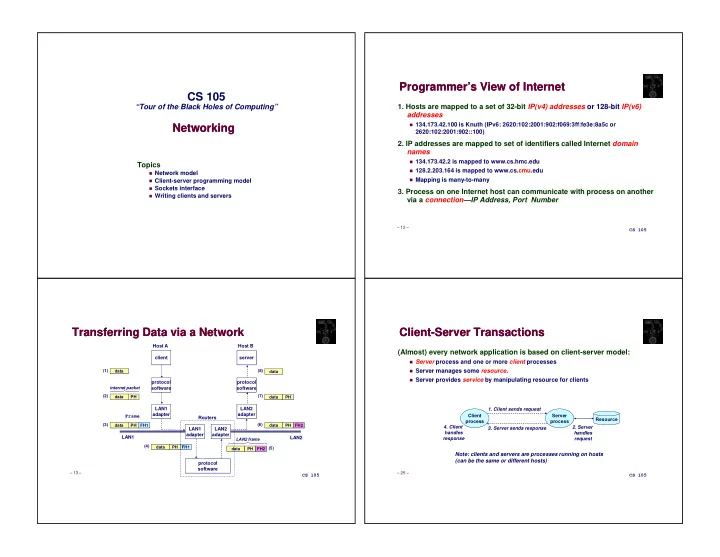
Programmer’s View of Internet Programmer’s View of Internet

  • 1. Hosts are mapped to a set of 32-bit IP(v4) addresses or 128-bit IP(v6)

addresses

134.173.42.100 is Knuth (IPv6: 2620:102:2001:902:f069:3ff:fe3e:8a5c or 2620:102:2001:902::100)

  • 2. IP addresses are mapped to set of identifiers called Internet domain

names

134.173.42.2 is mapped to www.cs.hmc.edu

128.2.203.164 is mapped to www.cs.cmu.edu

Mapping is many-to-many

  • 3. Process on one Internet host can communicate with process on another

via a connection—IP Address, Port Number

– 13 –

CS 105

Transferring Data via a Network Transferring Data via a Network

protocol software client LAN1 adapter Host A

data data PH FH1 data PH data PH FH2

LAN1 LAN2

data data PH data PH FH2 (1) (2) (3) (4) (5) (6) (7) (8) internet packet LAN2 frame

protocol software LAN1 adapter LAN2 adapter Routers

FH1 data PH

protocol software server LAN2 adapter Host B Frame

– 25 –

CS 105

Client-Server Transactions Client-Server Transactions

(Almost) every network application is based on client-server model:

Server process and one or more client processes

Server manages some resource.

Server provides service by manipulating resource for clients

Client process Server process

  • 1. Client sends request
  • 2. Server

handles request

  • 3. Server sends response
  • 4. Client

handles response Resource

Note: clients and servers are processes running on hosts (can be the same or different hosts)

slide-2
SLIDE 2

– 30 –

CS 105

Using Ports to Identify Services Using Ports to Identify Services

Web server (port 80) Client host Server host 134.173.42.2 Echo server (port 7) Service request for 134.173.42.2:80 (i.e., Web server) Web server (port 80) Echo server (port 7) Service request for 134.173.42.2:7 (i.e., echo server) Kernel Kernel Client Client

– 33 –

CS 105

Sockets Interface Sockets Interface

Set of system-level functions used in conjunction with Unix I/O to build network applications. Created in the early 80’s as part of the original Berkeley distribution of Unix that contained an early version of the Internet protocols. Available on all modern systems

Unix variants, Windows, OS X, IOS, Android, ARM

– 34 –

CS 105

What is a socket?

To the kernel, a socket is an endpoint of communication

To an application, a socket is a file descriptor that lets the application read from or write to the network

Remember: All Unix I/O devices, including networks, are modeled as files

Clients and servers communicate with each other by reading from and writing to socket descriptors Main distinction between regular file I/O and socket I/O is how the application “opens” the socket descriptors

  • Sockets

Sockets

clientfd serverfd

– 35 –

CS 105

  • Overview of Sockets Interface

Overview of Sockets Interface

Client Server

socket socket bind listen accept read read write close read connect write close

Connection request

EOF

Await connection request from next client

  • pen_listenfd
  • pen_clientfd

getaddrinfo getaddrinfo

slide-3
SLIDE 3

– 36 –

CS 105

  • Sockets Interface

Sockets Interface

Client Server

socket socket bind listen accept read read write close read connect write close

Connection request

EOF

Await connection request from next client

  • pen_listenfd
  • pen_clientfd

getaddrinfo

``

getaddrinfo

``

– 37 –

CS 105

Socket Address Structures Socket Address Structures

Generic socket address:

For address arguments to connect, bind, and accept

Intended to be generic and future-proof

Too small for IPv6! (Thus, union needed; see later)

struct sockaddr { uint16_t sa_family; /* Protocol family */ char sa_data[14]; /* Address data. */ }; sa_family

  • – 38 –

CS 105

Socket Address Structures Socket Address Structures

IPv4-specific socket address:

sa_family

  • struct sockaddr_in {

uint16_t sin_family; /* Protocol family (always AF_INET) */ uint16_t sin_port; /* Port num in network byte order */ struct in_addr sin_addr; /* IP addr in network byte order */ unsigned char sin_zero[8]; /* Pad to sizeof(struct sockaddr) */ }; sin_port AF_INET sin_addr sin_family

– 39 –

CS 105

Socket Address Structures Socket Address Structures

IPv6-specific socket address:

...

sa_family

  • struct sockaddr_in6 {

uint16_t sin6_family; /* Protocol family (always AF_INET6) */ uint16_t sin6_port; /* Port num in network byte order */ uint32_t sin6_flowinfo; /* IPv6 flow information */ struct in6_addr sin6_addr; /* IP addr in network byte order */ uint32_t sin6_scope_id; /* scope id (new in RFC2553) */ }; sin_port AF_INET sin6_flowinfo sin6_family sin6_addr sin6_scope_id

slide-4
SLIDE 4

– 40 –

CS 105

Truly Generic Socket Address Structure Truly Generic Socket Address Structure

Union that can handle IPv4 or IPv6

For casting convenience, we adopt the Stevens convention: SA is declared as a generic type that can hold IPv4 or IPV6 socket address

Must cast (struct sockaddr_in *) or (struct sockaddr_in6 *) to and from (SA *) for functions that take socket-address arguments.

typedef union { struct sockaddr_in client4; struct sockaddr_in6 client6; } SA;

– 41 –

CS 105

  • Sockets Interface

Sockets Interface

Client Server

socket socket bind listen accept read read write close read connect write close

Connection request

EOF

Await connection request from next client

  • pen_listenfd
  • pen_clientfd

getaddrinfo

``

getaddrinfo

``

– 42 –

CS 105

Sockets Interface: socket Sockets Interface: socket

Clients and servers use the socket function to create a socket descriptor: Example: Protocol-specific! Best practice is to use getaddrinfo to generate parameters automatically, so that code is protocol-independent.

int socket(int domain, int type, int protocol) int clientfd = Socket(AF_INET6, SOCK_STREAM, 0);

  • – 43 –

CS 105

  • Sockets Interface

Sockets Interface

Client Server

socket socket bind listen accept read read write close read connect write close

Connection request

EOF

Await connection request from next client

  • pen_listenfd
  • pen_clientfd

getaddrinfo

``

getaddrinfo

``

slide-5
SLIDE 5

– 44 –

CS 105

Sockets Interface: connect Sockets Interface: connect

A client establishes a connection with a server by calling connect: Attempts to establish a connection with server at socket address addr

If successful, then clientfd is now ready for reading and writing.

Resulting connection is characterized by socket pair (x:y, addr.sin_addr:addr.sin_port)

x is client address y is ephemeral (temporary) port that uniquely identifies client process on client host

Best practice is to use getaddrinfo to supply arguments addr and addrlen.

int connect(int clientfd, SA *addr, socklen_t addrlen);

– 45 –

CS 105

  • Sockets Interface

Sockets Interface

Client Server

socket socket bind listen accept read read write close read connect write close

Connection request

EOF

Await connection request from next client

  • pen_listenfd
  • pen_clientfd

getaddrinfo

``

getaddrinfo

``

– 46 –

CS 105

Sockets Interface: bind Sockets Interface: bind

Server uses bind to ask kernel to associate the server’s socket address with a socket descriptor: The process can read bytes that arrive on the connection whose endpoint is addr by reading from descriptor sockfd. Similarly, writes to sockfd are transferred along connection whose endpoint is addr. Again, best practice is to use getaddrinfo to supply arguments addr and addrlen.

int bind(int sockfd, SA *addr, socklen_t addrlen);

– 47 –

CS 105

  • Sockets Interface

Sockets Interface

Client Server

socket socket bind listen accept read read write close read connect write close

Connection request

EOF

Await connection request from next client

  • pen_listenfd
  • pen_clientfd

getaddrinfo

``

getaddrinfo

``

slide-6
SLIDE 6

– 48 –

CS 105

Sockets Interface: listen Sockets Interface: listen

By default, kernel assumes that descriptor from socket function is an active socket that will be on the client end of a connection A server calls listen to tell kernel that a descriptor will be used by a server rather than a client: Converts sockfd from an active socket to a listening socket that can accept connection requests from clients backlog is a hint about how many outstanding connection requests the kernel should queue up before starting to refuse requests.

int listen(int sockfd, int backlog);

– 49 –

CS 105

  • Sockets Interface

Sockets Interface

Client Server

socket socket bind listen accept read read write close read connect write close

Connection request

EOF

Await connection request from next client

  • pen_listenfd
  • pen_clientfd

getaddrinfo

``

getaddrinfo

``

– 50 –

CS 105

Sockets Interface: accept Sockets Interface: accept

Server waits for connection requests from clients by calling accept: Waits for connection request to arrive on connection bound to listenfd, then fills in client’s socket address in addr and size of socket address in addrlen Returns a connected descriptor that can be used to communicate with client via Unix I/O routines.

int accept(int listenfd, SA *addr, socklen_t *addrlen);

– 51 –

CS 105

accept Illustrated accept Illustrated

listenfd(3)

  • accept
  • listenfd

clientfd

  • listenfd(3)
  • clientfd
  • connect
  • listenfd(3)
  • clientfd
  • connfd

acceptconnect

  • clientfd connfd

connfd(4)

slide-7
SLIDE 7

– 52 –

CS 105

Connected vs. Listening Descriptors Connected vs. Listening Descriptors

Listening descriptor

End point for client connection requests

Created once and exists for lifetime of the server

Connected descriptor

End point of the connection between client and server

A new descriptor is created each time the server accepts a connection request from a client

Exists only as long as it takes to service client

Why the distinction?

Allows concurrent servers that can communicate over many client connections simultaneously

E.g., each time we receive a new request, we fork a child or spawn a thread to handle the

request

– 53 –

CS 105

  • Sockets Interface

Sockets Interface

Client Server

socket socket bind listen accept read read write close read connect write close

Connection request

EOF

Await connection request from next client

  • pen_listenfd
  • pen_clientfd

getaddrinfo

``

getaddrinfo

``

– 54 –

CS 105

Echo Client Main Routine Echo Client Main Routine

/* #include lots of stuff */ /* usage: ./echoclient host port */ int main(int argc, char **argv) { int clientfd; size_t n; char *host, *port, buf[MAXLINE]; host = argv[1]; port = argv[2]; if ((clientfd = open_clientfd(host, port)) == -1) exit(1); while (fgets(buf, sizeof buf - 1, stdin) != NULL) { write(clientfd, buf, strlen(buf)); n = read(clientfd, buf, sizeof buf - 1); if (n != -1) { buf[n] = '\0'; fputs(buf, stdout); } } close(clientfd); exit(0); } – 55 –

CS 105

Echo Client: open_clientfd Echo Client: open_clientfd

int open_clientfd(char *hostname, char *port) { int clientfd; struct addrinfo hints, *hostaddresses = NULL; /* Find out the server's IP address and port */ memset(&hints, 0, sizeof hints); hints.ai_flags = AI_ADDRCONFIG | AI_V4MAPPED; hints.ai_family = AF_INET6; hints.ai_socktype = SOCK_STREAM; if (getaddrinfo(hostname, port, &hints, &hostaddresses) != 0) return -1; /* Caller must generate error message */ } /* We take advantage of the fact that AF_* and PF_* are identical */ clientfd = socket(hostaddresses->ai_family, hostaddresses->ai_socktype, hostaddresses->ai_protocol); if (clientfd == -1) return -1; /* check errno for cause of error */ /* Establish a connection with the server */ if (connect(clientfd, hostaddresses->ai_addr, hostaddresses->ai_addrlen) == -1) return -1; /* Caller must generate error message */ freeaddrinfo(hostaddresses); return clientfd; }

This function opens a connection from client to server at hostname:port Details follow…. freeaddrinfo needed here too (lack of space on slide)

slide-8
SLIDE 8

– 56 –

CS 105

Echo Client: open_clientfd (getaddrinfo) Echo Client: open_clientfd (getaddrinfo)

hints.ai_flags = AI_ADDRCONFIG | AI_V4MAPPED; hints.ai_family = AF_INET6; hints.ai_socktype = SOCK_STREAM; if (getaddrinfo(hostname, port, &hints, &hostaddresses) != 0) ... (more)

getaddrinfo finds out about an Internet host

AI_ADDRCONFIG: only give IPv6 address if our machine can talk IPv6; likewise for IPv4

AI_V4MAPPED: translate IPv6 to IPv4 when needed

AF_INET6: prefer IPv6 to IPv4

SOCK_STREAM: selects a reliable byte-stream connection

– 57 –

CS 105

Echo Client: open_clientfd (socket) Echo Client: open_clientfd (socket)

int clientfd; /* socket descriptor */ clientfd = socket(hostaddresses->ai_family, hostaddresses->ai_socktype, hostaddresses->ai_protocol); ... (more)

socket creates socket descriptor on client

All details provided by getaddrinfo

Possibility of multiple addresses (serious code must loop & try all)

– 58 –

CS 105

Echo Client: open_clientfd (connect) Echo Client: open_clientfd (connect)

Finally, client creates connection with server

Client process suspends (blocks) until connection is created

After resuming, client is ready to begin exchanging messages with server via Unix I/O calls on descriptor sockfd

hostaddresses is linked list, must be freed

Including on error returns (not shown, for brevity) int clientfd; /* socket descriptor */ ... /* Establish a connection with the server */ if (connect(clientfd, hostaddresses->ai_addr, hostaddresses->ai_addrlen) == -1) { freeaddrinfo(hostaddresses); return -1; } freeaddrinfo(hostaddresses);

– 59 –

CS 105

Echo Server: Main Routine Echo Server: Main Routine

int main(int argc, char **argv) { int listenfd, connfd, error; socklen_t clientlen; char * port; SA clientaddr; char hostname[NI_MAXHOST], hostaddr[NI_MAXHOST]; listenfd = open_listenfd(argv[1]); if (listenfd < 0) exit(1); while (1) { clientlen = sizeof clientaddr; connfd = accept(listenfd, (struct sockaddr *)&clientaddr, &clientlen); if (connfd == -1) continue; /* Needs error message (omitted for space) */ error = getnameinfo((struct sockaddr*)&clientaddr, clientlen, hostname, sizeof hostname, NULL, 0, 0); if (error != 0) continue; /* Needs error message (omitted for space) */ getnameinfo((struct sockaddr*)&clientaddr, clientlen, hostaddr, sizeof hostaddr, NULL, 0, NI_NUMERICHOST); printf("server connected to %s (%s)\n", hostname, hostaddr); echo(connfd); close(connfd); } }

This program repeatedly waits for connections, then calls echo(). Details will follow after we look at

  • pen_listenfd()…
slide-9
SLIDE 9

– 60 –

CS 105

int open_listenfd(char *port) { int listenfd, optval = 1, error; struct addrinfo hints; struct addrinfo *hostaddresses = NULL; /* Find out the server's IP address and port */ memset(&hints, 0, sizeof hints); hints.ai_flags = AI_ADDRCONFIG | AI_V4MAPPED | AI_PASSIVE; hints.ai_family = AF_INET6; hints.ai_socktype = SOCK_STREAM; error = getaddrinfo(NULL, port, &hints, &hostaddresses); if (error != 0) return -1; if ((listenfd = socket(hostaddresses->ai_family, hostaddresses->ai_socktype, hostaddresses->ai_protocol)) == -1) return -1; /* Also needs freeaddrinfo but that won’t fit on this slide */ /* Eliminates "Address already in use" error from bind. */ if (setsockopt(listenfd, SOL_SOCKET, SO_REUSEADDR, (const void *)&optval , sizeof optval) == -1) { freeaddrinfo(hostaddresses); return -1; } /* Listenfd will be an endpoint for all requests to port */ if (bind(listenfd, hostaddresses->ai_addr, hostaddresses->ai_addrlen) == -1) return -1; /* Also needs freeaddrinfo but that won’t fit on this slide */ /* Make it a listening socket ready to accept connection requests */ if (listen(listenfd, LISTEN_MAX) == -1) return -1; /* Also needs freeaddrinfo but that won’t fit on this slide */ freeaddrinfo(hostaddresses); return listenfd; }

Echo Server: open_listenfd Echo Server: open_listenfd

This function opens a file descriptor on which server can listen for incoming

  • connections. Details follow…

– 61 –

CS 105

Echo Server: open_listenfd (getaddrinfo) Echo Server: open_listenfd (getaddrinfo)

Here, getaddrinfo sets up to create generic “port”

Most options same as for open_clientfd

AI_PASSIVE: allow any host to connect to us (because we’re a server)

First argument to getaddrinfo is NULL because we won’t be connecting to a specific host

hints.ai_flags = AI_ADDRCONFIG | AI_V4MAPPED | AI_PASSIVE; hints.ai_family = AF_INET6; hints.ai_socktype = SOCK_STREAM; error = getaddrinfo(NULL, port, &hints, &hostaddresses);

– 62 –

CS 105

Echo Server: open_listenfd (socket) Echo Server: open_listenfd (socket)

socket creates socket descriptor on the server

All important parameters provided by getaddrinfo

Saves us from worrying about IPv4 vs. IPv6

int listenfd; /* listening socket descriptor */ /* Create a socket descriptor */ listenfd = socket(hostaddresses->ai_family, hostaddresses->ai_socktype, hostaddresses->ai_protocol); if (listenfd == -1) return -1;

– 63 –

CS 105

Echo Server: open_listenfd (setsockopt) Echo Server: open_listenfd (setsockopt)

The socket can be given some attributes Handy trick that allows us to rerun the server immediately after we kill it

Otherwise we would have to wait about 15 seconds

Eliminates “Address already in use” error from bind()

Strongly suggest you do this for all your servers to simplify debugging

/* Eliminates "Address already in use" error from bind(). */ if (setsockopt(listenfd, SOL_SOCKET, SO_REUSEADDR, (const void *)&optval, sizeof optval) == -1) { freeaddrinfo(hostaddresses); return -1; }

slide-10
SLIDE 10

– 64 –

CS 105

Echo Server: open_listenfd (bind) Echo Server: open_listenfd (bind)

bind associates socket with socket address we just created Again, important parameters come from getaddrinfo

int listenfd; /* listening socket */ ... /* listenfd will be an endpoint for all requests to port

  • n any IP address for this host */

if (bind(listenfd, hostaddresses->ai_addr, hostaddresses->ai_addrlen) == -1) { freeaddrinfo(hostaddresses); return -1; }

– 65 –

CS 105

Echo Server: open_listenfd (listen) Echo Server: open_listenfd (listen)

listen indicates that this socket will accept connection (connect) requests from clients We’re finally ready to enter main server loop that accepts and processes client connection requests

int listenfd; /* listening socket */ ... /* Make it a listening socket ready to accept connection requests */ if (listen(listenfd, LISTEN_MAX) == -1) { freeaddrinfo(hostaddresses); return -1; } freeaddrinfo(hostaddresses); return listenfd; }

– 66 –

CS 105

Echo Server: Main Loop Echo Server: Main Loop

Server loops endlessly, waiting for connection requests, then reading input from client and echoing it back to client

main() { /* create and configure the listening socket */ while(1) { /* accept(): wait for a connection request */ /* echo(): read and echo input lines from client til EOF */ /* close(): close the connection */ } }

– 67 –

CS 105

accept() blocks waiting for connection request accept returns connected descriptor (connfd) with same properties as listening descriptor (listenfd)

Returns when connection between client and server is created and ready for I/O transfers

All I/O with client will be done via connected socket

accept also fills in client’s IP address

Echo Server: accept Echo Server: accept

int listenfd; /* listening descriptor */ int connfd; /* connected descriptor */ SA clientaddr; socklen_t clientlen; clientlen = sizeof(clientaddr); connfd = accept(listenfd, (struct sockaddr *)&clientaddr, &clientlen); SA is union big enough told IPv6 addresses

slide-11
SLIDE 11

– 68 –

CS 105

Echo Server: Identifying Client Echo Server: Identifying Client

Server can determine domain name and IP address of client

char hostname[NI_MAXHOST], hostaddr[NI_MAXHOST]; … error = getnameinfo((struct sockaddr*)&clientaddr, clientlen, hostname, sizeof hostname, NULL, 0, 0); if (error != 0) { close(connfd); continue; } getnameinfo((struct sockaddr*)&clientaddr, clientlen, hostaddr, sizeof hostaddr, NULL, 0, NI_NUMERICHOST); printf("server connected to %s (%s)\n", hostname, hostaddr);

– 69 –

CS 105

Echo Server: echo Echo Server: echo

Server uses Unix I/O to read and echo text lines until EOF (end-of-file) is encountered

EOF notification caused by client calling close(clientfd)

IMPORTANT: EOF is a condition, not a particular data byte

void echo(int connfd) { size_t n; char buf[MAXLINE]; while((n = read(connfd, buf, sizeof buf)) > 0) { printf("server received %d bytes\n", n); write(connfd, buf, n); } }

– 70 –

CS 105

Testing Servers Using telnet Testing Servers Using telnet

The telnet program is invaluable for testing servers that transmit ASCII strings over Internet connections

Our simple echo server

Web servers

Mail servers

Usage:

unix> telnet host portnumber

Creates connection with server running on host and listening on port portnumber

– 71 –

CS 105

Testing Echo Server With telnet Testing Echo Server With telnet

mallet> ./echoserver 5000 server connected to bow-vpn.cs.hmc.edu (::ffff:192.168.6.5) server received 5 bytes server received 8 bytes bow> telnet mallet-vpn 5000 Trying 192.168.6.1... Connected to mallet-vpn. Escape character is '^]'. 123 123 456789 456789 ^] telnet> quit Connection closed. bow>

slide-12
SLIDE 12

– 72 –

CS 105

Running Echo Client and Server Running Echo Client and Server

mallet> echoserver 5000 server connected to bow-vpn.cs.hmc.edu (::ffff:192.168.6.5) server received 4 bytes server connected to bow-vpn.cs.hmc.edu (::ffff:192.168.6.5) server received 7 bytes ... bow> echoclient mallet-vpn 5000 123 123 456789 456789 bow>

– 73 –

CS 105

One More Important Function One More Important Function

Real servers often want to handle multiple clients Problem: you have 3 clients. Only B wants service. You can’t really write serve(A); serve(B); serve(C) because B must wait for A to ask for service Solution A: One threads or subprocess per client Solution B: select system call

Accepts set of file descriptors you’re interested in

Tells you which ones have input waiting or are ready for output

Then you can read from or write to only the active ones

For more info, see man 2 select and Section 12.2 in text

– 74 –

CS 105

For More Information For More Information

  • W. Richard Stevens, “Unix Network Programming: Networking APIs:

Sockets and XTI”, Volume 1, Second Edition, Prentice Hall, 1998

THE network programming bible

Complete versions of the echo client and server (for IPv4 only) are developed in the text

Fully general IPv4/IPv6 versions (from these slides) are available from class web page