Preparatory Course in Computer programming experience Science - - PowerPoint PPT Presentation

preparatory course in computer
SMART_READER_LITE
LIVE PREVIEW

Preparatory Course in Computer programming experience Science - - PowerPoint PPT Presentation

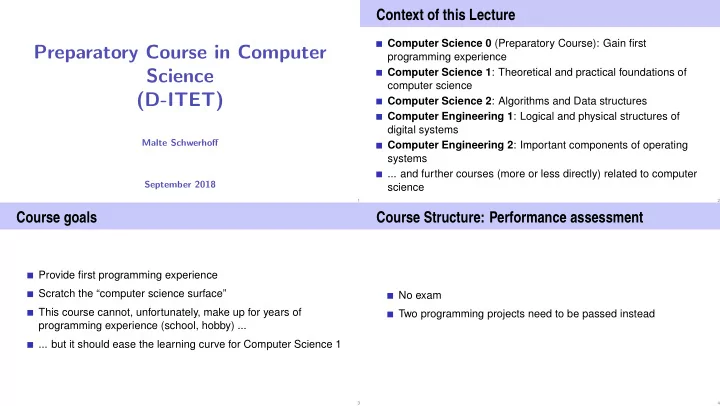
Context of this Lecture Computer Science 0 (Preparatory Course): Gain first Preparatory Course in Computer programming experience Science Computer Science 1 : Theoretical and practical foundations of computer science (D-ITET) Computer Science 2


slide-1
SLIDE 1

Preparatory Course in Computer Science (D-ITET)

Malte Schwerhoff September 2018

❤tt♣✿✴✴❧❡❝✳✐♥❢✳❡t❤③✳❝❤✴✐t❡t✴✐♥❢♦r♠❛t✐❦✵✴✷✵✶✽

1

Context of this Lecture

Computer Science 0 (Preparatory Course): Gain first programming experience Computer Science 1: Theoretical and practical foundations of computer science Computer Science 2: Algorithms and Data structures Computer Engineering 1: Logical and physical structures of digital systems Computer Engineering 2: Important components of operating systems ... and further courses (more or less directly) related to computer science

2

Course goals

Provide first programming experience Scratch the “computer science surface” This course cannot, unfortunately, make up for years of programming experience (school, hobby) ... ... but it should ease the learning curve for Computer Science 1

3

Course Structure: Performance assessment

No exam Two programming projects need to be passed instead

4

slide-2
SLIDE 2

Course Structure: Schedule

Weeks Program 1 Lecture: Thu 20.09., 13:15 – 15:00 C++ tutorial, 1. project 2 Contact hours: Mon 24.09. HG F1, Tue 25.09. HG E7, 17:00 – 19:00

  • 1. project

3 Submission 1. project Lecture: Wed 03.10., 13:15 – 15:00 Contact hours: Mon 01.10. HG F1, Tue 02.10. HG E7, 17:00 – 19:00

  • 2. project

4-7 Contact hours: Tue 9./16./23./30.10, HG E7, 17:00 – 19:00

  • 2. project

7 Submission 2. project

5

  • 1. Introduction

Computer Science: Definition and History, Algorithms, Turing Machine, Higher Level Programming Languages, Tools, The first ❈✰✰Program and its Syntactic and Semantic Ingredients

6

What is Computer Science?

The science of systematic processing of informations,. . . . . . particularly the automatic processing using digital computers. (Wikipedia, according to “Duden Informatik”)

7

Computer Science vs. Computers

Computer science is not about machines, in the same way that astronomy is not about telescopes. Mike Fellows, US Computer Scientist (1991)

❤tt♣✿✴✴❧❛r❝✳✉♥t✳❡❞✉✴✐❛♥✴r❡s❡❛r❝❤✴❝s❡❞✉❝❛t✐♦♥✴❢❡❧❧♦✇s✶✾✾✶✳♣❞❢ 8

slide-3
SLIDE 3

Computer Science vs. Computers

Computer science is also concerned with the development of fast computers and networks. . . . . . but not as an end in itself but for the systematic processing

  • f informations.

9

Computer Science = Computer Literacy

Computer literacy: user knowledge Handling a computer Working with computer programs for text processing, email, presentations . . . Computer Science Fundamental knowledge How does a computer work? How do you write a computer program?

10

Algorithm: Fundamental Notion of Computer Science

Algorithm: Instructions to solve a problem step by step Execution does not require any intelligence, but precision (even computers can do it) Oldest nontrivial algorithm: Euclidean algorithm, 3. century B.C. according to Muhammed al-Chwarizmi, author of an arabic computation textbook (about 825)

“Dixit algorizmi. . . ” (Latin translation) ❤tt♣✿✴✴❞❡✳✇✐❦✐♣❡❞✐❛✳♦r❣✴✇✐❦✐✴❆❧❣♦r✐t❤♠✉s 11

Binary Search: Problem & Idea

Problem: find an element in an ordered list Idee: search in a dictionary — open in the middle, continue left/right if necessary

12

slide-4
SLIDE 4

Binary Search: Example

find 7 in the list [1, 3, 4, 7, 9, 11, 12, 17] 1 3 4 7 9 11 12 17 1 3 4 7 11 12 17 9 1 3 4 7 9 11 12 17 1 3 7 9 11 12 17 4 1 3 4 9 11 12 17 7 1 3 4 9 11 12 17 7

13

Binary Search: Pseudo Code

Input: sorted list of numbers L, number to find n Output: “yes” (“no”) if n (not) in L While output O is yet unknown: If L empty then: O ← “no” Otherwise: Select central number Lm: If Lm = n then: O ← “yes” If n < Lm then: L ← left half of L Otherwise: L ← right half of L

14

Binary Search: C++ Implementation

std::string binary_search(const int∗ begin, const int∗ end, const int n) { while (true) { if (begin >= end) return "no"; const int∗ mid = begin + (end − begin) / 2; if (∗mid == n) return "yes"; else if (n < ∗mid) end = mid; else begin = mid + 1; } }

Don’t panic: the C++ code is only shown to illustrate the differences between an algorithm description in pseudo code and a concrete implementation. The used language constructs are only introduced in Computer Science 1.

15

Algorithms: 3 Levels of Abstractions

  • 1. Core idea (abstract):

the essence of any algorithm (“Eureka moment”)

  • 2. Pseudo code (semi-detailed):

made for humans (education, correctness and efficiency discussions, proofs

  • 3. Implementation (very detailed):

made for humans & computers (read- & executable, specific programming language, various implementations possible)

16

slide-5
SLIDE 5

Why programming?

Do I study computer science or what ... There are programs for everything ... I am not interested in programming ... because computer science is a mandatory subject here, unfortunately... . . .

17

Mathematics used to be the lingua franca of the natural sciences on all universities. Today this is computer science.

Lino Guzzella, president of ETH Zurich, NZZ Online, 1.9.2017

((BTW: Lino Guzzella is not a computer scientist, he is a mechanical engineer and prof. for thermotronics ) 18

This is why programming!

Any understanding of modern technology requires knowledge about the fundamental operating principles of a computer. Programming (with the computer as a tool) is evolving a cultural technique like reading and writing (using the tools paper and pencil) Programming is the interface between engineering and computer science – the interdisciplinary area is growing constantly. Programming is fun (and is useful)!

19

Programming

With a programming language we issue commands to a computer such that it does exactly what we want. The sequence of instructions is the (computer) program

The Harvard Computers, human computers, ca.1890 ❤tt♣✿✴✴❡♥✳✇✐❦✐♣❡❞✐❛✳♦r❣✴✇✐❦✐✴❍❛r✈❛r❞❴❈♦♠♣✉t❡rs 20

slide-6
SLIDE 6

Programming Languages

The language that the computer can understand (machine language) is very primitive. Simple operations have to be subdivided into (extremely) many single steps The machine language varies between computers.

Pseudo code Core idea Machine code Impl. (C++) “Dictionary search” 245 chars/ 46 words 282/55 1536/—

21

Computing speed

In the time, on average, that the sound takes to travel from me to you ...

30 m = more than 100.000.000 instructions

a contemporary desktop PC can process more than 100 millions instructions 1

1Uniprocessor computer at 1 GHz. 22

Higher Programming Languages

We write programs (implementations) in a high-level programming language: Can be understood by humans is hardware-independent Includes reusable function libraries

23

Why C++?

Other popular programming languages: Java, C#, Python, Javascript, Swift, Kotlin, Go, ... . . . ❈✰✰ is practically relevant, widespread and “runs everywhere” ❈✰✰ is standardized i.e. there is an official ❈✰✰ is one of the “fastest” programming languages ❈✰✰ well-suited for systems programming since it enables/requires careful resource management (memory, ...)

24

slide-7
SLIDE 7

Syntax and Semantics

Like our language, programs have to be formed according to certain rules.

Syntax: Connection rules for elementary symbols (characters) Semantics: interpretation rules for connected symbols.

Corresponding rules for a computer program are simpler but also more strict because computers are relatively stupid.

25

Deutsch vs. C++

Deutsch Alleen sind nicht gefährlich, Rasen ist gefährlich! (Wikipedia: Mehrdeutigkeit) ❈✰✰ // computation int b = a ∗ a; // b = a2 b = b ∗ b; // b = a4

26

C++: Kinds of errors illustrated with German sentences

Das Auto fuhr zu schnell. DasAuto fuh r zu sxhnell. Rot das Auto ist. Man empfiehlt dem Dozenten nicht zu widersprechen Sie ist nicht gross und rothaarig. Die Auto ist rot. Das Fahrrad galoppiert schnell. Manche Tiere riechen gut.

Syntaktisch und semantisch korrekt. Syntaxfehler: Wortbildung. Syntaxfehler: Satzstellung. Syntaxfehler: Satzzeichen fehlen . Syntaktisch korrekt aber mehrdeutig. [kein Analogon] Syntaktisch korrekt, doch semantisch fehlerhaft: Falscher Artikel. [Typfehler] Syntaktisch und grammatikalisch korrekt! Semantisch

  • fehlerhaft. [Laufzeitfehler]

Syntaktisch und semantisch korrekt. Semantisch

  • mehrdeutig. [kein Analogon]

27

Syntax and Semantics of C++

Syntax: When is a text a ❈✰✰ program? I.e. is it grammatically correct? → Can be checked by a computer Semantics: What does a program mean? Which algorithm does a program implement? → Requires human understanding

28

slide-8
SLIDE 8

Syntax and semantics of C++

The ISO/IEC Standard 14822 (1998, 2011, 2014, ...) is the “law” of ❈✰✰ defines the grammar and meaning of ❈✰✰programs since 2011, continuously extended with features for advanced programming

29

Programming Tools

Editor: Program to modify, edit and store ❈✰✰program texts Compiler: program to translate a program text into machine language Computer: machine to execute machine language programs Operating System: program to organize all procedures such as file handling, editor-, compiler- and program execution.

30

  • 2. C++ Language Constructs by Example

31

A First C++ Program: Prelude

The next slides show a first, interesting program, which is used to illustrate various important ingredients of the C++ programming

  • language. The slides are basically a short summary of the C++

tutorial, and it is therefore recommended to first study the tutorial. The shown program is not the program from the lecture — reproducing the letter is a subtask of the first project .

33

slide-9
SLIDE 9

Language constructs with an example

Comments/layout Include directive the main function Values effects Types and functionality literals variables identifiers, names

  • bjects

expressions

  • perators

statements

34

The Basics: Statements and Expressions

// Program: power8.cpp // Raise a number to the eighth power. #include <iostream> int main(){ // input std::cout << "Compute a^8 for a =? "; int a; std::cin >> a; // computation int b = a ∗ a; // b = a^2 b = b ∗ b; // b = a^4 // output b ∗ b, i.e., a^8 std::cout << a << "^8 = " << b ∗ b << "\n"; return 0; } Statements: Do something (read in a)! Expressions: Compute a value (a2)!

35

Behavior of a Program

At compile time: program accepted by the compiler (syntactically correct) Compiler error During runtime: correct result incorrect result program crashes program does not terminate (endless loop)

36

“Accessories:” Comments

// Program: power8.cpp // Raise a number to the eighth power. #include <iostream> int main() { // input std::cout << "Compute a^8 for a =? "; int a; std::cin >> a; // computation int b = a ∗ a; // b = a^2 b = b ∗ b; // b = a^4 // output b ∗ b, i.e., a^8 std::cout << a << "^8 = " << b ∗ b << "\n"; return 0; }

comments

37

slide-10
SLIDE 10

Comments and Layout

Comments are contained in every good program. document what and how a program does something and how it should be used, are ignored by the compiler Syntax: “double slash” ✴✴ ✉♥t✐❧ t❤❡ ❧✐♥❡ ❡♥❞s✳ The compiler ignores additionally Empty lines, spaces, Indendations that should reflect the program logic

38

Comments and Layout

The compiler does not care...

★✐♥❝❧✉❞❡ ❁✐♦str❡❛♠❃ ✐♥t ♠❛✐♥✭✮④st❞✿✿❝♦✉t ❁❁ ✧❈♦♠♣✉t❡ ❛❫✽ ❢♦r ❛ ❂❄ ✧❀ ✐♥t ❛❀ st❞✿✿❝✐♥ ❃❃ ❛❀ ✐♥t ❜ ❂ ❛ ✯ ❛❀ ❜ ❂ ❜ ✯ ❜❀ st❞✿✿❝♦✉t ❁❁ ❛ ❁❁ ✧❫✽ ❂ ✧ ❁❁ ❜✯❜ ❁❁ ✧❭♥✧❀r❡t✉r♥ ✵❀⑥

... but we do!

39

“Accessories:” Include and Main Function

// Program: power8.cpp // Raise a number to the eighth power. #include <iostream> int main() { // input std::cout << "Compute a^8 for a =? "; int a; std::cin >> a; // computation int b = a ∗ a; // b = a^2 b = b ∗ b; // b = a^4 // output b ∗ b, i.e., a^8 std::cout << a << "^8 = " << b ∗ b << "\n"; return 0; } include directive declaration of the main function

40

Include Directives

❈✰✰ consists of the core language standard library

in-/output (header iostream) mathematical functions (cmath) ...

#include <iostream> makes in- and output available

41

slide-11
SLIDE 11

The main Function

the main-function is provided in any ❈✰✰ program is called by the operating system like a mathematical function ...

arguments return value

... but with an additional effect

Read a number and output the 8th power.

42

Statements: Do something!

int main() { // input std::cout << "Compute a^8 for a =? "; int a; std::cin >> a; // computation int b = a ∗ a; // b = a^2 b = b ∗ b; // b = a^4 // output b ∗ b, i.e., a^8 std::cout << a << "^8 = " << b ∗ b << "\n"; return 0; } expression statements return statement

43

Statements

building blocks of a ❈✰✰ program are executed (sequentially) end with a semicolon Any statement has an effect (potentially)

44

Expression Statements

have the following form: expr; where expr is an expression Effect is the effect of expr, the value of expr is ignored. Example: b = b*b;

45

slide-12
SLIDE 12

Return Statements

do only occur in functions and are of the form return expr; where expr is an expression specify the return value of a function Example: return 0;

46

Statements – Effects

int main() { // input std::cout << "Compute a^8 for a =? "; int a; std::cin >> a; // computation int b = a ∗ a; // b = a^2 b = b ∗ b; // b = a^4 // output b ∗ b, i.e., a^8 std::cout << a << "^8 = " << b ∗ b << "\n"; return 0; }

effect: output of the string ❈♦♠♣✉t❡ ✳✳✳ Effect: input of a number stored in a Effect: saving the computed value of a*a into b Effect: saving the computed value of b*b into b Effect: output of the value of a and the computed value of Effect: return the value 0

47

Values and Effects

determine what a program does, are purely semantical concepts:

Symbol 0 means Value 0 ∈ ❩ std::cin >> a; means effect "read in a number"

depend on the program state (memory content, inputs)

48

Statements – Variable Definitions

int main() { // input std::cout << "Compute a^8 for a =? "; int a; std::cin >> a; // computation int b = a ∗ a; // b = a^2 b = b ∗ b; // b = a^4 // output b ∗ b, i.e., a^8 std::cout << a << "^8 = " << b ∗ b << "\n"; return 0; } declaration statement

type names

49

slide-13
SLIDE 13

Declaration Statements

introduce new names in the program, consist of declaration and semicolon Example: int a; can initialize variables Example: int b = a * a;

50

Types and Functionality

int: ❈✰✰ integer type corresponds to (❩, +, ×) in math In ❈✰✰ each type has a name and a domain (e.g. integers) functionality (e.g. addition/multiplication)

51

Fundamental Types

❈✰✰ comprises fundamental types for integers (int) natural numbers (unsigned int) real numbers (float, double) boolean values (bool) ...

52

Literals

represent constant values have a fixed type and value are "syntactical values" Examples: 0 has type int, value 0. 1.2e5 has type double, value 1.2 · 105.

53

slide-14
SLIDE 14

Variables

represent (varying) values have

name type value address

are "visible" in the program context

Example int a; defines a variable with name: a type: int value: (initially) undefined Address: determined by compiler

54

Objects

represent values in main memory have type, address and value (memory content at the address) can be named (variable) ... ... but also anonymous.

Remarks A program has a fixed number of variables. In order to be able to deal with a variable number of value, it requires "anonymous" addresses that can be address via temporary names (→ Computer Science 1).

55

Identifiers and Names

(Variable-)names are identifiers allowed: A,...,Z; a,...,z; 0,...,9;_ First symbol needs to be a character. There are more names: std::cin (Qualified identifier)

56

Expressions: compute a value!

represent Computations are either primary (b)

  • r composed (b*b). . .

. . . from different expressions, using operators have a type and a value Analogy: building blocks

57

slide-15
SLIDE 15

Expressions Building Blocks

// input std::cout << "Compute a^8 for a =? "; int a; std::cin >> a; // computation int b = a ∗ a; // b = a^2 b = b * b; // b = a^4 // output b ∗ b, i.e., a^8 std::cout << a<< "^8 = " << b * b << ".\ n"; return 0; composite expression Two times composed expression Four times composed expression

58

Expressions

represent computations are primary or composite (by other expressions and operations)

a * a composed of variable name, operator symbol,variable name variable name: primary expression

can be put into parantheses

a * a is equivalent to (a * a)

59

Expressions

have type, value und effect (potentially).

Example a * a type: int (type of the operands) Value: product of a and a Effect: none. Example b = b * b type: int (Typ der Operanden) Value: product of b and b effect: assignment of the product value to b

The type of an expression is fixed but the value and effect are only determined by the evaluation of the expression

60

Operators and Operands Building Blocks

// input std::cout << "Compute a^8 for a =? "; int a; std::cin >> a; // computation int b = a ∗ a; // b = a^2 b = b ∗ b; // b = a^4 // output b ∗ b, i.e., a^8 std::cout << a << "^8 = " << b * b << "\n"; return 0; left operand (output stream) right operand (string)

  • utput operator

left operand (input stream) right operand (variable name) input operator assignment operator multiplication operator

61

slide-16
SLIDE 16

Operators

Operators combine expressions (operands) into new composed expressions specify for the operands and the result the types and if the have to be L- or R-values. have an arity (number of operands)

62

Multiplication Operator *

expects two values of the same type as operands (arity 2) returns the product as value of the same type The composite expression represents a value; its value is the product of the value of the two operands Examples: a * a and b * b

63

Assignment Operator =

Assigns to the left operand (typically a variable) the value of the right

  • perand

Examples: b = b * b and a = b

Attention, Trap! The operator = corresponds to the assignment operator of mathematics (:=), not to the comparison operator (=).

64

Input Operator >>

left operand is the input stream assigns to the right operand (typically a variable) the next value read from the input stream, removing it from the input stream and returns the input stream

Example std::cin >> a (mostly keyboard input)

65

slide-17
SLIDE 17

Output Operator <<

left operand is the output stream

  • utputs the value of the right operand, appends it to the output

stream and returns the output stream

Example: std::cout << a (mostly console output)

66

Output Operator <<

Why returning the output stream? allows bundling of output

st❞✿✿❝♦✉t ❁❁ ❛ ❁❁ ✧❫✽ ❂ ✧ ❁❁ ❜ ✯ ❜ ❁❁ ✧❭♥✧ is parenthesized as follows ✭✭✭✭st❞✿✿❝♦✉t ❁❁ ❛✮ ❁❁ ✧❫✽ ❂ ✧✮ ❁❁ ❜ ✯ ❜✮ ❁❁ ✧❭♥✧✮

std::cout << a is the left hand operand (i.e. output stream) of the next <<

67

  • 3. Organisation of Programming Projects

68

Codeboard

Codeboard is an online IDE: programming in the browser!

69

slide-18
SLIDE 18

Code Expert

Our exercise system consists of two independent systems that communicate with each other: The ETH submission system: Allows us to evaluate

your tasks.

The online IDE: The

programming environment User ETH submis- sion system

❤tt♣✿✴✴❡①♣❡rt✳❡t❤③✳❝❤ Login with ETH Credentials

Codeboard.io

❤tt♣✿✴✴❝♦❞❡❜♦❛r❞✳✐♦ Login with Codeboard.io Credentials

70

Projects = Exercise

Code Expert aims at a “regular” exercise work-flow, hence the terminology “exercises”, “exercise groups”, etc. On Code Expert, our programming projects as thus listed as exercises, and there is only one exercise group

71

Registration

Codeboard.io Registration Go to ❤tt♣✿✴✴❝♦❞❡❜♦❛r❞✳✐♦ and create an account, stay logged in. Enrol on Code Expert Go to ❤tt♣✿✴✴❡①♣❡rt✳❡t❤③✳❝❤✴✐♥❢✵✐t❡t✶✽ and enrol in exercise group ❙t✉❞❡♥ts.

72

Codeboard.io Registration

If you do not yet have an Codeboard.io account ... We use the online IDE Codeboard.io Create an account to store your progress and be able to review submissions later on Credentials can be chose arbitrarily Do not use the ETH password.

73

slide-19
SLIDE 19

Codeboard.io Login

If you have an account, log in:

74

Exercise group registration I

Visit ❤tt♣✿✴✴❡①♣❡rt✳❡t❤③✳❝❤✴✐♥❢✵✐t❡t✶✽ Log in with your nethz account.

75

Exercise group registration II

In this dialogue, enrol in exercise group ❙t✉❞❡♥ts.

76

The first exercise.

You are now registered and the first exercise is loaded. Follow the instructions in the yellow box.

(Screenshot isn’t recent) 77

slide-20
SLIDE 20

Attention: Codeboard.io Login

Attention If you see this message, click on Sign in now and register with you codeboard.io account.

78

Attention: Saving Progress

Attention! Store your progress regularly. So you can continue working at any different location.

79

Academic integrity

The ETH Zurich Ordinance on performance assessments applies Rule: You submit solutions that you have written yourself and that you have understood. We check this (partially automatically) and reserve our rights to adopt disciplinary measures The way to go (see slides on algorithms): Code idea: consider discussing in groups Pseudo code: consider discussing in groups Implementation: Individual work!

80