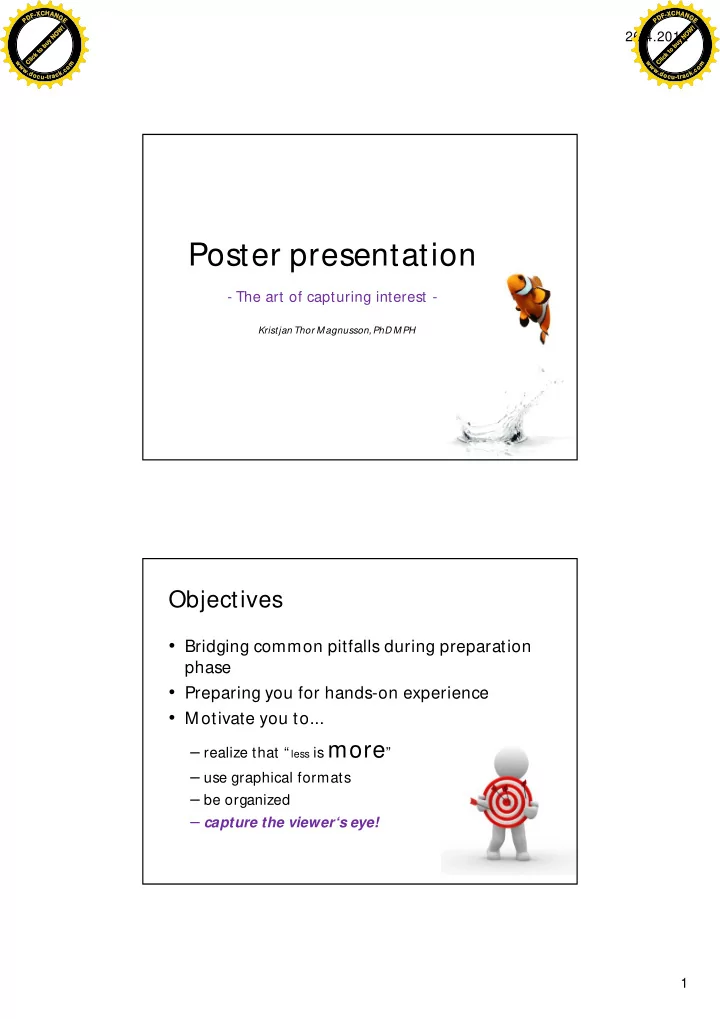
Poster presentation - The art of capturing interest - Kristjan Thor - - PDF document

poster presentation
SMART_READER_LITE
LIVE PREVIEW

Poster presentation - The art of capturing interest - Kristjan Thor - - PDF document

C H C H - X A - X A F N F N G G D D P E P E ! Click to buy NOW! W O 26.4.2012 N y u b o t k c i l C w m w m w w o o w c w c . . . . d k d k c c o a o a c u - t r c u - t r


slide-1
SLIDE 1

26.4.2012 1

Kristjan Thor Magnusson, PhD MPH

Poster presentation

  • The art of capturing interest -

Objectives

  • Bridging common pitfalls during preparation

phase

  • Preparing you for hands-on experience
  • Motivate you to...

– realize that “ less ismore” – use graphical formats – be organized – capture the viewer‘s eye!

C l i c k t

  • b

u y N O W ! P D F

  • X

C H A N G E w w w . d

  • c

u

  • t

r a c k . c

  • m

Click to buy NOW! P D F

  • X

C H A N G E w w w . d

  • c

u

  • t

r a c k . c

  • m
slide-2
SLIDE 2

26.4.2012 2

What is “ poster presentation” ? Structure

  • Quantitative research: Usually similar format as

used by most scientific journals – Introduction – Methods – Results – Conclusions

  • Qualitative research: variety of formats
  • Objective is to find the equilibrium between

tradition and novelty in presenting the highlight

  • f your research

C l i c k t

  • b

u y N O W ! P D F

  • X

C H A N G E w w w . d

  • c

u

  • t

r a c k . c

  • m

Click to buy NOW! P D F

  • X

C H A N G E w w w . d

  • c

u

  • t

r a c k . c

  • m
slide-3
SLIDE 3

26.4.2012 3

  • Interesting scientific information displayed by

visually attractive means on a poster

  • The presenter – you!
  • Audience

Audience

Y

  • u

Science

The elements Posters – Poster presentations

  • First used in current form early 1970‘s in USA
  • Big part of scientific conferences worldwide
  • First author usually presents the poster

– Short time format – The time posters are up varies

  • An opportunity to show your skills within your

research area to other collegues

  • Communication via this format may lead to

cooporation later in your career!

C l i c k t

  • b

u y N O W ! P D F

  • X

C H A N G E w w w . d

  • c

u

  • t

r a c k . c

  • m

Click to buy NOW! P D F

  • X

C H A N G E w w w . d

  • c

u

  • t

r a c k . c

  • m
slide-4
SLIDE 4

26.4.2012 4

Audience

  • Y
  • ur audience are 1 – 2 meters

away from the poster.

  • T
  • pic should be appealing,

interesting and readible(!)

  • Y
  • u have 90 sec to convey your

message. – Competition for time and attention – Often times hundereds of posters on

display at any given conference

– Design your poster to make it worth

while for the audience to read up on your work

Audience

  • Three groups:

1. People who know a lot about your work 2. People who work in your field but not in your area

  • f expertise

3. People who are outside of your field of work

  • Group nr. 2 is often said to be

your target audience when you prepare your poster.

C l i c k t

  • b

u y N O W ! P D F

  • X

C H A N G E w w w . d

  • c

u

  • t

r a c k . c

  • m

Click to buy NOW! P D F

  • X

C H A N G E w w w . d

  • c

u

  • t

r a c k . c

  • m
slide-5
SLIDE 5

26.4.2012 5

Text

  • Y
  • u can skip the abstract.

– The poster is an abstract!

  • Do NOT make anything cloud the main

scientific message.

  • Short direct text – short paragraphs

– 20 lines maximum!

  • Lists are good, e.g. to highlight objectives

and conclusions.

  • Make sure to use FONT, SIZE and color to

simplify your text.

  • Hand-outs or business cards are good

accessories.

Font and size

  • Readible font types

– Title: Arial, Helveca, T

ahoma ofl.

– Body: Times New Roman, Bookman Old Style,

Palatino Linotype, Calibri

  • Stay away from cal l ygr aphy and only use

italics to follow accepted conventions in scientific writing.

  • Essential – poster must be readible
  • Thickness of title 23 mm at

minimum (65pt)

  • Body text 5 mm at minimum

(14 pt)

C l i c k t

  • b

u y N O W ! P D F

  • X

C H A N G E w w w . d

  • c

u

  • t

r a c k . c

  • m

Click to buy NOW! P D F

  • X

C H A N G E w w w . d

  • c

u

  • t

r a c k . c

  • m
slide-6
SLIDE 6

26.4.2012 6

Color

  • Double edged sword
  • Background should generally be light

– Visually more comfortable

  • Use colored text to e.g. harmonize

sections

  • Think of purpose before you color

somethingg – Don‘t use color only to capture attention – Use it to organize your poster

Space and line-up

  • Make sure you know the

dimensions of your poster before you begin.

  • First, use paper and pensil.
  • Try to have no more than 5 sections
  • n your poster.

– About 50% of poster should be

unused!

  • Or to be used to connect different

sections

  • Unusual forms are double edge

swords too. – Use sparingly

  • Line-up should be logical

C l i c k t

  • b

u y N O W ! P D F

  • X

C H A N G E w w w . d

  • c

u

  • t

r a c k . c

  • m

Click to buy NOW! P D F

  • X

C H A N G E w w w . d

  • c

u

  • t

r a c k . c

  • m
slide-7
SLIDE 7

26.4.2012 7

Presentation of data

  • Same common rules apply for figures and

tables as in scientific articles, i.e. should be able to stand alone.

  • Tables:

best if max 20 items

  • Figures:

best if max 3-4 lines per fig. or 6-8 bars.

  • Main points presented CLEARL

Y

  • Colors and si ze are important

Presentation of data

  • Uniformity in display is important
  • Photographs can say more than 1000 words

– Should have a more meaningful purpose than just

to be visually interesting

  • Pictures must be easily understood
  • Matte texture of pics better than glossy

glossy

  • Try not to use pictures as backgrounds

C l i c k t

  • b

u y N O W ! P D F

  • X

C H A N G E w w w . d

  • c

u

  • t

r a c k . c

  • m

Click to buy NOW! P D F

  • X

C H A N G E w w w . d

  • c

u

  • t

r a c k . c

  • m
slide-8
SLIDE 8

26.4.2012 8

The presenter

  • Y
  • u matter

– knowledge – sincerity – presence – confidence

  • Acknowledge audience ahead of

acquaintances during poster presentation.

  • Whether the audience being two or twelve –

be professional.

Hand-out

  • Can better your poster presentation
  • Business card with main info + reduced size

poster as giveaways.

  • Business card + abstract
  • Something that doesn‘t take much space but

holds vital information about you.

C l i c k t

  • b

u y N O W ! P D F

  • X

C H A N G E w w w . d

  • c

u

  • t

r a c k . c

  • m

Click to buy NOW! P D F

  • X

C H A N G E w w w . d

  • c

u

  • t

r a c k . c

  • m
slide-9
SLIDE 9

26.4.2012 9

M aking it fit

  • Size of poster varies

depending on field of study, type of conference etc.

  • Must know size and shape

before you start!

  • “Clarity and beauty are

closely related concepts” – Imhof (1982)

C l i c k t

  • b

u y N O W ! P D F

  • X

C H A N G E w w w . d

  • c

u

  • t

r a c k . c

  • m

Click to buy NOW! P D F

  • X

C H A N G E w w w . d

  • c

u

  • t

r a c k . c

  • m
slide-10
SLIDE 10

26.4.2012 10

Time management - composition of poster

  • Be organized – during your

research expect to make a poster.

  • Begin weeks before the

conference is scheduled.

  • Have someone read over your

poster

  • Print a preview version
  • Murphy’s law

Visualizing data

http:/ / www.informationisbeautiful.net/ visualizations/ the-billion-dollar-o-gram-2009/ http:/ /store.informationisbeautiful.net/ product/ which-fish-are-okay-to-eat-br-digital- download http:/ / www.informationisbeautiful.net/ 2009/ is-the-h1n1-swine-flu-vaccine-safe/

Unorthodox examples

C l i c k t

  • b

u y N O W ! P D F

  • X

C H A N G E w w w . d

  • c

u

  • t

r a c k . c

  • m

Click to buy NOW! P D F

  • X

C H A N G E w w w . d

  • c

u

  • t

r a c k . c

  • m
slide-11
SLIDE 11

26.4.2012 11

10 issues

C l i c k t

  • b

u y N O W ! P D F

  • X

C H A N G E w w w . d

  • c

u

  • t

r a c k . c

  • m

Click to buy NOW! P D F

  • X

C H A N G E w w w . d

  • c

u

  • t

r a c k . c

  • m
slide-12
SLIDE 12

26.4.2012 12

Don‘t hinder the readability

  • 1. Blah bla...
  • 2. Bla bla bla... 3. Bla bla bla ... 4. Bla bla bla ...
  • 5. Bla blah...
  • 6. Bla bla bla... 7. Bla bla bla... 8. Bla bla bla...

Bla bla!

#1

Don‘t hinder the readability

  • 1. Bla bla bla...
  • 4. Bla bla bla ...
  • 2. Bla bla bla...
  • 5. Bla bla bla...

Bla bla!

#1

  • 3. Bla bla bla...
  • 6. Bla bla bla...

C l i c k t

  • b

u y N O W ! P D F

  • X

C H A N G E w w w . d

  • c

u

  • t

r a c k . c

  • m

Click to buy NOW! P D F

  • X

C H A N G E w w w . d

  • c

u

  • t

r a c k . c

  • m
slide-13
SLIDE 13

26.4.2012 13

Don‘t make it too complex

#2

Don‘t choose illogical order/context

#3

C l i c k t

  • b

u y N O W ! P D F

  • X

C H A N G E w w w . d

  • c

u

  • t

r a c k . c

  • m

Click to buy NOW! P D F

  • X

C H A N G E w w w . d

  • c

u

  • t

r a c k . c

  • m
slide-14
SLIDE 14

26.4.2012 14

Don‘t drown your poster in text

#4

Nothing kills a reader’s enthusiasm more quickly than a long, unbroken block of text (see screenshot).Rat her than cramming a year’s worth of activities into one narrative, look for ways to break out some pieces into stand-alone stories. Then place each of those stories in its own text box.To create a new text box in Word, go to Insert: Text Box and then click and drag to draw the box on screen. To give the box a background color and help separate it from the rest of your text, choose Format: Text Box and click on the Colors And Lines tab. To remove the default border around the box, set Line Color to No Line. To create a new text box in Pages, go to Insert: Text (if the menu item is grayed
  • ut, click on the edge of your document to hide the blinking cursor) and then
drag the edge of the box to create the desired shape. You can add a fill color or a border from the Graphic section of the Inspector palette. If you can’t turn your long story into a few shorter stories, you may be able to separate your text into smaller chunks by adding subheads. Leave an empty line above each subhead, but not below it—you want the eye to associate the subhead with the paragraph beneath it. Also, make your subheads similar in size to your body text (you can use a special font or color to help them stand out). If the subhead is much bigger than the body text, it could mess up text alignment. Tip: To ensure that your subheads are consistent—a key tenet of good design— create a style for them. Once you’ve designed a subhead, highlight it. In Word, go to Format: Style. Click on New and give the subhead style a name. If you’d like to use it in other documents, select the Add To Template option. Then click on OK. In Pages, click on the plus sign (+) at the bottom of the Styles drawer (if you don’t see the drawer, press Command-shift-T to open it).

M y new great super awesome poster where I present my greatest scientific achievement on my super duper great research project which no one cares to read because I put way too much text on this poster and the audience can‘t make sense

  • f the main points which is a shame because it took me months to prepare the

presentation for the conference in Australia which was also super expensive

Nothing kills a reader’s enthusiasm more quickly than a long, unbroken block of text (see screenshot).Rat her than cramming a year’s worth of activities into one narrative, look for ways to break out some pieces into stand-alone stories. Then place each of those stories in its own text box.To create a new text box in Word, go to Insert: Text Box and then click and drag to draw the box on screen. To give the box a background color and help separate it from the rest of your text, choose Format: Text Box and click on the Colors And Lines tab. To remove the default border around the box, set Line Color to No Line. To create a new text box in Pages, go to Insert: Text (if the menu item is grayed
  • ut, click on the edge of your document to hide the blinking cursor) and then
drag the edge of the box to create the desired shape. You can add a fill color or a border from the Graphic section of the Inspector palette. If you can’t turn your long story into a few shorter stories, you may be able to Nothing kills a reader’s enthusiasm more quickly than a long, unbroken block of text (see screenshot).Rat her than cramming a year’s worth of activities into one narrative, look for ways to break out some pieces into stand-alone stories. Then place each of those stories in its own text box.To create a new text box in Word, go to Insert: Text Box and then click and drag to draw the box on screen. To give the box a background color and help separate it from the rest of your text, choose Format: Text Box and click on the Colors And Lines tab. To remove the default border around the box, set Line Color to No Line. To create a new text box in Pages, go to Insert: Text (if the menu item is grayed
  • ut, click on the edge of your document to hide the blinking cursor) and then
drag the edge of the box to create the desired shape. You can add a fill color or a border from the Graphic section of the Inspector palette. If you can’t turn your long story into a few shorter stories, you may be able to separate your text into smaller chunks by adding subheads. Leave an empty line above each subhead, but not below it—you want the eye to associate the subhead with the paragraph beneath it. Also, make your subheads similar in size to your body text (you can use a special font or color to help them stand out). If the subhead is much bigger than the body text, it could mess up text alignment. Tip: To ensure that your subheads are consistent—a key tenet of good design— create a style for them. Once you’ve designed a subhead, highlight it. In Word, go to Format: Style. Click on New and give the subhead style a name. If you’d like to use it in other documents, select the Add To Template option. Then click on OK. In Pages, click on the plus sign (+) at the bottom of the Styles drawer (if you don’t see the drawer, press Command-shift-T to open it). To create a new text box in Pages, go to Insert: Text (if the menu item is grayed
  • ut, click on the edge of your document to hide the blinking cursor) and then
drag the edge of the box to create the desired shape. You can add a fill color or a border from the Graphic section of the Inspector palette. If you can’t turn your long story into a few shorter stories, you may be able to separate your text into smaller chunks by adding subheads. Leave an empty line above each subhead, but not below it—you want the eye to associate the subhead with the paragraph beneath it. Also, make your subheads similar in size to your body text (you can use a special font or color to help them stand out). If the subhead is much bigger than the body text, it could mess up text alignment. Tip: To ensure that your subheads are consistent—a key tenet of good design— create a style for them. Once you’ve designed a subhead, highlight it. In Word, go to Format: Style. Click on New and give the subhead style a name. If you’d like to use it in other documents, select the Add To Template option. Then click on OK. In Pages, click on the plus sign (+) at the bottom of the Styles drawer (if you don’t see the drawer, press Command-shift-T to open it). To create a new text box in Pages, go to Insert: Text (if the menu item is grayed
  • ut, click on the edge of your document to hide the blinking cursor) and then
drag the edge of the box to create the desired shape. You can add a fill color or a border from the Graphic section of the Inspector palette. If you can’t turn your long story into a few shorter stories, you may be able to Nothing kills a reader’s enthusiasm more quickly than a long, unbroken block of text (see screenshot).Rat her than cramming a year’s worth of activities into one narrative, look for ways to break out some pieces into stand-alone stories. Then place each of those stories in its own text box.To create a new text box in Word, go to Insert: Text Box and then click and drag to draw the box on screen. To give to your body text (you can use a special font or color to help them stand out). If the subhead is much bigger than the body text, it could mess up text alignment. Tip: To ensure that your subheads are consistent—a key tenet of good design— create a style for them. Once you’ve designed a subhead, highlight it. In Word, go to Format: Style. Click on New and give the subhead style a name. If you’d like to use it in other documents, select the Add To Template option. Then click on OK. In Pages, click on the plus sign (+) at the bottom of the Styles drawer (if you don’t see the drawer, press Command-shift-T to open it). To create a new text box in Pages, go to Insert: Text (if the menu item is grayed
  • ut, click on the edge of your document to hide the blinking cursor) and then
drag the edge of the box to create the desired shape. You can add a fill color or a border from the Graphic section of the Inspector palette. If you can’t turn your long story into a few shorter stories, you may be able to To create a new t ext box in Pages, go t o Insert : Text (if t he menu it em is grayed To creat e a new t ext box in Pages, go t o Insert : Text (if t he menu it em is grayed

Don‘t emphasize trivial things

#5

INTRODUCTION

enthusiasm more quickly than a long, unbroken block of text (see screenshot).Rather than cramming a year’s worth of activities into one narrative, look for ways to break out some pieces into stand-alone stories. Then place each
  • f those stories in its own text box.To create a new text box in Word, go to Insert:
Text Box and then click and drag to draw the box on screen. To give the box a background color and help separate it from the rest of your text, choose Format: Text Box and click on the Colors And Lines tab. To remove the default border around the box, set Line Color to No Line. To create a new text box in Pages, go to Insert: Text (if the menu item is grayed
  • ut, click on the edge of your document to hide the blinking cursor) and then
drag the edge of the box to create the desired shape. You can add a fill color or a border from the Graphic section of the Inspector palette. If you can’t turn your long story into a few shorter stories, you may be able to separate your text into smaller chunks by adding subheads. Leave an empty line above each subhead, but not below it—you want the eye to associate the

SIX TIM ES

beneath it. Also, make your subheads similar in size to your body text (you can use a special font or color to help them stand out). If the subhead is much bigger than the body text, it could mess up text alignment. Tip: To ensure that your subheads are consistent—a key tenet of good design— create a style for them. Once you’ve designed a subhead, highlight it. In Word, go to Format: Style. Click on New and give the subhead style a name. If you’d like to use it in other documents, select the Add To Template option. Then click on OK. In Pages, click on the plus sign (+) at the bottom of the Styles drawer (if you don’t see the drawer, press Command-shift-T to open it).

EFFECT OF X ON Y IN A SCHOOL SETTING By Kristjan Thor M agnusson DOSE RESPONSE

enthusiasm more quickly than a long, unbroken block of text (see screenshot).Rat her than cramming a year’s worth of activities into one narrative, look for ways to break out some pieces into stand-alone stories. Then place each of those stories in its own text box.To create a new text box in Word, go to Insert: Text Box and then click and drag to draw the box on screen. To give the box a background color and help separate it from the rest of your text, choose Format: Text Box and click on the Colors And Lines tab. To remove the default border around the box, set Line Color to No Line.

Conclusionbox in Pages, go to Insert: Text (if the menu

item is grayed out, click on the edge of your document to hide the blinking

ALWAYS more quickly than a long, unbroken block of

text (see screenshot).Rat her than cramming a year’s worth of activities into one narrative, look for ways to break out some pieces into stand-alone stories. Then place each of those stories in its own text box.To create a new text box in Word, go to Insert: Text Box and then click and drag to draw the box on screen. To give the box a background color and help separate it from the rest of your text, choose Format: Text Box and click on the Colors And Lines tab. To remove the default border around the box, set Line Color to No Line.

Results

a new text box in Pages, go to Insert: Text (if the menu item is grayed out, click on the edge of your document to hide the blinking cursor) and then drag the edge of the box to create the desired shape. You can add a fill color
  • r a border from the Graphic section of the Inspector palette.
If you can’t turn your long story into a few shorter stories, you may be able to separate your text into smaller chunks by adding subheads. Leave an empty line above each subhead, but not below it—you want the eye to associate the subhead with the paragraph beneath it. Also, make your subheads similar in size to your body text (you can use a special font or color to help them stand out). If the subhead is much bigger than the body text, it could mess up text alignment. Tip: To ensure that your subheads are consistent—a key tenet of good drawer, press Command-shift-T to open it).

M ETHODS

text box in Pages, go to Insert: Text (if the menu item is grayed out, click on the edge of your document to hide the blinking cursor) and then drag the edge of the box to create the desired shape. You can add a fill color or a border from the Graphic section of the Inspector palette. If you can’t turn your long story into a few shorter stories, you may be able to separate your text into smaller chunks by adding subheads. Leave an empty line above each subhead, but not below it—you want the eye to associate the subhead with the paragraph beneath it. Also, make your subheads similar in size to your body text (you can use a special font or color to help them stand out). If the subhead is much bigger than the body text, it could mess up text alignment. Tip: To ensure that your subheads are consistent—a key tenet of good design— create a style for them. Once you’ve designed a subhead, highlight it. In Word, go to Format: Style. Click on New and give the subhead style a name. If you’d like to use it in other documents, select the Add To Template option. Then click on OK. In Pages, click on the plus sign (+) at the bottom of the Styles drawer (if you don’t see the drawer, press Command-shift-T to open it). Nothing kills a reader’s enthusiasm more quickly than a long, unbroken block of text (see screenshot).Rat her than cramming a year’s worth of activities into one narrative, look for ways to break out some pieces into stand-alone stories. Then place each of those stories in its own text box.To create a new text box in Word, go to Insert: Text Box and then click and drag to draw the box on screen. To give to your body text (you can use a special font or color to help them stand out). If the subhead is much bigger than the body text, it could mess up text alignment. Tip: To ensure that your subheads are consistent—a key tenet of good design— create a style for them. Once you’ve designed a subhead, highlight it. In Word, go to Format: Style. Click on New and give the subhead style a name. If you’d like to use it in other documents, select the Add To Template option. Then click on OK. In Pages, click on the plus sign (+) at the bottom of the Styles drawer (if you don’t see the drawer, press Command-shift-T to open it). To create a new text box in Pages, go to Insert: Text (if the menu item is grayed
  • ut, click on the edge of your document to hide the blinking cursor) and then
drag the edge of the box to create the desired shape. You can add a fill color or a border from the Graphic section of the Inspector palette. If you can’t turn your long story into a few shorter stories, you may be able to

MY CAT

C l i c k t

  • b

u y N O W ! P D F

  • X

C H A N G E w w w . d

  • c

u

  • t

r a c k . c

  • m

Click to buy NOW! P D F

  • X

C H A N G E w w w . d

  • c

u

  • t

r a c k . c

  • m
slide-15
SLIDE 15

26.4.2012 15

Don‘t fail to underline important issues

#6

Introduction enthusiasm more quickly than a long, unbroken block of text (see screenshot).Rather than cramming a year’s worth of activities into one narrative, look for ways to break out some pieces into stand-alone stories. Then place each of those stories in its own text box.To create a new text box in Word, go to Insert: Text Box and then click and drag to draw the box on screen. To give the box a background color and help separate it from the rest of your text, choose Format: Text Box and click on the Colors And Lines tab. To remove the default border around the box, set Line Color to No Line. If you can’t turn your long story into a few shorter stories, you may be able to separate your text into smaller chunks by adding subheads. Leave an empty line above each subhead, but not below to

  • pen it).

EFFECT OF X ON Y IN A SCHOOL SETTING By Kristjan Thor M agnusson

Results more quickly than a long, unbroken block of text (see screenshot).Rather than cramming a year’s worth of activities into one narrative, look for ways to break out some pieces into stand-alone

  • stories. Then place each of those stories in its own

text box.To create a new text box in Word, go to Insert: Text Box and then click and drag to draw the box on screen. To give the box a background color and help separate it from the rest of your text, choose Format: Text Box and click on the Colors And Lines tab. To remove the default border around the box, set Line Color to No Line. new text box in Pages, go to Insert: Text (if the menu item is grayed out, click on the edge of your document to hide the blinking cursor) and then drag the Conclusion above each subhead, but not below it—you want the eye to associate the subhead with the paragraph beneath it. Also, make your subheads similar in size to your body text (you can use a special font or color to help them stand out). If the subhead is much bigger than the body text, it wer, press Command-shift-T to open it). M ethods text box in Pages, go to Insert: Text (if the menu item is grayed out, click on the edge of your document to hide the blinking cursor) and then drag the edge of the box to create the desired

  • shape. You can add a fill color or a border from the

Graphic section of the Inspector palette. If you can’t turn your long story into a few shorter stories, you may be able to separate your text into Nothing kills a reader’s enthusiasm more quickly than a long, unbroken block of text (see screenshot).Rather than cramming a year’s worth

  • f activities into one narrative, look for ways to

break out some pieces into stand-alone stories. Then place each of those stories in its own text box.To create a new text box in Word,

Don‘t go on a psychedelic trip

#7

INTRODUCTION enthusiasm more quickly than a long, unbroken block of text (see screenshot).Rather than cramming a year’s worth of activities into one narrative, look for ways to break out some pieces into stand-alone stories. Then place each of those stories in its own text box.To create a new text box in Word, go to Insert: Text Box and then click and drag to draw the box on screen. To give the box a background color and help separate it from the rest of your text, choose Format: Text Box and click on the Colors And Lines tab. To remove the default border around the box, set Line Color to No Line. If you can’t turn your long story into a few shorter stories, you may be able to separate your text into smaller chunks by adding subheads. Leave an empty line above each subhead, but not below it—you want the eye to associate the SIX TIM ES beneath it. Also, make your subheads similar in size to your body text (you can use a special font

  • r color to help them stand out). If the subhead is

much

EFFECT OF X ON Y IN A SCHOOL SETTING By Kristjan Thor M agnusson

ALWAYS more quickly than a long, unbroken block of text (see

screenshot).Rather than cramming a year’s worth

  • f activities into one narrative, look for ways to

break out some pieces into stand-alone stories. Then place each of those stories in its own text box.To create a new text box in Word, go to Insert: Text Box and then click and drag to draw the box

  • n screen. To give the box a

background color and help separate it from the rest of your text, choose Format: Text Box and click on the Colors And Lines tab. To remove the default border around the box, set Line Color to No Line. Resultsa new text box in Pages, go to Insert: Text (if the menu item is grayed out, click on the edge

  • f your document to hide the blinking cursor) and

then drag the to open it). M ETHODS text box in Pages, go to Insert: Text (if the menu item is grayed out, click on the edge of your document to hide the blinking cursor) and then drag the edge of the box to create the desired

  • shape. You can add a fill color or a border from the
  • ve each subhead, but not below it—you want the

eye to associate the Tip: To ensure that your subheads are consistent—a key tenet of good design—create a style for them. Once you’ve designed a subhead, highlight it. In Word, go to Format: Style. Click on New and give the subhead style a name. If you’d like to use it in other documents, select the Add To Template option. Then click on OK.

If you can’t turn your long story into a few shorter stories, you may be able to

C l i c k t

  • b

u y N O W ! P D F

  • X

C H A N G E w w w . d

  • c

u

  • t

r a c k . c

  • m

Click to buy NOW! P D F

  • X

C H A N G E w w w . d

  • c

u

  • t

r a c k . c

  • m
slide-16
SLIDE 16

26.4.2012 16

Don‘t focus on the methodology

#8

INTRODUCTION enthusiasm more quickly than a long, unbroken drag to draw the box on screen. To give the box a background color and help separate it from the rest of your text, choose Format: Text Box and click on the Colors And Lines tab. To remove the default border around the box, set Line Color to No Line. If you can’t turn your long story into a few shorter stories, you may be able to separate your text into smaller chunks by adding subheads. Leave an empty line above each subhead, but not below it—you want the eye to associate the SIX TIM ES beneath it. Also, make your subheads similar in size to your body text (you can use a special font

  • r color to help them stand out). If the subhead is

much

EFFECT OF X ON Y IN A SCHOOL SETTING By Kristjan Thor M agnusson

Then place each of those stories in its own text box.To create a new text box in Word, go to Insert: Text Box and then click and drag to draw the box

  • n screen. To give the box a

background color and help separate it from the rest of your text, choose Format: Text Box and click on the Colors And Lines tab. To remove the default border around the box, set Line Color to No Line. Resultsa new text box in Pages, go to Insert: Text (if the menu item is grayed out, click on the edge

  • f your document to hide the blinking cursor) and

then drag the to open it). M ETHODS text box in Pages, go to Insert: Text (if the menu item is grayed out, click on the edge of your document to hide the blinking cursor) and then drag the edge of the box to create the desired

  • shape. You can add a fill color or a border from the
  • ve each subhead, but not below it—you want the

eye to associate the highlight it. In Word, go to Format: Style. Click on New and give the subhead style a name. If you’d like to use it in other documents, select the Add To Template option. Then click on OK.

If you can’t turn your long story into a few shorter stories, you may be able to

M ETHODS

Don‘t fail to conclude

#9

If you can’t turn your long story into a few shorter stories, you may be able to

C l i c k t

  • b

u y N O W ! P D F

  • X

C H A N G E w w w . d

  • c

u

  • t

r a c k . c

  • m

Click to buy NOW! P D F

  • X

C H A N G E w w w . d

  • c

u

  • t

r a c k . c

  • m
slide-17
SLIDE 17

26.4.2012 17

Don‘t be the wordy presenter

#10

EFFECT OF X ON Y IN A SCHOOL SETTING By Kristjan Thor M agnusson

If you can’t turn your long story into a few shorter stories, you may be able to

C l i c k t

  • b

u y N O W ! P D F

  • X

C H A N G E w w w . d

  • c

u

  • t

r a c k . c

  • m

Click to buy NOW! P D F

  • X

C H A N G E w w w . d

  • c

u

  • t

r a c k . c

  • m
slide-18
SLIDE 18

26.4.2012 18

Another Another winning winning poster poster

C l i c k t

  • b

u y N O W ! P D F

  • X

C H A N G E w w w . d

  • c

u

  • t

r a c k . c

  • m

Click to buy NOW! P D F

  • X

C H A N G E w w w . d

  • c

u

  • t

r a c k . c

  • m
slide-19
SLIDE 19

26.4.2012 19

Properties of great posters

Focus Simplicity Graphics Organization

..the focus should be on a single message wherever possible ..don‘t tell the story, show it – a picture says more than 1000 words ..important not to drown the audience in text ..logical order of the material on the poster is essential in order not to lose the thread

C l i c k t

  • b

u y N O W ! P D F

  • X

C H A N G E w w w . d

  • c

u

  • t

r a c k . c

  • m

Click to buy NOW! P D F

  • X

C H A N G E w w w . d

  • c

u

  • t

r a c k . c

  • m
slide-20
SLIDE 20

26.4.2012 20

Good luck!

C l i c k t

  • b

u y N O W ! P D F

  • X

C H A N G E w w w . d

  • c

u

  • t

r a c k . c

  • m

Click to buy NOW! P D F

  • X

C H A N G E w w w . d

  • c

u

  • t

r a c k . c

  • m