Point-based Representation Point based graphics Implicit surfaces - - PDF document

point based representation
SMART_READER_LITE
LIVE PREVIEW

Point-based Representation Point based graphics Implicit surfaces - - PDF document

Plan: Point-based Representation Point based graphics Implicit surfaces Defining implicit surfaces from point clouds Surface optimization Qsplat MLS surfaces Intensity image Laser scanning Range Image An image with


slide-1
SLIDE 1

1

Point-based Representation

Plan:

Point based graphics Implicit surfaces Defining implicit surfaces from point clouds Surface optimization Qsplat MLS surfaces

Laser scanning Range Image

An image with depth

information in every pixel d Intensity image Range image

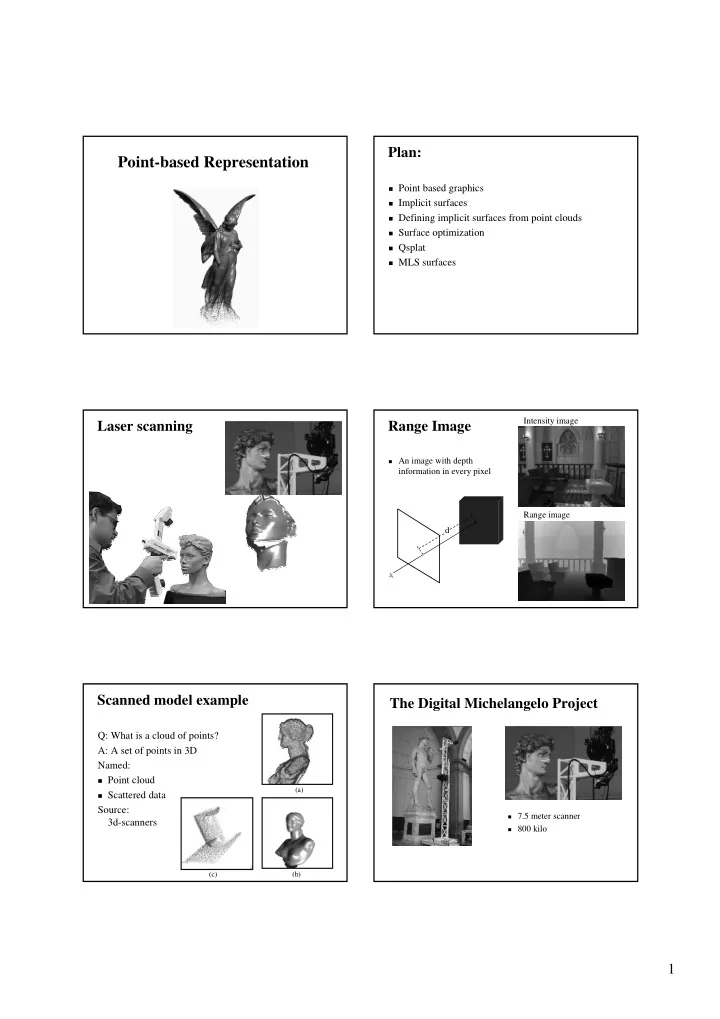
Scanned model example

Q: What is a cloud of points? A: A set of points in 3D Named:

Point cloud Scattered data

Source: 3d-scanners

(a) (c) (b)

The Digital Michelangelo Project

7.5 meter scanner 800 kilo

slide-2
SLIDE 2

2 Statistics

1,080 man hours 22 people 480 scans 2G polygons 7000 Color images 32 Gigabyte

Large Polygonal model example

1M

Motivation

Polygonal models are getting complex If we see 1M polygons, every polygon contributes to a single

pixel

Scanned models produce clouds of points Noisy scans - Denosing Ambiguities Oversampled – Simplification Goal – surface representation Parametric: polygon mesh, higher degree Implicit functions New types, direct methods

Surface definition

  • Operate

Render, hardware Store – compress / transmit Edit ÷ multi-resolution ÷ Constructive Solid Geometry (CSG) ÷ Blend, merge

  • Properties

Smooth, sharp features Manifold Local properties Interpolating / approximating Differential properties: normal… Noise handling Parameterization

Interpolating Approximating

Feature Noise Smooth Sharp

slide-3
SLIDE 3

3 Ambiguities

(b) (a)

Surface representations

Parametric Polygonal meshes Splines Implicit functions Other, ad-hoc, MLS

Polygonal mesh

Traditional computer graphics uses polygonal mesh as object representation

Well studied Hardware rendering Surface is well defined Geometry Topology Color and texture

Polygonal mesh

Editing Hard to edit – self intersection CSG High resolution models –

  • verkill

Only piecewise smooth

Implicit functions

F(x,y) = 0 F(x,y) = x2+y2-r2 Discrete form: image that

samples the function

Signed distance function:

F(x,y) = ||<x,y> ; F-1(0)|| For example r <0 >0 =0 r y x y x F

  • 2

2

) , (

Implicit functions

Pros Smooth CSG Blend Fill holes Differential properties Cons Direct rendering, real-time rendering Sharp features Hard to parameterize

slide-4
SLIDE 4

4 Normals

Surface normal usually gradient of function

f(x,y,z) = (f/x, f/y, f/z)

Gradient not necessarily unit length Gradient points in direction of increasing f

Plane – sample

Plane bounds half-space Specify plane with point p

and normal N

Points in plane x are perp.

to normal N

f is distance if ||N|| = 1

N p x

X’

f(x) = (x-p)N f < 0 f > 0

CSG (constructive Solid Geometry)

  • Union(F,G)(x,y) = min(F(x,y), G(x,y))
  • Intersection(F,G)(x,y) = max(F(x,y), G(x,y))
  • Complement(F) = -F
  • Subtract(F,G) = intersect(F,-G)

intersect union difference

The point-surface modeling pipeline

Range Image Registration Meshing Intensity Image Texture to Geometry Texture maps

Model

Error Compensation Simplification

Registration Marching cubes (Lorensen and Cline)

Extracts a polygonal iso-surface from a signed distance function

Use pattern rules

(configurations)

in in

  • ut
  • ut

in in

  • ut

in

slide-5
SLIDE 5

5 What is Marching Cubes?

Volume is subdivided into unit cubes, which are

analyzed and replaced by an appropriate set of polygons

Threshold value marks points inside / outside

  • +
  • +

+

  • +
  • +
  • +
  • +
  • +
  • +

+

  • +

+

  • +
  • +

+

  • +

+ + +

  • +
  • +

+

  • +

+ +

  • +

+ + + + + +

  • Forms a consistence surface
  • +
  • +
  • +

+ +

  • +
  • +

+ +

  • +

+ +

MC ambiguities

In 3D there are more configurations and more ambiguities.

in

  • ut
  • ut

in in

  • ut
  • ut

in

Configurations

  • 2^8=256 possible configurations

(for a voxel), reduced to 15 (symmetry and rotations)

  • Each configuration results in 1-4

triangles being added to the isosurface

  • The isosurface vertices can be

computed by:

Interpolation along edges

(according to pixel values) – better shading, smoother surfaces

Default - middle of the edge.

Simple results

slide-6
SLIDE 6

6 Brain data set Voxilla Resolution Surface reconstruction from unorganized points [Hoppe94] Surface Reconstruction

Given: points P sampled from

unknown surface U

Goal: reconstruct a surface

S approximating U

Surface reconstruction from unorganized points [Hoppe94]

Initial Surface Estimation Mesh Optimization Points {xi} Surface U Smooth subdivision

slide-7
SLIDE 7

7 Initial surface estimation

Input: set of points {xi} Goal: Contour tracing

(Marching cubes)

Estimate signed distance

function dU:DIR

Associate an oriented plane

with each point

Create a globally consistent

  • rientation

U {xi} D

  • +

Tangent plane estimation

Compute ni that minimizes

Where

Nbhd(xi) xi ni

  • j

p i i j

n x p

i j

x Nbhd p

Consistent tangent plane orientation

Assumption: if xi and xk are close then

ni and nk are nearly parallel

If (nk· ni < 0) Flip nk

ni xi xk nk nk

Signed distance function

du(p) is the distance to the

tangent plane of the closest point.

n

i

x

i

x

k

n

k

ni xi xk nk

du(p)

p

3-Phase Reconstruction

Goals:

Determine the topological type

  • f the surface

Improve mesh’s accuracy and conciseness Find piecewise smooth surface fitting on the data

Results of Three Phases

Points Phase 1 Phase 2

Phase 3

slide-8
SLIDE 8

8 Phase 1: Initial Surface Estimation

  • From points to mesh:
  • Inferring topological type
  • Creating geometric approximation

Points (4,102) Initial Mesh (886 vertices)

Results of phase 1 Phase 2: Mesh optimization

Phase 1 (886 vertices) Phase2 (163 vertices)

Input: data points P, initial mesh Output: optimized mesh M, minimizing

initial

M

complexity distance

E E M E

  • )

(

Phase 2: Mesh Optimization

Optimize the energy

function:

Optimization rules use edge

collapse and expand

Sum of square distances (accurate) Number of vertices (sparse) Regulation term make vertices with

equidistance

  • V

K E K E V K E V K E

spring rep dist

, , ,

  • i

i dist

K x d V K E ) , ( , K c K E

r rep

  • 
  • K

k j k j s spring

v v c V K E

,

,

Overview of Mesh Optimization Optimization steps

Repeat (K’,V’)=GenerateLegalMove(K,V) V’ = OptVertexPosition(K’,V’) if E(K’,V’) < E(K,V) (K,V) = (K’, V’) endif Until converges

slide-9
SLIDE 9

9 Mesh Optimization results Mesh Optimization results Phase 3: Piecewise Smooth Surface Piecewise smooth

Not everywhere smooth, but piecewise smooth!

Smooth surface Piecewise smooth surface

Phase 3: Piecewise smooth subdivision

surfaces

Perform optimization for

the following:

Optimization steps uses

subdivision rules.

Input Phase-2 Phase-3

  • sharp

rep dist

E E E V L K E

  • ,

,

K - mesh V - vertices L - sharp edges

Goal of Phase 3

Find a concise control mesh M: Same topological type as phase 2 defining a piecewise smooth subdivision

surface S(M) that accurately fits the points.

slide-10
SLIDE 10

10 Subdivision

Subdivision is defined as:

“repeatedly refining a control mesh”

M=(K,V) M1=R(M) M2=R(R(M)) = R(M1)

Phase-3

Loop’s subdivision scheme

Refinement procedure of splitting each triangular face into four subfaces.

2

C

Subdivision details

v1 v5 v4 v3 v2 v0 w1

w2

w3

n n v v v n v

n r

  • 1

1

n n v v v v wr

  • 4

2 2 1 1

3 3

  • 64

5 / 2 cos 2 3 8 5

2

  • n

a 5

  • n

Where

  • n

a n a n n

  • 1
  • Subdivision mask

Piecewise smooth subdivision surface

Not smooth everywhere! Creation of sharp features on surface: creases,

corners and darts.

Corner Crease Dart Smooth

The Result

1

M

2

M

  • M

S

The subdivision procedure

Phase-3 Results

slide-11
SLIDE 11

11 Point-based rendering Point-based rendering

What is the surface Rendering the surface What other operations are supported

Projecting a point

A point is infinitely small

Projecting a point - reconstruction

Splatting Micro polygons Image-space hole filling

Rendering points – Hidden surface removal

Back to front Sort points: from nearest to

farthest points

Z-Buffer Arbitrary order

Qsplat: A Multiresolution

Point Rendering System for Large Meshes

Szymon Rusinkiewicz and Marc Levoy Stanford University

slide-12
SLIDE 12

12 Sample Renderings of a 127-million-sample Model

  • Goals

An interactive viewer for large models

(108 – 109 samples)

Fast startup and progressive loading Maintains interactive frame rate Compact data structure Fast preprocessing Data structure: bounding sphere hierarchy Rendering algorithm: traverse tree and splat

Outline

QSplat Data Structure

Key observation: a single bounding sphere hierarchy

can be used for

Hierarchical frustum and backface culling Level of detail control Splat rendering [Westover 89]

Creating the Data Structure

Start with a triangle mesh produced by aligning and

integrating scans [Curless 96]

Creating the Data Structure

Place a sphere at each node, large enough to touch

neighbor spheres

Creating the Data Structure

Build up hierarchy

slide-13
SLIDE 13

13 QSplat Node Structure

  • QSplat Node Structure

Position and radius encoded relative to

parent node

Hierarchical coding vs. delta coding

along a path for vertex positions

  • QSplat Node Structure
  • QSplat Node Structure
  • QSplat Node Structure

Number of children (0, 2, 3, or 4) – 2 bits Presence of grandchildren – 1 bit

  • QSplat Node Structure

Normal quantized to grid

  • n faces of a cube
slide-14
SLIDE 14

14 QSplat Node Structure

Each node contains bounding cone of

children’s normals

Hierarchical backface culling [Kumar 96]

  • QSplat Node Structure
  • 9LHZHU

QSplat Node Structure

Per-vertex color is quantized 5-6-5 (R-G-B)

  • QSplat Rendering Algorithm

Traverse hierarchy recursively

  • +LHUDUFKLFDOIUXVWXP

+LHUDUFKLFDOIUXVWXP EDFNIDFHFXOOLQJ EDFNIDFHFXOOLQJ 3RLQWUHQGHULQJ 3RLQWUHQGHULQJ $GMXVWHGWRPDLQWDLQ $GMXVWHGWRPDLQWDLQ GHVLUHGIUDPHUDWH GHVLUHGIUDPHUDWH /HYHORIGHWDLO /HYHORIGHWDLO FRQWURO FRQWURO

Frame Rate Control

Feedback-driven frame rate control During motion: adjust recursion threshold based on

time to render previous frame

On mouse up: redraw with progressively smaller

thresholds

Consequence: frame rate may vary Alternative: Predictive control of detail [Funkhouser 93]

Loading Model from Disk

Tree layout: Breadth-first order in memory and on disk Working set management: Memory mapping disk file Consequence: lower detail for new geometry Alternative: Active working set management

with prefetching [Funkhouser 96, Aliaga 99]
slide-15
SLIDE 15

15 Demo – St. Matthew

3D scan of 2.7 meter statue at

0.25 mm

102,868,637 points File size: 644 MB Preprocessing time: 1 hour

  • RBF

Point Set Surfaces

Marc Alexa Johannes Behr Daniel Cohen-Or Shachar Fleishman David Levin Claudio Silva

Features

Smooth surface manifold

representation of point sets

Up-sample Down-sample Noise reduction Interactive rendering

Model Scanning Pipeline

Range Image Registration Meshing Intensity Image Texture to Geometry Texture maps

Model

Error Compensation Simplification

Model Scanning Pipeline

Concentrate on

Surface definition Measurement errors Simplification Rendering

Intensity Image Texture to Geometry Texture maps

Model

Range Image Registration Meshing Error Compensation Simplification

slide-16
SLIDE 16

16 Surface definition: The moving least squares (MLS)

Constructive definition:

Input point r Compute a local reference

plane Hr=<q,n>

Compute a local polynomial

  • ver the plane Gr

Project point r’=Gr(0)

r

Gr

Hr

q n

Local reference plane

Plane equation: Hr=<q,n> Hr=min id(xi,Hr)(||q- xi||)

Non-linear optimization Where

{xi} neighbor points (x)=exp(-x2/h2) h reconstruction parameter,

depends on the spacing of points

Note: q != r

r Hr

q n

Projecting the point

Gr=min i|G(xi,x)-xi,y|(||q- xi||)

Linear optimization

r’=Gr(0)

r

Gr

Hr

q n

Noise Reduction

Using high values of h Smoother surfaces Less detail

Up sample

Create a local

Voronoi diagram

Add points at

Voronoi vertex with the largest radius

Stop when spacing is

small enough

Downsample

Sp- Surface Remove Point pi if |Sp-SP-pi|< Speedup: Evaluate |pi-Project(pi, SP-pi)|

slide-17
SLIDE 17

17 Real-time Rendering

Upsample SR to conform with screen space resolution Adding points SR with the projection method is expensive Point sampling U(Gi) is faster Basic technique Sort points into bounding sphere hierarchy (QSplat) View frustrum + backface culling Traversal ends if screen space resolution is satisfied Points not in {ri} are sampled from a

regular grid over gr

Rendering union of polynomials

Define the extent of a polynomial to be the spacing

between points:

Project points in radius h on the support plane The extent is the bounding rectangle “E”

E

Rendering results

(b), (c), (g) – Splatting (d),(h) - Polynoms

Demo Digital Michaelangelo overview

A traditional method

Align scans

1. Manual rough alignment 2. Local accurate ICP of pairs 3. Global alignment

Merge scans Geometry Pipeline Fill holes Mesh Map color on the mesh Color Pipeline Separate

1. Ambient 2. Diffuse 3. Specular

Merge scans

Geometry Pipeline

Fill holes Mesh Align