<?php function preprocess_drupalcon($presentation) { if - - PowerPoint PPT Presentation

php function preprocess drupalcon presentation if drupal
SMART_READER_LITE
LIVE PREVIEW

<?php function preprocess_drupalcon($presentation) { if - - PowerPoint PPT Presentation

Annertech | @markconroy <?php function preprocess_drupalcon($presentation) { if ($drupal && $ionic) { if ($ionic[app] = Megalomaniac) { create $presentation } } } ?> Annertech | @markconroy Mark Conroy -


slide-1
SLIDE 1

Annertech | @markconroy
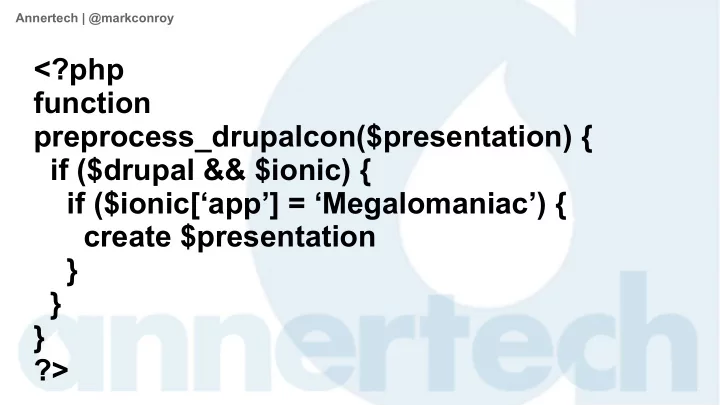
<?php function preprocess_drupalcon($presentation) { if ($drupal && $ionic) { if ($ionic[‘app’] = ‘Megalomaniac’) { create $presentation } } } ?>

slide-2
SLIDE 2

Annertech | @markconroy

Mark Conroy

  • Annertech -

@markconroy

slide-3
SLIDE 3

Annertech | @markconroy

What We'll Talk About Today

  • Some background
  • Drupal as a RESTful API
  • What is Ionic Framework
  • Connecting the Dots
  • Q&A (please go easy on me)
slide-4
SLIDE 4

Annertech | @markconroy

Some Background

  • I decided to run as a candidate in the 2016 General Election.
  • I had everything in place ...
slide-5
SLIDE 5

Annertech | @markconroy

...My Poster Campaign

slide-6
SLIDE 6

Annertech | @markconroy

… My Facebook Page

slide-7
SLIDE 7

Annertech | @markconroy

… A Twitter Hashtag: #GalwayBeast

slide-8
SLIDE 8

Annertech | @markconroy

…an Endorsement from a fellow megalomaniac...

slide-9
SLIDE 9

Annertech | @markconroy

…and from someone I never heard of...

slide-10
SLIDE 10

Annertech | @markconroy

… except ...

  • I needed an app to get my message out to my tens of

followers

  • Without one, I wouldn't get elected
slide-11
SLIDE 11

Annertech | @markconroy

What is Drupal?

  • Drupal is a content management framework
  • We use it to create content management systems, mostly
  • It can also be used to ...
  • Blah
  • Blah
  • Blah
  • Let's skip the boring parts!
slide-12
SLIDE 12

Annertech | @markconroy

Drupal as a RESTful API

  • In Drupal 8 this is simple
  • Enable “Serialization” module
  • Enable “RESTful Web Services” module

– You should have some authentication as well – HTTP Basic Authentication module comes with core

  • Create the views you need
slide-13
SLIDE 13

Annertech | @markconroy

Enable Modules

slide-14
SLIDE 14

Annertech | @markconroy

Create a View

slide-15
SLIDE 15

Annertech | @markconroy

Edit View (and then save it)

slide-16
SLIDE 16

Annertech | @markconroy

Admire your (uglified) JSON

slide-17
SLIDE 17

Annertech | @markconroy

You Now Have RESTful Data

  • You now have RESTful data
  • You can consume this for whatever purpose

– Create a headless Drupal site – Allow it as a canonical source for other sites in your business – Differentiate a great editor experience from a great front-end

user experience

– Pull it into an app – our goal today!

slide-18
SLIDE 18

Annertech | @markconroy

What is Ionic Framework

  • A hybrid web app development kit
  • Based on Cordova and AngularJS
  • Packages HTML, CSS, and JS into

– Android apps – iOS apps

  • Does NOT create Windows apps
  • You need a Mac to create the final iOS app(s)
slide-19
SLIDE 19

Annertech | @markconroy

What is Ionic Framework

  • Comes with LOADS of built-in features

– Lists – Navigation/Tabs

  • and classes

– This helps apps to have a native look and feel – Everything can be overridden to give custom look and feel

  • Comes with support for SCSS
  • Has live reload built-in
slide-20
SLIDE 20

Annertech | @markconroy

Loads of Built-in Features

slide-21
SLIDE 21

Annertech | @markconroy

E.G. CSS – Card List

slide-22
SLIDE 22

Annertech | @markconroy

E.G. JS – Modal Dialog 1

slide-23
SLIDE 23

Annertech | @markconroy

E.G. JS – Modal Dialog 2

slide-24
SLIDE 24

Annertech | @markconroy

Create a Basic App

  • Run 'ionic start [appName] [appStyle]'

– appStyle can be

  • blank
  • tabs
  • sidemenu
slide-25
SLIDE 25

Annertech | @markconroy

Tabs & SideMenu

slide-26
SLIDE 26

Annertech | @markconroy

Directory/File Structure of Ionic

slide-27
SLIDE 27

Annertech | @markconroy

Add New Page to your App

1) In www/js/app.js copy one of the states and edit to reflect your new info 2) Add a menu entry in www/templates/menu.html 3) Create a template file in /templates for your HTML 4) Create a controller for your state (if needed)

slide-28
SLIDE 28

Annertech | @markconroy

Edit States in app.js

slide-29
SLIDE 29

Annertech | @markconroy

Add the Menu Entry in menu.html

slide-30
SLIDE 30

Annertech | @markconroy

Create a template (if needed) in /templates

slide-31
SLIDE 31

Annertech | @markconroy

New Menu Item and View are Added

slide-32
SLIDE 32

Annertech | @markconroy

Create More Pages?

  • Repeat the first first steps again

– Add a new state – Add a template (or re-use an existing one) – Add a menu item – Eat cake

  • But this will only create static content
  • Each time you try to update your app in App Store or Play

Store you will need to re-submit it

slide-33
SLIDE 33

Annertech | @markconroy

Dynamic Content

  • The content created to now is static.
  • Let's connect it to our Drupal RESTful service from earlier
  • Means any content updated on the website will automatically

update on the app

  • Any new content added (such as a news/blog post) will be

added to the list on your app and available for reading

  • You don’t need to re-submit your app for each new piece of

content

slide-34
SLIDE 34

Annertech | @markconroy

We’ll Create Something Like This:

slide-35
SLIDE 35

Annertech | @markconroy

Using Data Like This

slide-36
SLIDE 36

Annertech | @markconroy

Create a single page

  • Edit Controller to use the $http service
  • In my case I have a controller called 'PersonalCtrl'
  • I use the '$http' service from AngularJS to 'GET' the JSON

data

  • I then use 'expressions' in my html to situate that data in my

template

slide-37
SLIDE 37

Annertech | @markconroy

PersonalCtrl

slide-38
SLIDE 38

Annertech | @markconroy

Attached with HTML like this (home.html)

slide-39
SLIDE 39

Annertech | @markconroy

PersonalCtrl Anatomy

slide-40
SLIDE 40

Annertech | @markconroy

Create a Listing Page Like This:

slide-41
SLIDE 41

Annertech | @markconroy

Using Data Like This:

slide-42
SLIDE 42

Annertech | @markconroy

Create a Listing Page

  • Same as for above.
  • Edit correct controller
  • Add in an 'ng-repeat' property to the HTML to show each item

in the list

  • Add click function to open each item in its own view
slide-43
SLIDE 43

Annertech | @markconroy

NewsCtrl

slide-44
SLIDE 44

Annertech | @markconroy

News List HTML

slide-45
SLIDE 45

Annertech | @markconroy

Listing Page Anatomy

slide-46
SLIDE 46

Annertech | @markconroy

Need More Data in your App?

  • Repeat the above
  • Again
  • And again
  • And again
slide-47
SLIDE 47

Annertech | @markconroy

Build the App

  • To build, run:

– ionic build android – ionic build ios

  • To test, run:

– ionic emulate android – ionic emulate ios

slide-48
SLIDE 48

Annertech | @markconroy

Deploying the App to Ionic Cloud

  • You can deploy to the Ionic server

– Register it with Ionic Cloud – www.ionic.io – The simply run ‘ionic upload’ command

  • Ionic View app to preview it and test it
  • You can send links to this to others to view and test also
  • Updates to the app can be deployed from here
  • You can use this as your Push Notification centre, user

authentication center and more

slide-49
SLIDE 49

Annertech | @markconroy

Deploying the App to Apple/Google

  • Create your developer account
  • Jump through the hoops
  • Upload your app
  • Wait
  • Have app accepted
slide-50
SLIDE 50

Annertech | @markconroy

JOIN US FOR CONTRIBUTION SPRINTS

First Time Sprinter Workshop - 9:00-12:00 - Room Wicklow2A Mentored Core Sprint - 9:00-18:00 - Wicklow Hall 2B General Sprints - 9:00 - 18:00 - Wicklow Hall 2A

slide-51
SLIDE 51

Annertech | @markconroy

WHAT DID YOU THINK?

Evaluate This Session

events.drupal.org/dublin2016/schedule THANK YOU!

slide-52
SLIDE 52

Annertech | @markconroy

slide-53
SLIDE 53

Annertech | @markconroy

THANKS FOR LISTENING! Got any Questions?

slide-54
SLIDE 54

Annertech | @markconroy

Q&A 1 – Sample Apps

slide-55
SLIDE 55

Annertech | @markconroy

Q&A 2 – Push Notifications

  • Yes. You can create push notifications.

– Ionic Cloud gives you 1,000,000 per month on the starter plan – Apple store apps want you to use their service

  • APN – Apple Push Notification

– Google Play apps want you to use their service

  • Google Cloud Messaging
slide-56
SLIDE 56

Annertech | @markconroy

Q&A 3 – Interact with Your Phone

  • Yes. Anything that you phone can do, Ionic can interact with

– Geolocation – Camera – Maps – Time – Other apps

slide-57
SLIDE 57

Annertech | @markconroy

Q&A 4 – Extending with Plugins

  • Yes. You can extend it with custom plugins if you wish
  • You can also use any cordova plugins that are available
slide-58
SLIDE 58

Annertech | @markconroy

Q&A 5 – Ionic 2 && Angular 2?

  • Angular 2 has just been released
  • Ionic 2 is just about to be released
  • I don’t have much more information