About domain controllers Interaction diagrams Not usually a domain - - PDF document

about domain controllers interaction diagrams
SMART_READER_LITE
LIVE PREVIEW

About domain controllers Interaction diagrams Not usually a domain - - PDF document

About domain controllers Interaction diagrams Not usually a domain concept Dynamic views of interacting objects Added to the model during design Starts by system event ( external message ) They tie the system to external


slide-1
SLIDE 1

1

About domain “controllers”

Not usually a domain concept

– Added to the model during design

They tie the system to external events

– e.g., classes a GUI will know about

Common types:

– Façade controller – represents whole system, overall business, “world” – e.g., an application coordinator – Role controller – mimics a real-world role – Use case controller – handles sequences of events, monitors use case progress

e.g., setEnabled(false) in Swing – means not ready yet

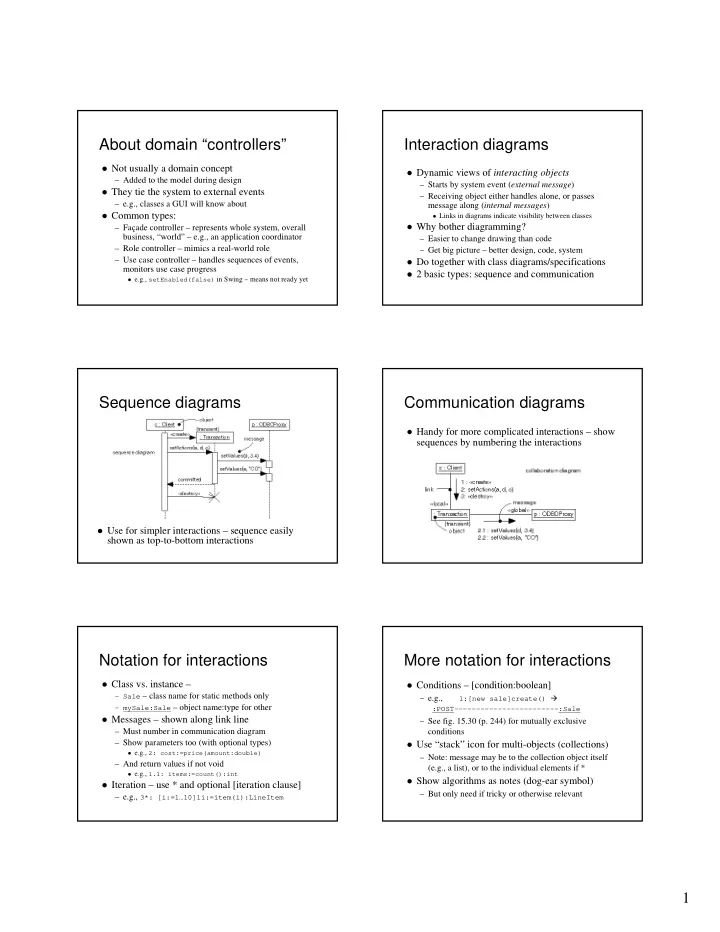
Interaction diagrams

Dynamic views of interacting objects

– Starts by system event (external message) – Receiving object either handles alone, or passes message along (internal messages)

Links in diagrams indicate visibility between classes

Why bother diagramming?

– Easier to change drawing than code – Get big picture – better design, code, system

Do together with class diagrams/specifications 2 basic types: sequence and communication

Sequence diagrams

Use for simpler interactions – sequence easily

shown as top-to-bottom interactions

Communication diagrams

Handy for more complicated interactions – show

sequences by numbering the interactions

Notation for interactions

Class vs. instance – – Sale – class name for static methods only – mySale:Sale – object name:type for other Messages – shown along link line

– Must number in communication diagram – Show parameters too (with optional types)

e.g., 2: cost:=price(amount:double)

– And return values if not void

e.g., 1.1: items:=count():int

Iteration – use * and optional [iteration clause]

– e.g., 3*: [i:=1…10]li:=item(i):LineItem

More notation for interactions

Conditions – [condition:boolean]

– e.g.,

1:[new sale]create() :POST------------------------:Sale

– See fig. 15.30 (p. 244) for mutually exclusive conditions

Use “stack” icon for multi-objects (collections)

– Note: message may be to the collection object itself (e.g., a list), or to the individual elements if *

Show algorithms as notes (dog-ear symbol)

– But only need if tricky or otherwise relevant

slide-2
SLIDE 2

2

Design principles

Not exactly “rules” – things to consider

– Should lead to high quality designs

Easier to maintain, understand, reuse, and extend

– e.g., expert, low coupling, high cohesion, do-it-myself

Note: Larman labels some as “patterns”

– General Responsibility Assignment Software Patterns

Larman: assigning responsibilities = “desert island skill” Also notes: “one person’s pattern is another’s primitive

building block”

– “Design patterns” usually are more specific

The expert principle

Assign responsibility to class that has the

necessary information

– i.e., the “information expert”

Avoids passing info between objects Still have collaboration as objects help others

– e.g., Sale knows about all LineItems, and

LineItems know quantity (and get price from Specs)

So let LineItem calculate subtotal() Sale accumulates total from subtotals

Main benefit: encapsulation maintained

– Easier to program, maintain, extend independently

Low coupling

Minimize dependencies between classes

– Note how expert principle does this too – e.g., Sale does not contact ProductSpecification directly – LineItem does that instead; otherwise, Sale needs parallel collection of ProductSpecifications

So fundamental it influences all design decisions

– Is an “evaluative” pattern – used to rate design quality

Supports independent classes

– More reusable, less subject to changes elsewhere, easier to program, …

High cohesion

Refers to functional cohesion

– Means no class does too much work – especially not a bunch of unrelated things – Basically should avoid “bloated” classes

Hard to understand, maintain, reuse, … Usually means other classes should take some

responsibilities

– Like an overworked manager – should delegate more

Rule of thumb: insure all parts of a class are

somehow related – all attributes and operations

– Working together to provide “well-bounded behavior”

Benefits – the usual list, plus greater simplicity

Events, states, and transitions

Event – a significant occurrence

– e.g., telephone receiver taken “off hook”

State – condition of an object at a moment in

time (the time between events)

– e.g., telephone “idle” between being placed on hook and taken off hook

Transition – relationship between two states as

an event occurs

– e.g., when “off hook” event occurs, transition from “idle” to “active” state

Statechart diagrams

Purpose: to model the changing states of

complex objects

  • ff hook

Idle Active

  • n hook

Telephone state transition event initial state

slide-3
SLIDE 3

3

Utility of statechart diagrams

Normally not useful for internal events

– Internal event – caused by an object inside the system boundary – Because interaction diagrams already cover it

Useful for system as a whole

– Especially to model changing system states during the course of a use case

Larman calls it a use case statechart diagram

Note: many prior CS 50 students discovered this

usefulness on their own

– This quarter, we ask all of you to consider them

A use case statechart diagram

Helps designer insure things are done in the correct order Other notation: transition actions, guards, nested states –

see text figures 29.2 and 29.3 (pp. 489-90)

WatingForSale EnteringItems enterItem WaitingForPayment makeNewSale makeCashPayment endSale AuthorizingPayment makeCheckPayment makeCreditPayment authorized Process Sale

More GRASP principles

Polymorphism – if behavior varies by type

– Assign responsibility for the variation to the types

Do not test for type or use other conditional logic!

Indirection – to reduce coupling – Assign responsibility to intermediate class or interface

Pure fabrication – artificial, non-domain class

– Assign cohesive set of responsibilities to a fabrication

Protected variations – for variable/unstable parts

– Assign responsibilities to stable interfaces

Software realities

Do-it-myself principle (a.k.a., animation pattern)

– Objects must do for themselves what normally is done to the real world objects they represent

e.g., in real world, somebody draws the figure – in software,

figure draws itself: figure.draw()

e.g., trajectory.map() – normally mapped by outside

  • bserver if at all

Assume basic services are always available

– i.e., get/set for attributes, add/remove/… for lists, … – So no need to include in class diagrams or specs

Inheritance – a software idea

An object-oriented software construct for

implementing generalization relations

– Can reuse code by inheriting it with new code

Allows consistent handling of different subtypes

– As long as they have a common supertype

But can be overdone!

– Common error: forcing an “is a” relationship

e.g., class Easel extends Canvas – okay, but limited,

because Easel cannot inherit from any other class now

– Alternative is composition

More flexible to let Easel have a Canvas to draw on

Diagramming generalization

See figure 31.9 (p. 512) Note: can overdo diagramming hierarchies

– Show lower levels only if it helps communication – Adding hierarchical levels increases complexity

Harder to understand/explain Opens door to team misinterpretation

– e.g., see figure 31.10 (p. 513) – Another note: application of Bridge pattern (to be discussed) could simplify the design of fig. 32.9

Question: what to do if new payment type like Debit card? Solution involves abstract types

slide-4
SLIDE 4

4

Abstract types

Always supertypes, by definition

– Have no concrete existence in model – Definition – class A is an abstract type if every instance

  • f A must be a subtype of A

– e.g., Thing – an abstract type

How to draw a Thing? Describe a Thing? … Must have a concrete Thing to draw, describe, …

– Certain operations must be implemented by subtypes

Abstract types are central to many design patterns

– pure abstractions are more flexible than concrete types – actually just define interfaces for “families” of types

Inheritance with Java

class B extends A

– B is an A – so can always refer to a B as an A

But cannot refer to an A as a B (without an explicit cast)

– B cannot also be a C, unless C is an A too

abstract class A

– Has some abstract methods

Concrete subclasses must implement them Cannot say “new A” – even if A has a constructor

interface A

– Completely abstract – just defines services – So okay to inherit multiple interfaces

A note about subtypes & states

Avoid using subtypes of a concept to represent

changing states of that concept

– Usually better to consider a State concept

State is an abstract type – with concrete subtypes The original concept “is in” one State or another

– See Figure 31.13 (p. 515)

Exception is when it really makes sense to do

– e.g., a Caterpillar becomes a Butterfly – i.e., a complete metamorphosis – change in state results in different attributes and associations

Design patterns introduction

“Tricks of the trade” for OO designers

– Tried and true solutions to recurrent problems

Generally apply to various situations – e.g., Façade Pattern

– Usually reflect basic design principles

“Gang of Four” (GoF) patterns – seminal catalog

– Four essential elements:

  • 1. A meaningful name – elevates thought to higher abstraction
  • 2. A problem description – where the pattern can apply
  • 3. The solution – like a template to apply the pattern
  • 4. Consequences – results and trade-offs

Recurring theme: “encapsulate what varies most”

Types of GoF design patterns

7 are structural patterns – composition of classes/objects

– e.g., Adapter

Problem: tool has interface X, client prefers interface Y Solution: Adapter satisfies X, but looks like Y Consequences: don’t reprogram X, and don’t distort Y to satisfy X

– Bridge, Composite, Decorator, Façade, Flyweight and Proxy

5 are creational patterns – for creating objects

– Abstract Factory, Builder, Factory Method, Prototype, Singleton

11 are behavioral patterns – ways classes/objects interact

– e.g., Chain of Responsibility, Command, and … 9 more

See cs.ucsb.edu/~mikec/cs50/misc/Design_Class_Diagrams.htm

User interface design

Major goal: match the skills, experience

and expectations of its anticipated users

Consider “human factors”

– People have limited short-term memory, they make mistakes, and they are not all the same

Are some basic principles of UI design

– User-oriented, not computer-oriented – Consistency – and especially minimal surprise – Recoverability, and guidance

slide-5
SLIDE 5

5

User Interface issues

Two fundamental problems to solve

– How should information from the user be provided to the computer system? – How should information from the computer system be presented to the user?

Many interaction styles – each has a place

– Direct manipulation – Menu selection – Form fill-in – Commands – and (ideally) natural language

Sometimes multiple interfaces

Figure from Ian Sommerville, Software Engineering 8th edition, Chapter 16

UI design process

Figure from Ian Sommerville, Software Engineering 8th edition, Chapter 16