PetBook THE PROBLEM: Travel guide for trips with pets Possibility - - PowerPoint PPT Presentation

petbook
SMART_READER_LITE
LIVE PREVIEW

PetBook THE PROBLEM: Travel guide for trips with pets Possibility - - PowerPoint PPT Presentation

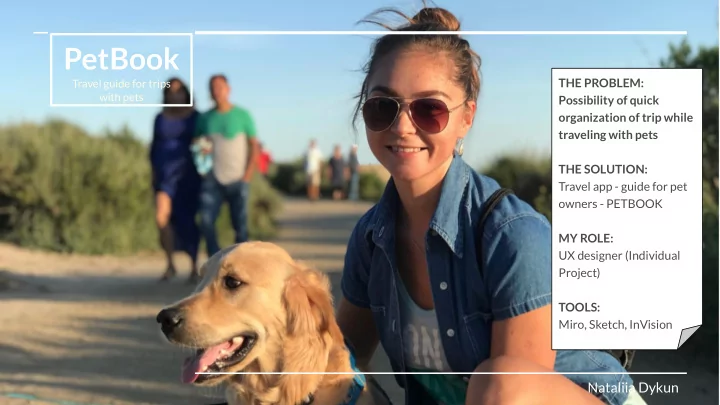
PetBook THE PROBLEM: Travel guide for trips with pets Possibility of quick organization of trip while traveling with pets THE SOLUTION: Travel app - guide for pet owners - PETBOOK MY ROLE: UX designer (Individual Project) TOOLS: Miro,


slide-1
SLIDE 1

PetBook

Travel guide for trips with pets

THE PROBLEM: Possibility of quick

  • rganization of trip while

traveling with pets THE SOLUTION: Travel app - guide for pet

  • wners - PETBOOK

MY ROLE: UX designer (Individual Project) TOOLS: Miro, Sketch, InVision

Nataliia Dykun

slide-2
SLIDE 2

PetBook

Travel guide for trips with pets

One paw ahead of time.

slide-3
SLIDE 3

User Research

slide-4
SLIDE 4

Interview Plan

According to the 2017–2018 National Pet Owners Survey conducted by the American Pet Products Association (APPA), 68 percent of U.S. households (or 85 million families) own a pet (89 million dogs, in particular), an increase of 56 percent since 1988. About 37 percent of pet owners travel with their pets every year(about 30 millions pets), up from 19 percent a decade ago. Major points of interest:

  • How often do people travel with pets nowadays?
  • Will the information about pets travel requirements, places to stay, vet hospitals, pet-sitters services be useful

and interesting for potential travelers and pet owners?

  • Products and equipment needed for pets’ transportation.
slide-5
SLIDE 5

Interview Transcripts and Surveys

Only 13% of 60 interviewed people know the travel procedure with animals. Pet passports, airline and ship policies, pet-friendly hotels, pet-sitting services are the most common pieces of information that people would like to have access to.

Interview transcripts here

100% of pet owners like the idea of having the app that provides necessary information for trips with animals. 13% of people like to take their pets with them on vacation or short trips.

slide-6
SLIDE 6

Affinity Diagram

People are divided into groups for ones who prefer to travel with a pet and those who more likely use pet hotels, pet-sitters

  • r friends to take care of a

pet. Please, check the diagram to see what are the major needs of the pet owners when they plan a trip.

slide-7
SLIDE 7

Personas

Persona’s document here

There are special requirements for travels with dogs, cats, birds and other types of pets. Not every place has a wide choice of hotels or places to stay that allow pets. Users will be interested in the application that helps to combine all the needed information regarding specific destination and trips there with pets.

slide-8
SLIDE 8

Competitive Analysis

We reviewed few competitors in the pets travel planning apps with similar

  • ptions.

It was done to see the level of information load at different websites and applications: few websites offer just specific information for particular kind of pet and others give a lot of information but maybe not as structured as we wish to do in our app.

Direct Competition: Indirect Competition:

Friends/Relatives Experience (so competitor is the app/service they used)

slide-9
SLIDE 9

Definition & Ideation

slide-10
SLIDE 10

Empathy Map

Users are actively looking for clear messages that application can give, and when customers can get what they need fast and be confident they won’t need to do more research but will achieve their goal using one software.

slide-11
SLIDE 11

Storyboard

Our story shows how customers’ concerns can be defeated by good product choices. Julia wants to travel with a pet and needs to get the information about required documentation to safely travel on a plane abroad.

slide-12
SLIDE 12

Journey Map

User’s experience from the initial step of the journey should reach satisfaction of their needs to ensure that product addresses all the requests and elevates current customer’s mood and meets expectations.

slide-13
SLIDE 13

Feature Prioritization Matrix

Our research showed that diversity of options and ability to see real people feedback are at highest impact for customer.

slide-14
SLIDE 14

Pets + Trip + Petbook App = Successful Experience

slide-15
SLIDE 15

Tap an app and travel with your little “fluffy” friend anywhere around the world.

slide-16
SLIDE 16

User Flow

Once on the app login page Customer will be able to follow multiple directions. The User Flow continues with multiple options after getting to Menu page.

slide-17
SLIDE 17

Prototyping

slide-18
SLIDE 18

Sketches

Initial step of design development.

slide-19
SLIDE 19

Digital Wireframes

InVision Digital Wireframing

slide-20
SLIDE 20

Hi-Fi InVision Prototype

The prototype created after the research and before User testing.

Link to InVision Hi-Fi Prototype here

The InVision Hi-Fi prototype created after Guerilla testing.

slide-21
SLIDE 21

User tests gifs

User Test Task: 1. Login 2. Get documentation for travel, find pet-friendly hotel, and pet-sitters in Phuket, Thailand for trip with cat. 3. Once list is finalized - print it. 4. Go to Profile page and log

  • ut.

User 1 - Nicole User 2 - Iryna

slide-22
SLIDE 22

User Tests Summary

After conducted users’ tests to check if application corresponds with the customers’ expectations and understanding of the action flow it was seen that: 1. Customers need to understand the icons, some of them were not clear and as result were changed (Trip History icon was replaced with the globe icon) + title was added 2. Users want to see the way to get out of the pop up screen - either by X sign or words Close or Cancel, so I added X in the wireframe 3. Titles of the sections should be clear so the user understands what it is about and what is the next step, therefore Sections of the application were changed to be in bold 4. All Search fields should be working as if no it makes user frustrated 5. It’s good to have the explanation how an application works before the main flow starts to create a short introductory to new users Here is a link to recorded users tests

slide-23
SLIDE 23

Testing and Iterating

slide-24
SLIDE 24

User Testing Plan & Notes

I have tested our final iOS prototype on 2 users. Objective: 1. To check if application is clear and easy to use. 2. Are users able to achieve a task and generate information for trip with a pet to Thailand? Test Task:

  • Login
  • Find documentation, list of pet-friendly hotels and services needed for a

trip to Phuket, Thailand with a cat between 04/30 and 10/05.

  • Print this information
  • logout

User tests here

slide-25
SLIDE 25

iOS Prototype

Link to iOS Prototype here

slide-26
SLIDE 26

Iteration process

slide-27
SLIDE 27
slide-28
SLIDE 28

Final prototype

Link to InVision prototype

slide-29
SLIDE 29

Final Thoughts

This project helped to understand the core methods of UX research and develop stronger feeling for users’ needs. From creating an idea of the app up to polishing the iOS prototype - each step was important to build a real dependency structure that would have satisfied the potential user.

  • Talk to people as much as you can

It can be surprising how broad and different people’s opinions can be. And it’s necessary to really listen to them and find the very core of the problem that in one or another way relates to it. I understood that the more you get people’s opinions with surveys, interviews or polls the better you can understand what their needs and interests are.

  • Understand the real need and work on it

It’s really critical to find the path to the need that is sometimes hidden in people’s responses. Users can say they need one thing but then move slowly into other direction and subconsciously talk about other things that also bother them and require a change.

  • Iteration makes perfect

To rewrite the the famous saying - iteration is a thing you’ll be doing few times and then few more times :) I was changing the main idea of the application, wireframe layouts, icons, position of buttons and text on pages based on the user’s feedback. It’s a way to great product that is our ultimate goal. So - ready, steady, go!
slide-30
SLIDE 30

Next Steps

1. User testing 2. Iterate if needed.

"Vision without action is a dream. Action without vision is simply passing the time. Action with Vision is making a positive difference." Joel Barker