Pet Paws is on a mission to improve pet parents lives with - - PowerPoint PPT Presentation

pet paws is on a mission to improve pet parents lives
SMART_READER_LITE
LIVE PREVIEW

Pet Paws is on a mission to improve pet parents lives with - - PowerPoint PPT Presentation

A P E T C A R E J O U R N A L Pet Paws is on a mission to improve pet parents lives with technology. This pet journal was created for easy and fast set up to keep and share all of your pets information at your fingertips. BY KATE


slide-1
SLIDE 1

A P E T C A R E J O U R N A L

BY KATE NESTEROV

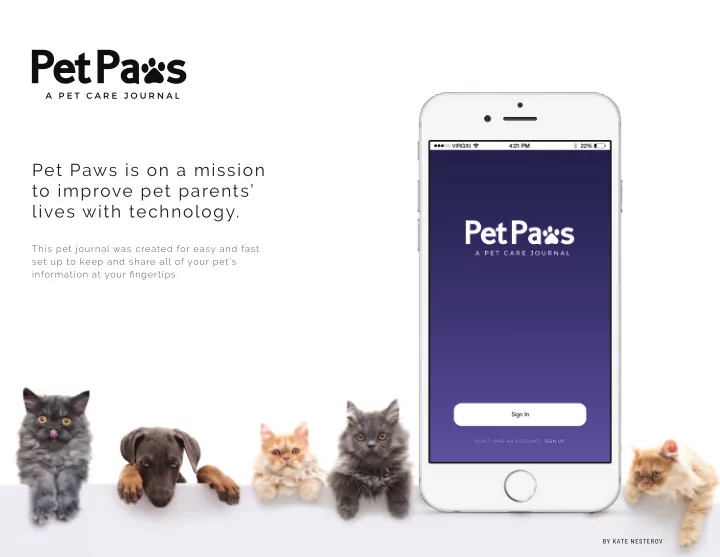
Pet Paws is on a mission to improve pet parents’ lives with technology.

This pet journal was created for easy and fast set up to keep and share all of your pet’s information at your fingertips.

slide-2
SLIDE 2

A P E T C A R E J O U R N A L

E M PAT H Y M A P I

USER 1

TASKS INFLUENCES FEELINGS PAIN POINTS OVERALL GOAL

User 1 is not very tech-savvy. He does not know a lot about mobile apps and how to operate them. He wants to be able to have an app that is super east to use so that he can enter his pet’s information without having any difficulties. The user is influenced by his pet and vets that his pet

  • visited. He needs a way to keep

a record of vet visits. The user is not tech-savvy. The application he uses need to be very straight-forward and easy to use. The user gets very frustrated when using new apps because they sometimes confuse him - as he is not very tech-savvy. Sometimes he feels hopeless when installing new apps and first time using them. The user has a pet that has some minor health issues. He would like to keep a record of all the vet visits and

  • medications. The user wants to

have all of the information ready in case he needs to pass it on to another vet. He wants to accomplish this task without a huge learning-curve to understanding how the app itself works.

slide-3
SLIDE 3

A P E T C A R E J O U R N A L

E M PAT H Y M A P I I

USER 2

TASKS INFLUENCES FEELINGS PAIN POINTS OVERALL GOAL

User 2 is a very busy pet owner. She has 2 dogs and 3

  • cats. She wants to keep all of the information about

her pets neatly organized in one app. She wants to be able to enter all of the information with ease, without having to type too much on her mobile phone. The user is influenced by his pet and the pet-sitter. She also has 5 pets, that’s a lot of information to enter! Having to enter everything manually, she wants to type less when intering the information about her pets. The user becomes irritated and tired if she has to enter long paragraphs of information. She would prefer if the app she uses asks her the right questions for the task she is doing/information she is entering. User 2 is going away for a vacation and wants to give a detailed care instructions to the pet-sitter. She needs to enter all of the information about her 5 pets in a matter

  • f short time. She needs the

app to ask her the right questions.

slide-4
SLIDE 4

A P E T C A R E J O U R N A L

E M PAT H Y M A P I I

USER 3

TASKS INFLUENCES FEELINGS PAIN POINTS OVERALL GOAL

User 3 has lost her pet once, she was very afraids he lost his pet forever. She got very lucky as her neighbor saw her pet and immediately called her. User 3 needs to have a way to have her pets chip # recorded on her phone and be able to notify the pet control shelters if her pet goes missing. The user is mostly influenced by her pet. User 3 not knowing the pet’s chip # and not being able to notify the pet control shelters. The user got very scared when her pet went missing. She was very worried that she would not be able to find her pet. She was also angry that she did not know her pet’s chip # and did not have a way to notify pet control shelters about her pet missing. User 3 needs to record her pet’s chip # in her mobile phone and be able to report her pet missing at ease.

slide-5
SLIDE 5

A P E T C A R E J O U R N A L

STO RY B OA R D S

slide-6
SLIDE 6

U S E R F LOWS

A P E T C A R E J O U R N A L

Sign in with Facebook Sign in with Email Sign Up IMAGE

Home Find ER or Specialist My Veterinarian Report a Pet Lost Request My Records
  • Settings
Log In

SIGN IN SCREEN ACCOUNT CREATED

You have successfully created your account, now let’s add your pet.

ICON ADD PET AWESOME!

2

SELECT PET SPECIES

3

INPUT BASIC INFO

4

MALE/FEMALE

5

INFO CATEGORIES

6

MICROCHIP #

7

FOOD INFO

8

VET SEARCH

9

MAIN HOME SCREEN

10

NEXT (CTA) FIRST

Your pet is a... DOG CAT FISH HAMSTER And when is your pet’s birthday? To start, what is your pet’s name? BASIC INFO Now let’s get to know your pet. FEBRUARY JANUARY MARCH 18 17 19 2015 2014 2016

Mateo NEXT (CTA) MATEO

MICROINTERACTION

FEW MORE QESTIONS Is your pet male or female?

MALE FEMALE

NEXT (CTA) NEXT (CTA) NEXT (CTA)

Microchip # Incidents Vaccinations Exams Medications Feeding Info Veterinarian Info Exercise Skip YOU’RE DONE WITH BASICS Select other categories you would like
  • information at any time.
Enter your pet’s microchip number

900064879325114

Microchip #

900064879325114

Microchip #

NEXT (CTA) REPORT MISSING (CTA)

Skip

NEVER LOOSE YOUR PET Let’s talk about your pets diet

2 Science Diet 1 small can of wet food mixed with about 1/3 cup of dry food How many times a day do you feed your pet? Are all the meals the same? What type of food? Any prefered brand? Special Instructions YES NO Dry Wet Both mixed

NEXT (CTA)

Skip

FOOD NEXT (CTA)

Skip Zip

MAP

  • VETERINARIAN

Mateo

Skip

MAIN MENU

11

SHARE PET PROFILE

13

REPORT LOST PET

12

SEND (CTA)

  • Choose pet

karen.petsitter@gmail.com

Mateo Lucy

1

Report Lost Pet Enter receivers email

2

Which pet went missing? So sorry your pet is missing. We will make sure that it gets back to you as quick as possible. The chip has
  • any animal shelter scans this microchip.
Mateo Lucy

1 I want to DO.

  • I want to create an account
  • I want add a pet & add information

2 I want to KNOW.

  • I want to know where my pet is
  • I want to report my pet missing

3 I want to SHARE.

  • I want to email vet/sitter/groomer

information about the pet

slide-7
SLIDE 7

A P E T C A R E J O U R N A L

U S E R T EST I N G S C R I P T

PARTICIPANT INTODUCTION MOBILE DEVICE + EQUIPMENT INTRODUCTION INTRODUCE TASKS

[Welcome the participant, offer them tea or coffee. Offer the opportunity to use bathroom facilities.] Thank you for coming today. My name is Kate. I am working on designing an application that will help users keep track of the pets’ records such as microchip number, health information, and other records. As part of the process I am asking a variety of people to attempt various tasks using it to see what elements

  • f the design need to be changed.

I’d like to tell you that we’re testing the application, and not your abilities. If you find parts of this application difficult to use or understand, so will

  • ther people, and it will be my job to make sure I make the appropriate

changes to improve it. Today’s session will last for about an hour, If you want to stop for a break at any time, just say so. [The user is walked to a testing station. There is a mobile device with Mr.Tappy attached to it, which is also attached to a laptop which will be recording the interaction.] This is the mobile device that you will be using. It has the prototype application installed on it. As you will be using it I will be seeing your interactions on the computer through this device (Mr.Tappy).I will also be taking a video of your interactions so that we can analyse the data in depth at a later stage. The videotape will not be used for any other purpose. Please read and sign this consent form, which states that you give us permission to videotape. [Administer consent form.] Let us begin. We have a total of 5 tasks, and I’ll give them to you one at a time. I’ll be asking you to ‘think aloud’ as you work. For example, if you don’t know what something is for, please say ‘I don’t know what this is for’,

  • r something similar.

I may also ask you from time to time to ask you what you are thinking. Do you have any questions before we begin?

p 1

slide-8
SLIDE 8

A P E T C A R E J O U R N A L

U S E R T EST I N G S C R I P T

p 2

TASK 1: SIGN IN

Please unlock the phone and open the Pet Paws. Please go ahead and sign up for a new account. Go ahead and click continue.

TASK 2: ADD YOUR FIRST PET

After completing the sign in you will get to add your first pet along with its basic information. Go ahead and do that. [The user will select “add pet”, then select the species, sex, and enter the name and birthday of the pet] What did you think?

TASK 3: SELECT OTHER CATEGORIES

Ok, go ahead and select 3 other categories of information you would like to fill out at this time. Now you can go ahead and fill them out, or you can skip any of them if you would like to. What did you like about this part?

TASK 4: REPORT LOST PET

Now you are at the main menu, go ahead and report your pet lost.

TASK 5: SHARE PET PROFILE

  • Great. Now imagine you are going away on a trip and need to send your

pets information to your pet sitter. Go ahead and do that using the application.

TASKS COMPLETION

Thank you. That completes the tasks. [Stop recording] Once again, I’d like to say thanks for coming today . [Give the participant their payment: a giftcard.] Do you have any comments or questions about today’s session?
slide-9
SLIDE 9

A P E T C A R E J O U R N A L

U S E R T EST I N G I N S I G H T S

General Insights

I performed 3 user tests, and they were very successful. However, I would've preferred to have more screens of the application made in order to make the experience more realistic to what an actual application would've behaved like. With that being said, the user experience tests would have given more insightful. However, even with the given screens, I was able to get useful information. All

  • f the users mentioned that the application is so far very clean and communicates

clearly.

Design revisions you need to make based on the testing sessions.

Based on the testing sessions, I will need to design more of the screen to make the application more realistic. The most important screen that was asked is how can the user see all of the pets information. So from the home-screen the user would select the pet profile (tap on the circular avatar) and the next screen will list the categories of information. Then the user would be able to select a category and see all of the information. One of the users mentioned that it is hard to tell when the he got to the main

  • screen. I will put "Main Screen" next to the menu to make it clearer. Also, I think

the main screen looks bland, I will add more features that can be accessed from there.

Self-evaluation: what would you do differently next time?

As mentioned before, I would create/mockup more screens. I would also like to purchase Mr.Tappy, I do not actually own one but would like to see how it would help with user testing.

slide-10
SLIDE 10

A P E T C A R E J O U R N A L

V I S UA L D ES I G N / I T E RAT I O N S

CREATION OF AN ACCOUNT

slide-11
SLIDE 11

A P E T C A R E J O U R N A L

V I S UA L D ES I G N / I T E RAT I O N S

ADDING THE FIRST PET

slide-12
SLIDE 12

A P E T C A R E J O U R N A L

V I S UA L D ES I G N / I T E RAT I O N S

ADDING PET INFORMATION

slide-13
SLIDE 13

A P E T C A R E J O U R N A L

V I S UA L D ES I G N / I T E RAT I O N S

MAIN HOME: SINGLE PET, MULTIPLE PETS, PULL-OUT MENU

slide-14
SLIDE 14

A P E T C A R E J O U R N A L

V I S UA L D ES I G N / I T E RAT I O N S

MAIN MENU, REPORTING A LOST PET, SHARING PET PROFILE

slide-15
SLIDE 15

A P E T C A R E J O U R N A L

Thank you for your time.