Page 1 1 Midterm Topics Reading: Today H1, P1, H2, P2 FCG - - PDF document

page 1
SMART_READER_LITE
LIVE PREVIEW

Page 1 1 Midterm Topics Reading: Today H1, P1, H2, P2 FCG - - PDF document

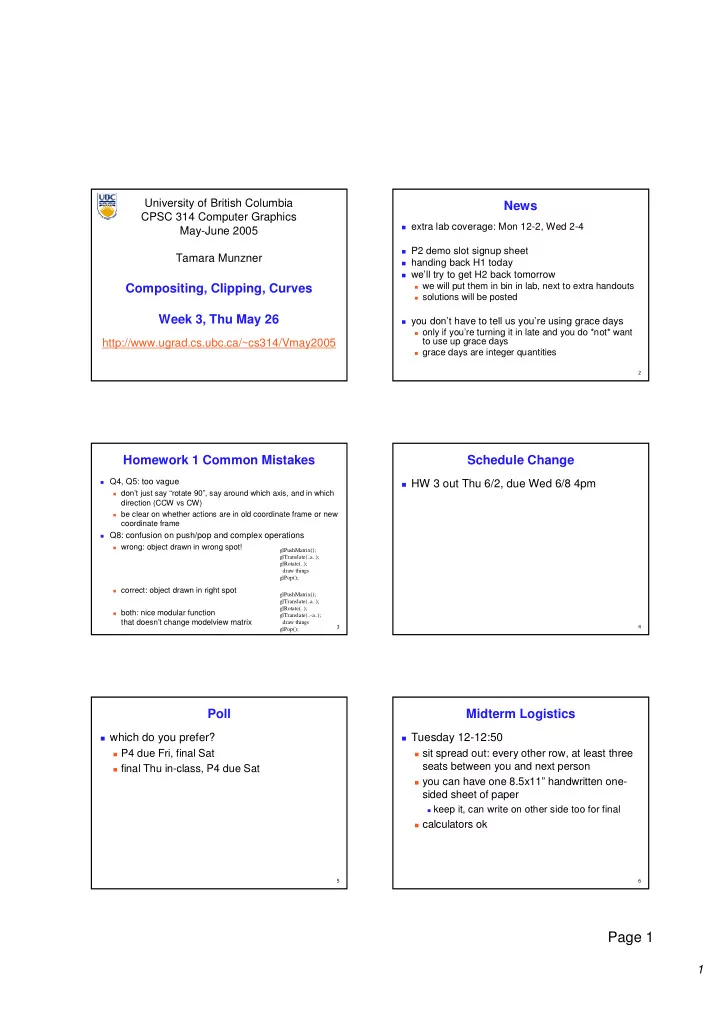
University of British Columbia News CPSC 314 Computer Graphics extra lab coverage: Mon 12-2, Wed 2-4 May-June 2005 P2 demo slot signup sheet Tamara Munzner handing back H1 today well try to get H2 back tomorrow Compositing,


slide-1
SLIDE 1

1

Page 1

University of British Columbia CPSC 314 Computer Graphics May-June 2005 Tamara Munzner http://www.ugrad.cs.ubc.ca/~cs314/Vmay2005

Compositing, Clipping, Curves Week 3, Thu May 26

  • News

extra lab coverage: Mon 12-2, Wed 2-4 P2 demo slot signup sheet handing back H1 today we’ll try to get H2 back tomorrow

we will put them in bin in lab, next to extra handouts solutions will be posted

you don’t have to tell us you’re using grace days

  • nly if you’re turning it in late and you do *not* want

to use up grace days

grace days are integer quantities

  • Homework 1 Common Mistakes

Q4, Q5: too vague don’t just say “rotate 90”, say around which axis, and in which

direction (CCW vs CW)

be clear on whether actions are in old coordinate frame or new

coordinate frame

Q8: confusion on push/pop and complex operations wrong: object drawn in wrong spot! correct: object drawn in right spot both: nice modular function

that doesn’t change modelview matrix

glPushMatrix(); glTranslate(..a..); glRotate(..); draw things glPop(); glPushMatrix(); glTranslate(..a..); glRotate(..); glTranslate(..-a..); draw things glPop();

  • Schedule Change

HW 3 out Thu 6/2, due Wed 6/8 4pm

  • Poll

which do you prefer? P4 due Fri, final Sat final Thu in-class, P4 due Sat

  • Midterm Logistics

Tuesday 12-12:50 sit spread out: every other row, at least three

seats between you and next person

you can have one 8.5x11” handwritten one-

sided sheet of paper

keep it, can write on other side too for final

calculators ok

slide-2
SLIDE 2

2

Page 2

  • Midterm Topics

H1, P1, H2, P2 first three lectures topics Intro, Math Review, OpenGL Transformations I/II/III Viewing, Projections I/II

  • Reading: Today

FCG Chapter 11 pp 209-214 only: clipping FCG Chap 13 RB Chap Blending, Antialiasing, ...

  • nly Section Blending
  • Reading: Next Time

FCG Chapter 7

  • Errata

p 214 f(p) > 0 is “outside” the plane p 234 For quadratic Bezier curves, N=3 w_i^N(t) = (N-1)! / (i! (N-i-1)!)...

  • Review: Illumination

transport of energy from light sources to

surfaces & points

  • includes direct and indirect illumination

Images by Henrik Wann Jensen

  • Review: Light Sources

directional/parallel lights

point at infinity: (x,y,z,0)T

point lights

finite position: (x,y,z,1)T

spotlights

position, direction, angle

ambient lights

slide-3
SLIDE 3

3

Page 3

  • Review: Light Source Placement

geometry: positions and directions standard: world coordinate system

effect: lights fixed wrt world geometry

alternative: camera coordinate system

effect: lights attached to camera (car headlights)

  • Review: Reflectance

specular: perfect mirror with no scattering gloss: mixed, partial specularity diffuse: all directions with equal energy

+ + = specular + glossy + diffuse = reflectance distribution

  • Review: Reflection Equations

Idiffuse = kd Ilight (n • l)

n l θ 2 ( N (N · L)) – L = R

Ispecular = ksIlight(v•r)nshiny

  • Review: Reflection Equations 2

Blinn improvement full Phong lighting model

combine ambient, diffuse, specular components don’t forget to normalize all vectors: n,l,r,v,h

l l n n v v h h

Itotal = ksIambient + Ii(

i=1 # lights

  • kd(n•li) + ks(v•ri)nshiny )

Ispecular = ksIlight(h•n)nshiny h = (l + v)/2

  • Review: Lighting

lighting models ambient

normals don’t matter

Lambert/diffuse

angle between surface normal and light

Phong/specular

surface normal, light, and viewpoint

  • Review: Shading Models

flat shading compute Phong lighting once for entire

polygon

Gouraud shading compute Phong lighting at the vertices and

interpolate lighting values across polygon

Phong shading compute averaged vertex normals interpolate normals across polygon and

perform Phong lighting across polygon

slide-4
SLIDE 4

4

Page 4

  • Correction/Review: Computing Normals

per-vertex normals by interpolating per-facet

normals

OpenGL supports both

computing normal for a polygon

three points form two vectors pick a point vectors from

A: point to previous B: point to next

AxB: normal of plane direction normalize: make unit length which side of plane is up? counterclockwise

point order convention c b a c-b a-b (a-b) x (c-b)

  • Review: Non-Photorealistic Shading

cool-to-warm shading draw silhouettes: if , e=edge-eye vector draw creases: if

(e ⋅ n0)(e ⋅ n1) ≤ 0

http://www.cs.utah.edu/~gooch/SIG98/paper/drawing.html

(n0 ⋅ n1) ≤ threshold

kw = 1+ n⋅ l 2 ,c = kwcw + (1− kw)cc

  • End of Class Last Time

use version control for your projects! CVS, RCS partially work through problem with lighting

  • Compositing
  • Compositing

how might you combine multiple elements? foreground color A, background color B

  • Premultiplying Colors
  • specify opacity with alpha channel: (r,g,b,α)
  • α=1: opaque, α=.5: translucent, α=0: transparent
  • A over B
  • C = αA + (1-α)B
  • but what if B is also partially transparent?
  • C = αA + (1-α) βB = βB + αA + βB - α βB
  • γ = β + (1-β)α = β + α – αβ

3 multiplies, different equations for alpha vs. RGB

  • premultiplying by alpha

C’ = γ C, B’ = βB, A’ = αA C’ = B’ + A’ - αB’ γ = β + α – αβ

1 multiply to find C, same equations for alpha and RGB

slide-5
SLIDE 5

5

Page 5

  • Clipping
  • Rendering Pipeline

Geometry Database Geometry Geometry Database Database Model/View Transform. Model/View Model/View Transform. Transform. Lighting Lighting Lighting Perspective Transform. Perspective Perspective Transform. Transform. Clipping Clipping Clipping Scan Conversion Scan Scan Conversion Conversion Depth Test Depth Depth Test Test Texturing Texturing Texturing Blending Blending Blending Frame- buffer Frame Frame- buffer buffer

  • Next Topic: Clipping

we’ve been assuming that all primitives (lines,

triangles, polygons) lie entirely within the viewport

in general, this assumption will not hold:

  • Clipping

analytically calculating the portions of

primitives within the viewport

  • Why Clip?

bad idea to rasterize outside of framebuffer

bounds

also, don’t waste time scan converting pixels

  • utside window

could be billions of pixels for very close

  • bjects!
  • Line Clipping

2D determine portion of line inside an axis-aligned

rectangle (screen or window)

3D determine portion of line inside axis-aligned

parallelpiped (viewing frustum in NDC)

simple extension to 2D algorithms

slide-6
SLIDE 6

6

Page 6

  • Clipping

naïve approach to clipping lines:

for each line segment for each edge of viewport find intersection point pick “nearest” point if anything is left, draw it

what do we mean by “nearest”? how can we optimize this?

A B C D

  • Trivial Accepts

big optimization: trivial accept/rejects

Q: how can we quickly determine whether a line

segment is entirely inside the viewport?

A: test both endpoints

  • Trivial Rejects

Q: how can we know a line is outside

viewport?

A: if both endpoints on wrong side of same

edge, can trivially reject line

  • Clipping Lines To Viewport

combining trivial accepts/rejects trivially accept lines with both endpoints inside all edges

  • f the viewport

trivially reject lines with both endpoints outside the same

edge of the viewport

  • therwise, reduce to trivial cases by splitting into two

segments

  • Cohen-Sutherland Line Clipping
  • utcodes

4 flags encoding position of a point relative to

top, bottom, left, and right boundary

OC(p1)=0010 OC(p2)=0000 OC(p3)=1001

x= x=x xmin

min

x= x=x xmax

max

y= y=y ymin

min

y= y=y ymax

max

0000 0000 1010 1010 1000 1000 1001 1001 0010 0010 0001 0001 0110 0110 0100 0100 0101 0101 p1 p1 p2 p2 p3 p3

  • Cohen-Sutherland Line Clipping

assign outcode to each vertex of line to test

line segment: (p1,p2)

trivial cases

OC(p1)== 0 && OC(p2)==0 both points inside window, thus line segment completely

visible (trivial accept)

(OC(p1) & OC(p2))!= 0 there is (at least) one boundary for which both points are

  • utside (same flag set in both outcodes)

thus line segment completely outside window (trivial

reject)

slide-7
SLIDE 7

7

Page 7

  • Cohen-Sutherland Line Clipping

if line cannot be trivially accepted or rejected,

subdivide so that one or both segments can be discarded

pick an edge that the line crosses (how?) intersect line with edge (how?) discard portion on wrong side of edge and assign

  • utcode to new vertex

apply trivial accept/reject tests; repeat if necessary

  • Cohen-Sutherland Line Clipping

if line cannot be trivially accepted or rejected,

subdivide so that one or both segments can be discarded

pick an edge that the line crosses

check against edges in same order each time for example: top, bottom, right, left

A B D E C

  • Cohen-Sutherland Line Clipping

intersect line with edge (how?)

A B D E C

  • discard portion on wrong side of edge and assign
  • utcode to new vertex

apply trivial accept/reject tests and repeat if

necessary

Cohen-Sutherland Line Clipping

A B D C

  • Viewport Intersection Code

(x1, y1), (x2, y2) intersect vertical edge at xright

yintersect = y1 + m(xright – x1) m=(y2-y1)/(x2-x1)

(x1, y1), (x2, y2) intersect horiz edge at ybottom

xintersect = x1 + (ybottom – y1)/m m=(y2-y1)/(x2-x1)

(x2, y2) (x1, y1) xright (x2, y2) (x1, y1) ybottom

  • Cohen-Sutherland Discussion

use opcodes to quickly eliminate/include lines

best algorithm when trivial accepts/rejects are

common

must compute viewport clipping of remaining

lines

non-trivial clipping cost redundant clipping of some lines

more efficient algorithms exist

slide-8
SLIDE 8

8

Page 8

  • Line Clipping in 3D

approach clip against parallelpiped in NDC

after perspective transform

means that clipping volume always the same

xmin=ymin= -1, xmax=ymax= 1 in OpenGL

boundary lines become boundary planes

but outcodes still work the same way additional front and back clipping plane zmin = -1, zmax = 1 in OpenGL

  • Polygon Clipping
  • bjective

2D: clip polygon against rectangular window

  • r general convex polygons

extensions for non-convex or general polygons

3D: clip polygon against parallelpiped

  • Polygon Clipping

not just clipping all boundary lines may have to introduce new line segments

  • what happens to a triangle during clipping?

possible outcomes: triangle triangle

Why Is Clipping Hard?

triangle quad triangle 5-gon how many sides can a clipped triangle have?

  • How Many Sides?

seven…

  • a really tough case:

Why Is Clipping Hard?

slide-9
SLIDE 9

9

Page 9

  • a really tough case:

Why Is Clipping Hard?

concave polygon multiple polygons

  • Polygon Clipping

classes of polygons triangles convex concave holes and self-intersection

  • Sutherland-Hodgeman Clipping

basic idea:

consider each edge of the viewport individually clip the polygon against the edge equation after doing all edges, the polygon is fully clipped

  • Sutherland-Hodgeman Clipping

basic idea:

consider each edge of the viewport individually clip the polygon against the edge equation after doing all edges, the polygon is fully clipped

  • Sutherland-Hodgeman Clipping

basic idea:

consider each edge of the viewport individually clip the polygon against the edge equation after doing all edges, the polygon is fully clipped

  • Sutherland-Hodgeman Clipping

basic idea:

consider each edge of the viewport individually clip the polygon against the edge equation after doing all edges, the polygon is fully clipped

slide-10
SLIDE 10

10

Page 10

  • Sutherland-Hodgeman Clipping

basic idea:

consider each edge of the viewport individually clip the polygon against the edge equation after doing all edges, the polygon is fully clipped

  • Sutherland-Hodgeman Clipping

basic idea:

consider each edge of the viewport individually clip the polygon against the edge equation after doing all edges, the polygon is fully clipped

  • Sutherland-Hodgeman Clipping

basic idea:

consider each edge of the viewport individually clip the polygon against the edge equation after doing all edges, the polygon is fully clipped

  • Sutherland-Hodgeman Clipping

basic idea:

consider each edge of the viewport individually clip the polygon against the edge equation after doing all edges, the polygon is fully clipped

  • Sutherland-Hodgeman Clipping

basic idea:

consider each edge of the viewport individually clip the polygon against the edge equation after doing all edges, the polygon is fully clipped

  • Sutherland-Hodgeman Algorithm

input/output for algorithm input: list of polygon vertices in order

  • utput: list of clipped poygon vertices

consisting of old vertices (maybe) and new vertices (maybe)

basic routine go around polygon one vertex at a time decide what to do based on 4 possibilities

is vertex inside or outside? is previous vertex inside or outside?

slide-11
SLIDE 11

11

Page 11

  • Clipping Against One Edge

p[i] inside: 2 cases

  • utside
  • utside

inside inside inside inside

  • utside
  • utside

p[i] p[i] p[i p[i-

  • 1]

1]

  • utput:
  • utput: p[i]

p[i] p[i] p[i] p[i p[i-

  • 1]

1] p p

  • utput:
  • utput: p,

p, p[i] p[i]

  • Clipping Against One Edge

p[i] outside: 2 cases

p[i] p[i] p[i p[i-

  • 1]

1]

  • utput:
  • utput: p

p p[i] p[i] p[i p[i-

  • 1]

1] p p

  • utput: nothing
  • utput: nothing
  • utside
  • utside

inside inside inside inside

  • utside
  • utside
  • Clipping Against One Edge

clipPolygonToEdge( p[n], edge ) { for( i= 0 ; i< n ; i++ ) { if( p[i] inside edge ) { if( p[i-1] inside edge ) output p[i]; // p[-1]= p[n-1] else { p= intersect( p[i-1], p[i], edge ); output p, p[i]; } } else { // p[i] is outside edge if( p[i-1] inside edge ) { p= intersect(p[i-1], p[I], edge ); output p; } } }

  • Sutherland-Hodgeman Example

inside inside

  • utside
  • utside

p0 p0 p1 p1 p2 p2 p3 p3 p4 p4 p5 p5 p7 p7 p6 p6

  • Sutherland-Hodgeman Discussion

similar to Cohen/Sutherland line clipping inside/outside tests: outcodes intersection of line segment with edge:

window-edge coordinates

clipping against individual edges independent great for hardware (pipelining) all vertices required in memory at same time

not so good, but unavoidable another reason for using triangles only in

hardware rendering

  • Sutherland/Hodgeman Discussion

for rendering pipeline: re-triangulate resulting polygon

(can be done for every individual clipping edge)

slide-12
SLIDE 12

12

Page 12

  • Curves
  • Parametric Curves

parametric form for a line: x, y and z are each given by an equation that

involves:

parameter t some user specified control points, x0 and x1 this is an example of a parametric curve 1 1 1

) 1 ( ) 1 ( ) 1 ( z t t z z y t t y y x t t x x − + = − + = − + =

  • Splines

a spline is a parametric curve defined by

control points

term “spline” dates from engineering drawing,

where a spline was a piece of flexible wood used to draw smooth curves

control points are adjusted by the user to

control shape of curve

  • Splines - History

draftsman used ‘ducks’ and

strips of wood (splines) to draw curves

wood splines have second-

  • rder continuity, pass

through the control points

a duck (weight) ducks trace out curve

  • Hermite Spline

hermite spline is curve for which user

provides:

endpoints of curve parametric derivatives of curve at endpoints

parametric derivatives are dx/dt, dy/dt, dz/dt

more derivatives would be required for higher

  • rder curves
  • Hermite Cubic Splines

example of knot and continuity constraints

slide-13
SLIDE 13

13

Page 13

  • Hermite Spline (2)

say user provides cubic spline has degree 3, is of the form:

for some constants a, b, c and d derived from the

control points, but how?

we have constraints:

curve must pass through x0 when t=0 derivative must be x’0 when t=0 curve must pass through x1 when t=1 derivative must be x’1 when t=1

d ct bt at x + + + =

2 3 1 1

, , , x x x x ′ ′

  • Hermite Spline (3)

solving for the unknowns gives rearranging gives

1 1 1 1

2 3 3 2 2 x d x c x x x x b x x x x a = ′ = ′ − ′ − − = ′ + ′ + + − =

) 2 ( ) ( x ) 1 3 2 ( ) 3 2 (

2 3 2 3 1 2 3 2 3 1

t t t x t t t t x t t x x + − ′ + − ′ + + − + + − =

[ ]

− − − ′ ′ = 1 1 2 1 1 1 1 3 2 3 2

2 3 1 1

t t t x x x x x

  • r
  • Basis Functions

a point on a Hermite curve is obtained by

multiplying each control point by some function and summing

functions are called basis functions

  • 0.4
  • 0.2
0.2 0.4 0.6 0.8 1 1.2

x1 x0 x'1 x'0

  • Sample Hermite Curves
  • Splines in 2D and 3D

so far, defined only 1D splines:

x=f(t:x0,x1,x’0,x’1)

for higher dimensions, define control points in

higher dimensions (that is, as vectors)

− − −

′ ′ ′ ′ ′ =

  • 1

1 2 1 1 1 1 3 2 3 2

2 3 1 1 1 1 1 1

t t t z z z z y y y y x x x x z y x

  • Bézier Curves

similar to Hermite, but more intuitive

definition of endpoint derivatives

four control points, two of which are knots

slide-14
SLIDE 14

14

Page 14

  • Bézier Curves

derivative values of Bezier curve at knots

dependent on adjacent points

  • Bézier vs. Hermite

can write Bezier in terms of Hermite note: just matrix form of previous

equations

  • Bézier vs. Hermite

Now substitute this in for previous Hermite

  • Bézier Basis, Geometry Matrices

but why is MBezier a good basis matrix?

  • Bézier Blending Functions

look at blending functions family of polynomials called

  • rder-3 Bernstein polynomials

C(3, k) tk (1-t)3-k; 0<= k <= 3 all positive in interval [0,1] sum is equal to 1

  • Bézier Blending Functions

every point on curve is

linear combination of control points

weights of combination

are all positive

sum of weights is 1 therefore, curve is a

convex combination of the control points

slide-15
SLIDE 15

15

Page 15

  • Bézier Curves

curve will always remain within convex hull

(bounding region) defined by control points

  • Bézier Curves

interpolate between first, last control points 1st point’s tangent along line joining 1st, 2nd pts 4th point’s tangent along line joining 3rd, 4th pts

  • Comparing Hermite and Bézier

0.2 0.4 0.6 0.8 1 1.2 B0 B1 B2 B3

  • 0.4
  • 0.2
0.2 0.4 0.6 0.8 1 1.2

x1 x0 x'1 x'0

Bézier Hermite

  • Comparing Hermite and Bezier

0.2 0.4 0.6 0.8 1 1.2 B0 B1 B2 B3

  • 0.4
  • 0.2
0.2 0.4 0.6 0.8 1 1.2

x1 x0 x'1 x'0

demo: www.siggraph.org/education/materials/HyperGraph/modeling/splines/demoprog/curve.html

  • Rendering Bezier Curves: Simple

evaluate curve at fixed set of parameter

values, join points with straight lines

advantage: very simple disadvantages:

expensive to evaluate the curve at many

points

no easy way of knowing how fine to sample

points, and maybe sampling rate must be different along curve

no easy way to adapt: hard to measure

deviation of line segment from exact curve

  • Rendering Beziers: Subdivision

a cubic Bezier curve can be broken into two

shorter cubic Bezier curves that exactly cover

  • riginal curve

suggests a rendering algorithm: keep breaking curve into sub-curves stop when control points of each sub-curve

are nearly collinear

draw the control polygon: polygon formed by

control points

slide-16
SLIDE 16

16

Page 16

  • Sub-Dividing Bezier Curves

step 1: find the midpoints of the lines joining

the original control vertices. call them M01, M12, M23

P0 P1 P2 P3 M01 M12 M23

  • Sub-Dividing Bezier Curves

step 2: find the midpoints of the lines joining

M01, M12 and M12, M23. call them M012, M123

P0 P1 P2 P3 M01 M12 M23 M012 M123

  • Sub-Dividing Bezier Curves

step 3: find the midpoint of the line joining

M012, M123. call it M0123

P0 P1 P2 P3 M01 M12 M23 M012 M123 M0123

  • Sub-Dividing Bezier Curves

curve P0, M01, M012, M0123 exactly follows original

from t=0 to t=0.5

curve M0123 , M123 , M23, P3 exactly follows

  • riginal from t=0.5 to t=1

P0 P1 P2 P3 M01 M12 M23 M012 M123 M0123

  • Sub-Dividing Bezier Curves

P0 P1 P2 P3

continue process to create smooth curve

  • de Casteljau’s Algorithm

can find the point on a Bezier curve for any

parameter value t with similar algorithm

for t=0.25, instead of taking midpoints take points

0.25 of the way P0 P1 P2 P3 M01 M12 M23 t=0.25

demo: www.saltire.com/applets/advanced_geometry/spline/spline.htm

slide-17
SLIDE 17

17

Page 17

  • Longer Curves

a single cubic Bezier or Hermite curve can only capture a

small class of curves

at most 2 inflection points

  • ne solution is to raise the degree

allows more control, at the expense of more control points and

higher degree polynomials

control is not local, one control point influences entire curve better solution is to join pieces of cubic curve together into

piecewise cubic curves

total curve can be broken into pieces, each of which is cubic local control: each control point only influences a limited part of

the curve

interaction and design is much easier

  • Piecewise Bezier: Continuity Problems

demo: www.cs.princeton.edu/~min/cs426/jar/bezier.html

  • Continuity

when two curves joined, typically want some

degree of continuity across knot boundary

C0, “C-zero”, point-wise continuous, curves

share same point where they join

C1, “C-one”, continuous derivatives C2, “C-two”, continuous second derivatives

  • Geometric Continuity

derivative continuity is important for animation

if object moves along curve with constant parametric

speed, should be no sudden jump at knots

for other applications, tangent continuity suffices

requires that the tangents point in the same direction referred to as G1 geometric continuity curves could be made C1 with a re-parameterization geometric version of C2 is G2, based on curves

having the same radius of curvature across the knot

  • Achieving Continuity

Hermite curves user specifies derivatives, so C1 by sharing points and

derivatives across knot

Bezier curves they interpolate endpoints, so C0 by sharing control pts introduce additional constraints to get C1

parametric derivative is a constant multiple of vector joining

first/last 2 control points

so C1 achieved by setting P0,3=P1,0=J, and making P0,2 and J and

P1,1 collinear, with J-P0,2=P1,1-J

C2 comes from further constraints on P0,1 and P1,2

leads to...

  • B-Spline Curve

start with a sequence of control points select four from middle of sequence

(pi-2, pi-1, pi, pi+1)

Bezier and Hermite goes between pi-2 and pi+1 B-Spline doesn’t interpolate (touch) any of them but

approximates the going through pi-1 and pi P0 P1 P3 P2 P4 P5 P6

slide-18
SLIDE 18

18

Page 18

  • B-Spline

by far the most popular spline used C0, C1, and C2 continuous

demo: www.siggraph.org/education/materials/HyperGraph/modeling/splines/demoprog/curve.html

  • B-Spline

locality of points

  • Project 3

bumpy plane vertex height varies randomly by 20% of face

width

world coordinate light, camera coord light regenerate terrain toggle colors six triangles around a vertex [demo]

3 2 1 6 5 4

  • Project 3: Normals

calculate once (per terrain) per-face normals then interpolate for per-vertex use when drawing specify interleaved with vertices explicitly drawing normals bristles at vertices visual debugging

  • Project 3: Data Structures

suggestion: 100x100x4 array for vertex

coords

colors? normals? per-face, per-vertex

  • Project 4

create your own graphics game or tutorial required functionality 3D, interactive, lighting/shading texturing, picking, HUD advanced functionality pieces two for 1-person team four for 2-person team six for 3-person eam

slide-19
SLIDE 19

19

Page 19

  • P4: Advanced Functionality

(new) navigation procedural modelling/textures particle systems collision detection simulated dynamics level of detail control advanced rendering effects whatever else you want to do proposal is a check with me

  • P4 Proposal

due Wed 1 Jun 4pm either electronic handin, or box handin for

hardcopy

short (< 1 page) description

how game works how it will fulfill required functionality advanced functionality

must include at least one annotated

screenshot mockup sketch

hand-drawn scanned or using computer tools

  • P4 Writeup

what: a high level description of what you've

created, including an explicit list of the advanced functionality items

how: mid-level description of the algorithms and

data structures that you've used

howto: detailed instructions of the low-level

mechanics of how to actually play (keyboard controls, etc)

sources: sources of inspiration and ideas

(especially any source code you looked at for inspiration on the Internet)

include screen shots with handin for HOF eligibility

  • P4 Grading

final project due 11:59pm Fri Jun 17 face to face demos again I will be grading grading 50% base: required functions, gameplay, etc 50% advanced functionality buckets, tentative mapping

zero = 0 minus = 40 check-minus = 60 check = 80 check-plus = 100 plus 105