Operating System CSCI 125 & 161 / ENGR 144 Program that acts - - PDF document

operating system csci 125 161 engr 144
SMART_READER_LITE
LIVE PREVIEW

Operating System CSCI 125 & 161 / ENGR 144 Program that acts - - PDF document

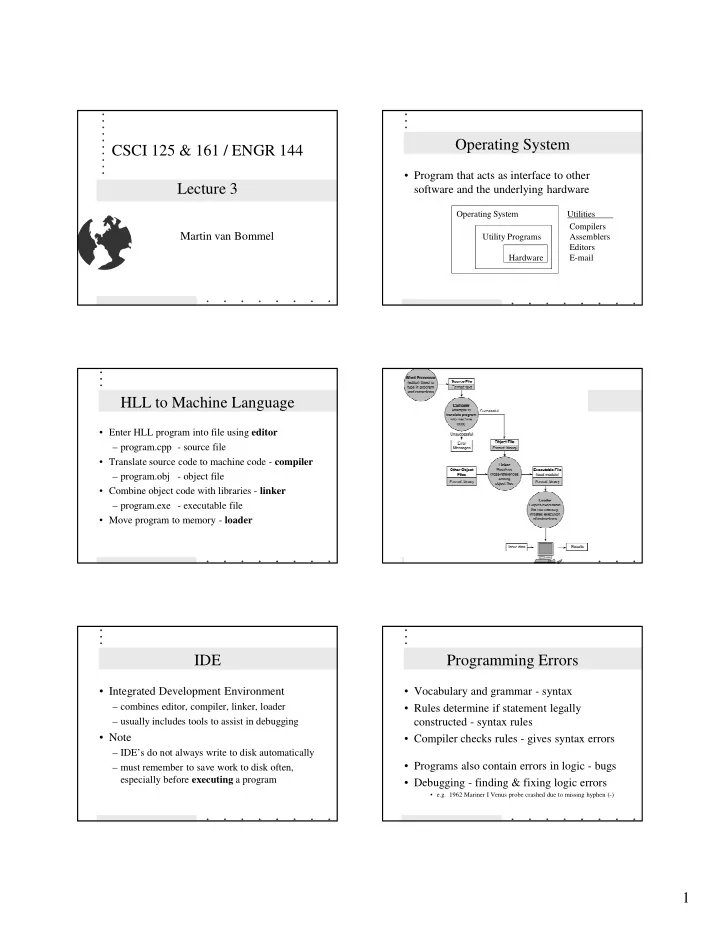
Operating System CSCI 125 & 161 / ENGR 144 Program that acts as interface to other Lecture 3 software and the underlying hardware Operating System Utilities Compilers Martin van Bommel Utility Programs Assemblers Editors Hardware


slide-1
SLIDE 1

1

CSCI 125 & 161 / ENGR 144 Lecture 3

Martin van Bommel

Operating System

  • Program that acts as interface to other

software and the underlying hardware

Operating System Utilities Compilers Utility Programs Assemblers Editors Hardware E-mail

HLL to Machine Language

  • Enter HLL program into file using editor

– program.cpp - source file

  • Translate source code to machine code - compiler

– program.obj - object file

  • Combine object code with libraries - linker

– program.exe - executable file

  • Move program to memory - loader

IDE

  • Integrated Development Environment

– combines editor, compiler, linker, loader – usually includes tools to assist in debugging

  • Note

– IDE’s do not always write to disk automatically – must remember to save work to disk often, especially before executing a program

Programming Errors

  • Vocabulary and grammar - syntax
  • Rules determine if statement legally

constructed - syntax rules

  • Compiler checks rules - gives syntax errors
  • Programs also contain errors in logic - bugs
  • Debugging - finding & fixing logic errors
  • e.g. 1962 Mariner I Venus probe crashed due to missing hyphen (-)
slide-2
SLIDE 2

2

Initial Program

#include <iostream> using namespace std; void main() { cout << ”Hello world!”; }

  • library inclusion
  • symbol namespace
  • function “main”
  • call function “cout”

to display string

Program Development

  • Software Engineering
  • study and use of techniques for

programming and problem solving

  • Software Life Cycle
  • software development goes through cycles,

where begins again when software outdated

Software Life Cycle

  • 1. Specify the problem requirements.
  • 2. Analyze the problem.
  • 3. Design the algorithm to solve the problem.
  • 4. Implement the program.
  • 5. Test and verify the completed program.
  • 6. Maintain and update the program.

Problem Analysis and Spec.

  • Determine its input

– what information is given – what items are important to solving problem

  • Determine its output

– what information must be produced to solve the problem

  • Determine scope of the problem

– questions, questions, and more questions

Algorithm Design

  • Procedure to convert inputs to outputs
  • Uses step-by-step process
  • Top-down step-wise refinement
  • Produce pseudo-code or flowchart

Algorithm

  • Three basic forms of control
  • 1. Sequential - one step after another
  • 2. Selection - choose one of many alternatives
  • 3. Repetition - one or more steps repeatedly
slide-3
SLIDE 3

3

START GET NUMBER ADD NUMBER 10 NUMBERS? DIVIDE BY 10 PRINT RESULT END

YES NO

Program Coding

  • Program should be correct, readable, and

understandable

  • Simple and clear - no tricks
  • Modular - program and test subtasks of
  • verall problem separately
  • Conforms to syntax of language

Program Formatting

  • Spaces between items in statements

– between variables and operators

  • Blank lines between major sections

– each subpart separated from others

  • Good indentation

– indent statements in loops

  • Meaningful variable names

– Distance and Time instead of d and t

Execution and Testing

  • Test each unit separately before combining
  • Use expected data with known result
  • Use unexpected data to check for problems
  • Validation - tested with several sets of test

data, but never can tell if absolutely valid.

Program Maintenance

  • Programs survive for many years
  • New features must be added
  • Laws, rules, and procedures change
  • Hardware changes
  • e.g. Year 2000 problem