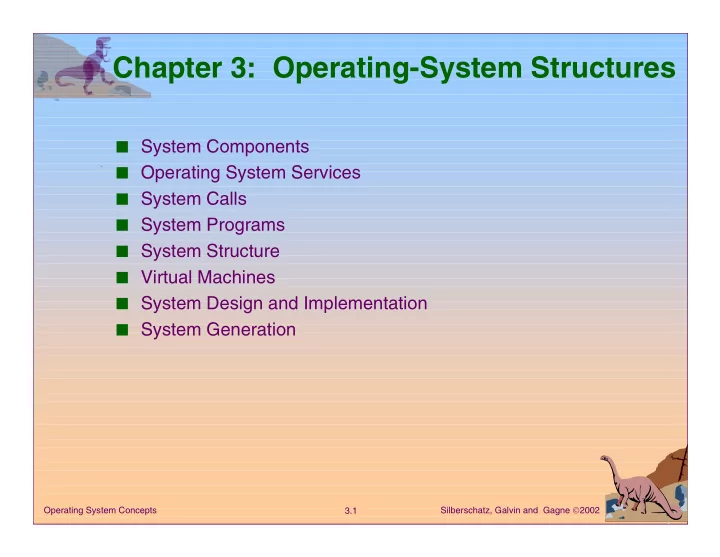
Chapter 3: Operating-System Structures System Components Operating - - PowerPoint PPT Presentation

chapter 3 operating system structures
SMART_READER_LITE
LIVE PREVIEW

Chapter 3: Operating-System Structures System Components Operating - - PowerPoint PPT Presentation

Chapter 3: Operating-System Structures System Components Operating System Services System Calls System Programs System Structure Virtual Machines System Design and Implementation System Generation Operating System


slide-1
SLIDE 1

Silberschatz, Galvin and Gagne 2002 3.1 Operating System Concepts

Chapter 3: Operating-System Structures

■ System Components ■ Operating System Services ■ System Calls ■ System Programs ■ System Structure ■ Virtual Machines ■ System Design and Implementation ■ System Generation

slide-2
SLIDE 2

Silberschatz, Galvin and Gagne 2002 3.2 Operating System Concepts

Common System Components

■ Process Management ■ Main Memory Management ■ File Management ■ I/O System Management ■ Secondary Management ■ Networking ■ Protection System ■ Command-Interpreter System

slide-3
SLIDE 3

Silberschatz, Galvin and Gagne 2002 3.3 Operating System Concepts

Process Management

■ A process is a program in execution. A process needs

certain resources, including CPU time, memory, files, and I/O devices, to accomplish its task.

■ The operating system is responsible for the following

activities in connection with process management.

✦ Process creation and deletion. ✦ process suspension and resumption. ✦ Provision of mechanisms for: ✔ process synchronization ✔ process communication

slide-4
SLIDE 4

Silberschatz, Galvin and Gagne 2002 3.4 Operating System Concepts

Main-Memory Management

■ Memory is a large array of words or bytes, each with its

  • wn address. It is a repository of quickly accessible data

shared by the CPU and I/O devices.

■ Main memory is a volatile storage device. It loses its

contents in the case of system failure.

■ The operating system is responsible for the following

activities in connections with memory management:

✦ Keep track of which parts of memory are currently being

used and by whom.

✦ Decide which processes to load when memory space

becomes available.

✦ Allocate and deallocate memory space as needed.

slide-5
SLIDE 5

Silberschatz, Galvin and Gagne 2002 3.5 Operating System Concepts

File Management

■ A file is a collection of related information defined by its

  • creator. Commonly, files represent programs (both

source and object forms) and data.

■ The operating system is responsible for the following

activities in connections with file management:

✦ File creation and deletion. ✦ Directory creation and deletion. ✦ Support of primitives for manipulating files and directories. ✦ Mapping files onto secondary storage. ✦ File backup on stable (nonvolatile) storage media.

slide-6
SLIDE 6

Silberschatz, Galvin and Gagne 2002 3.6 Operating System Concepts

I/O System Management

■ The I/O system consists of:

✦ A buffer-caching system ✦ A general device-driver interface ✦ Drivers for specific hardware devices

slide-7
SLIDE 7

Silberschatz, Galvin and Gagne 2002 3.7 Operating System Concepts

Secondary-Storage Management

■ Since main memory (primary storage) is volatile and too

small to accommodate all data and programs permanently, the computer system must provide secondary storage to back up main memory.

■ Most modern computer systems use disks as the

principle on-line storage medium, for both programs and data.

■ The operating system is responsible for the following

activities in connection with disk management:

✦ Free space management ✦ Storage allocation ✦ Disk scheduling

slide-8
SLIDE 8

Silberschatz, Galvin and Gagne 2002 3.8 Operating System Concepts

Networking (Distributed Systems)

■ A distributed system is a collection processors that do not

share memory or a clock. Each processor has its own local memory.

■ The processors in the system are connected through a

communication network.

■ Communication takes place using a protocol. ■ A distributed system provides user access to various

system resources.

■ Access to a shared resource allows:

✦ Computation speed-up ✦ Increased data availability ✦ Enhanced reliability

slide-9
SLIDE 9

Silberschatz, Galvin and Gagne 2002 3.9 Operating System Concepts

Protection System

■ Protection refers to a mechanism for controlling access

by programs, processes, or users to both system and user resources.

■ The protection mechanism must:

✦ distinguish between authorized and unauthorized usage. ✦ specify the controls to be imposed. ✦ provide a means of enforcement.

slide-10
SLIDE 10

Silberschatz, Galvin and Gagne 2002 3.10 Operating System Concepts

Command-Interpreter System

■ Many commands are given to the operating system by

control statements which deal with:

✦ process creation and management ✦ I/O handling ✦ secondary-storage management ✦ main-memory management ✦ file-system access ✦ protection ✦ networking

slide-11
SLIDE 11

Silberschatz, Galvin and Gagne 2002 3.11 Operating System Concepts

Command-Interpreter System (Cont.)

■ The program that reads and interprets control statements

is called variously:

✦ command-line interpreter ✦ shell (in UNIX)

Its function is to get and execute the next command statement.

slide-12
SLIDE 12

Silberschatz, Galvin and Gagne 2002 3.12 Operating System Concepts

Operating System Services

Program execution – system capability to load a program into memory and to run it.

I/O operations – since user programs cannot execute I/O

  • perations directly, the operating system must provide some

means to perform I/O.

File-system manipulation – program capability to read, write, create, and delete files.

Communications – exchange of information between processes executing either on the same computer or on different systems tied together by a network. Implemented via shared memory or message passing.

Error detection – ensure correct computing by detecting errors in the CPU and memory hardware, in I/O devices, or in user programs.

slide-13
SLIDE 13

Silberschatz, Galvin and Gagne 2002 3.13 Operating System Concepts

Additional Operating System Functions

Additional functions exist not for helping the user, but rather for ensuring efficient system operations.

  • Resource allocation – allocating resources to multiple users
  • r multiple jobs running at the same time.
  • Accounting – keep track of and record which users use how

much and what kinds of computer resources for account billing or for accumulating usage statistics.

  • Protection – ensuring that all access to system resources is

controlled.

slide-14
SLIDE 14

Silberschatz, Galvin and Gagne 2002 3.14 Operating System Concepts

System Calls

■ System calls provide the interface between a running

program and the operating system.

✦ Generally available as assembly-language instructions. ✦ Languages defined to replace assembly language for

systems programming allow system calls to be made directly (e.g., C, C++) ■ Three general methods are used to pass parameters

between a running program and the operating system.

✦ Pass parameters in registers. ✦ Store the parameters in a table in memory, and the table

address is passed as a parameter in a register.

✦ Push (store) the parameters onto the stack by the program,

and pop off the stack by operating system.

slide-15
SLIDE 15

Silberschatz, Galvin and Gagne 2002 3.15 Operating System Concepts

Passing of Parameters As A Table

slide-16
SLIDE 16

Silberschatz, Galvin and Gagne 2002 3.16 Operating System Concepts

Types of System Calls

■ Process control ■ File management ■ Device management ■ Information maintenance ■ Communications

slide-17
SLIDE 17

Silberschatz, Galvin and Gagne 2002 3.17 Operating System Concepts

MS-DOS Execution

At System Start-up Running a Program

slide-18
SLIDE 18

Silberschatz, Galvin and Gagne 2002 3.18 Operating System Concepts

UNIX Running Multiple Programs

slide-19
SLIDE 19

Silberschatz, Galvin and Gagne 2002 3.19 Operating System Concepts

Communication Models

Msg Passing Shared Memory ■ Communication may take place using either message

passing or shared memory.

slide-20
SLIDE 20

Silberschatz, Galvin and Gagne 2002 3.20 Operating System Concepts

System Programs

■ System programs provide a convenient environment for

program development and execution. The can be divided into:

✦ File manipulation ✦ Status information ✦ File modification ✦ Programming language support ✦ Program loading and execution ✦ Communications ✦ Application programs

■ Most users’ view of the operation system is defined by

system programs, not the actual system calls.

slide-21
SLIDE 21

Silberschatz, Galvin and Gagne 2002 3.21 Operating System Concepts

MS-DOS System Structure

■ MS-DOS – written to provide the most functionality in the

least space

✦ not divided into modules ✦ Although MS-DOS has some structure, its interfaces and

levels of functionality are not well separated

slide-22
SLIDE 22

Silberschatz, Galvin and Gagne 2002 3.22 Operating System Concepts

MS-DOS Layer Structure

slide-23
SLIDE 23

Silberschatz, Galvin and Gagne 2002 3.23 Operating System Concepts

UNIX System Structure

■ UNIX – limited by hardware functionality, the original

UNIX operating system had limited structuring. The UNIX OS consists of two separable parts.

✦ Systems programs ✦ The kernel ✔ Consists of everything below the system-call interface

and above the physical hardware

✔ Provides the file system, CPU scheduling, memory

management, and other operating-system functions; a large number of functions for one level.

slide-24
SLIDE 24

Silberschatz, Galvin and Gagne 2002 3.24 Operating System Concepts

UNIX System Structure

slide-25
SLIDE 25

Silberschatz, Galvin and Gagne 2002 3.25 Operating System Concepts

Layered Approach

■ The operating system is divided into a number of layers

(levels), each built on top of lower layers. The bottom layer (layer 0), is the hardware; the highest (layer N) is the user interface.

■ With modularity, layers are selected such that each uses

functions (operations) and services of only lower-level layers.

slide-26
SLIDE 26

Silberschatz, Galvin and Gagne 2002 3.26 Operating System Concepts

An Operating System Layer

slide-27
SLIDE 27

Silberschatz, Galvin and Gagne 2002 3.27 Operating System Concepts

OS/2 Layer Structure

slide-28
SLIDE 28

Silberschatz, Galvin and Gagne 2002 3.28 Operating System Concepts

Microkernel System Structure

■ Moves as much from the kernel into “user” space. ■ Communication takes place between user modules using

message passing.

■ Benefits:

  • easier to extend a microkernel
  • easier to port the operating system to new architectures
  • more reliable (less code is running in kernel mode)
  • more secure
slide-29
SLIDE 29

Silberschatz, Galvin and Gagne 2002 3.29 Operating System Concepts

Windows NT Client-Server Structure

slide-30
SLIDE 30

Silberschatz, Galvin and Gagne 2002 3.30 Operating System Concepts

Virtual Machines

■ A virtual machine takes the layered approach to its logical

  • conclusion. It treats hardware and the operating system

kernel as though they were all hardware.

■ A virtual machine provides an interface identical to the

underlying bare hardware.

■ The operating system creates the illusion of multiple

processes, each executing on its own processor with its

  • wn (virtual) memory.
slide-31
SLIDE 31

Silberschatz, Galvin and Gagne 2002 3.31 Operating System Concepts

Virtual Machines (Cont.)

■ The resources of the physical computer are shared to

create the virtual machines.

✦ CPU scheduling can create the appearance that users have

their own processor.

✦ Spooling and a file system can provide virtual card readers

and virtual line printers.

✦ A normal user time-sharing terminal serves as the virtual

machine operator’s console.

slide-32
SLIDE 32

Silberschatz, Galvin and Gagne 2002 3.32 Operating System Concepts

System Models

Non-virtual Machine Virtual Machine

slide-33
SLIDE 33

Silberschatz, Galvin and Gagne 2002 3.33 Operating System Concepts

Advantages/Disadvantages of Virtual Machines

■ The virtual-machine concept provides complete

protection of system resources since each virtual machine is isolated from all other virtual machines. This isolation, however, permits no direct sharing of resources.

■ A virtual-machine system is a perfect vehicle for

  • perating-systems research and development. System

development is done on the virtual machine, instead of on a physical machine and so does not disrupt normal system operation.

■ The virtual machine concept is difficult to implement due

to the effort required to provide an exact duplicate to the underlying machine.

slide-34
SLIDE 34

Silberschatz, Galvin and Gagne 2002 3.34 Operating System Concepts

Java Virtual Machine

■ Compiled Java programs are platform-neutral bytecodes

executed by a Java Virtual Machine (JVM).

■ JVM consists of

  • class loader
  • class verifier
  • runtime interpreter

■ Just-In-Time (JIT) compilers increase performance

slide-35
SLIDE 35

Silberschatz, Galvin and Gagne 2002 3.35 Operating System Concepts

Java Virtual Machine

slide-36
SLIDE 36

Silberschatz, Galvin and Gagne 2002 3.36 Operating System Concepts

System Design Goals

■ User goals – operating system should be convenient to

use, easy to learn, reliable, safe, and fast.

■ System goals – operating system should be easy to

design, implement, and maintain, as well as flexible, reliable, error-free, and efficient.

slide-37
SLIDE 37

Silberschatz, Galvin and Gagne 2002 3.37 Operating System Concepts

Mechanisms and Policies

■ Mechanisms determine how to do something, policies

decide what will be done.

■ The separation of policy from mechanism is a very

important principle, it allows maximum flexibility if policy decisions are to be changed later.

slide-38
SLIDE 38

Silberschatz, Galvin and Gagne 2002 3.38 Operating System Concepts

System Implementation

■ Traditionally written in assembly language, operating

systems can now be written in higher-level languages.

■ Code written in a high-level language:

✦ can be written faster. ✦ is more compact. ✦ is easier to understand and debug.

■ An operating system is far easier to port (move to some

  • ther hardware) if it is written in a high-level language.
slide-39
SLIDE 39

Silberschatz, Galvin and Gagne 2002 3.39 Operating System Concepts

System Generation (SYSGEN)

■ Operating systems are designed to run on any of a class

  • f machines; the system must be configured for each

specific computer site.

■ SYSGEN program obtains information concerning the

specific configuration of the hardware system.

■ Booting – starting a computer by loading the kernel. ■ Bootstrap program – code stored in ROM that is able to

locate the kernel, load it into memory, and start its execution.