Computer Science 161: Computer Security Computer Science 161 Fall - - PowerPoint PPT Presentation

computer science 161 computer security
SMART_READER_LITE
LIVE PREVIEW

Computer Science 161: Computer Security Computer Science 161 Fall - - PowerPoint PPT Presentation

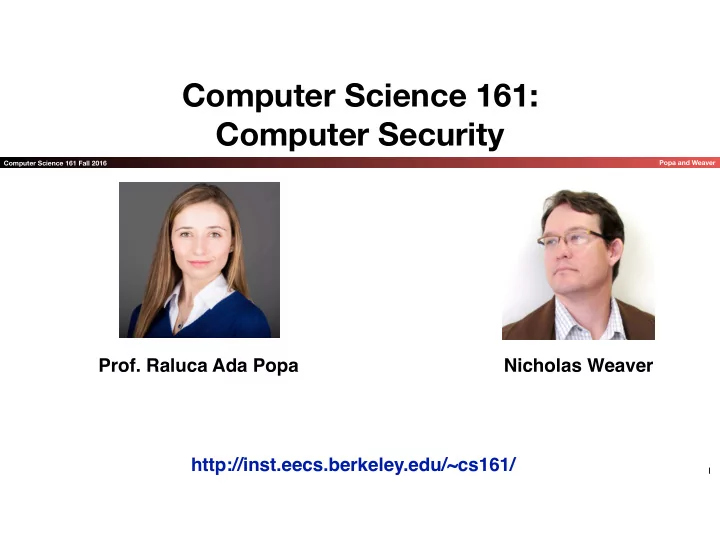
Computer Science 161: Computer Security Computer Science 161 Fall 2016 Popa and Weaver Prof. Raluca Ada Popa Nicholas Weaver http://inst.eecs.berkeley.edu/~cs161/ 1 And a team of talented TAs Computer Science 161 Fall 2016 Popa and


slide-1
SLIDE 1

Computer Science 161 Fall 2016 Popa and Weaver

Computer Science 161:
 Computer Security

1

http://inst.eecs.berkeley.edu/~cs161/

  • Prof. Raluca Ada Popa

Nicholas Weaver

slide-2
SLIDE 2

Computer Science 161 Fall 2016 Popa and Weaver

And a team of talented TAs

slide-3
SLIDE 3

Computer Science 161 Fall 2016 Popa and Weaver

What is security?

3

Enforcing a desired property in the presence of an attacker data confidentiality user privacy data and computation integrity authentication availability …

slide-4
SLIDE 4

Computer Science 161 Fall 2016 Popa and Weaver

Today’s outline

  • Why is security important?
  • Course logistics
  • Intro to security principles

4

slide-5
SLIDE 5

Computer Science 161 Fall 2016 Popa and Weaver

5

Why is security important?

slide-6
SLIDE 6

Computer Science 161 Fall 2016 Popa and Weaver

It is important for our

  • physical safety
  • confidentiality/privacy
  • functionality
  • protecting our assets
  • successful business
  • a country’s economy and safety
  • and so on…

6

Why is security important?

slide-7
SLIDE 7

Computer Science 161 Fall 2016 Popa and Weaver

Physical safety threats

7

slide-8
SLIDE 8

Computer Science 161 Fall 2016 Popa and Weaver

Privacy/confidentiality

Breaches in 2015 [ITRC]: Number of breaches = 5,497 Number of Records = 818,004,561

8

slide-9
SLIDE 9

Computer Science 161 Fall 2016 Popa and Weaver

Can affect a country’s economy

9

slide-10
SLIDE 10

Computer Science 161 Fall 2016 Popa and Weaver

10

slide-11
SLIDE 11

Computer Science 161 Fall 2016 Popa and Weaver

What is hackable?

  • Everything!
  • Especially things connected to the Internet

11

slide-12
SLIDE 12

Computer Science 161 Fall 2016 Popa and Weaver

One needs to consider security for any part of computer systems

12

slide-13
SLIDE 13

Computer Science 161 Fall 2016 Popa and Weaver

Course logistics

13

slide-14
SLIDE 14

Computer Science 161 Fall 2016 Popa and Weaver

Course structure

14

  • Intro to security
  • memory safety, OS principles
  • Cryptography
  • Network Security
  • Web Security
  • Miscellaneous topics
slide-15
SLIDE 15

Computer Science 161 Fall 2016 Popa and Weaver

Grading structure

  • Absorb material presented in lectures and section
  • Please attend lecture!
  • 3 course projects (24% total)
  • Done individually or in small groups
  • 3-4 homework (16% total)
  • Done individually
  • Two midterms (30%)
  • A comprehensive final exam (30%)

15

slide-16
SLIDE 16

Computer Science 161 Fall 2016 Popa and Weaver

Class Policies

  • Late homework: no credit
  • Late project: <24 hours: -10%, <48 hours: -20%, 


<72 hours: -40%, ≥72 hours: no credit

  • Never share solutions, code, etc or let other students see them.

Work on your own unless it is a group assignment

  • Don’t use our slides to answer questions during class
  • Sign up for a class account
  • Participate in Piazza
  • Email doesn’t scale: course related questions/comments should be on Piazza or asked

during office hours

16

slide-17
SLIDE 17

Computer Science 161 Fall 2016 Popa and Weaver

Textbooks

  • No required textbook. If you want additional reading
  • Optional: Introduction to Computer Security, Goodrich &

Tamassia

  • Optional: The Craft of System Security, Smith & Marchesini
  • We will also make available interesting readings online

17

slide-18
SLIDE 18

Computer Science 161 Fall 2016 Popa and Weaver

Intellectual Honesty Policy:
 Detection and Retribution

  • We view those who would cheat as “attackers”
  • This includes sharing code on homework or projects, midterms, finals, etc…
  • But through this class we (mostly) assume rational attackers
  • Benefit of attack > Expected cost of the attack
  • Cost of launching attack + cost of getting caught * probability of getting caught
  • We take a detection and response approach
  • We use many tools to detect violations
  • "Obscurity is not security", but obscurity can help.


Just let it be known that "We Have Ways"

  • We will go to DEFCON 1 (aka "launch the nukes") immediately
  • “Nick doesn’t make threats. He keeps promises”

18

slide-19
SLIDE 19

Computer Science 161 Fall 2016 Popa and Weaver

Ethics Guide for Defense Against the Dark Arts

  • Of necessity, this class has a fair amount of "dark

arts" content

  • As defenders you must understand the offense:


You can't learn defense against the dark arts without including the dark arts

  • But a lot of "don't try this at home" stuff
  • Big key is consent
  • Its usually OK to break into your own stuff (modulo the DMCA)
  • Its a great way to evaluate systems
  • Its usually OK to break into someone else's stuff with explicit

permission to do so

  • It is both grossly unethical and often exceedingly criminal to

access systems without authorization

19

Not the evil Polyjuice
 Doppleganger Version...

slide-20
SLIDE 20

Computer Science 161 Fall 2016 Popa and Weaver

Also...

  • There exists a classic game theory problem called

the Prisoner's Dilemma

  • For single-round Prisoner's Dilemma, the optimum

strategy is "always-defect"

  • For multi-round Prisoner's Dilemma, the optimum

strategy in practice is "tit-for-tat"

  • AKA, be nice unless someone isn't nice to you
  • Life is multi-round:


so be excellent to each other!

  • Making things hostile for others makes the world worse for all
  • Stopping things from being hostile to others makes the world better

for you

20

slide-21
SLIDE 21

Computer Science 161 Fall 2016 Popa and Weaver

Stress Management &
 Mental Health...

  • We'll try to not over-stress you too much
  • But there really is a lot to cover and this really is a demanding major
  • We are going to somewhat front-load the 3 projects
  • Since everybody else has stuff due at the very end
  • If you feel overwhelmed, please use the resources available
  • Academically: Ask on Piazza, Tutoring, Office hours
  • Non-Academic: Take advantage of University Health Services if you need to
  • I did! Zoloft (an antidepressant) and therapy saved my life, twice.

21

slide-22
SLIDE 22

Computer Science 161 Fall 2016 Popa and Weaver

Webcasts?
 Yes

  • Benefits of webcasts:
  • Allows students to catch up on lecture at some other time
  • Allows sharing the lecture with a larger community
  • This would be a benefit, but the University won’t pay for human-done captions, while YouTube’s

automatic captions could get the University sued!

  • Costs of webcasts:
  • Students may not attend class because “hey, webcast”
  • But webcast has less context, and we will have your TAs note if you avoid lecture
  • Both of us like to use the blackboard
  • Which is not captured in this room
  • Nick has occasional outbursts of profanity
  • But we’re doing it.

22

slide-23
SLIDE 23

Computer Science 161 Fall 2016 Popa and Weaver

Some Philosophy

  • The rest of this lecture is largely focused on philosophical

issues

  • People and Money
  • Threat Model
  • OODA loops and decision cycles
  • Prevention, Detection & Response, Mitigation and Recovery
  • False Positives, False Negatives, and Compositions
  • And then some real word security tips

23

slide-24
SLIDE 24

Computer Science 161 Fall 2016 Popa and Weaver

It All Comes Down To People...
 The Attacker(s)

  • People attack systems for some reason
  • If there are no attackers, there is no computer 


security problem

  • They may do it for money
  • They may do it for politics
  • They may do it for the lulz
  • They may just want to watch the world burn
  • Often the most effective security is to


attack the reasons for an attacker

  • "We are sick of playing whak-a-mole on bad guys...


Instead we play whak-a-mole on bad-guy business models"

24

slide-25
SLIDE 25

Computer Science 161 Fall 2016 Popa and Weaver

It All Comes Down to People... The Users

  • If a security system is unusable it will be unused
  • Or at least so greatly resented that users will actively attempt

to subvert it:
 "Let's set the nuclear launch code to 00000000"
 (oh, and write down the password anyway!)

  • Users will subvert systems anyway
  • Programmers will make mistakes
  • And mistakes are tied to the tools they use
  • "If you don't loath C and C++ by the time this class is over we

have failed"

  • And Social Engineering...
  • "Because there is no patch for Human Stupidity"

25

Well, @SwiftOnSecurity, aka SecuriTay

slide-26
SLIDE 26

Computer Science 161 Fall 2016 Popa and Weaver

But Don't Blame The 
 Users...

  • Often we blame the user

when an attacker takes advantage of them...

  • Yet we've consistently constructed

systems that encourage users to do the wrong thing!

  • Phishing is a classic

example:

  • Which is a phishing email and which

is an actual email from Chase?

26

slide-27
SLIDE 27

Computer Science 161 Fall 2016 Popa and Weaver

Oh, and it comes 
 down to money too...

  • "You don't put a $10 lock on a $1 rock...
  • Unless the attacker can leverage that $1 rock to attack

something more important

  • "You don't risk exposing a $1M zero-day
  • n a nobody"
  • So I'm quite content to use my iPhone in a hostile

environment:
 free market cost of a zero-day (unknown/unpatchable) exploit for iOS is $500k to $1M.

  • Cost/benefit analyses appear all

throughout security

27

slide-28
SLIDE 28

Computer Science 161 Fall 2016 Popa and Weaver

At the Same Time:
 Update your iPhones...

  • I share an office with Bill Marczak...
  • He works with peace activists in the Middle East...
  • One of them received a suspicious text
  • It looked like an iOS attack
  • He took my GF's old iPhone...
  • Set it through a monitored network tunnel...
  • Click on link...
  • We wait
  • And wait...
  • And the phone got pwned!
  • More on how it got pwned on Tuesday...

28

Needs to Replace $1M
 Exploit That No Longer Works Needs to replace phone with
 $300 iPod Touch

slide-29
SLIDE 29

Computer Science 161 Fall 2016 Popa and Weaver

A Bit of Military Jargon:
 The OODA Loop

  • You may have heard of the "OODA Loop"
  • Observe, Orient, Decide, Act cycle
  • Originally developed by a military fighter pilot, Colonel

John Boyd, as a way of modeling how adversaries think

  • If you can outthink your adversary, you win!
  • Designed to provide a framework to think about thinking

29 CC BY-SA 3.0, https://commons.wikimedia.org/w/index.php?curid=207921

slide-30
SLIDE 30

Computer Science 161 Fall 2016 Popa and Weaver

The Real OODA Loop

30

https://en.wikipedia.org/wiki/OODA_loop#/media/File:OODA.Boyd.svg by Patrick Moran

slide-31
SLIDE 31

Computer Science 161 Fall 2016 Popa and Weaver

Prevention

  • The goal of prevention is to stop the "bad

thing" from happening at all

  • On one hand, if prevention works its great
  • E.g. if you don't write in an unsafe language (like C) you

will never worry about buffer overflow exploits

  • On the other hand, if you can only depend
  • n prevention...
  • You get Bitcoin and Bitcoin thefts
  • The latest: $68M stolen from a Bitcoin exchange

31

slide-32
SLIDE 32

Computer Science 161 Fall 2016 Popa and Weaver

Detection & Response

  • Detection: See that something is

going wrong

  • Response: Actually do something

about it

  • Without some response, what is the point of

detecting something being wrong?

32

slide-33
SLIDE 33

Computer Science 161 Fall 2016 Popa and Weaver

False Positive and
 False Negatives

  • False positive:
  • You alert when there is nothing there
  • False negative:
  • You fail to alert when something is there
  • This is the real cost of detection:
  • Responding to false positives is not free
  • And too many false positives and alarms get

removed

  • False negatives mean a failure

33

slide-34
SLIDE 34

Computer Science 161 Fall 2016 Popa and Weaver

Defense in Depth

  • The notion of layering multiple types of protection together
  • EG, the Theodesian Walls of Constantinople: 


Moat -> wall -> depression -> even bigger wall

  • And some towers to rain down flaming and pointy death on those caught


up in the defenses

  • Hypothesis is that attacker needs to 


breech all the defenses

  • At least until something comes along to make the defense irrelevant


like, oh, say siege cannons

  • But defense in depth isn't free:
  • You are throwing more resources at the problem
  • You can have a increased false positive rate:


If D1 has rate FP1 and D2 has rate FP2, 
 a composition where either can alert has:
 FP = FP1 + (1-FP1) * FP2

34

slide-35
SLIDE 35

Computer Science 161 Fall 2016 Popa and Weaver

Mitigation & Recovery...

  • OK, something bad happened...
  • Now what?
  • Assumption: bad things will happen in

the system

  • So can we design things so we can get back

working?

  • So how do I plan for earthquakes?
  • "1 week of stay put and 50+ miles of get outta town"

35

slide-36
SLIDE 36

Computer Science 161 Fall 2016 Popa and Weaver

Real World Security...
 How is your account breached?

  • Humans can't remember good passwords...
  • Well, we can remember a couple good passwords, but that's about it

36

slide-37
SLIDE 37

Computer Science 161 Fall 2016 Popa and Weaver

37

slide-38
SLIDE 38

Computer Science 161 Fall 2016 Popa and Weaver

Real World Security...
 How is your account breached?

  • So we compensate with password reuse
  • You use the same lame password on a large number of sites that hopefully

don't matter

  • One of those sites gets breeched...
  • And now the bad guy has your password
  • And can now log into all those other sites where you used the same

password...

38

slide-39
SLIDE 39

Computer Science 161 Fall 2016 Popa and Weaver

39

slide-40
SLIDE 40

Computer Science 161 Fall 2016 Popa and Weaver

40

slide-41
SLIDE 41

Computer Science 161 Fall 2016 Popa and Weaver

41

slide-42
SLIDE 42

Computer Science 161 Fall 2016 Popa and Weaver

So what to do?
 Password Managers

  • A program which runs on your computer or

phone

  • You enter a master password to unlock an encrypted store
  • It can then enter passwords for you in websites
  • It can also generate strong, unique, random passwords
  • Often include cloud syncing as well
  • So you better make sure your master password is good
  • But now means you have your master password everywhere
  • Several options, I personally like 1password

but there are others as well

  • EG, others like Keepass

42

1password