Navigating Community Data for Research: The Universal Data System - - PowerPoint PPT Presentation

navigating community data for research the universal data
SMART_READER_LITE
LIVE PREVIEW

Navigating Community Data for Research: The Universal Data System - - PowerPoint PPT Presentation

Navigating Community Data for Research: The Universal Data System (UDS) and Current Population Health Tools Andrew Hamilton, RN, BSN, MS Michael Nudo, MNA, CNP Chief Informatics Officer/Deputy Director Grants and Resource Development Manager


slide-1
SLIDE 1

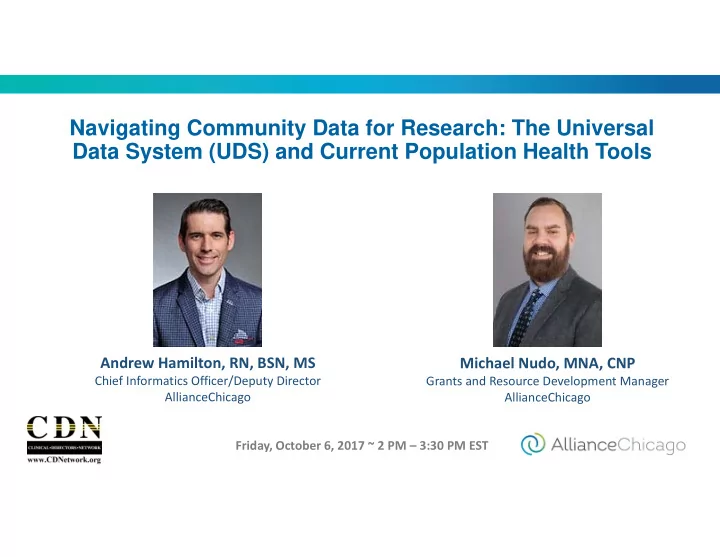
Navigating Community Data for Research: The Universal Data System (UDS) and Current Population Health Tools

Andrew Hamilton, RN, BSN, MS

Chief Informatics Officer/Deputy Director AllianceChicago Friday, October 6, 2017 ~ 2 PM – 3:30 PM EST

Michael Nudo, MNA, CNP

Grants and Resource Development Manager AllianceChicago

slide-2
SLIDE 2

ACKNOWLEDGEMENT

  • This presentation was funded through a Patient-Centered Outcomes Research

Institute (PCORI) Eugene Washington PCORI Engagement Award (6043-ACCH).

  • Disclaimer: The statements presented in this webinar are solely the responsibility
  • f the author(s) and do not necessarily represent the views of the Patient-Centered

Outcomes Research Institute (PCORI), its Board of Governors or Methodology Committee.

  • The Patient-Centered Outcomes Research Institute (PCORI) is an independent, nonprofit
  • rganization authorized by Congress in 2010. Its mission is to fund research that will provide

patients, their caregivers, and clinicians with the evidence -based information needed to make better-informed healthcare decisions. PCORI is committed to continually seeking input from a broad range of stakeholders to guide its work.

slide-3
SLIDE 3

Exploring a Quality-driven Research Question Using the Uniform Data System (UDS)

The Uniform Data System is maintained by:

The Health Resources and Services Administration (HRSA) Bureau of Primary Health Care Federally Qualified Health Center (FQHC) Program

Michael Nudo Grants and Resource Development Manager, AllianceChicago

slide-4
SLIDE 4

AllianceChicago is a Health Center Controlled Network which was founded in 1997 and includes:

  • 28 Safety-net Health Centers in 18 states
  • Health Information Technology services
  • Data Warehouse with over 2 million patients
  • 50+ Partners & Affiliates
  • 20+ Funders
  • 45+ Employees
  • 20+ Research Affiliations
slide-5
SLIDE 5

Sources of Research Data

There are many sources of preparatory to research data that can be used to assess the feasibility of a proposed research study. Some include:

  • Government agency data sets
  • Public and private data repositories, such as Electronic Health Record

Systems

  • Government records or publications
  • Interviews with patients, customers, and other stakeholders
  • Scholarly journals and previous research findings
slide-6
SLIDE 6

How can you use available data to develop a research question that will improve patient care?

  • For this exercise, let’s assume that I am a nurse working in a health

center to provide direct services and on quality improvement initiatives to improve patient health outcomes.

  • Also, let’s say that I recently saw an article that stated that African

Americans might be up to 2.2 times more likely to have diabetes than

  • Caucasians. I wondered if this trend was similar in my health center’s

service area as we serve a large number of people from this group.

  • I knew I had access to data about my health center from our EMR

patient records - but how do I find more information about individuals living in our community? I wondered how we could increase the impact

  • f our diabetes care services and reach more people.
  • To begin, I contacted my HRSA FQHC Project Officer and she referred

me to the UDS website, data warehouse, and UDS Mapper – a treasure trove of community health data

slide-7
SLIDE 7

How can you use available data to develop a research question that will improve patient care?

  • For this exercise, let’s assume that I am a nurse working in a health

center to provide direct services and on quality improvement initiatives to improve patient health outcomes.

  • Also, let’s say that I recently saw an article that stated that African

Americans might be up to 2.2 times more likely to have diabetes than

  • Caucasians. I wondered if this trend was similar in my health center’s

service area as we serve a large number of people from this group.

  • I knew I had access to data about my health center from our EMR

patient records - but how do I find more information about individuals living in our community? I wondered how we could increase the impact

  • f our diabetes care services and reach more people.
  • To begin, I contacted my HRSA FQHC Project Officer and she referred

me to the UDS website, data warehouse, and UDS Mapper – a treasure trove of community health data

slide-8
SLIDE 8

How can you use available data to develop a research question that will improve patient care?

  • For this exercise, let’s assume that I am a nurse working in a health

center to provide direct services and on quality improvement initiatives to improve patient health outcomes.

  • Also, let’s say that I recently saw an article that stated that African

Americans might be up to 2.2 times more likely to have diabetes than

  • Caucasians. I wondered if this trend was similar in my health center’s

service area as we serve a large number of people from this group.

  • I knew I had access to data about my health center from our EMR

patient records - but how do I find more information about individuals living in our community? I wondered how we could increase the impact

  • f our diabetes care services and reach more people.
  • To begin, I contacted my HRSA FQHC Project Officer and she referred

me to the UDS website, data warehouse, and UDS Mapper – a treasure trove of community health data

slide-9
SLIDE 9

How can you use available data to develop a research question that will improve patient care?

  • For this exercise, let’s assume that I am a nurse working in a health

center to provide direct services and on quality improvement initiatives to improve patient health outcomes.

  • Also, let’s say that I recently saw an article that stated that African

Americans might be up to 2.2 times more likely to have diabetes than

  • Caucasians. I wondered if this trend was similar in my health center’s

service area as we serve a large number of people from this group.

  • I knew I had access to data about my health center from our EMR

patient records - but how do I find more information about individuals living in our community? I wondered how we could increase the impact

  • f our diabetes care services and reach more people.
  • To begin, I contacted my HRSA FQHC Project Officer and she referred

me to the UDS website, data warehouse, and UDS Mapper – a treasure trove of community health data

slide-10
SLIDE 10

How can you use available data to develop a research question that will improve patient care?

  • For this exercise, let’s assume that I am a nurse working in a health

center to provide direct services and on quality improvement initiatives to improve patient health outcomes.

  • Also, let’s say that I recently saw an article that stated that African

Americans might be up to 2.2 times more likely to have diabetes than

  • Caucasians. I wondered if this trend was similar in my health center’s

service area as we serve a large number of people from this group.

  • I knew I had access to data about my health center from our EMR

patient records - but how do I find more information about individuals living in our community? I wondered how we could increase the impact

  • f our diabetes care services and reach more people.
  • To begin, I contacted my HRSA FQHC Project Officer and she referred

me to the UDS website, data warehouse, and UDS Mapper – a treasure trove of community health data

slide-11
SLIDE 11

UDS – A Comprehensive Data Source

The Uniform Data System (UDS) is an integrated reporting system used by all grantees funded for Community Health Center, Migrant and Seasonal Farmworker, Health Care for the Homeless, and Public Housing Primary Care, under the Health Center grant program administered by the Bureau of Primary Health Care (BPHC) at the Health Resources and Services Administration (HRSA).

  • The data collected through this reporting process are analyzed to ensure

compliance with legislative mandates, report program accomplishments, and justify budget requests to the U.S. Congress.

  • The data help to identify trends over time, enabling HRSA to establish or expand

targeted programs and identify effective services and interventions to improve the health of underserved communities and vulnerable populations.

  • UDS data are compared with national data to look at differences between the U.S.

population at large and those individuals and families who rely on the health care safety net for primary care.
slide-12
SLIDE 12

UDS – A Comprehensive Data Source

The Uniform Data System (UDS) is an integrated reporting system used by all grantees funded for Community Health Center, Migrant and Seasonal Farmworker, Health Care for the Homeless, and Public Housing Primary Care, under the Health Center grant program administered by the Bureau of Primary Health Care (BPHC) at the Health Resources and Services Administration (HRSA).

  • The data collected through this reporting process are analyzed to ensure

compliance with legislative mandates, report program accomplishments, and justify budget requests to the U.S. Congress.

  • The data help to identify trends over time, enabling HRSA to establish or expand

targeted programs and identify effective services and interventions to improve the health of underserved communities and vulnerable populations.

  • UDS data are compared with national data to look at differences between the U.S.

population at large and those individuals and families who rely on the health care safety net for primary care.

slide-13
SLIDE 13

UDS – A Comprehensive Data Source

The Uniform Data System (UDS) is an integrated reporting system used by all grantees funded for Community Health Center, Migrant and Seasonal Farmworker, Health Care for the Homeless, and Public Housing Primary Care, under the Health Center grant program administered by the Bureau of Primary Health Care (BPHC) at the Health Resources and Services Administration (HRSA).

  • The data collected through this reporting process are analyzed to ensure

compliance with legislative mandates, report program accomplishments, and justify budget requests to the U.S. Congress.

  • The data help to identify trends over time, enabling HRSA to establish or expand

targeted programs and identify effective services and interventions to improve the health of underserved communities and vulnerable populations.

  • UDS data are compared with national data to look at differences between the U.S.

population at large and those individuals and families who rely on the health care safety net for primary care.

slide-14
SLIDE 14

UDS – A Comprehensive Data Source

The Uniform Data System (UDS) is an integrated reporting system used by all grantees funded for Community Health Center, Migrant and Seasonal Farmworker, Health Care for the Homeless, and Public Housing Primary Care, under the Health Center grant program administered by the Bureau of Primary Health Care (BPHC) at the Health Resources and Services Administration (HRSA).

  • The data collected through this reporting process are analyzed to ensure

compliance with legislative mandates, report program accomplishments, and justify budget requests to the U.S. Congress.

  • The data help to identify trends over time, enabling HRSA to establish or expand

targeted programs and identify effective services and interventions to improve the health of underserved communities and vulnerable populations.

  • UDS data are compared with national data to look at differences between the U.S.

population at large and those individuals and families who rely on the health care safety net for primary care.

slide-15
SLIDE 15

Overview of UDS Report and Its Data

  • The Uniform Data System (UDS) report is a

performance report which is submitted electronically to the Health Resources and Services Administration (HRSA) each year by Federally Qualified Health Centers and Look-Alikes.

  • The report collects demographic, clinical, financial,

and cost data on CHCs. All data is made available to the public each year

  • HRSA maintains a website of all grantee data, a

data warehouse, and provides its data-set to an

  • nline tool which compares data-sets across

different federal programs, via the mapping tool.

slide-16
SLIDE 16

Overview of UDS Report and Its Data

  • The Uniform Data System (UDS) report is a

performance report which is submitted electronically to the Health Resources and Services Administration (HRSA) each year by Federally Qualified Health Centers and Look-Alikes.

  • The report collects demographic, clinical, financial,

and cost data on CHCs. All data is made available to the public each year

  • HRSA maintains a website of all grantee data, a

data warehouse, and provides its data-set to an

  • nline tool which compares data-sets across

different federal programs, via the mapping tool.

slide-17
SLIDE 17

Overview of UDS Report and Its Data

  • The Uniform Data System (UDS) report is a

performance report which is submitted electronically to the Health Resources and Services Administration (HRSA) each year by Federally Qualified Health Centers and Look-Alikes.

  • The report collects demographic, clinical, financial,

and cost data on CHCs. All data is made available to the public each year

  • HRSA maintains a website of all grantee data, a

data warehouse, and provides its data-set to an

  • nline tool which compares data-sets across

different federal programs, via the mapping tool.

slide-18
SLIDE 18

Overview of UDS Report and Its Data

  • The Uniform Data System (UDS) report is a

performance report which is submitted electronically to the Health Resources and Services Administration (HRSA) each year by Federally Qualified Health Centers and Look-Alikes.

  • The report collects demographic, clinical, financial,

and cost data on CHCs. All data is made available to the public each year

  • HRSA maintains a website of all grantee data, a

data warehouse, and provides its data-set to an

  • nline tool which compares data-sets across

different federal programs, via the mapping tool.

slide-19
SLIDE 19

Potential Public UDS Data Sources to Explore

Community Health Center UDS data is available via three distinct portals, each with a different capability. They include:

  • Annual UDS Report summaries on HRSA’s website, presented by

health center, and aggregated by grant program

  • The HRSA UDS Data Warehouse
  • The UDS Mapper
slide-20
SLIDE 20

Health Center profiles can be viewed at https://bphc.hrsa.gov/uds/datacenter.aspx?q=d

The HRSA UDS Website

slide-21
SLIDE 21

UDS Data Warehouse

The HRSA Data Warehouse provides maps, data, reports and dashboard to the public. The data integrates with external sources, such as the U.S. Census Bureau, providing information about HRSA’s grants, loan and scholarship programs, health centers and other public health programs and services. You can:

  • Analyze, sort, and filter data on interactive dashboards
  • Access preformatted charts, maps, and reports
  • See what HRSA is doing in your state, county, region, and congressional district
  • View and compare data by geography, by topic, and by HRSA program area
  • Download data for research and analysis
  • Connect to HRSA data from third party applications through map services and web services
  • Create custom maps and reports
  • Locate HRSA’s health centers and other HRSA-supported programs and services

The UDS Data Warehouse can be found at: https://datawarehouse.hrsa.gov/

slide-22
SLIDE 22
slide-23
SLIDE 23

UDS Mapper

UDS Mapper is an online tool that allows anyone with an internet connection to identify areas served by community health centers. It presents:

  • The change in the number of people who receive those services over time
  • An estimate of places where additional services and health center expansion would be

most beneficial.

  • It allows users to visualize and understand the primary care safety net through maps,

tables, and numerous data layers. UDS Mapper is available to anyone interested in health policy, geographic distribution of health care resources to the underserved and other issues that affect people’s access to health services. The UDS Mapper can be found at: https://www.udsmapper.org/

slide-24
SLIDE 24

Health Center Program (HCP) grantees report the number of patients they see by ZIP Code in one table of the Uniform Data System (UDS) report. Data from this one table are displayed by Zip Code Tabulation Areas (ZCTA) by the UDS Mapper website.

slide-25
SLIDE 25
slide-26
SLIDE 26

Audience Poll #1

What individuals will find the UDS Mapper useful?

  • A. Health Center Staff and Grantees
  • B. Primary Care Associations
  • C. Policymakers and Planners
  • D. All of the above
slide-27
SLIDE 27

That’s a lot of data! So, now what?

To begin, I choose to use the features of the UDS

  • Mapper. It will allow me to pull in additional data-

sets and to associate them with my health center’s service area. These data will help my team to make decisions about where we should focus in the community to deliver our diabetes services, programs, and interventions. Now, let’s get some data!

slide-28
SLIDE 28

The Population Indicators Tool

For this exercise, we will use the UDS Mapper’s Population Indicators Tool which will enable me to do spot analysis to find high-need areas based on data that are common indicators of health status and combines UDS data with other data sources like:

  • The American Community Survey
  • The HRSA Area Resource File
  • The CDC Wonder Data Set
  • The CDC Behavioral Risk Factor Surveillance System
slide-29
SLIDE 29

The Population Indicators Tool

Specifically, the Mapper will allow us to combine UDS data with CDC Behavioral Risk Factor Surveillance System (BRFSS) telephone survey like:

  • % of Adults Ever Told They Have Diabetes
  • % of Adults Ever Told They Have High Blood Pressure
  • % of Adults Who Are Obese
  • % of Adults with No Dental Visit in the Past Year
  • % of Adults Who Have Delayed or Not Sought Care Due to High

Cost

  • % of Adults with No Usual Source of Care
slide-30
SLIDE 30

Time to combine some data!

Let’s use the UDS Mapper’s tools to combine the data from HRSA’s Health Center Program with the CDC’s BRFSS data that will:

  • Help me to better understand the areas in my CHC’s service are with

the highest need for diabetes prevention, education, and treatment support services.

  • Allow me to download and save the data
  • Provide data in a format that could be combined with data from my

Network’s data warehouse or from my CHC’s EMR

slide-31
SLIDE 31

Time to combine some data!

Let’s use the UDS Mapper’s tools to combine the data from HRSA’s Health Center Program with the CDC’s BRFSS data that will:

  • Help me to better understand the areas in my CHC’s service are with

the highest need for diabetes prevention, education, and treatment support services.

  • Allow me to download and save the data
  • Provide data in a format that could be combined with data from my

Network’s data warehouse or from my CHC’s EMR

slide-32
SLIDE 32

Time to combine some data!

Let’s use the UDS Mapper’s tools to combine the data from HRSA’s Health Center Program with the CDC’s BRFSS data that will:

  • Help me to better understand the areas in my CHC’s service are with

the highest need for diabetes prevention, education, and treatment support services.

  • Allow me to download and save the data
  • Provide data in a format that could be combined with data from my

Network’s data warehouse or from my CHC’s EMR

slide-33
SLIDE 33

Time to combine some data!

Let’s use the UDS Mapper’s tools to combine the data from HRSA’s Health Center Program with the CDC’s BRFSS data that will:

  • Help me to better understand the areas in my CHC’s service are with

the highest need for diabetes prevention, education, and treatment support services.

  • Allow me to download and save the data
  • Provide data in a format that could be combined with data from my

Network’s data warehouse or from my CHC’s EMR

slide-34
SLIDE 34

First: Clear Colored Layers from the Map

The Population Indicators are best visualized with a clear map background. Before displaying Population Indicators data on the map, you should remove other colorful data layers (including the Main Maps) and:

  • Open the Main Maps tool, click ‘No Main Maps

Selected’, (in Population Data or UDS Data)

  • OR simply remove the Main Maps tool from the “Tools

Accordion” by clicking the ‘x’

slide-35
SLIDE 35

How to Open the Population Indicators Tool

Click the ‘Tools’ button above the map Check the ‘Population Indicators’ box This will launch the features that I want to use to discover the prevalence of diabetes in my health center’s service area.

slide-36
SLIDE 36

Zoom Level to Use the Population Indicators Tool

You will notice that the Population Indicators tool is added to the Tools Accordion

Note: You must be zoomed in to at least the County level on the Zoom Bar in order to activate the indicators

slide-37
SLIDE 37

National and Local Data Ranges in the Population Indicators

The number range to the right of the slider bar for each indicator gives the minimum and maximum values of that dataset for the nation. The vertical lines on each slider show the minimum and maximum values of that dataset for the viewable extent (the area that the map is zoomed in to during use of the tool).

I will set the slide related to “% of Adults Ever Told They Have Diabetes” to greater than 22% to identify concentration of individuals living with diabetes in the area surrounding my health center.

slide-38
SLIDE 38

Turn on a Population Indicator

Click on a check box to turn on an indicator

– After checking the box, you will see that every Zip Code Tabulation Area (ZCTA) on the map (that has a population/data) becomes filled in. In our case, it would turn color if the ZCTA has a rate/percent of at least 22% for our chosen indicator. We can move the indicator’s slide to reveal the ZCTA’s with the highest concentration of individuals.

slide-39
SLIDE 39

Note: Use Reasonable Benchmarks

It is important to use reasonable benchmarks when looking for “high” need.

  • For example, you can use the state or regional average as a cut-off point
  • Otherwise, saying that an area has high need may be false, it must be compared to

something tangible rather than just a user-selected number

  • For my inquiry, I decided on a cut-off point based on a University of Chicago Medical

Center report which identified the prevalence of diabetes on Chicago’s south side as 19.3 % for African Americans. So, I set my cut-off to 22% to try to identify high prevalence areas in my south side clinic’s service area which were polled as part of this report.

slide-40
SLIDE 40

Note: Use Reasonable Benchmarks

It is important to use reasonable benchmarks when looking for “high” need.

  • For example, you can use the state or regional average as a cut-off point
  • Otherwise, saying that an area has high need may be false, it must be compared to

something tangible rather than just a user-selected number

  • For my inquiry, I decided on a cut-off point based on a University of Chicago Medical

Center report which identified the prevalence of diabetes on Chicago’s south side as 19.3 % for African Americans. So, I set my cut-off to 22% to try to identify high prevalence areas in my south side clinic’s service area which were polled as part of this report.

slide-41
SLIDE 41

Note: Use Reasonable Benchmarks

It is important to use reasonable benchmarks when looking for “high” need.

  • For example, you can use the state or regional average as a cut-off point
  • Otherwise, saying that an area has high need may be false, it must be compared to

something tangible rather than just a user-selected number

  • For my inquiry, I decided on a cut-off point based on a University of Chicago Medical

Center report which identified the prevalence of diabetes on Chicago’s south side as 19.3 % for African Americans. So, I set my cut-off to 22% to try to identify high prevalence areas in my south side clinic’s service area which were polled as part of this report.

slide-42
SLIDE 42

Note: Use Reasonable Benchmarks

It is important to use reasonable benchmarks when looking for “high” need.

  • For example, you can use the state or regional average as a cut-off point
  • Otherwise, saying that an area has high need may be false, it must be compared to

something tangible rather than just a user-selected number

  • For my inquiry, I decided on a cut-off point based on a University of Chicago Medical

Center report which identified the prevalence of diabetes on Chicago’s south side as 19.3 % for African Americans. So, I set my cut-off to 22% to try to identify high prevalence areas in my south side clinic’s service area which were polled as part of this report.

slide-43
SLIDE 43

Population Indicator Benchmark

The prevalence of diabetes on Chicago’s south side as 19.3% for African Americans so I set a reasonable threshold of 22% to see areas worse than this rate in my service area, a community which is 87% African American according to the U.S. Census. Notice how the sample map below begins to show concentrations in an area as the slide is moved to a greater percentage.

slide-44
SLIDE 44

Compare Indicators

I could also turn on multiple indicators for comparison

  • Look for overlap to find “hotspots” of need based on multiple indicators
  • You should not turn on more than two indicators at a time, as colors will

blend and start to become confusing

An example of a blended map is included below.

slide-45
SLIDE 45

Audience Poll #2

How does HRSA’s UDS Mapper segment UDS data from CHCs?

  • A. By Zip Code Tabulation Areas (ZCTA)
  • B. By Census Tracts
  • C. By Neighborhood
  • D. By County
slide-46
SLIDE 46

Can I download the data?

Yes! Data can be ported to MS Excel!

The Population Indicators data are available to view in the data table and can be downloaded. The data will only show for the ZCTAs selected in the Explore Service Area tool. To visually figure out the rate in a specific ZCTA, gradually move the circle right on the slider and note when the ZCTA becomes unfilled. For example, if you move the slider setting for “% of Adults With No Usual Source of Care” from 10 to 11, and you see a ZCTA become unfilled, you know that 10% of adults in that ZCTA have no usual source

  • f care
slide-47
SLIDE 47

Program Improvement & Research

Now that I have the data, what am I going to do with it?

  • Alert my CHC’s leadership to my findings
  • Create a plan to launch our diabetes interventions in

the highest need areas of my CHC’s service area

  • Explore other uses for the data like a comparative

effectiveness study to determine the impact of our programmatic changes

  • Seek out potential funders, especially those

interested in nurse-led research

slide-48
SLIDE 48

For example, funders might include…

Funder: National Institute for Nursing Research Program: Varies across centers and institutes Description: NINR supports clinical and basic research and research training on health and illness across the lifespan. The research focus encompasses health promotion and disease prevention, quality of life, health disparities, and end-of-life. Link: https://www.ninr.nih.gov/researchandfunding Funder: Sigma Theta Tau Intl. - Honor Society of Nursing Program: STTI/Joan K. Stout, RN, Research Grant Description: The allocation of funds is based upon a research project that is ready for implementation. The proposed research project should be designed to ensure the ongoing practice of nurse-led simulation in improving quality of care in clinical and/or academic settings with the potential for further funding and ongoing research. Funding Amount: $5,000 Link: http://www.nursingsociety.org/advance-elevate/research/research-grants/joan-k-stout-rn-research-grant Funder: American Nurses Credentialing Center (ANCC) Program: Clinical Research Grants - Beginner or Experienced Description: Clinical research grants will be awarded to studies of systematic data-guided activities designed to bring about improvement in healthcare delivery. Funding Amount: $10,000 Beginner; $20,000 Experienced Link: http://www.nursecredentialing.org/

slide-49
SLIDE 49

Conclusion

Clinicians are often the first to see the contributors to and consequences of poor health behaviors and to notice community health trends. Some things to remember:

  • Prior to diving in to a new project it can be beneficial to fully understand

health concerns across the community.

  • Data sources like the UDS can provide insights about a wide range of health

behaviors, social determinants, and health outcomes, and can be used to guide the development of targeted public programs and research studies.

  • Knowing how to find, understand and use data is an important first step in

thinking about the best health and wellness projects for your community and how to study and evaluate how we treat disease in different populations.

slide-50
SLIDE 50

Conclusion

Clinicians are often the first to see the contributors to and consequences of poor health behaviors and to notice community health trends. Some things to remember:

  • Prior to diving in to a new project it can be beneficial to fully understand

health concerns across the community.

  • Data sources like the UDS can provide insights about a wide range of health

behaviors, social determinants, and health outcomes, and can be used to guide the development of targeted public programs and research studies.

  • Knowing how to find, understand and use data is an important first step in

thinking about the best health and wellness projects for your community and how to study and evaluate how we treat disease in different populations.

slide-51
SLIDE 51

Conclusion

Clinicians are often the first to see the contributors to and consequences of poor health behaviors and to notice community health trends. Some things to remember:

  • Prior to diving in to a new project it can be beneficial to fully understand

health concerns across the community.

  • Data sources like the UDS can provide insights about a wide range of health

behaviors, social determinants, and health outcomes, and can be used to guide the development of targeted public programs and research studies.

  • Knowing how to find, understand and use data is an important first step in

thinking about the best health and wellness projects for your community and how to study and evaluate how we treat disease in different populations.

slide-52
SLIDE 52

Conclusion

Clinicians are often the first to see the contributors to and consequences of poor health behaviors and to notice community health trends. Some things to remember:

  • Prior to diving in to a new project it can be beneficial to fully understand

health concerns across the community.

  • Data sources like the UDS can provide insights about a wide range of health

behaviors, social determinants, and health outcomes, and can be used to guide the development of targeted public programs and research studies.

  • Knowing how to find, understand and use data is an important first step in

thinking about the best health and wellness projects for your community and how to study and evaluate how we treat disease in different populations.

slide-53
SLIDE 53

Training on the Use of UDS Data

UDS Mapper Training and Tutorials https://www.udsmapper.org/tutorials-and-resources.cfm HRSA UDS Data Warehouse Tutorials https://datawarehouse.hrsa.gov/resources/tutorials.aspx HRSA Data Warehouse Tools and Analyzers https://datawarehouse.hrsa.gov/tools/tools.aspx

slide-54
SLIDE 54

Population Health Tools & The Learning HealthCare System

Andrew Hamilton CIO, AllianceChicago

slide-55
SLIDE 55

Audience Poll #3

Are you familiar with the Learning HealthCare System?

  • A. Yes
  • B. No
slide-56
SLIDE 56

Learning HealthCare System

A system in which science, informatics, incentives and culture are aligned for continuous improvement and innovation, with best practices seamlessly embed in the care process, patients and family active participants in all elements, and new knowledge captured as an integral by- product of the care experience (IOM, 2013)

National Academy of Medicine June 2017 Meeting Summary

slide-57
SLIDE 57
slide-58
SLIDE 58
slide-59
SLIDE 59

Data & Analytics Strategic Plan

  • More than just reporting
  • Requires alignment with other organizational plans

(especially the quality plan & readiness for value- based care)

  • Challenging to balance today’s issues with

planning for tomorrow’s need

slide-60
SLIDE 60

Data & Analytics Strategic Plan

  • More than just reporting
  • Requires alignment with other organizational plans

(especially the quality plan & readiness for value- based care)

  • Challenging to balance today’s issues with

planning for tomorrow’s need

slide-61
SLIDE 61

Data & Analytics Strategic Plan

  • More than just reporting
  • Requires alignment with other organizational plans

(especially the quality plan & readiness for value- based care)

  • Challenging to balance today’s issues with

planning for tomorrow’s need

slide-62
SLIDE 62

Data & Analytics Strategic Plan

  • More than just reporting
  • Requires alignment with other organizational plans

(especially the quality plan & readiness for value- based care)

  • Challenging to balance today’s issues with

planning for tomorrow’s need

slide-63
SLIDE 63

Key Data & Analytics Functions

  • Preventive and Chronic

Disease Management

  • Risk Stratification
  • Provider Empanelment
  • ED, Hospital, and Specialty

Utilization

  • Total Cost of Care
  • Business, Financial &

Operations Management

  • Required Reporting (UDS)
  • Ad Hoc Reporting
  • Research Data (including

distributed query networks)

  • Predictive Modeling
slide-64
SLIDE 64

Data Sources

  • EMR
  • Claims/Enrollment
  • Pharmacy
  • Admission, Discharge

and Transfer (ADT)

  • Public Health
  • Patient Reported
  • Social Determinants of

Health

slide-65
SLIDE 65
slide-66
SLIDE 66

Data Flow

Source Data Common Data Model Data Marts Visualization

Raw data (from Centricity and

  • ther sources)

Clean and consistent data Pre-computed Tables

  • UDS
  • Clinical
  • Financial
  • Encounter
  • Reports
  • Dashboards
  • Applications
slide-67
SLIDE 67
slide-68
SLIDE 68
slide-69
SLIDE 69
slide-70
SLIDE 70

Data Ingestion Layer

slide-71
SLIDE 71

Data Ingestion Layer

SAP Data Services

Sqoop (Scoop in to Hadoop) SSIS

slide-72
SLIDE 72

Data Ingestion Layer Microsoft HDInsight (Hadoop): Unstructured, Free Text Data Microsoft SQL Server 2012 Microsoft’s Big Data Solution Microsoft Analytics Platform System (APS)

SAP Data Services

Sqoop (Scoop in to Hadoop) SSIS

slide-73
SLIDE 73

Data Ingestion Layer Microsoft HDInsight (Hadoop): Unstructured, Free Text Data Microsoft SQL Server 2012 Microsoft’s Big Data Solution Microsoft Analytics Platform System (APS)

SAP Data Services

Sqoop (Scoop in to Hadoop) SSIS Microsoft BI Tools

slide-74
SLIDE 74

Data Ingestion Layer

SSRS & Power View

Microsoft HDInsight (Hadoop): Unstructured, Free Text Data Microsoft SQL Server 2012 Microsoft’s Big Data Solution Microsoft Analytics Platform System (APS)

SAP Data Services

Sqoop (Scoop in to Hadoop) SSIS Microsoft BI Tools

slide-75
SLIDE 75

Data Ingestion Layer

SSRS & Power View

Data Marts

Microsoft HDInsight (Hadoop): Unstructured, Free Text Data Microsoft SQL Server 2012 Microsoft’s Big Data Solution Microsoft Analytics Platform System (APS)

SAP Data Services

Sqoop (Scoop in to Hadoop) SSIS Microsoft BI Tools

slide-76
SLIDE 76

Data Ingestion Layer

SSRS & Power View

Data Marts

Microsoft HDInsight (Hadoop): Unstructured, Free Text Data Microsoft SQL Server 2012 Microsoft’s Big Data Solution Microsoft Analytics Platform System (APS)

SAP Data Services

Sqoop (Scoop in to Hadoop) SSIS Microsoft BI Tools Statistical Programming

slide-77
SLIDE 77

Data Ingestion Layer

SAS

SSRS & Power View

Data Marts

Microsoft HDInsight (Hadoop): Unstructured, Free Text Data Microsoft SQL Server 2012 Microsoft’s Big Data Solution Microsoft Analytics Platform System (APS)

SAP Data Services

Sqoop (Scoop in to Hadoop) SSIS Microsoft BI Tools Statistical Programming

slide-78
SLIDE 78

Data Ingestion Layer

SAS

SSRS & Power View

Data Marts

Microsoft HDInsight (Hadoop): Unstructured, Free Text Data Microsoft SQL Server 2012 Microsoft’s Big Data Solution Microsoft Analytics Platform System (APS)

SAP Data Services

Sqoop (Scoop in to Hadoop) SSIS Microsoft BI Tools Statistical Programming Pop Health

slide-79
SLIDE 79

Data Ingestion Layer

SAS

SSRS & Power View

Data Marts

Microsoft HDInsight (Hadoop): Unstructured, Free Text Data Microsoft SQL Server 2012 Microsoft’s Big Data Solution Microsoft Analytics Platform System (APS)

SAP Data Services

Sqoop (Scoop in to Hadoop) SSIS Microsoft BI Tools Statistical Programming

Enli

Pop Health

slide-80
SLIDE 80

Data Ingestion Layer

SAS

SSRS & Power View

Data Marts

Microsoft HDInsight (Hadoop): Unstructured, Free Text Data Microsoft SQL Server 2012 Microsoft’s Big Data Solution Microsoft Analytics Platform System (APS)

SAP Data Services

Sqoop (Scoop in to Hadoop) SSIS Microsoft BI Tools Statistical Programming

Enli Others *TBD

Pop Health

slide-81
SLIDE 81

Data Ingestion Layer

SAS

SSRS & Power View

Data Marts

Microsoft HDInsight (Hadoop): Unstructured, Free Text Data Microsoft SQL Server 2012 Microsoft’s Big Data Solution Microsoft Analytics Platform System (APS)

SAP Data Services

Sqoop (Scoop in to Hadoop) SSIS Microsoft BI Tools Statistical Programming Other Tools

Enli Others *TBD

Pop Health

slide-82
SLIDE 82

ArcGIS

Data Ingestion Layer

SAS

SSRS & Power View

Data Marts

Microsoft HDInsight (Hadoop): Unstructured, Free Text Data Microsoft SQL Server 2012 Microsoft’s Big Data Solution Microsoft Analytics Platform System (APS)

SAP Data Services

Sqoop (Scoop in to Hadoop) SSIS Microsoft BI Tools Statistical Programming Other Tools

Enli Others *TBD

Pop Health

slide-83
SLIDE 83
slide-84
SLIDE 84

Advanced Filtering

The ability to simultaneously filter across two CareManager Registry tabs

  • Example: Filtering for ASCVD patients with a gap in care and upcoming appt.
  • Example: Filtering for patients with Diabetes Treatment gaps and Services Due

gaps

slide-85
SLIDE 85
slide-86
SLIDE 86

Population Health “Program”

slide-87
SLIDE 87

Practice Transformation

  • Using a Quality Improvement Process, teams can test interventions

and understand the impact of those interventions on clinical outcome measures & cost of care

slide-88
SLIDE 88

Public Health & Open Data

slide-89
SLIDE 89
slide-90
SLIDE 90
slide-91
SLIDE 91
slide-92
SLIDE 92
slide-93
SLIDE 93
slide-94
SLIDE 94
slide-95
SLIDE 95

What Determines Health

Genetics 30% Medical Care 10% Social 15% Pt Choices 40% Envrionment 5%

McGinnis et al, Health Affairs Vol 22(2)

slide-96
SLIDE 96
slide-97
SLIDE 97
slide-98
SLIDE 98

Summary

  • Effective Population Health requires access to and use of multiple

sources of data

  • Healthcare Organizations need a data and analytic strategic plan
  • The technology solutions for population health include data

aggregation, advanced analytics, and tools to support workflow automation

  • Data for population health can also be used to support research and

evaluation.

slide-99
SLIDE 99

THANK YOU!

Michael Nudo, MNA, CNP Email: mnudo@alliancechicago.org Andrew Hamilton, RN, BSN, MS Email: ahamilton@alliancechicago.org

slide-100
SLIDE 100