Modeling Assistive Devices: Rogers Team, Sawicki Team, Silverman - - PowerPoint PPT Presentation

modeling assistive devices
SMART_READER_LITE
LIVE PREVIEW

Modeling Assistive Devices: Rogers Team, Sawicki Team, Silverman - - PowerPoint PPT Presentation

Welcome! Find your group: Modeling Assistive Devices: Rogers Team, Sawicki Team, Silverman Team Tuning Simulations to Study Pathology Thompson, Higginson Analyzing Simulations with IAA and JR Sasaki Team, Barrett Team,


slide-1
SLIDE 1

OpenSim Advanced User and Developer Workshop March 2012

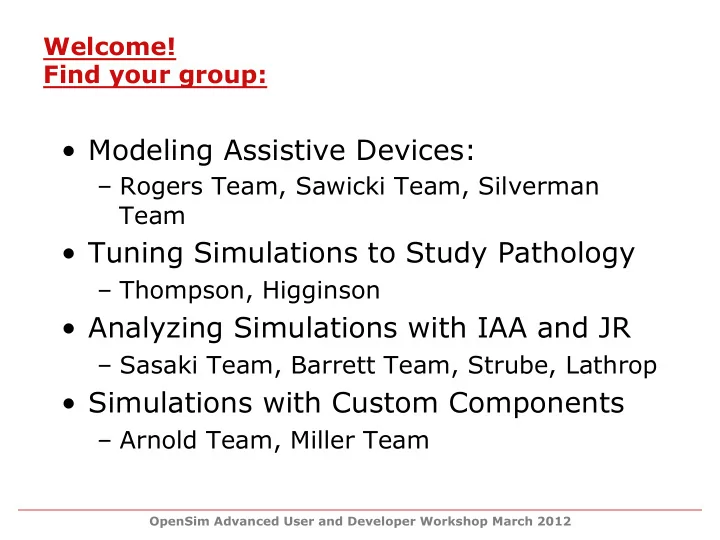
Welcome! Find your group:

  • Modeling Assistive Devices:

– Rogers Team, Sawicki Team, Silverman Team

  • Tuning Simulations to Study Pathology

– Thompson, Higginson

  • Analyzing Simulations with IAA and JR

– Sasaki Team, Barrett Team, Strube, Lathrop

  • Simulations with Custom Components

– Arnold Team, Miller Team

slide-2
SLIDE 2

OpenSim Advanced User and Developer Workshop March 2012

Agenda

8:30 – 9:00 Welcome and Workshop Goals Scott Delp and Jen Hicks 9:00 – 10:15 Participant Introduction and Goals 10:15 – 10:30 Break 10:30 – 12:00 Generating Forward Simulations with OpenSim Ajay Seth, Sam Hamner, and Tim Dorn 12:00 – 1:00 Lunch 1:00 – 1:45 Components of an OpenSim Model and Model Editing Matt Demers 1:45 – 2:00 Break 2:00 – 2:15 Solidify Project Plans 2:15– 5:00 Work on Projects

slide-3
SLIDE 3

OpenSim Advanced User and Developer Workshop March 2012

Agenda

8:30 – 9:00 Welcome and Workshop Goals Scott Delp and Jen Hicks 9:00 – 10:15 Participant Introduction and Goals 10:15 – 10:30 Break 10:30 – 12:00 Generating Forward Simulations with OpenSim Ajay Seth, Sam Hamner, and Tim Dorn 12:00 – 1:00 Lunch 1:00 – 1:45 Components of an OpenSim Model and Model Editing Matt Demers 1:45 – 2:00 Break 2:00 – 2:15 Solidify Project Plans 2:15– 5:00 Work on Projects

slide-4
SLIDE 4

OpenSim Advanced User and Developer Workshop March 2012

slide-5
SLIDE 5

OpenSim Advanced User and Developer Workshop March 2012

Purpose of modeling and simulation

Probe parameters that are difficult to measure Visualize complex movement patterns Perform “what if” studies Identify cause-effect relationships

slide-6
SLIDE 6

OpenSim Advanced User and Developer Workshop March 2012

Visualize human running in detail

slide-7
SLIDE 7

OpenSim Advanced User and Developer Workshop March 2012

Purpose of modeling and simulation

Probe parameters that are difficult to measure Visualize complex movement patterns Perform “what if” studies Identify cause-effect relationships

slide-8
SLIDE 8

OpenSim Advanced User and Developer Workshop March 2012

Probe the function of a muscle

slide-9
SLIDE 9

OpenSim Advanced User and Developer Workshop March 2012

Purpose of modeling and simulation

Probe parameters that are difficult to measure Visualize complex movement patterns Perform “what if” studies Identify cause-effect relationships

slide-10
SLIDE 10

OpenSim Advanced User and Developer Workshop March 2012

Examine causes of crouch gait

slide-11
SLIDE 11

OpenSim Advanced User and Developer Workshop March 2012

Purpose of modeling and simulation

Probe parameters that are difficult to measure Visualize complex movement patterns Perform “what if” studies Identify cause-effect relationships

slide-12
SLIDE 12

OpenSim Advanced User and Developer Workshop March 2012

What happens if the floor drops?

slide-13
SLIDE 13

OpenSim Advanced User and Developer Workshop March 2012

  • Difficult to reproduce results of published papers
  • Limited testing and peer review
  • Commercial codes valuable but not extensible
  • Cost of commercial code limits use in teaching
  • Building your own code is a challenge
  • Difficult to bring your innovations to the world
  • Continuity is lost when students graduate
  • Isolation

Problems with current paradigm

slide-14
SLIDE 14

OpenSim Advanced User and Developer Workshop March 2012

  • Open access - results can be reproduced and tested
  • Extensible - you can add your own features
  • Widely available - bring your innovations to the world
  • Free - teaching materials
  • Access - a community of experts
  • Continuity - for your lab

What does OpenSim provide?

slide-15
SLIDE 15

OpenSim Advanced User and Developer Workshop March 2012

  • Standard format for exchanging models
  • General purpose inverse dynamics
  • Optimization to estimate muscle and joint forces
  • Methods to create simulations from motion capture
  • Tools to analyze simulations
  • A fast and open dynamics engine

Some OpenSim features

slide-16
SLIDE 16

OpenSim Advanced User and Developer Workshop March 2012

OpenSim is an application

slide-17
SLIDE 17

OpenSim Advanced User and Developer Workshop March 2012

OpenSim is a repository of models

Running: Hamner et al, 2010

Lumbar-spine:

Christophy et al, 2011 Lower-extremity: Arnold et al, 2010 Shoulder: Matias et al, in prep.

slide-18
SLIDE 18

OpenSim Advanced User and Developer Workshop March 2012

OpenSim is a resource http://opensim.stanford.edu

slide-19
SLIDE 19

OpenSim Advanced User and Developer Workshop March 2012

OpenSim is a worldwide community

slide-20
SLIDE 20

OpenSim Advanced User and Developer Workshop March 2012

OpenSim is a team of contributors:

You!

Ayman Habib Peter Loan Eran Guendelman Scott Delp Clay Anderson Chand John Jeff Reinbolt May Liu Matt Millard Allison Arnold Michael Sherman Ian Stavness Ajay Seth Tim Dorn Jennifer Hicks Matt DeMers Edith Arnold Kat Steele Sam Hamner

slide-21
SLIDE 21

OpenSim Advanced User and Developer Workshop March 2012

  • Learn the underlying theory, best practices, and trouble

shooting tips for generating simulations in OpenSim

  • Learn how to create and edit models in OpenSim
  • Breakout Session: Find out how you can extend

OpenSim with the API

  • Achieve your project goals and share your results
  • Advance your research!

Objectives for the Workshop

slide-22
SLIDE 22

OpenSim Advanced User and Developer Workshop March 2012

  • OpenSim 2.4 Features:

– Inverse Kinematics and Dynamics use SimTK solver—faster and more robust – Flexible external loads – New visualization features – Tool in the GUI to convert old setup files

  • Preview of OpenSim 3.0!
  • Help us improve the software:

– Help->Bug Report – Help->Feature Request

The Workshop Software

slide-23
SLIDE 23

OpenSim Advanced User and Developer Workshop March 2012

  • Lectures and Examples
  • Handout
  • OpenSim Staff
  • Other Workshop Participants
  • Online Resources!

– http://opensim.stanford.edu/support/ support_index_test.html Workshop Resources

slide-24
SLIDE 24

OpenSim Advanced User and Developer Workshop March 2012

  • Showcase your results on Wednesday

by sharing:

– Video(s) of your simulations – Demo your models or simulations – Figures demonstrating cool results – Blooper videos

  • Awards:

– Coolest Demo or Video – Biggest Research Discovery – Best Blooper Final Presentations

slide-25
SLIDE 25

OpenSim Advanced User and Developer Workshop March 2012

  • Set clear and manageable project goals
  • Help each other
  • Use your resources: lectures, handout, and online

materials

  • Still need help? Find the right person to ask your

questions

  • Have fun and take breaks

Getting the most out of the workshop:

slide-26
SLIDE 26

OpenSim Advanced User and Developer Workshop March 2012

Agenda

8:30 – 9:00 Welcome and Workshop Goals Scott Delp and Jen Hicks 9:00 – 10:15 Participant Introduction and Goals 10:15 – 10:30 Break 10:30 – 12:00 Generating Forward Simulations with OpenSim Ajay Seth, Sam Hamner, and Tim Dorn 12:00 – 1:00 Lunch 1:00 – 1:45 Components of an OpenSim Model and Model Editing Matt Demers 1:45 – 2:00 Break 2:00 – 2:15 Solidify Project Plans 2:15– 5:00 Work on Projects