Model 2 approach to JSP Servlet/JSP Integration 4 Dispatching - - PDF document

model 2 approach to jsp servlet jsp integration 4
SMART_READER_LITE
LIVE PREVIEW

Model 2 approach to JSP Servlet/JSP Integration 4 Dispatching - - PDF document

Integrazione delle tecnologie Java Servlet e JSP Presentazione derivata da www.coreservlets.com Servlet/JSP Integration Why Combine Servlets & JSP? Typical picture: use JSP to make it easier to develop and maintain the HTML content


slide-1
SLIDE 1
  • Servlet/JSP Integration

Integrazione delle tecnologie Java Servlet e JSP

Presentazione derivata da www.coreservlets.com

2 Servlet/JSP Integration

Why Combine Servlets & JSP?

  • Typical picture: use JSP to make it easier to develop

and maintain the HTML content

– For simple dynamic code, call servlet code from scripting elements – For slightly more complex applications, use custom classes called from scripting elements

  • But, that's not enough
  • For complex processing, starting with JSP is awkward

– Despite the ease of separating the real code into separate classes, beans, and custom tags, the assumption behind JSP is that a single page gives a single basic look

3 Servlet/JSP Integration

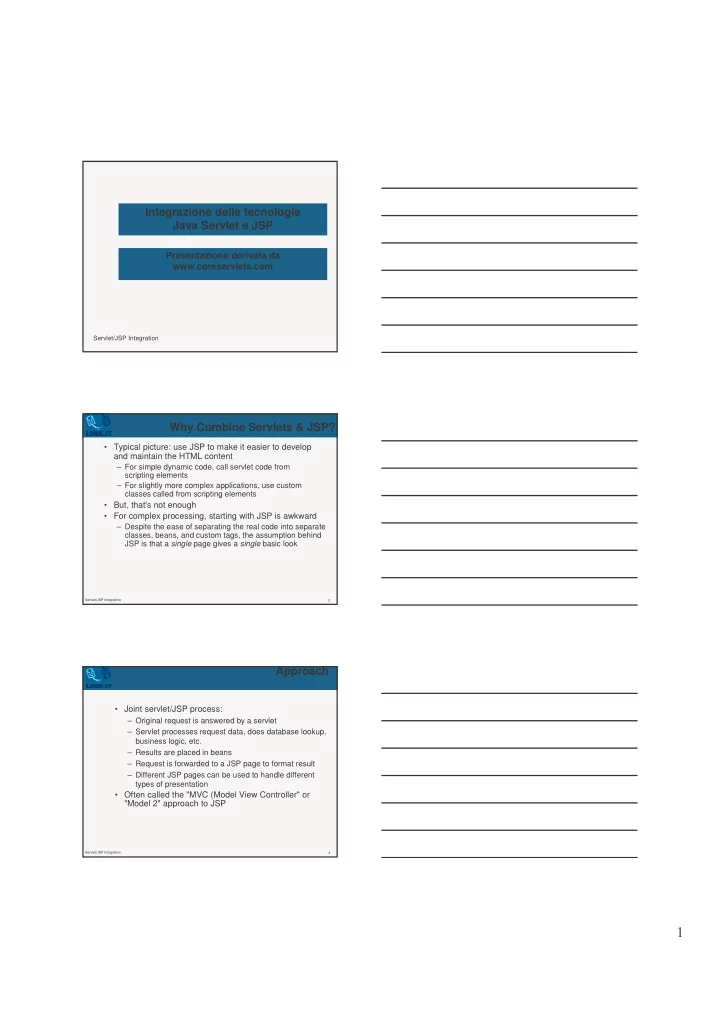
Approach

  • Joint servlet/JSP process:

– Original request is answered by a servlet – Servlet processes request data, does database lookup, business logic, etc. – Results are placed in beans – Request is forwarded to a JSP page to format result – Different JSP pages can be used to handle different types of presentation

  • Often called the "MVC (Model View Controller" or

"Model 2" approach to JSP

slide-2
SLIDE 2
  • 4

Servlet/JSP Integration

Model 2 approach to JSP

5 Servlet/JSP Integration

Dispatching Requests

  • First, call the getRequestDispatcher method of

ServletContext

– Supply URL relative to server or Web application root – Example

  • String url = "/presentations/presentation1.jsp";

RequestDispatcher dispatcher = getServletContext().getRequestDispatcher(url);

  • Second

– Call forward to completely transfer control to destination page (no communication with client in between, as with response.sendRedirect) – Call include to insert output of destination page and then continue on

6 Servlet/JSP Integration

Forwarding Requests: Example Code

public void doGet(HttpServletRequest request, HttpServletResponse response) throws ServletException, IOException { String operation = request.getParameter("operation"); if (operation == null) {

  • peration = "unknown";

} if (operation.equals("operation1")) { gotoPage("/operations/presentation1.jsp", request, response); } else if (operation.equals("operation2")) { gotoPage("/operations/presentation2.jsp", request, response); } else { gotoPage("/operations/unknownRequestHandler.jsp", request, response); } }

slide-3
SLIDE 3
  • 7

Servlet/JSP Integration

Forwarding Requests: Example Code (Continued)

private void gotoPage(String address, HttpServletRequest request, HttpServletResponse response) throws ServletException, IOException { RequestDispatcher dispatcher = getServletContext().getRequestDispatcher(address); dispatcher.forward(request, response); }

8 Servlet/JSP Integration

JSP useBean Scope Alternatives

  • Reference:

http://java.sun.com/products/jsp/tags/11/syntaxref11.fm1 4.html

  • request

– <jsp:useBean id="..." class="..." scope="request" />

  • session

– <jsp:useBean id="..." class="..." scope="session" />

  • application

– <jsp:useBean id="..." class="..." scope="application" />

9 Servlet/JSP Integration

Storing Data for Later Use: The Servlet Request

  • Purpose

– Storing data that servlet looked up and that JSP page will use only in this request.

  • Servlet syntax to store data

SomeClass value = new SomeClass(…); request.setAttribute("key", value); // Use RequestDispatcher to forward to JSP

  • JSP syntax to retrieve data

<jsp:useBean id="key" class="somepackage.SomeClass" scope="request" />

slide-4
SLIDE 4
  • 10

Servlet/JSP Integration

Storing Data for Later Use: The Session Object

  • Purpose

– Storing data that servlet looked up and that JSP page will use in this request and in later requests from same client.

  • Servlet syntax to store data

SomeClass value = new SomeClass(…); HttpSession session = request.getSession(true); session.setAttribute("key", value); // Use RequestDispatcher to forward to JSP

  • JSP syntax to retrieve data

<jsp:useBean id="key" class=" somepackage.SomeClass" scope="session" />

11 Servlet/JSP Integration

Storing Data for Later Use: The Servlet Context

  • Purpose

– Storing data that servlet looked up and that JSP page will use in this request and in later requests from any client.

  • Servlet syntax to store data

SomeClass value = new SomeClass(…); getServletContext().setAttribute("key", value); // Use RequestDispatcher to forward to JSP

  • JSP syntax to retrieve data

<jsp:useBean id="key" class=" somepackage.SomeClass" scope="application" />

12 Servlet/JSP Integration

Relative URLs in JSP Pages

  • Issue:

– Forwarding with a request dispatcher is transparent to the client

  • Why does this matter?

– What will browser do with tags like the following: <IMG SRC="foo.gif" …> <LINK REL=STYLESHEET HREF="JSP-Styles.css" TYPE="text/css"> <A HREF="bar.jsp">…</A> – Answer: browser treats them as relative to servlet URL

  • Solution

– Use URLs that begin with a slash

slide-5
SLIDE 5
  • 13

Servlet/JSP Integration

Example: An On-Line Travel Agent

14 Servlet/JSP Integration

Example: An On-Line Travel Agent

  • All requests include

– Email address, password, trip origin, trip destination, start date, and end date

  • Original request answered by servlet

– Looks up real name, address, credit card information, frequent flyer data, etc., using email address and password as key. Data stored in session object.

  • Depending on what button user pressed, request

forwarded to:

– Page showing available flights, times, and costs – Page showing available hotels, features, and costs – Rental car info, edit customer data, error handler

15 Servlet/JSP Integration

An On-Line Travel Agent: Servlet Code

  • !

"! # # $%& '() $* ! +# + $,-./0-.& 1$$ . 1$! $#,! +

slide-6
SLIDE 6
  • 16

Servlet/JSP Integration

An On-Line Travel Agent: JSP Code (Flight Page)

<BODY> <H1>Best Available Flights</H1> <CENTER> <jsp:useBean id="customer" class="coreservlets.TravelCustomer" scope="session" /> Finding flights for <jsp:getProperty name="customer" property="fullName" /> <P> <jsp:getProperty name="customer" property="flights" /> ...

17 Servlet/JSP Integration

Forwarding Requests from JSP Pages –’ jsp:forward

  • You usually forward from a servlet to a JSP page, but

you can also forward from a JSP page also

<% String destination; if (Math.random() > 0.5) { destination = "/examples/page1.jsp"; } else { destination = "/examples/page2.jsp"; } %> <jsp:forward page="<%= destination %>" />

18 Servlet/JSP Integration

Including Pages Instead of Forwarding to Them

  • With the forward method of RequestDispatcher:

– Control is permanently transferred to new page – Original page cannot generate any output

  • With the include method of RequestDispatcher:

– Control is temporarily transferred to new page – Original page can generate output before and after the included page – Original servlet does not see the output of the included page ("servlet chaining" is not a standard capability) – Useful for portals: JSP gives common pieces, but pieces arranged in different orders for different users

slide-7
SLIDE 7
  • 19

Servlet/JSP Integration

A Servlet that Shows Raw Servlet and JSP Output

  • ut.println(...

"<TEXTAREA ROWS=30 COLS=70>"); if ((url == null) || (url.length() == 0)) {

  • ut.println("No URL specified.");

} else { // Attaching data works only in version 2.2. String data = request.getParameter("data"); if ((data != null) && (data.length() > 0)) { url = url + "?" + data; } RequestDispatcher dispatcher = getServletContext().getRequestDispatcher(url); dispatcher.include(request, response); }

  • ut.println("</TEXTAREA>\n" +

...);

20 Servlet/JSP Integration

A Servlet that Shows Raw Servlet and JSP Output

21 Servlet/JSP Integration

Summary

  • Use MVC (Model 2) approach when:

– One submission will result in more than one basic look – Several pages have substantial common processing

  • Architecture

– A servlet answers the original request – Servlet does the real processing & stores results in beans

  • Beans stored in HttpServletRequest, HttpSession,
  • r ServletContext

– Servlet forwards to JSP page via forward method of RequestDispatcher – JSP page reads data from beans by means of jsp:useBean with appropriate scope (request, session, or application)