Mobile network security issues A very short overview of some mobile - - PowerPoint PPT Presentation

mobile network security issues
SMART_READER_LITE
LIVE PREVIEW

Mobile network security issues A very short overview of some mobile - - PowerPoint PPT Presentation

Mobile network security issues A very short overview of some mobile security issues. Mobile access is expected to become the main access method. Services and mobile commerce (mCommerce) are expected to become a major business.


slide-1
SLIDE 1

Mobile network security issues

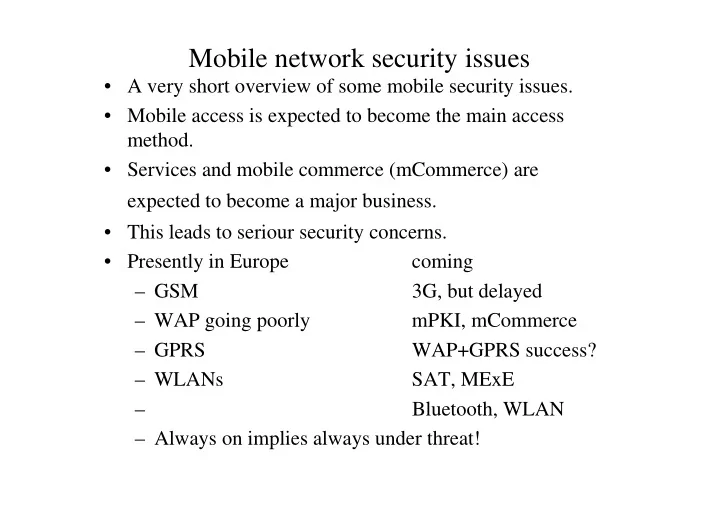
  • A very short overview of some mobile security issues.
  • Mobile access is expected to become the main access

method.

  • Services and mobile commerce (mCommerce) are

expected to become a major business.

  • This leads to seriour security concerns.
  • Presently in Europe

coming – GSM 3G, but delayed – WAP going poorly mPKI, mCommerce – GPRS WAP+GPRS success? – WLANs SAT, MExE – Bluetooth, WLAN – Always on implies always under threat!

slide-2
SLIDE 2

GSM Security

  • GSM security features: (rather good once but not any more)

– SIM card – PIN and PUK code – AUT and EIR – A5/1 encryptation – frequency hopping

  • Rather good, but

– A5 can be broken on real time by published algorithms – frequency hopping can be followed – the call goes to PSTN and is not encypted there – GSM user can be located by location services – GSM/PSTN calls are being listened, some say in satellites, some say in large PSTN exchanges

slide-3
SLIDE 3

WAP security

  • WAP 1.2 security features:

– WTSL (Wireless Transport Layer Security) – public key cryptography used to exchange a symmetric key using certificates, then all trasmission is encrypted. – Rather short key lengths because of power limitations. WTSL still supports 40 bit keys (SHA_XOR_40), though they should not be used. – WML ScriptSignText function. – WIM (WAP identity module) – WTSL improvements have replacement of the weak SHA_XOR_40 cipher, better support of X.509, elliptic curve cryptography (ECC) in addition to stronger RSA

  • WAP 2 stack:

– TLS (Transport Layer Security)

slide-4
SLIDE 4

SAT and MExE

  • SIM and USIM Application Toolkit (SAT)

– enables applications to be implemented to the SIM card. – this is rather secure. In the future WIM could be put on SIM (known as S/WIM).

  • Mobile eXecution Environment (MExE)

– Classmark 1: WAP – Classmark 2: Personal Java – Classmark 3: Java 2 Micro Edition (J2ME) – + MExEs own security frameworks – Personal Java has more or less Java security model, J2ME is so small version of Java that the security model is a bit

  • limited. There is Java sandbox, and there could be signed
  • MIDlets. J2ME used with WAP should be rather secure.
slide-5
SLIDE 5

WLAN security

  • Wireless LAN 802.11b (about the same as Wi-Fi) provides

max 11 Mbps wireless ethernet connections using the unlicenced band at 2.4 GHz (industrial-scientific-medical).

  • 802.11b security features consist of:

– WEP Wireless Equivalent Privacy – ESSID (Extended Service Set ID) name – Access control lists (ACL)-type method using ESNs – Spread spectrum (CDMA), frequency hopping

  • Nearly 50% of present wireless LANs do not have any

encryptation enabled. As WLANs are currently very popular, this trend reduces security.

  • 802.11b security features turned out to be very poor. They

provide some, but not much, security.

slide-6
SLIDE 6

WLAN security

  • WEP (Wireless Equivalent Privacy)
  • Based on RC4, a symmetric stream cipher.
  • It has a pseudo-random number generator, whose output is

XORed to the data.

  • There is additionally integrity check sum produced by the

Integrity Check Algorithm.

  • WEP can use 40 bit keys or 128 bit keys. However, using

128 bit keys 802.11b throughput drops much due to heavy calculations.

  • August 2001 RC4 was announced to be broken and it can

be cracked in less than half an hour. Consequently, WEP can be broken.

  • WEP has other flaws and WEP with 40 bit keys can be

broken in real time.

  • WEP2 should be available 2002 (to 802.11i).
slide-7
SLIDE 7

WLAN security

ESSID (Extended Service Set ID) name

  • A WLAN has Access Points to which portable

terminals connect through the air.

  • The Access Point has a ESSID name and the terminal

knows the ESSID. The Access Point considers the terminal to belong to the same network if it uses the correct ESSID.

  • The default names for ESSID are given by the

vendors.

  • ESSID default is ”isunami” for Cisco and ”101” for

3Com Access Points.

  • ESSID names should be changed to some cryptic at

installation.

slide-8
SLIDE 8

WLAN security

  • Access Control Lists

– The MAC address of a laptop for WLAN is given by a unique Electronic Serial Number (ESN) and the IP address. – Typically 802.11b PC card can provide MAC address based authentication: If the ESN of the network Interface card (NIC) is not listed in the ACL, the NIC cannot connect to the Access Point. – If the terminal is stolen, the ESN can be quickly deleted from ACL. – An attacker can sniff out valid MAC addresses and configure his laptop to use a sniffed address. – Notice, sniffers again are useful. In the wired side sniffers lost applicability with switch-based architecture

slide-9
SLIDE 9

WLAN security

  • Spread spectrum

– Use of CDMA in 802.11b improves security. – Frequency hopping in 802.11b can be cracked: if an attacker listens all allowed bands, he can figure out the frequency jumps. – Additionally, the protocol makes it easies since hop frequency is rather slow and the protocol even transmits the hopping sequence and timing of hops. – This attack is called the Bunny Hop Attack. – Frequency hopping in 802.11b should not be considered a security mechanism, it is intended for better quality for connections.

slide-10
SLIDE 10

WLAN security

  • Checksum Attack

– 802.11b has a checksum for data, but an attacker can replace both the data and the checksum. 802.11b does not check this. – Future versions of 802.11 should provide a better check.

  • Limited Authentication Options

– 802.11b does not have good client authentication. RADIUS server can be used with wireless VPN to provide client authentication.

  • There is public software for hacking 802.11b. like AirSnort

and WEPCrack.

  • see http://airsnort.sourceforge.net/
slide-11
SLIDE 11

WLAN security

  • There are many 802.11 WLAN standards:
  • 802.11a - Accepted standard, supports data rates up to 54 Mbps
  • 802.11b – Accepted standard, most common today.
  • 802.11d – extension to 802.11a and 802.11b, for interoperability
  • 802.11e – Not ratified, improves QoS
  • 802.11f – Allows users to roam between cell sites, extension to

802.11a and 802.11b..

  • 802.11g– Not ratified, increases 802.11b bit rates to 20 Mbps.
  • 802.11i – Not ratified, improves security of 802.11a and 802.11b.
  • Possible development: 802.1ia will replace 802.11b (if the band

is obtained) and because of higher bandwidth in 802.11a, more security mechanisms can be used (IPsec VPNs etc.)

slide-12
SLIDE 12

Bluetooth security

  • Bluetooth was initiated by Ericsson. Named after the Danish

King Harald Blatand, who united Denmark and Norway.

  • Bluetooth connects different wireless devises, such as laptops,

mobile phones, PDAs.

  • Bluetooth is intended to distances about 10 meters (piconet),

that is, to conference rooms, airports etc.

  • Spread spectrum techics: TDD (Time-duplex division)

typically hopping between the 79 frequences of the 2.4 GHz ISM-band.

  • Can give bit rates up to 1 Mbps.
slide-13
SLIDE 13

Bluetooth security

  • Bluetooth components:

– Radio unit

  • TDD, frequency jumping

– Baseband unit

  • voice-to-data conversion, packet segmentation,

master/slave communication, identification of parties, controls authorization – Link Management Protocol (LMP)

  • set up connections and implement security features

like key exchanges and encryptation – Logical Link Control and Adaptation (L2CAP)

  • multiplexing, packer segmentation/reassembly, QoS

– Service Discovery Protocol (SDP)

  • queries a Bluetooth devise and checks what services

it supports

slide-14
SLIDE 14

Bluetooth security

  • Three security levels:
  • Security Mode 1:

– no security, for testing purposes only

  • Security Mode 2:

– security at the L2CAP level (first a link is established) – trusted and untrusted devises – security policies can flexibly impose different trust levels: authentication, authorization, encyptation. – encyptation is good but the key size is negotiated. It can be even as short as 8 bits, then it is trivial to crack.

  • Security Mode 3:

– security at the Baseband level (already on the link level) – Security Manager imposes security policies – LMP makes encyptation and key exchanges

slide-15
SLIDE 15

Bluetooth security

  • PIN based authentication

– Bluetooth uses several link keys, they are generated from PINs – combination, unit, temporary, and initialization 128 bit keys – a 128 bit master key is used between several devises

  • Unlike in 802.11b WLAN, the security algorithms of Bluetooth are

considered strong.

  • As a summary, Bluetooth offers possibilities for building good

security.

  • It also offers possibilities for neglegting all security or putting quite

trivial security. This depends on the implementation and on the configuration.

  • Because of the intended usage, conferences on some strange

locations and sharing data, we should expect that the security level will be configured quite strong.

slide-16
SLIDE 16

Bluetooth security

  • Bluetooth security is considered good. However, there are

some attack possibilities. They do not sound very serious.

  • PIN weakness

– initial authentication is based on a PIN (but does not need to be the PIN directly). If poorly implemented and PIN is easy to guess this is a weakness.

  • Impersonation

– a hacker can scan the ESN and MSN (mobile identification number) and pretend to be someone else.

  • Replay attacks

– In theory, an attacker can record Bluetooth transmissions in all 79 frequences, then in some way figure out frequency hopping sequence and then replay the whole

  • transmission. There should be time stamps or other

antireplay mechanisms on applications.

slide-17
SLIDE 17

Bluetooth security

  • Man in the Middle

– Bluetooth authentication is not based on public key

  • certificates. It is possible to play a man in the middle.
  • Hopping

– Seems difficult since Bluetooth can use highly unpredictable frequency hopping, but it is claimed that the hopping sequence could be broken.

  • Location attack

– A Bluetooth devise has (globally) unique identification number, therefore it is possible to identify and locate a users position.

  • Denial-of-Service attack

– jamming the whole ISM band, takes a lot of energy – put so many Bluetooth devises that the band is consumed – try to connect, authentication fails, but a legal client will not get through either.

slide-18
SLIDE 18

Some wireless security issues

  • RF fingerprint

– Usually every equipment has some characteristics so that it is possible to identify a mobile devise by investigating the signal it sends, that is, raise times, power levels etc. – This kind of RF fingerprint can be used to locate and identify users, error rate is about 2%.

  • Listening connections

– Records of past transmissions are kept and anomalities are searched for. It is used in fraud detection, spying, locating terrorists etc.

  • Jamming

– Military technique, civil usages for instance to stop use of GSM in governmental buildings in Spain. Could be used by attackers.

slide-19
SLIDE 19

Some wireless security issues

  • SMS viruses

– badly formed SMS can crash a mobile phone, these were the first SMS ”viruses” – first real SMS viruses appeared late 2000, 2001, or maybe they should be called worms. – example: timofonica (originated in Spain) sends to random people SMS messages and causes the mobiles to make random phone calls. – mobile phone viruses are expected fo become a real problem around 2005. There will be more service creation possibilities opening chances to viruses. – when mCommerce is used, a virus could steal money from a mobile phone wallet.

slide-20
SLIDE 20

More information

  • These transparences are loosely based on the book:
  • K. Raina, A. Harsh: mCommerce Security, a beginners

guide, Mc-Graw Hill, 2002.